Helm says “cannot re-use a name that is still in use”? Build a release-owner ledger first
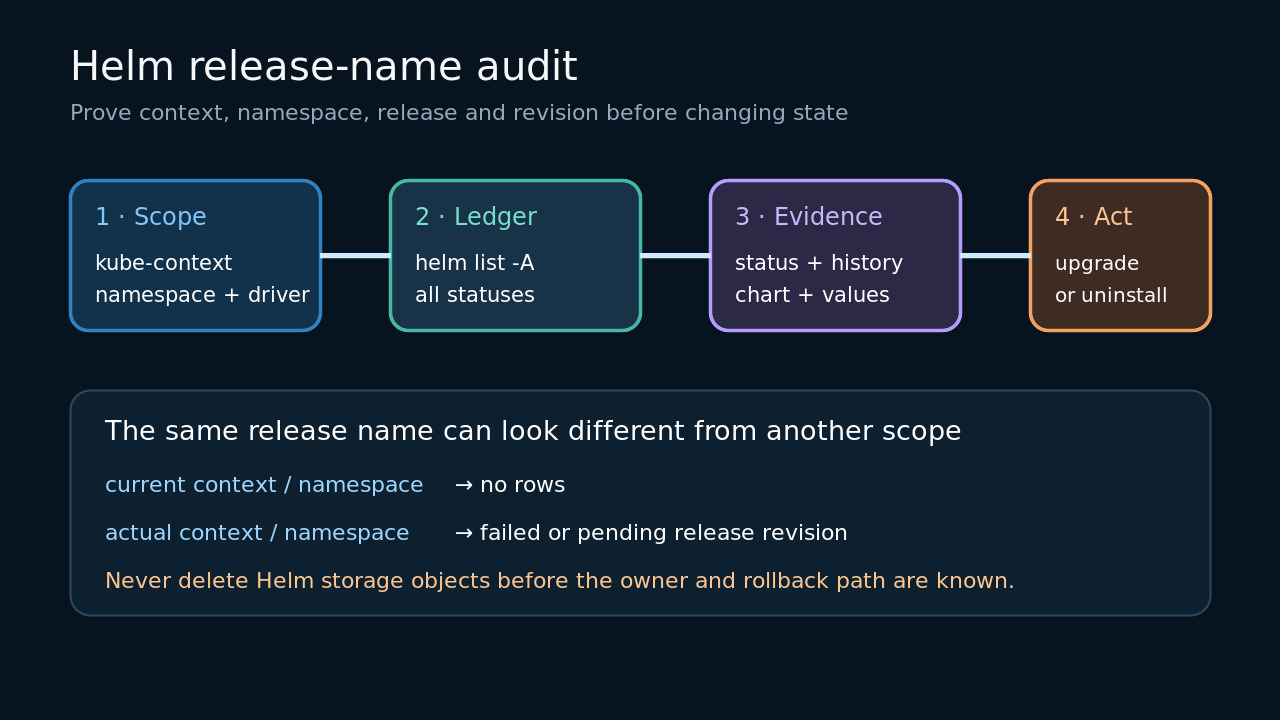
Prove the kube-context, namespace, release history and automation owner before using upgrade, rollback, uninstall or any manual metadata cleanup.
WATCH AT EASE · PRACTICAL GUIDE
Answers to everyday questions, checked for current relevance.
169–192 / 359

Prove the kube-context, namespace, release history and automation owner before using upgrade, rollback, uninstall or any manual metadata cleanup.

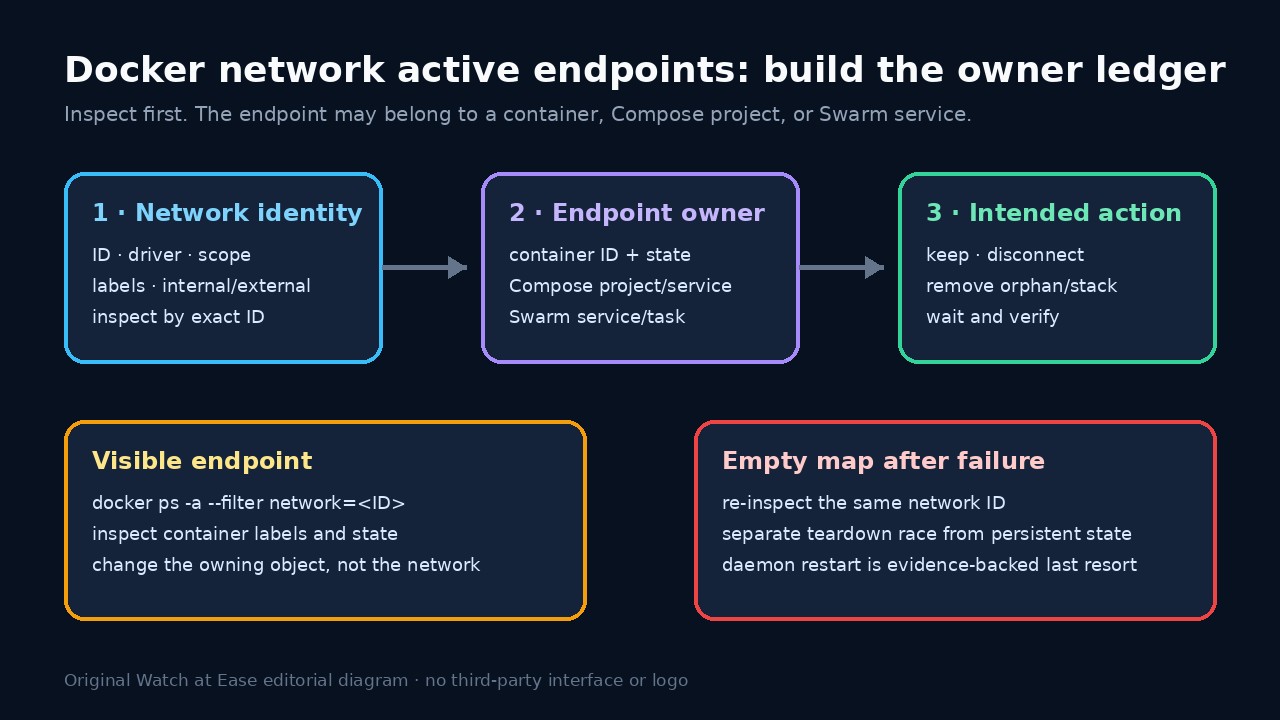
Inspect the exact network ID, include stopped containers, and map labels to the owning Compose project or Swarm service. Remove or disconnect the owner—not the evidence—then verify the same network ID.

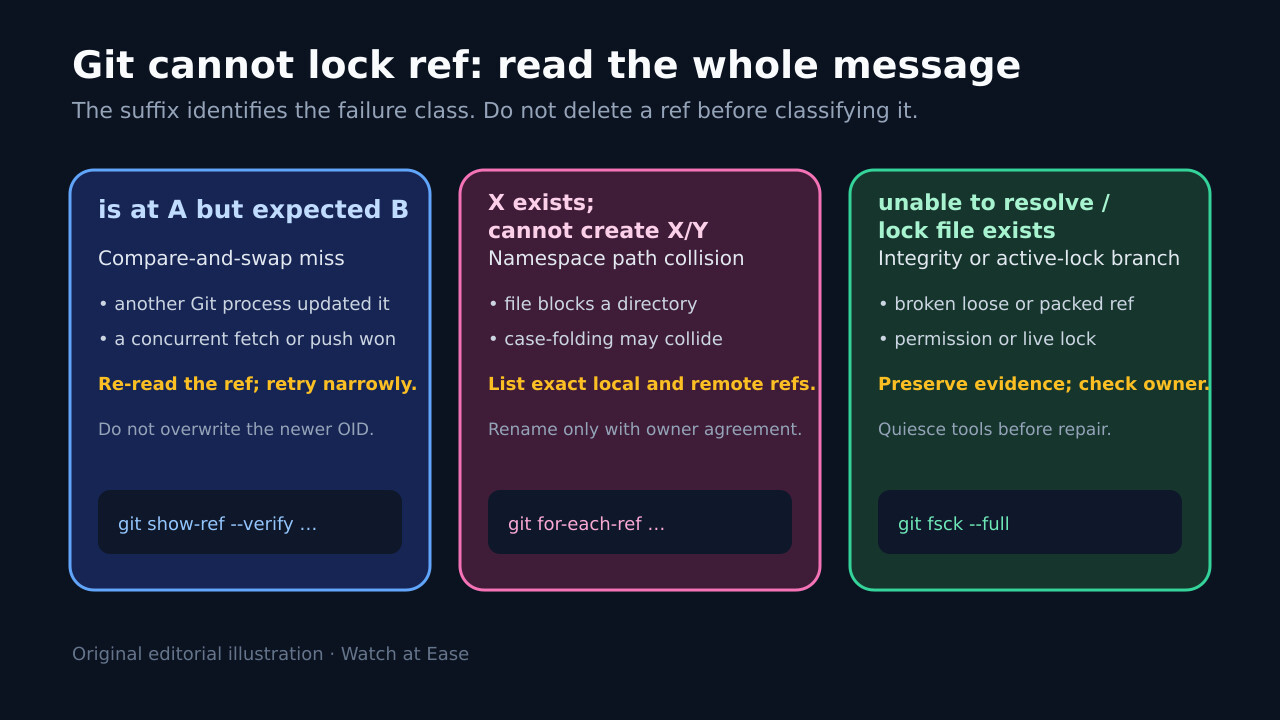
“Is at … but expected,” “exists; cannot create,” and “unable to resolve” are different failures. Preserve the exact ref and OIDs, stop competing Git writers, then repair only the proven branch.

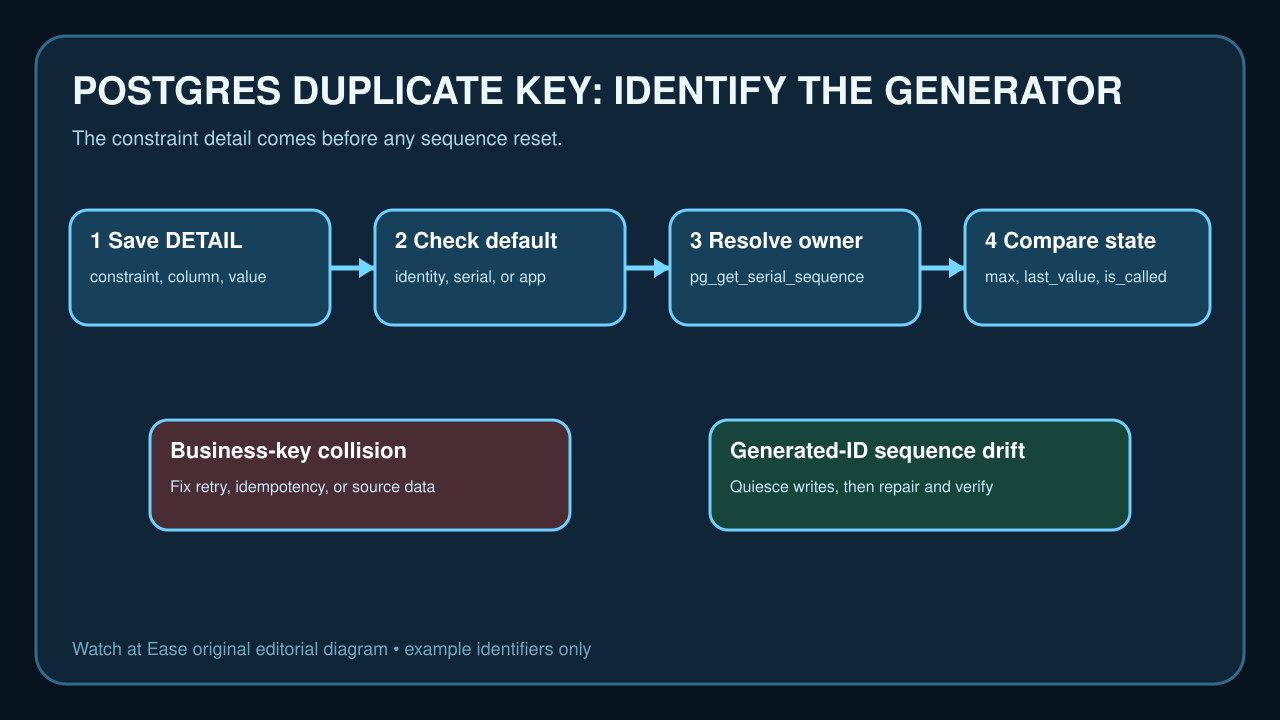
Read the violated constraint, identify who generated the key, resolve the owned sequence from the catalog, and stop writers before one targeted repair. A business-key duplicate or live race needs a different fix.

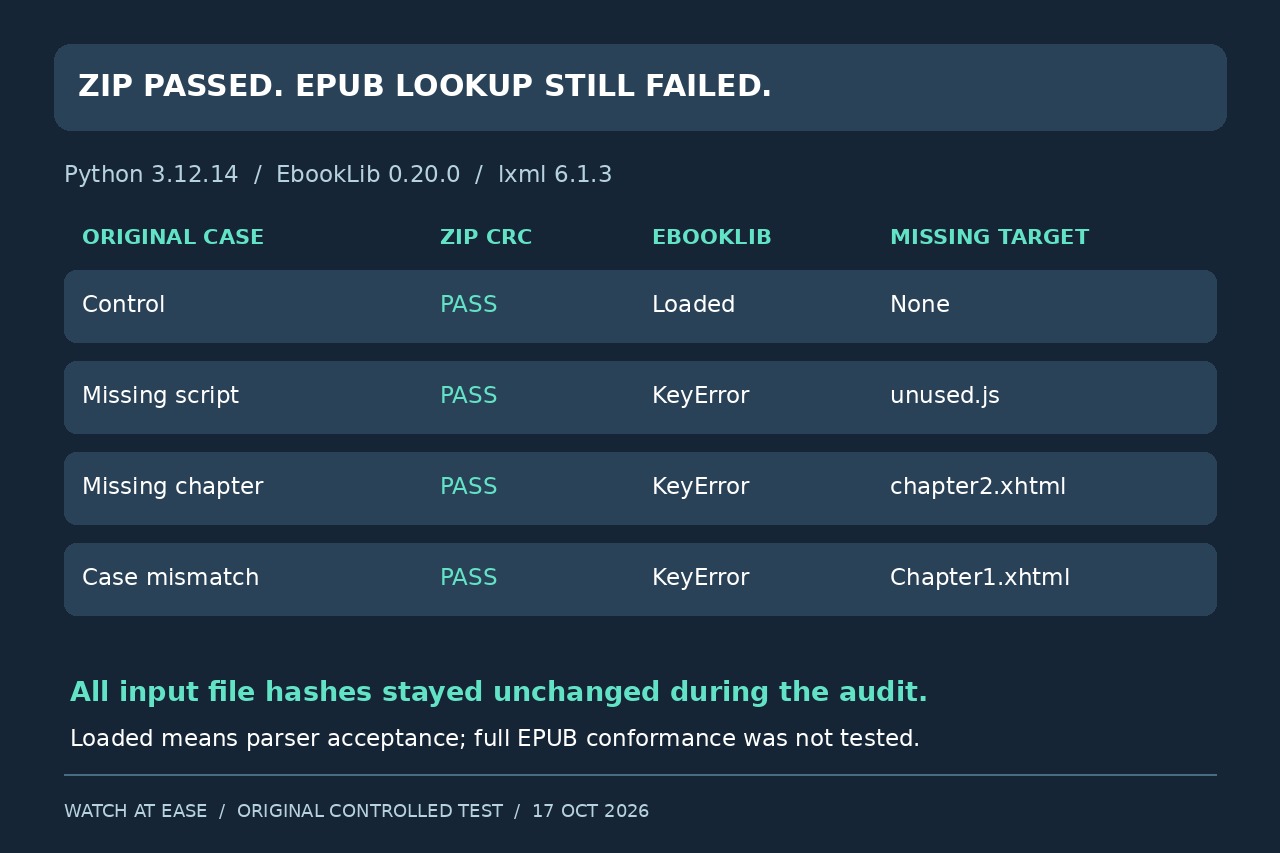
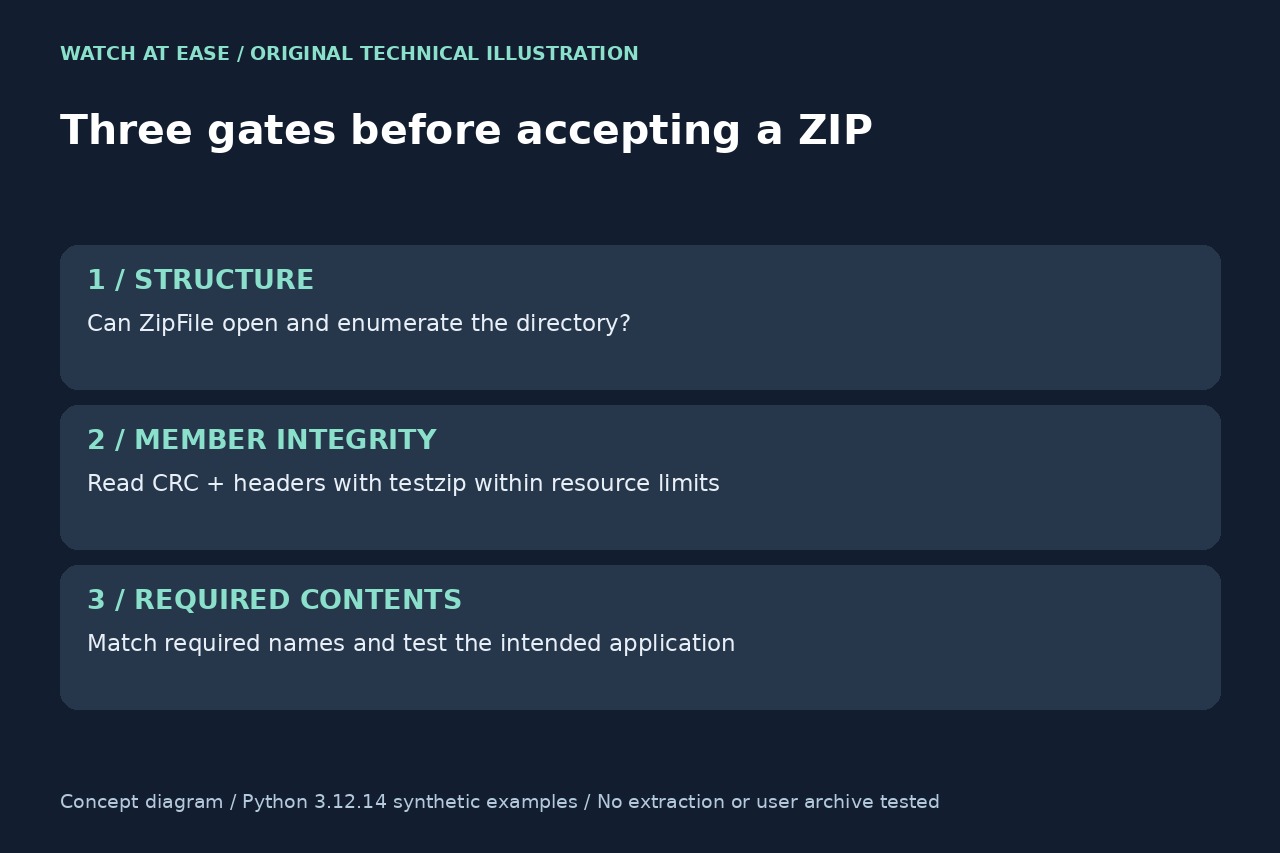
A missing script, a missing chapter and a case mismatch can produce the same KeyError. Four controlled packages show why a clean ZIP test is not an EPUB completeness check.

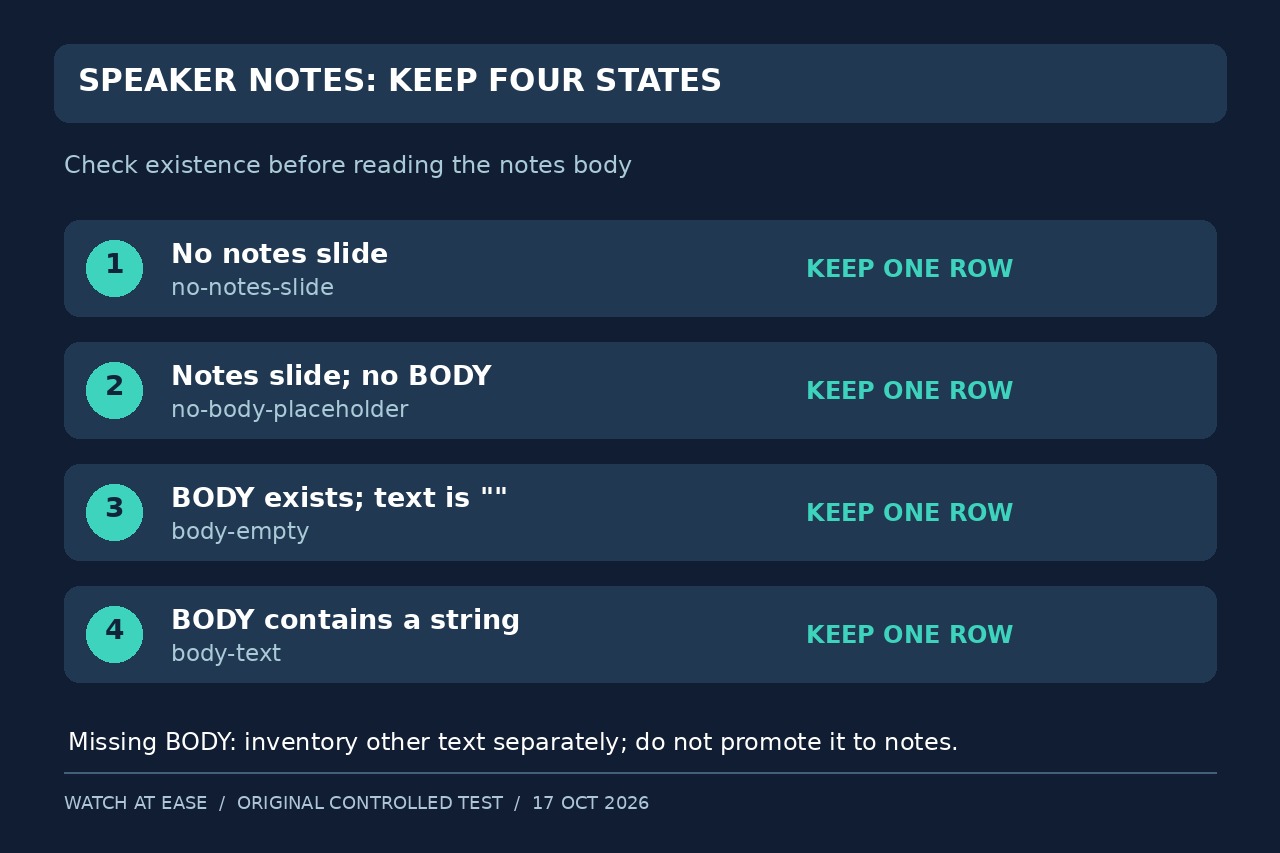
A blank result can mean three different things. Our controlled PPTX test preserves every slide and separates a missing notes body from genuinely empty notes.

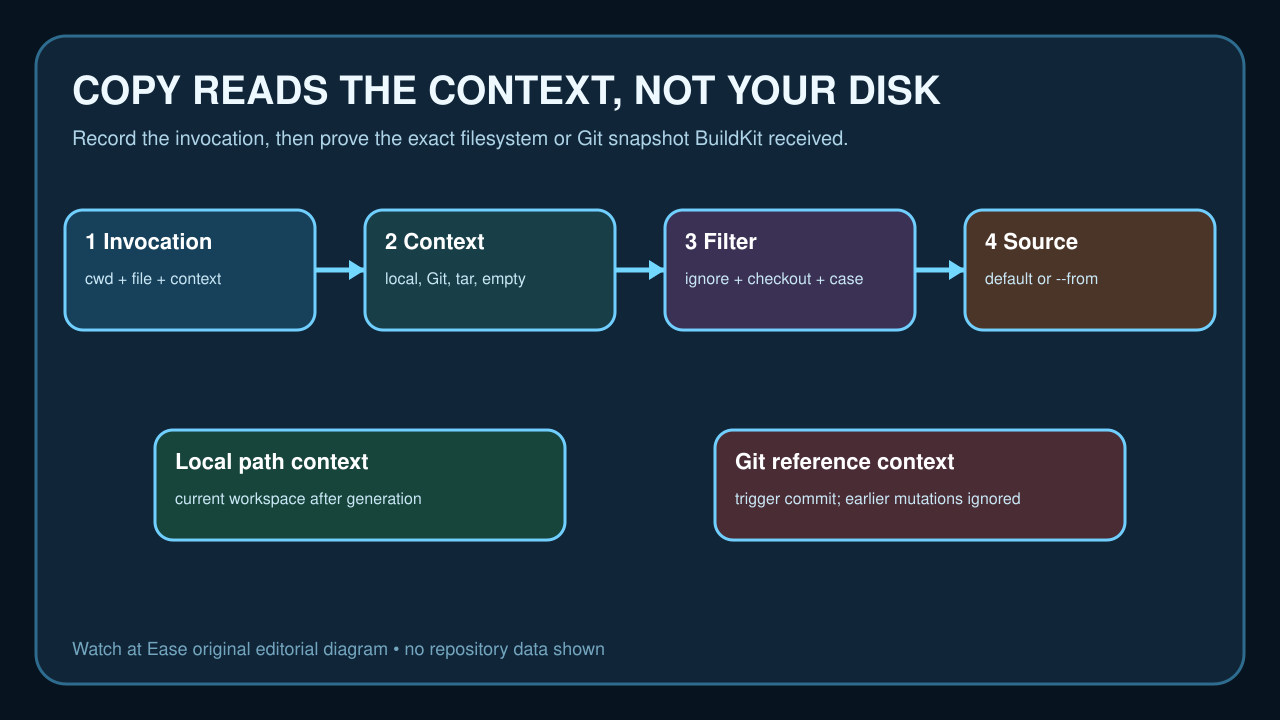
COPY can read only the selected build context after checkout, generation and ignore filtering. Preserve the invocation, classify the context, then repair one proven source boundary without widening access or baking secrets.

A visible answer, a saved form value and printable text are separate checks. Four controlled text-field fixtures show why a non-empty appearance stream is not enough.

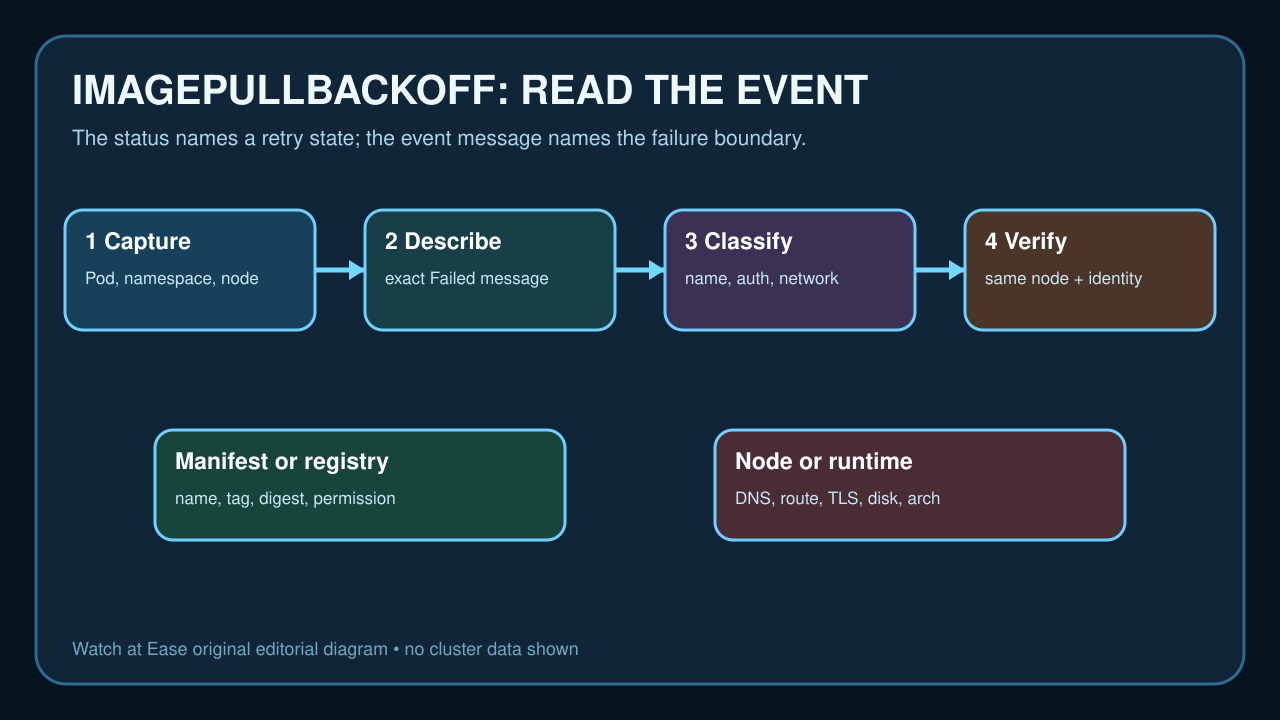
ImagePullBackOff is a retry state, not a diagnosis. Capture the exact Pod event, then test image identity, namespace-scoped credentials, node connectivity, platform and runtime storage one branch at a time.

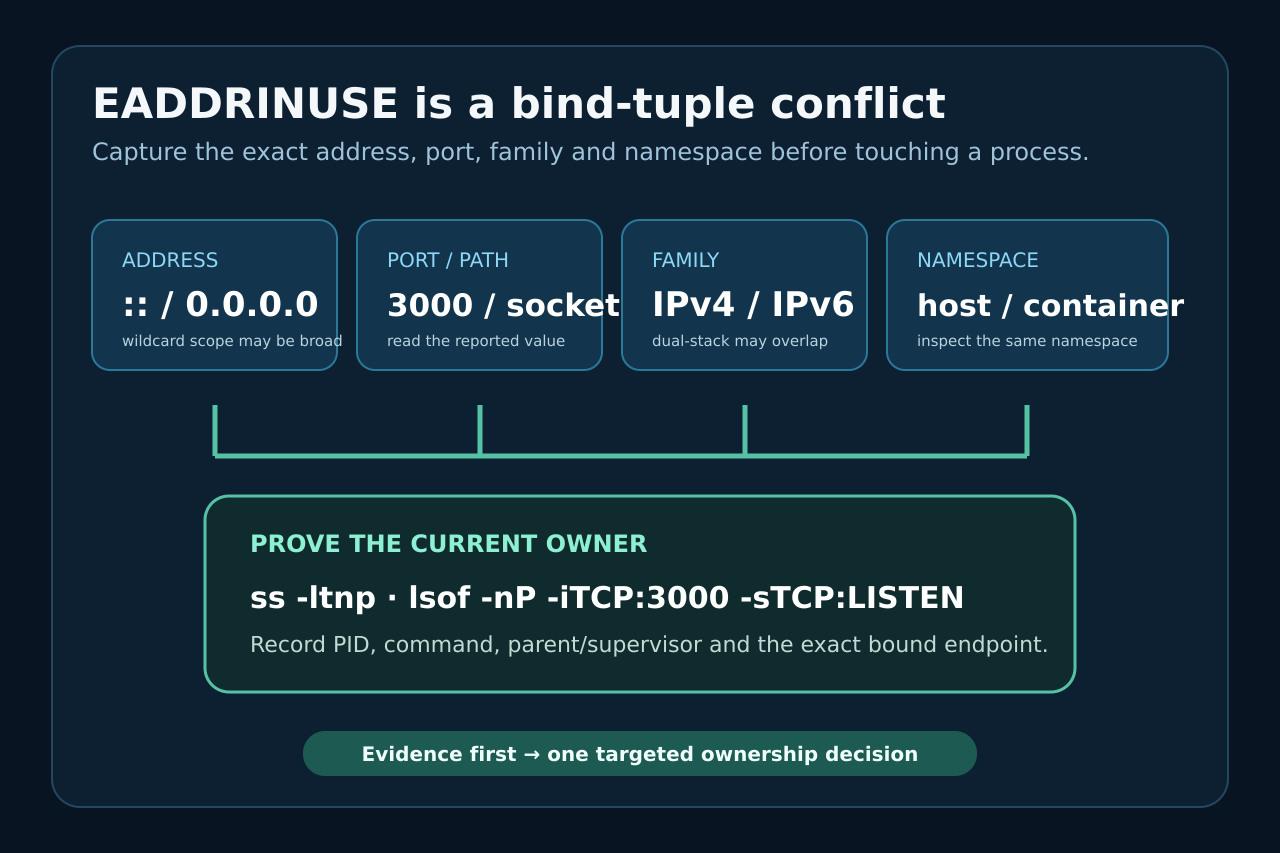
Capture the full address-and-port tuple, identify the listener in the correct namespace, stop it through its real owner, and verify one controlled restart.

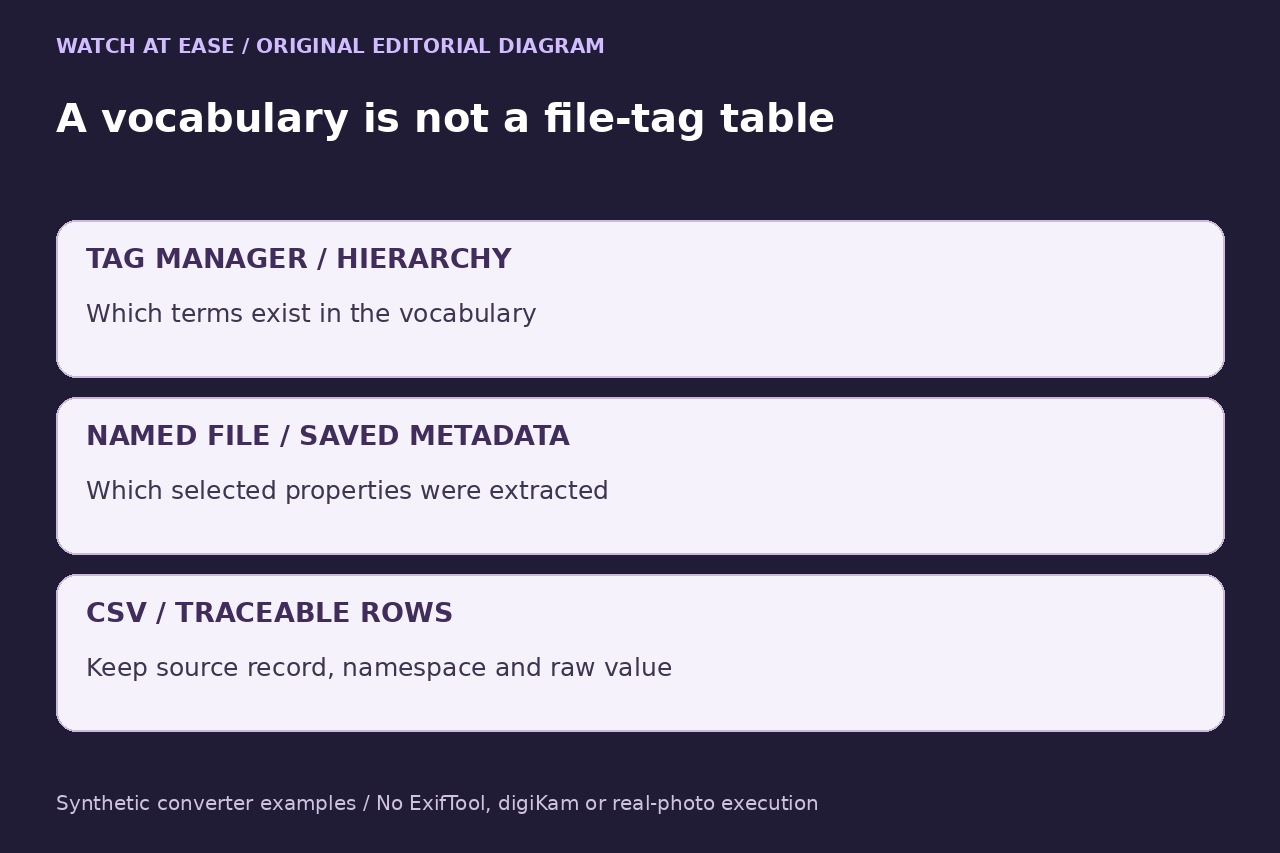
A vocabulary export and a per-file keyword table are different results. Keep ExifTool’s JSON arrays, the input filename and the metadata namespace together before making CSV rows.

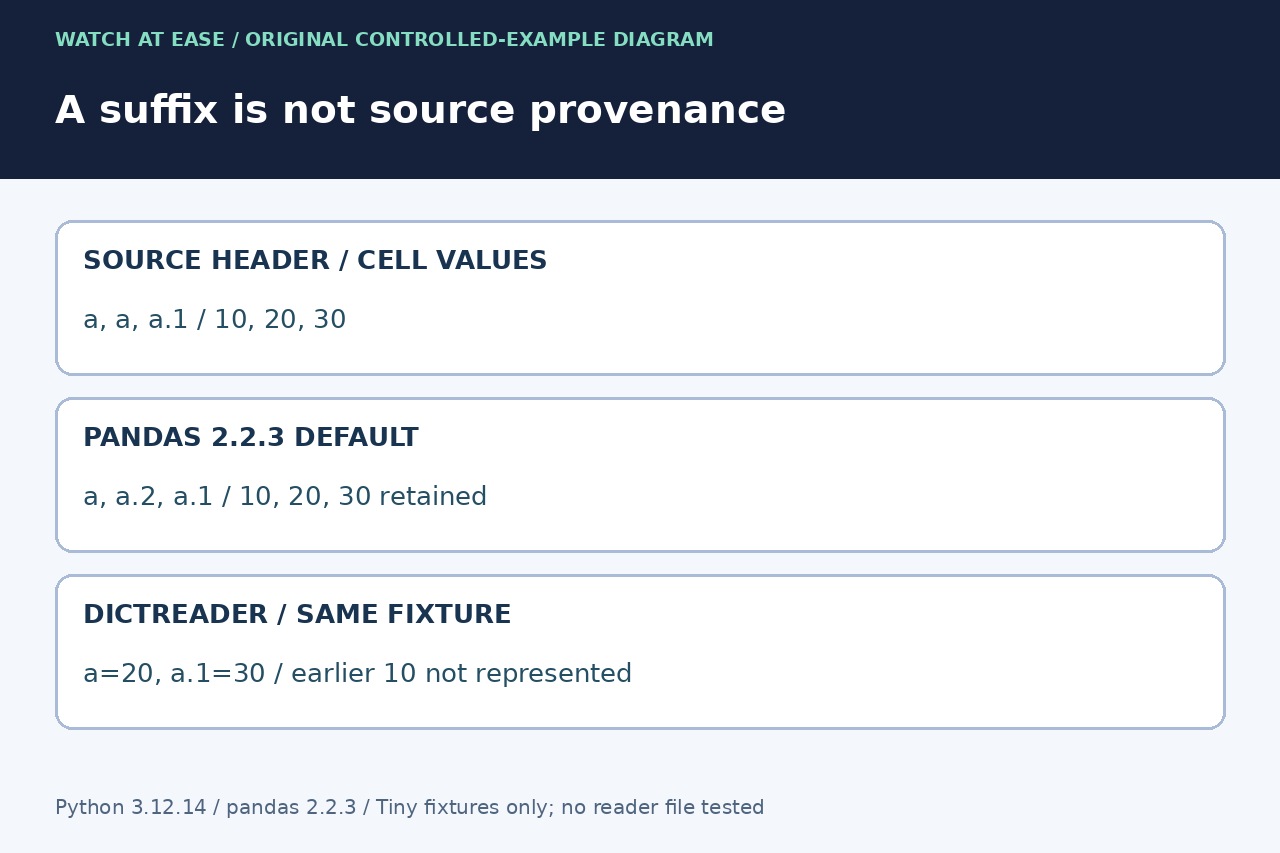
A suffixed label can be either pandas’ duplicate-name repair or a real source name. Inspect the original header and keep a position map before renaming, selecting or deleting fields.

Identify the active kubeconfig, cluster endpoint, CA bytes, proxy route and presented certificate chain before replacing credentials or disabling TLS verification.

Trace the exact npm child process, node-gyp copy, Python selector and compatibility gate before changing aliases, reinstalling toolchains or forcing a global configuration.

A PK prefix, a successful listing and a passing integrity test answer different questions. Preserve the input before choosing a repair.

Treat SQLITE_BUSY as a lock-timeline problem: prove the writer, connection, transaction phase and journal mode before increasing a timeout, switching to WAL or retrying.

Treat SQLSTATE 25P02 as evidence of an earlier failure: preserve the first SQLSTATE, prove the connection and transaction owner, then choose full rollback or a savepoint that existed before the risky work.

Compare the shell executable, Poetry’s project environment and the runtime’s sys.executable, prefix and base_prefix. Then audit the project constraint and Poetry configuration before choosing the narrowest repair.

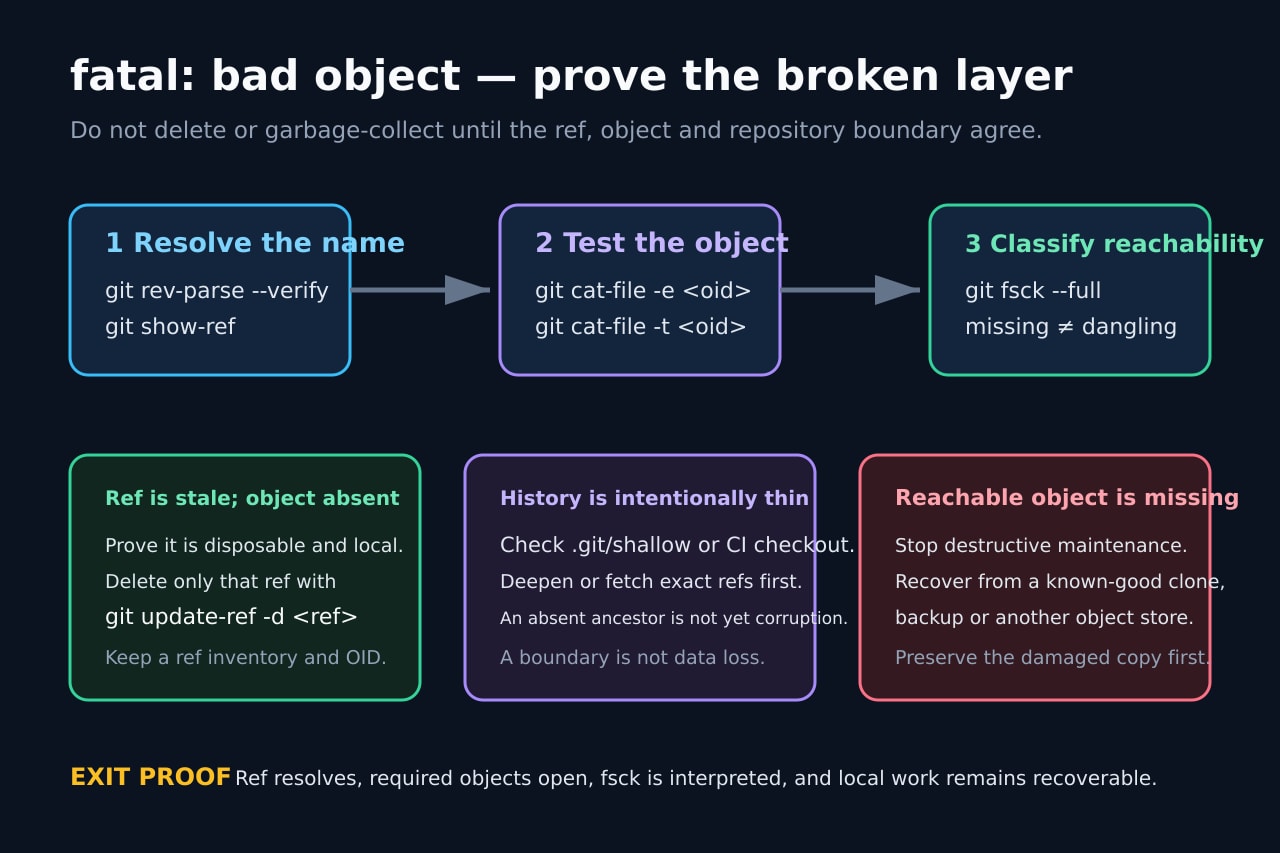
Preserve local work, resolve the exact ref, test the named object, classify shallow or partial history, and repair only the layer the evidence proves is broken.

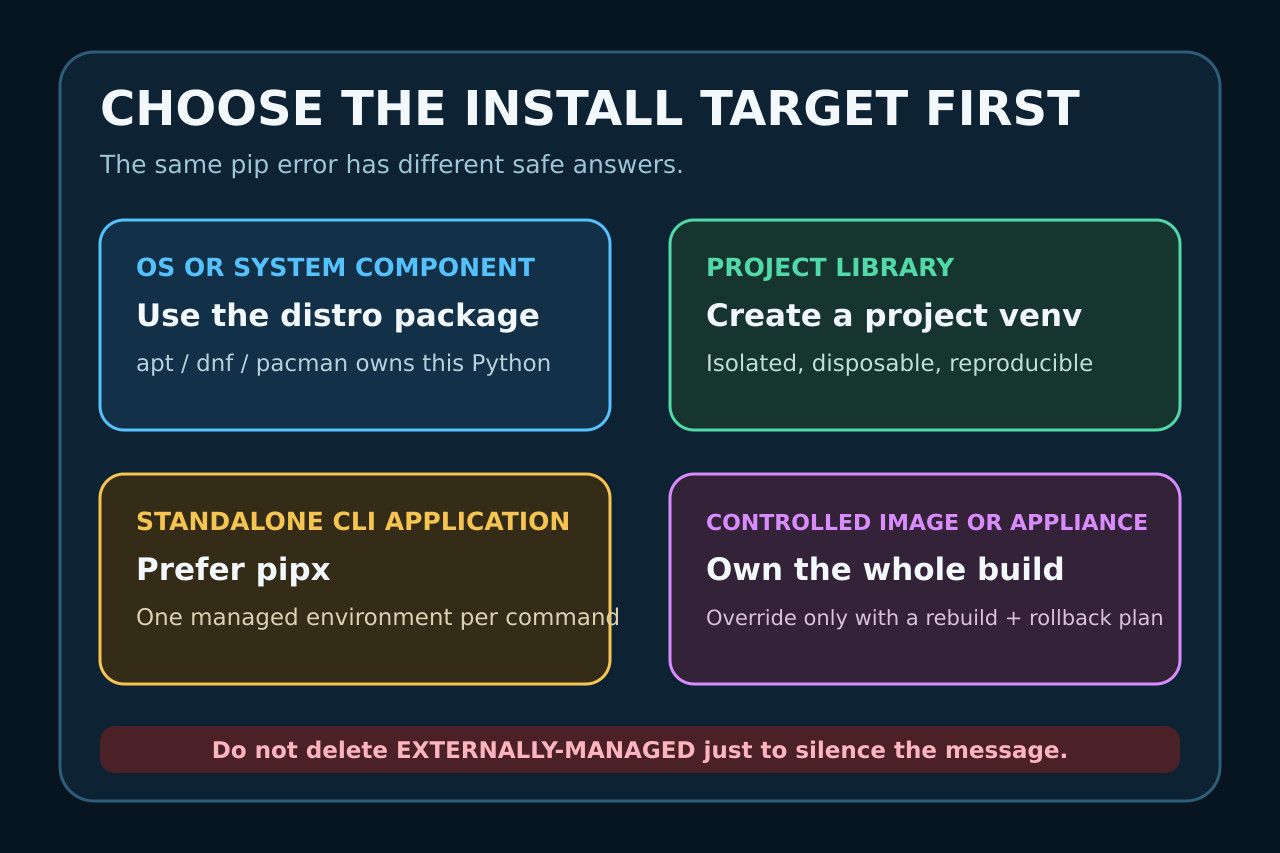
Prove the active interpreter, marker and package owner, then choose a distro package, venv, pipx or a documented controlled override.

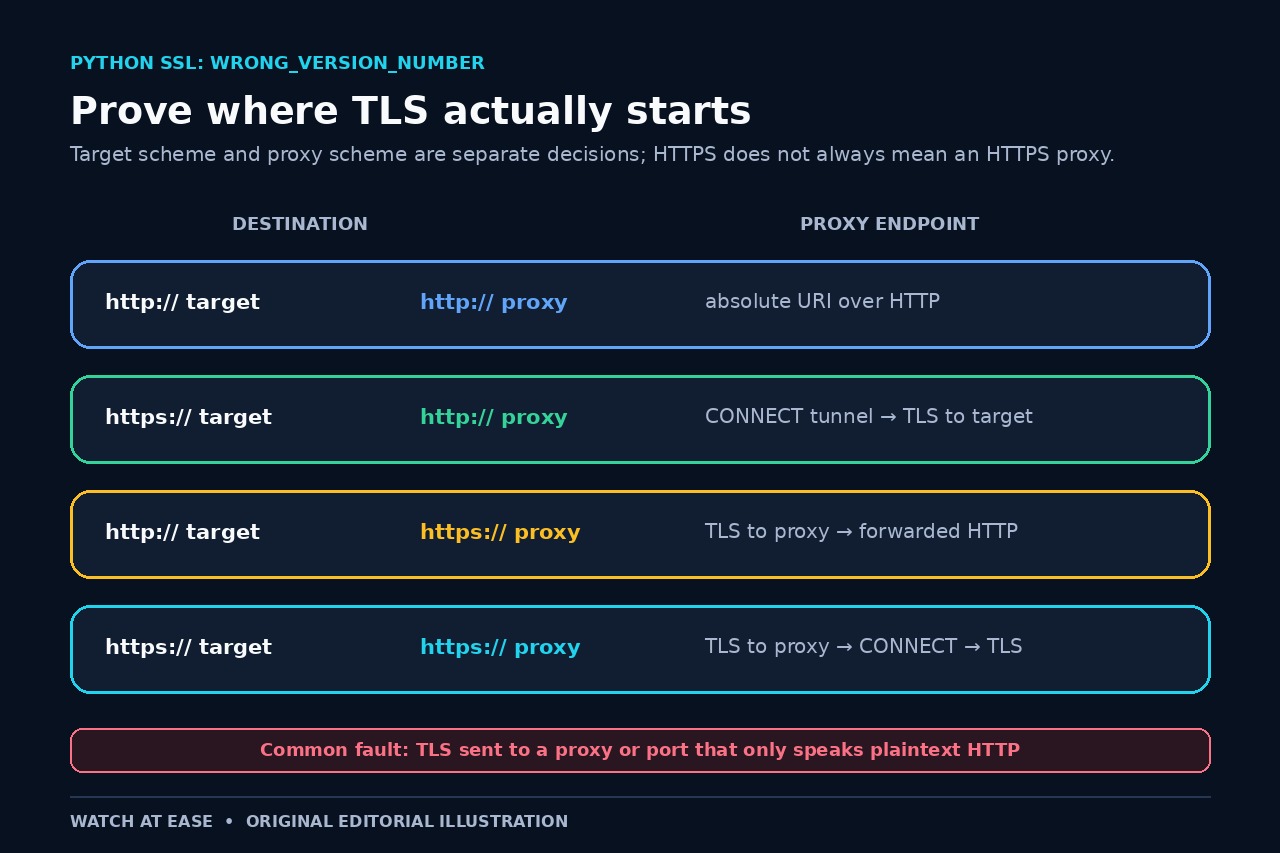
Map the target and proxy schemes, inherited settings, CONNECT route and first responding endpoint before changing certificates, TLS versions or verification.

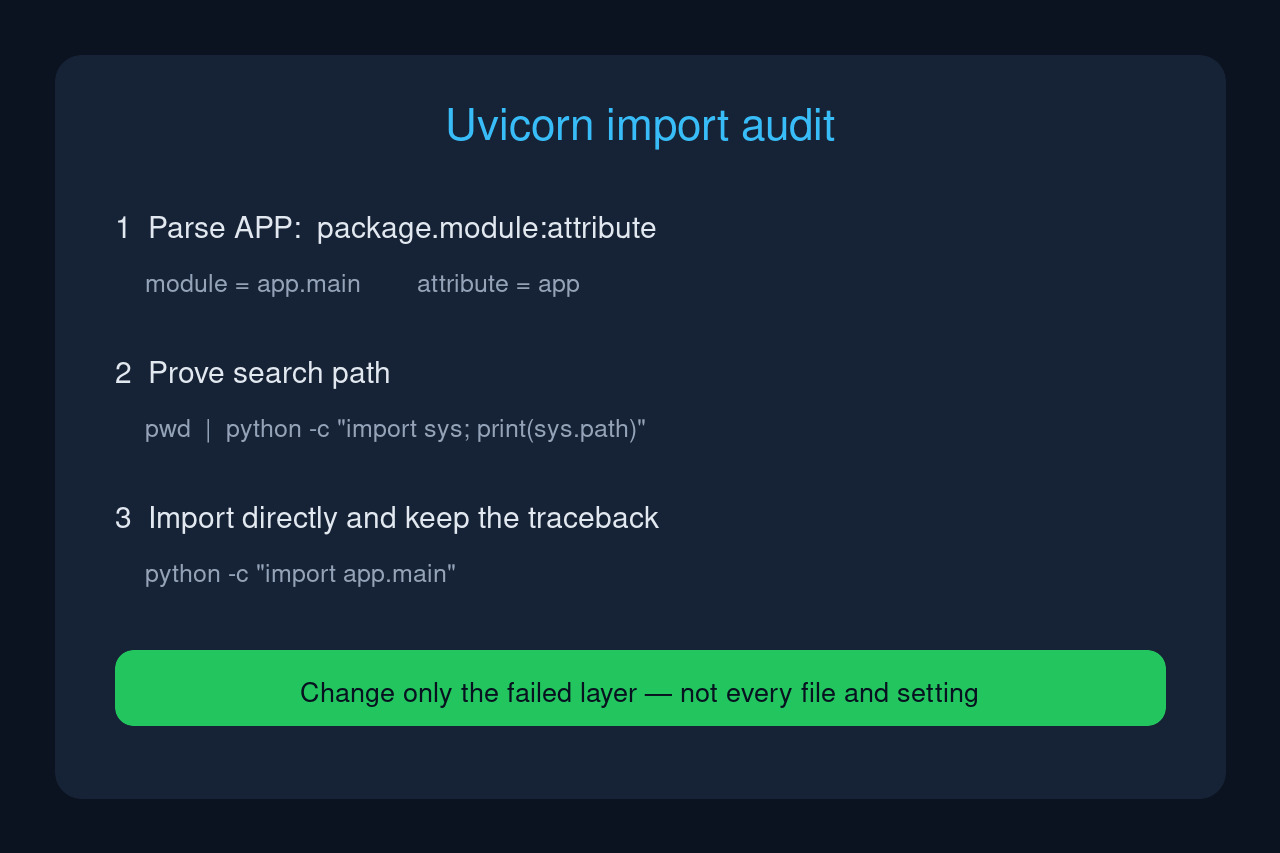
Treat the startup message as three separate tests: can Python find the module, does the named attribute exist, and does importing the module finish without another exception?

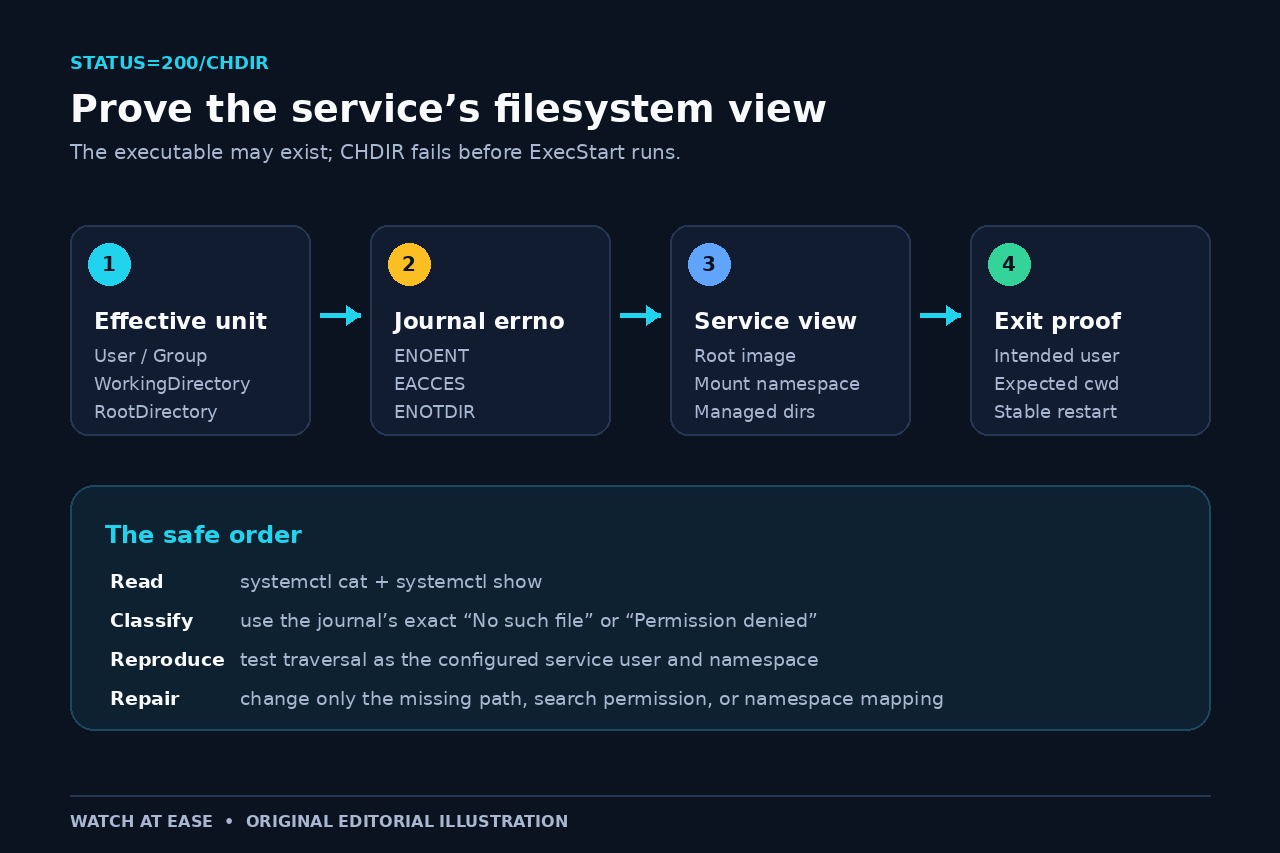
Read the effective unit and the journal’s exact errno, then test the working directory as the configured user inside the service namespace—without User=root or chmod 777.

“No matching version found” can come from a version that never existed, a tag or range mismatch, a scoped private registry, or stale mirror metadata. This evidence-first workflow locates the missing match before cache cleaning or lockfile deletion.