Technology · PRACTICAL GUIDE
pandas added .1 to CSV headers? Preserve positions before dropping columns
A suffixed label can be either pandas’ duplicate-name repair or a real source name. Inspect the original header and keep a position map before renaming, selecting or deleting fields.
Do not delete every column ending in .1 just because pandas added suffixes somewhere in a CSV. The file may already contain a legitimate name such as a.1. A DataFrame with unique labels does not prove that the original header was unique.
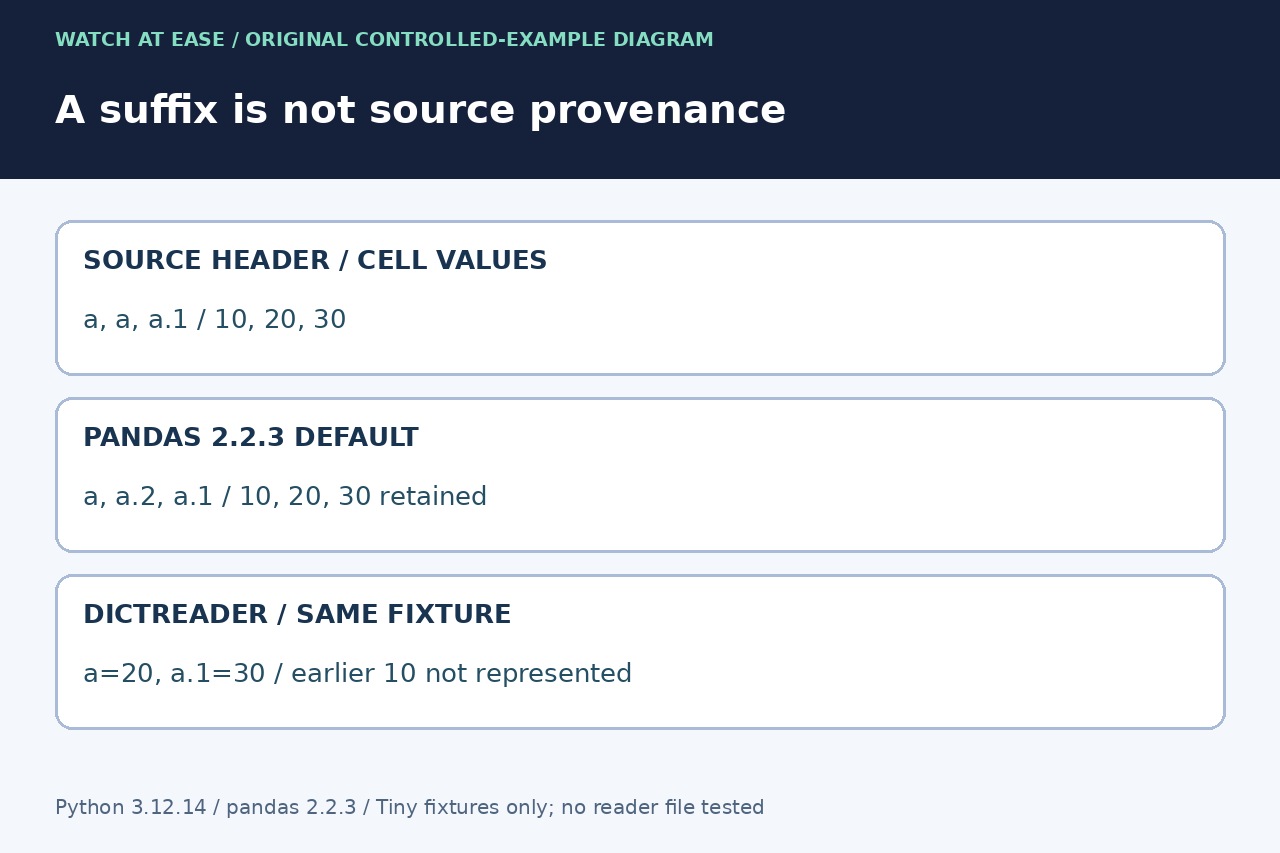
In our small Python 3.12.14 and pandas 2.2.3 test, the header a,a,a.1 became a,a.2,a.1. The three values survived the default pandas import. Passing the same file through csv.DictReader first retained only the later value for the repeated a key. These are two different transformations.
Read the original header as a sequence
Use import pandas as pd. Keep the original CSV bytes. For the comma-separated, single-header examples here, import csv and io, then use header = next(csv.reader(io.StringIO(text))). The result is an ordered list, including repeated labels. Do not inspect only pd.read_csv(..., nrows=0).columns, because pandas has already made those labels distinct.
Use the real delimiter, quoting, encoding and header location for your file. A quoted field such as "last,name" is one label, so splitting the first physical line on commas is not a CSV parser. Files with a preamble, comments or multi-row headers need a matching header-reading procedure before this example applies.
Separate duplicate labels from duplicate data
Our fixture contained a,a,a.1 followed by 10,20,30. Default pandas columns were a,a.2,a.1: the literal a.1 belonged to the third source field, while the second repeated a received a.2. Removing suffixes or dropping names by a dot-number pattern would destroy that distinction.
A repeated label does not establish equal cell values. In the same fixture, csv.DictReader returned a='20' and a.1='30', so the earlier 10 was no longer represented in that dictionary. Return to the original CSV if an earlier dictionary conversion lost a field; changing pandas labels cannot recreate that missing value.
Preserve each field under a unique internal name
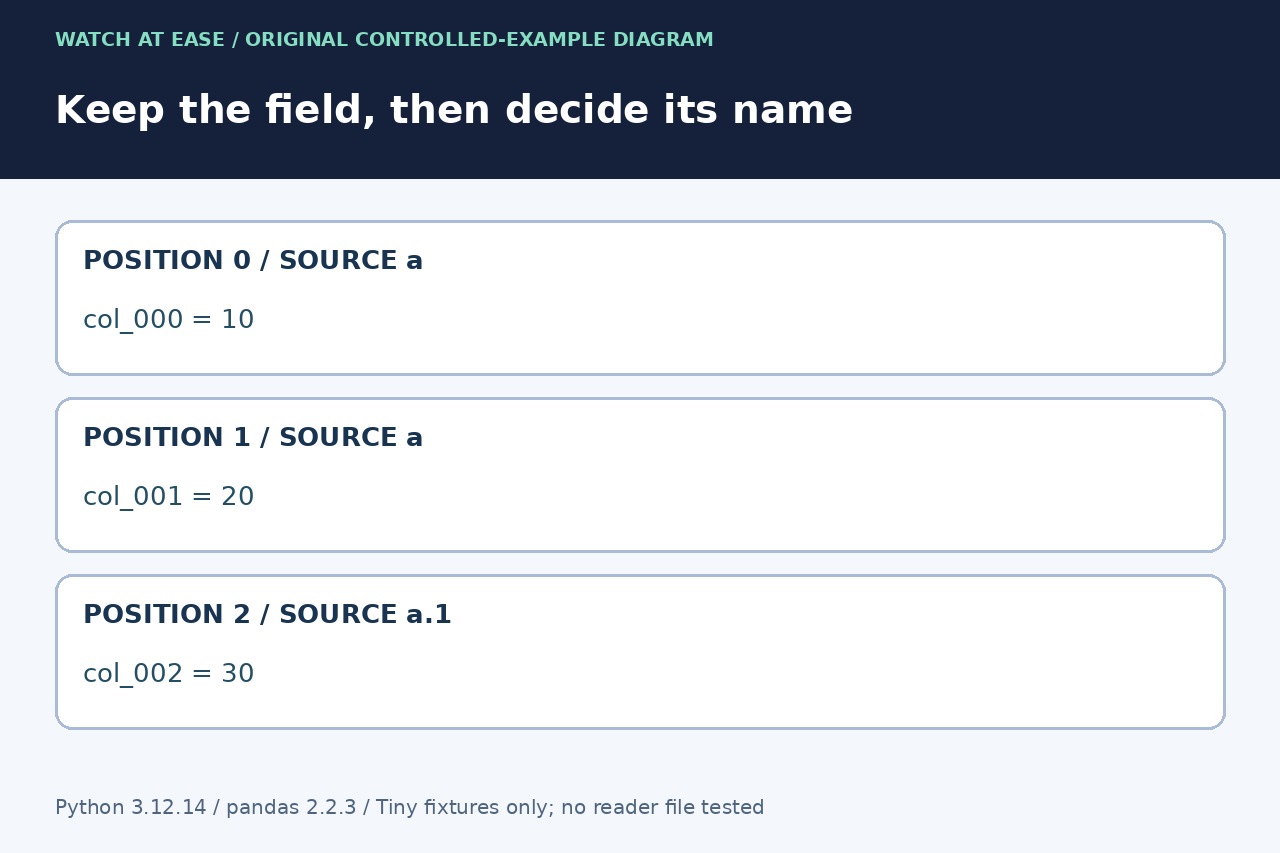
For a controlled comma CSV with one header row, create internal = [f'col_{i:03d}' for i in range(len(header))]. Keep the mapping list(enumerate(zip(header, internal))) beside the source. Then read df = pd.read_csv(io.StringIO(text), header=0, names=internal, dtype=str, keep_default_na=False). This uses position-based identifiers without asking pandas to accept duplicate names.
In our test, col_000, col_001 and col_002 retained '10', '20' and '30'. A second fixture with a quoted comma in its first header also preserved four fields. The string and missing-value settings suit these text fixtures; choose the application’s actual typing policy separately. Do not silently normalize whitespace or Unicode unless that is an agreed schema rule.
Choose rejection or an explicit mapping, then verify
If the receiving system requires unique source names, reject the file when len(header) differs from len(set(header)) and report the repeated positions. If repeated names are intentional, require an owner-approved mapping from each position to its meaning. Do not choose a winner simply because pandas produced convenient suffixes.
Check the imported field count, map and representative unequal values before using usecols, renaming or exporting. Our installed pandas rejected mangle_dupe_cols=False as an unexpected keyword; the current API also omits it. We tested tiny in-memory fixtures, not your file or pandas 3.x. Recheck parser behavior in the deployed version and keep the original plus mapping for recovery.