Technology · PRACTICAL GUIDE
Helm says “cannot re-use a name that is still in use”? Build a release-owner ledger first
Prove the kube-context, namespace, release history and automation owner before using upgrade, rollback, uninstall or any manual metadata cleanup.
This Helm error means the selected release name is not available to a new install in the scope Helm is using. It does not prove that the application is healthy, that the release belongs to this command, or that its metadata is safe to delete.
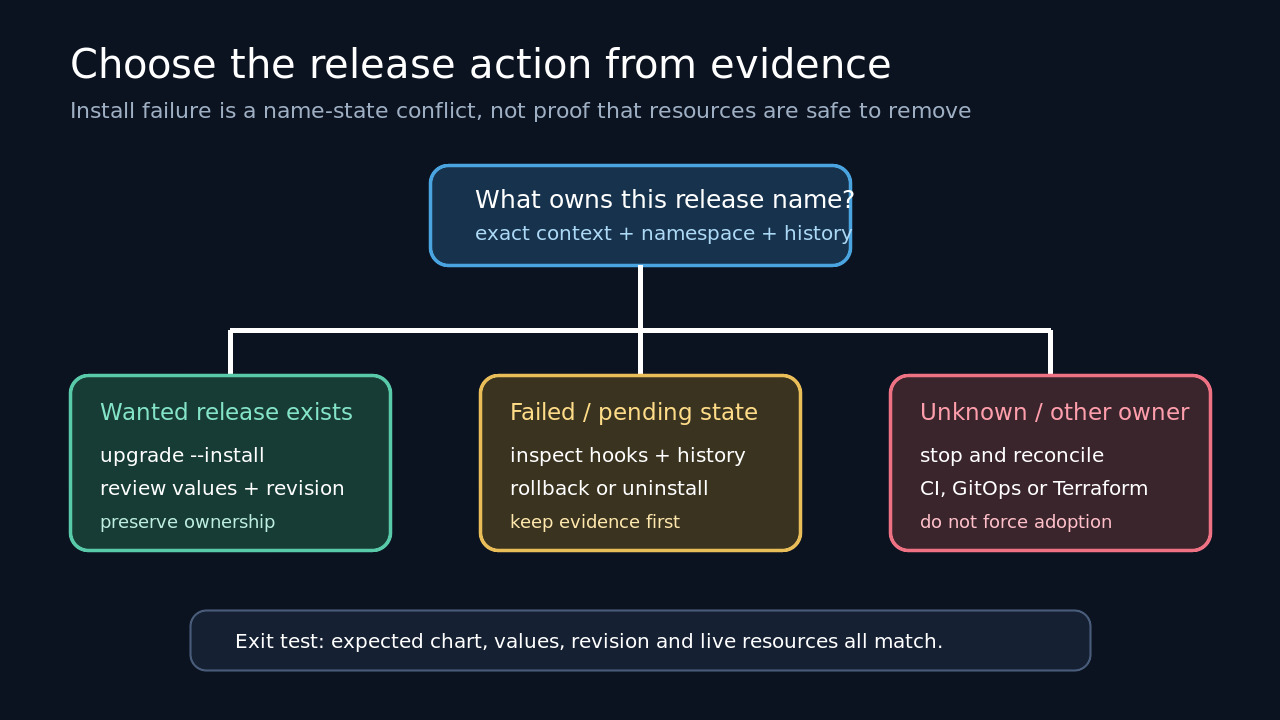
Treat the name as an ownership key. Freeze the exact context, namespace and driver, inventory the stored release, read its history, and identify any CI, GitOps or Terraform owner before changing state.
Freeze the exact Helm scope
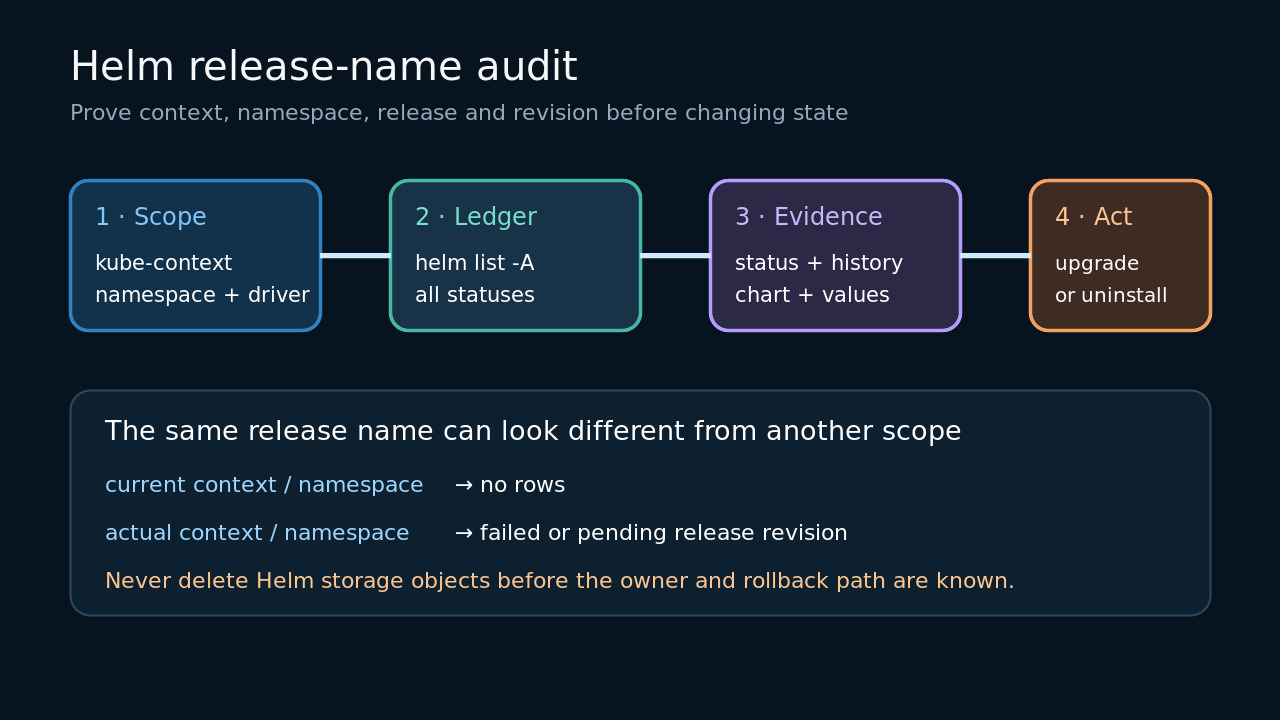
Copy the failing command and record kube-context, namespace, release name, chart reference, values files and HELM_DRIVER. Run helm env and the relevant kubeconfig inspection without changing them. A command aimed at a different cluster or namespace can make the same name appear absent or occupied.
Use helm list in the exact namespace with all statuses, then use all namespaces only as an inventory aid. Keep context and namespace columns with every row; do not infer ownership from a matching name alone.
Build the release and revision ledger
For the exact candidate, read helm status, helm history and helm get values or metadata in the same scope. Record every revision, its status, chart, app version, description and values source. A failed or pending revision still carries ownership evidence.
If Helm shows nothing, check whether the configured storage driver differs from the expected default and whether automation used another context or namespace. Do not jump directly to deleting Kubernetes Secrets.
Identify the deployment owner
Decide whether the intended owner is a human Helm command, CI pipeline, GitOps controller or Terraform state. Inspect the owning system before running a competing command. A replacement release name can create two managers for overlapping resources.
Compare the stored chart and values with the desired deployment. If they describe the same release, upgrade or rollback may preserve ownership. If they describe another application or controller, stop and reconcile with that owner.
Choose the smallest state change
Use upgrade --install only after the ledger proves the existing release is the intended one. For a failed or pending revision, inspect hooks and history, then prefer a documented rollback or normal uninstall when policy and resource impact allow it.
Treat manual deletion of release storage as exceptional recovery. It can remove Helm history without removing workloads, persistent volumes, load balancers or controller records. Capture rollback evidence and obtain the required operational approval first.
Verify ownership after recovery
Re-run list, status, history and values in the exact scope. Confirm that the intended chart, values, revision and live resources belong to one owner and that no competing controller is recreating or reverting them.
Keep the before-and-after ledger with the incident. The exit condition is not merely that install succeeds; it is that release metadata, live resources and the declared deployment owner agree.