Technology · PRACTICAL GUIDE
Node EADDRINUSE? Prove the bind address, listener and supervisor before killing a process
Capture the full address-and-port tuple, identify the listener in the correct namespace, stop it through its real owner, and verify one controlled restart.
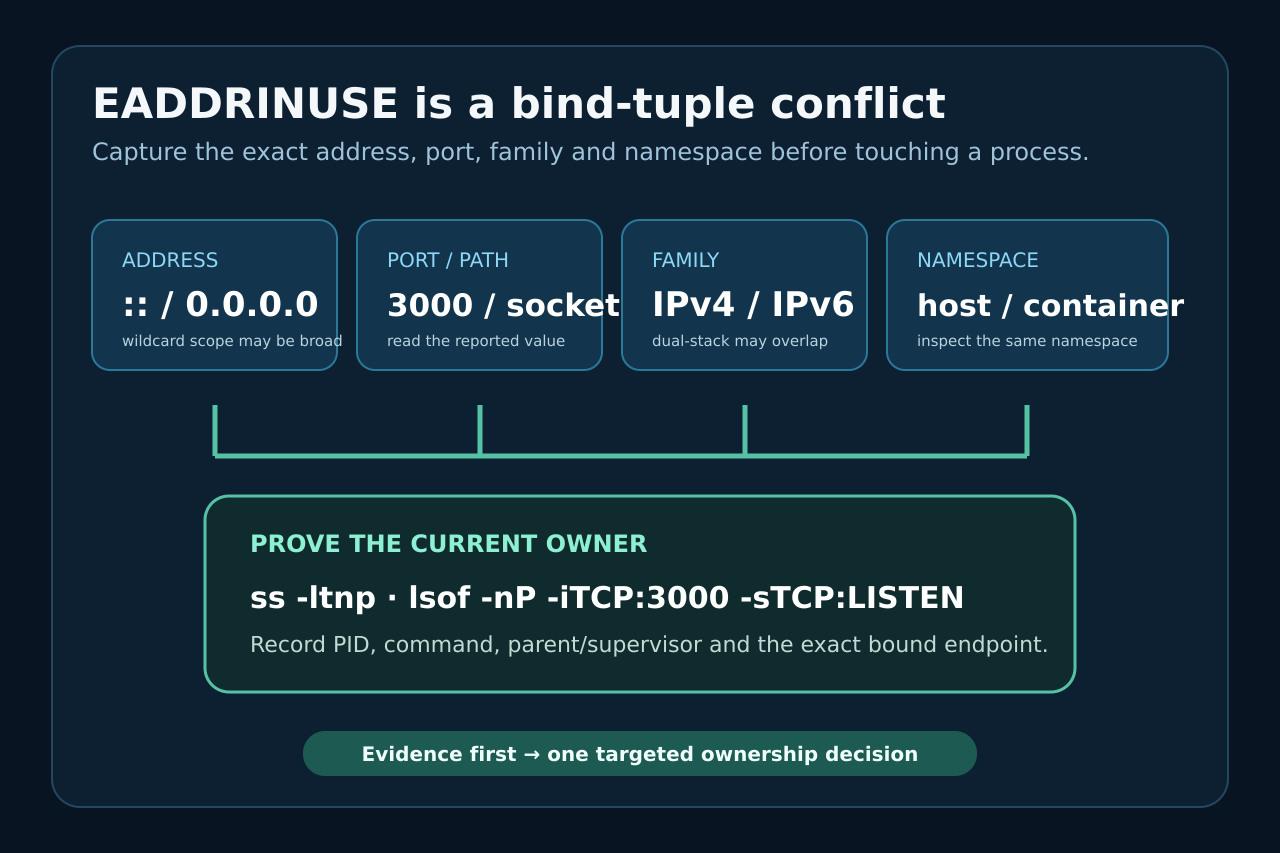
EADDRINUSE is a local bind conflict, not a command to kill whichever Node process is easiest to find. The same port can collide because of a wildcard IPv6 listener, a host/container boundary, a stale child, or a supervisor that respawns the process you just stopped.
This workflow preserves the error tuple, proves the socket owner, traces the supervisor, and exits only after the intended listener and health route are observable. It avoids broad process kills, blind port changes and false fixes that return on the next restart.
1. Freeze the complete bind failure
Save the first complete error object before restarting. Record code, syscall, address, port or Unix-socket path, the exact launch command, working directory, Node version and whether nodemon, PM2, systemd, Docker or an IDE launched the process. EADDRINUSE means the requested local address is already occupied; it does not identify which process owns it.
Do not reduce “listen EADDRINUSE: address already in use :::3000” to “port 3000 is busy.” The wildcard address, IP family and network namespace are part of the collision. A host listener and a container listener can look different from different inspection points.
2. Read the address and family before the port
Node documents that omitting host usually binds the unspecified IPv6 address :: when IPv6 is available, otherwise 0.0.0.0. On many systems an IPv6 wildcard listener can also accept IPv4 connections, so a second IPv4 bind to the same port may still collide. ipv6Only can change that behavior when it is deliberately configured.
Compare the failing address with the application’s intended exposure. 127.0.0.1, 0.0.0.0, ::1 and :: are not interchangeable. Do not “fix” the error by widening the bind address or disabling IPv6 unless that matches the deployment design and access policy.
3. Inspect the listener in the same namespace
On Linux, start with ss -ltnp for TCP listeners or filter the exact port, for example ss -ltnp 'sport = :3000'. The ss manual defines -l as listening, -n as numeric and -p as process information. If permissions hide process details, repeat with the least privilege needed; do not infer an owner from the port number alone.
On macOS, lsof -nP -iTCP:3000 -sTCP:LISTEN is a common equivalent. On Windows, Get-NetTCPConnection -State Listen -LocalPort 3000 and Get-Process -Id <PID> separate the endpoint from the process. In Docker or another network namespace, inspect both the host-published port and the container namespace that actually failed.
4. Trace the PID to its real owner
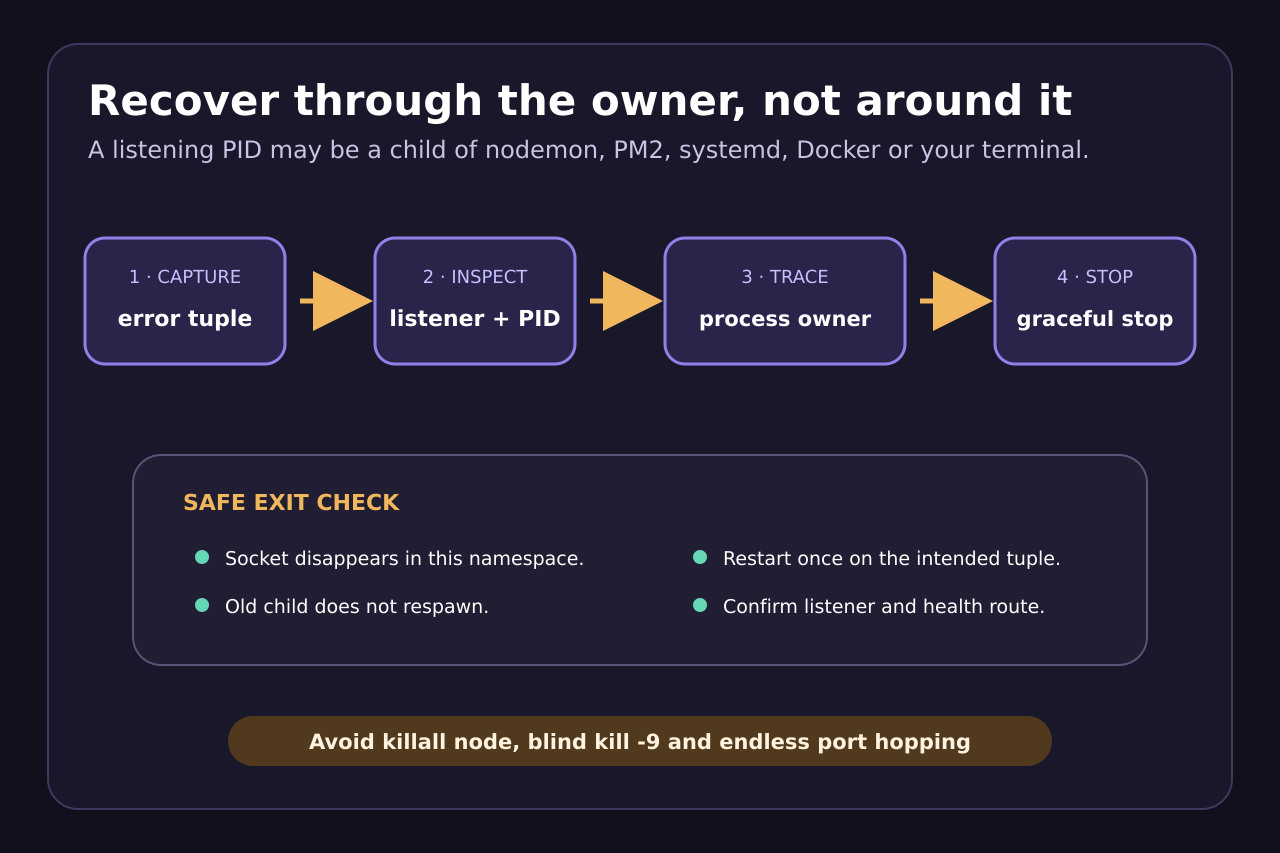
A listener PID may be a disposable child. Record the command line and parent process, then ask whether nodemon, PM2, systemd, Docker Compose, Kubernetes or an IDE owns its lifecycle. Killing only the child can make the supervisor immediately create another process on the same socket.
The nodemon issue family shows why this branch matters: a restart can collide on :: and port 5000 even though the user did not intentionally launch a second server. The repair is to reconcile the supervisor lifecycle and shutdown path, not to kill every Node process on the machine.
5. Stop through the owner and verify release
Use the owner’s normal stop action: stop the terminal job, ask nodemon or PM2 to stop the named app, stop the systemd unit, or stop the relevant container. Give the application a chance to close the server. Reserve SIGKILL or forced termination for a process that cannot exit normally, after its identity and scope are proven.
Run the same socket inspection again. The exit condition is not “the command returned”; it is that the exact listener no longer exists in the relevant namespace and the supervisor does not immediately respawn it. Avoid killall node, broad task termination and copied sudo commands that can stop unrelated services.
6. Change the port only when architecture requires it
A different port is correct when two intended services need distinct endpoints or when the deployment assigns a port dynamically. It is not evidence that the original conflict is understood. Blind port hopping leaves stale supervisors running and can move the collision to the next launch.
If the application uses port 0 for an ephemeral assignment, read the actual bound address after the listening event and pass that value to clients. If a fixed port is part of a proxy, firewall, service-discovery or health-check contract, update the complete contract together rather than changing only the Node process.
7. Restart once and prove the intended listener
Start one instance without reload clustering first. Confirm its PID or container, exact local address, port, protocol family and one known health route. Then re-enable the supervisor and verify that a controlled restart closes the old listener before the replacement binds.
If the conflict returns, preserve the new error and compare owner, parent, namespace and timeline with the first capture. Repeated EADDRINUSE after a proven clean socket points to a duplicate launch or a restart race; it is not a reason to erase caches, reinstall Node or weaken network isolation.