Technology · PRACTICAL GUIDE
Docker says “port is already allocated”? Prove the owner before changing anything
The conflict may belong to another container, a host process, a duplicate Compose mapping or stale daemon state. Freeze the exact host IP, protocol and port, then change only the verified owner.
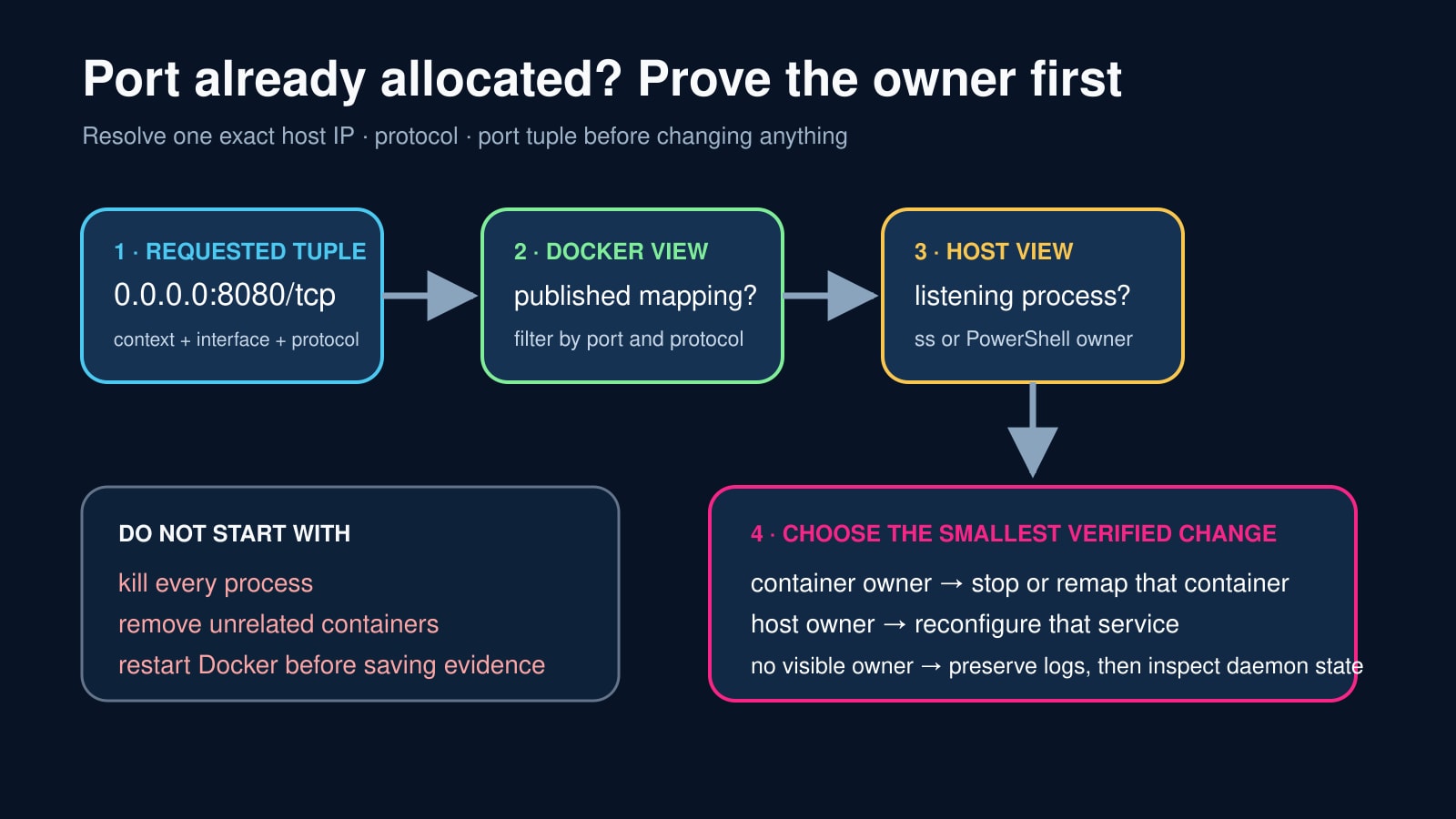
“Port is already allocated” means Docker could not claim one host-side socket tuple. It does not prove which process or container owns it, and it does not justify killing every listener or deleting unrelated containers.
Write down the requested host IP, protocol and port first—for example 0.0.0.0, TCP and 8080. Inventory Docker mappings and host listeners against that same tuple, then repair only the verified owner.
Freeze the exact tuple and Docker context
Copy the complete error and record docker context show, the Compose project and files, the requested host IP, host port, container port and TCP or UDP. Do not reduce this to “port 8080” because address and protocol change the ownership question.
Render the effective Compose configuration or original docker run command and check for duplicate mappings, inherited overrides, replicas or two services requesting the same host tuple. Keep the failing configuration unchanged while you inventory owners.
Find every Docker mapping for that port
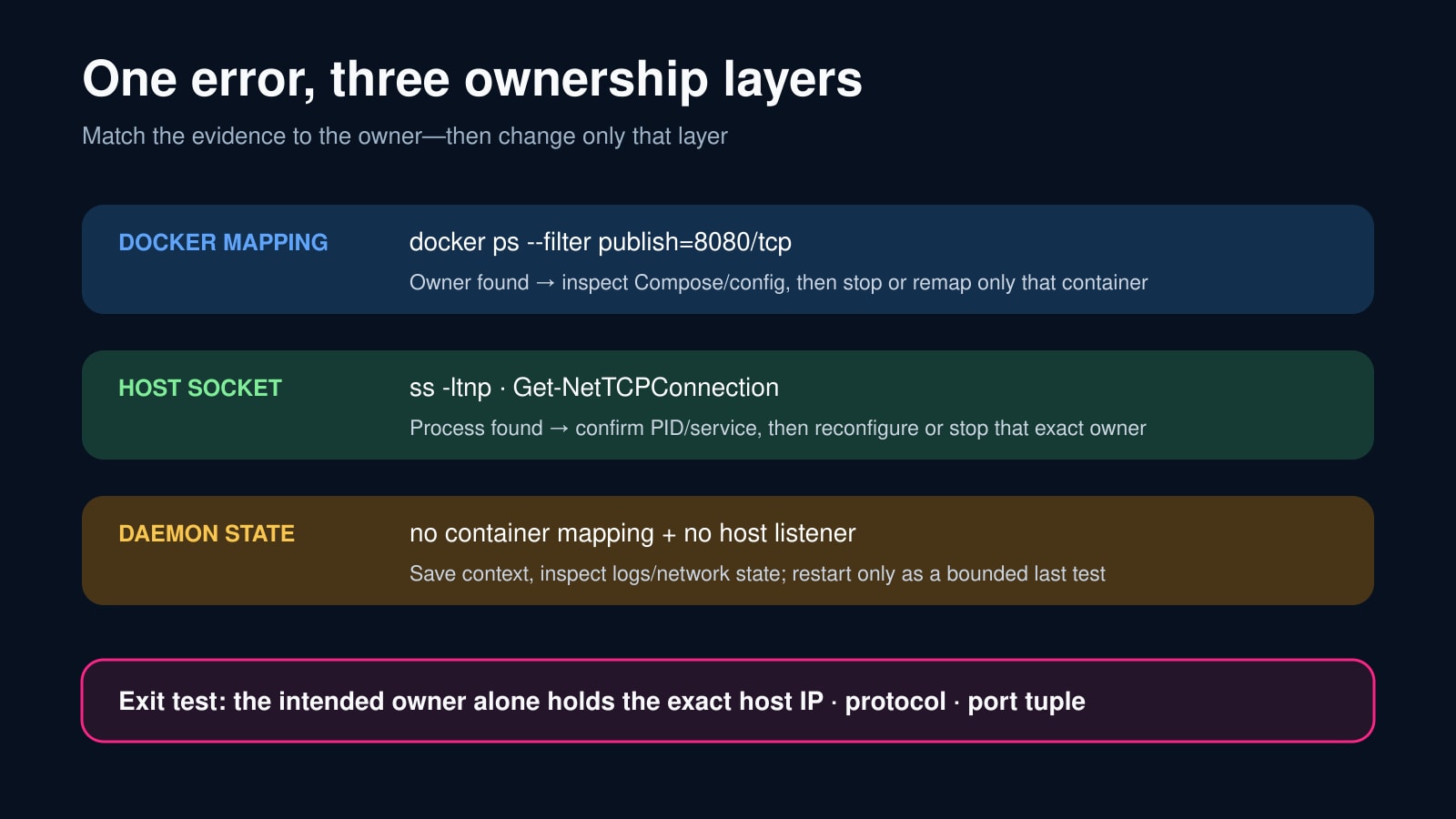
Run docker ps -a with the publish filter for the exact port and protocol, then inspect the returned containers and their project labels. Search all relevant Docker contexts rather than only the current Compose project.
A stopped container normally does not listen, but its configuration still explains intended ownership. A running container from another project is a real owner; stop or remap only after confirming its workload and dependency impact.
Prove the host listener independently
On Linux, query listening TCP or UDP sockets with ss and request process details; match the local address and port, not merely a substring. On Windows, filter Get-NetTCPConnection by LocalPort and inspect LocalAddress, State and OwningProcess.
Map the PID to a service or executable and confirm it is expected before changing it. docker-proxy or dockerd can point back to a container mapping, while a database, web server, IDE or another product is a host-owner branch.
Classify the owner before choosing a repair
For a container owner, correct the Compose or run mapping and recreate only that service. For a host-process owner, reconfigure or deliberately stop that exact service. For duplicate configuration, remove the duplicate mapping and render the effective configuration again.
If Docker reports the conflict but both current container mappings and the host listener inventory are empty, save daemon logs, Docker version, context, network mode and the failed command. Treat restart or upgrade as a bounded diagnostic, not the first reflex.
Close with a two-sided exit test
Repeat the Docker mapping inventory and host-listener inventory after the repair. The intended owner alone should hold the exact host IP, protocol and port; unrelated mappings and processes should be unchanged.
Start the affected service, inspect the published mapping, test the intended address from the intended network location and save the exit code. A green container without a verified host tuple is not complete closure.