Technology · PRACTICAL GUIDE
Docker bind mount says 'not a directory'? Prove both endpoint types first
Audit the daemon-host source, Compose base path and image destination before recreating a container or deleting any data.
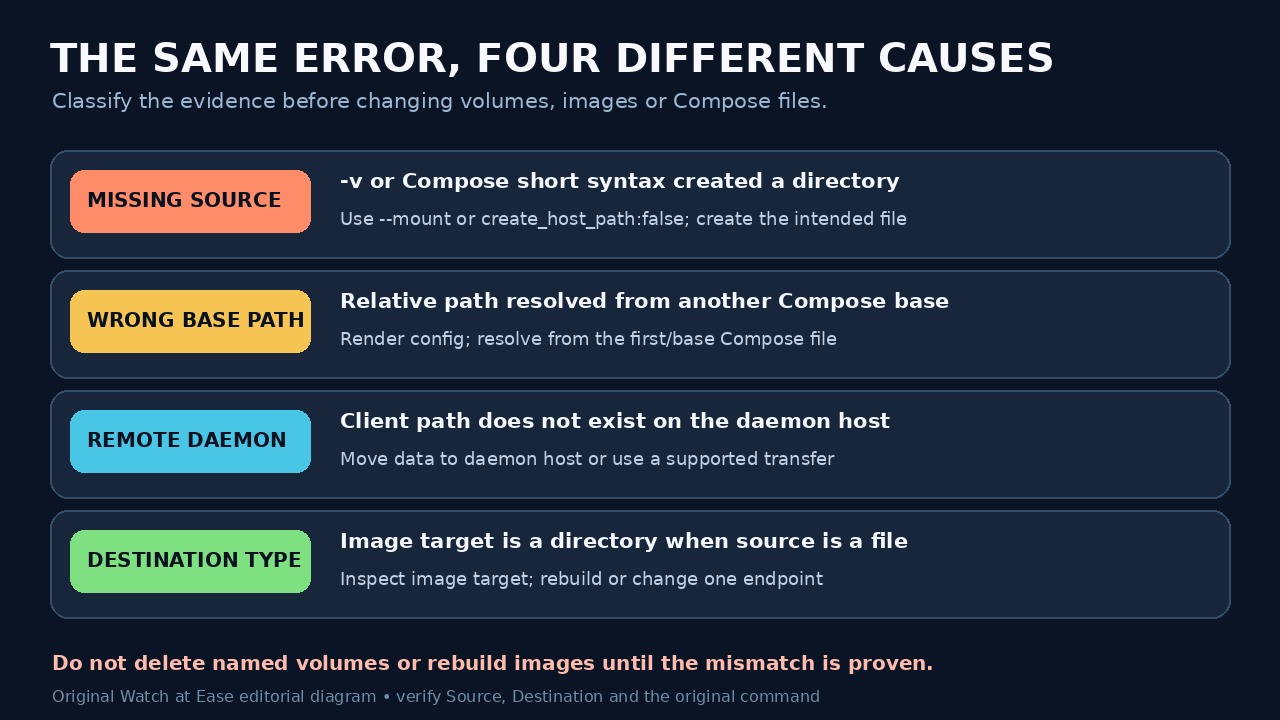
Docker's 'not a directory' bind-mount error is a type mismatch, not a request to recreate everything. One endpoint resolves to a regular file while the other resolves to a directory—or the source did not exist where the Docker daemon looked and was silently created as a directory.
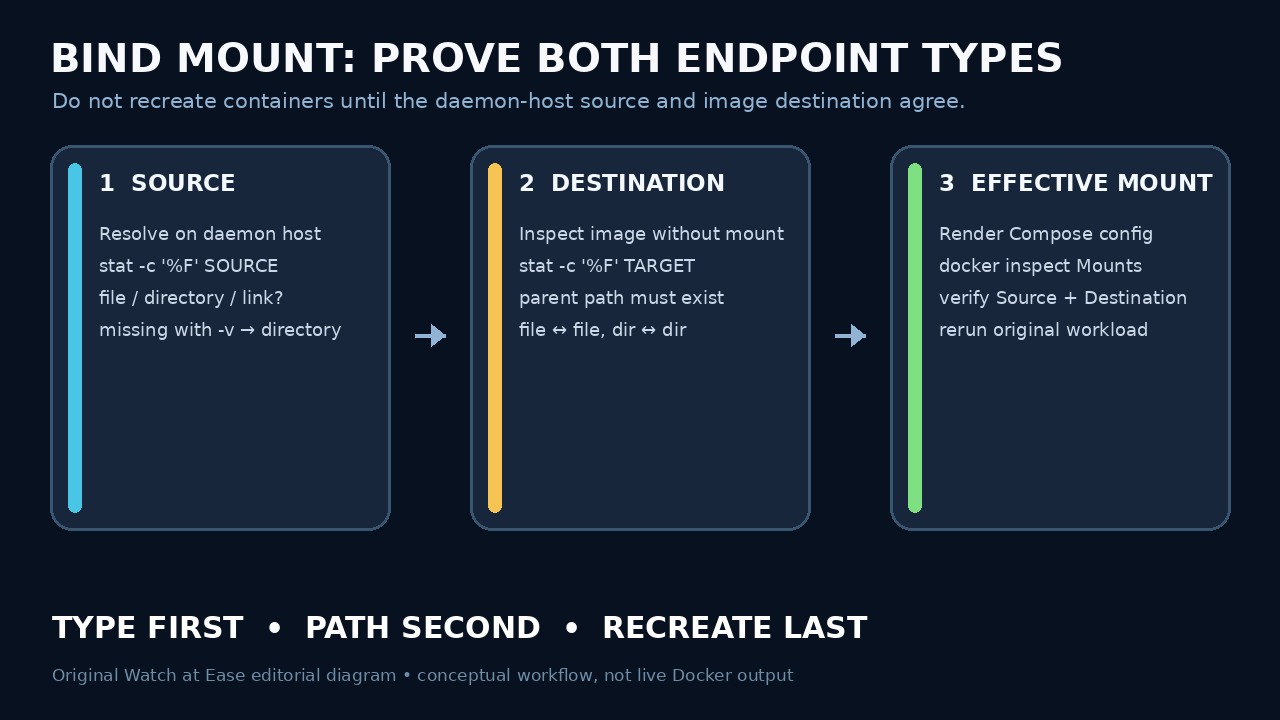
Freeze the exact mount declaration. Prove the source on the daemon host, prove the destination inside the image, then inspect the effective mount after correcting only the wrong endpoint. This order catches Compose base paths, remote daemons, symlinks and -v auto-creation without destructive cleanup.
Freeze the declaration and daemon context
Save the complete error, the exact docker run or Compose command, every -f file, project directory and environment file. Render Docker Compose with docker compose config so interpolation and merged volume declarations are visible before any change.
Record docker context show and docker info, then identify the machine that actually runs the daemon. If the daemon is remote, a client-side path is not a valid source unless that same path exists on the daemon host.
Prove the source type on the daemon host
On the daemon host, resolve the configured source to an absolute path. Run stat -c '%F %N' -- SOURCE and stat -L -c '%F %N' -- SOURCE; use readlink when it is a symlink. Record absent, regular file, directory, dangling link or other type—do not infer it from the filename.
If a file path is now a directory, check whether an earlier -v or Compose short-syntax run created it while the intended file was absent. Prefer --mount for a direct run or long syntax with bind.create_host_path:false while diagnosing so a typo fails instead of changing the filesystem.
Resolve Compose base paths before touching data
For multiple Compose files, calculate relative host paths from the base Compose file—the first file passed with -f. Compare that absolute result with the path printed by the rendered configuration and with the daemon host's filesystem.
Check environment-variable expansion explicitly. A blank or unexpected DATA_DIR can redirect a source to /config, //config or another existing directory. Correct the variable or declaration; do not delete a named volume, project directory or image to make the error disappear.
Prove the destination type in the image
Start the image without the failing mount when safe, or use a one-off container with an alternate entrypoint, and run stat -c '%F %N' -- DESTINATION plus stat on its parent. If startup scripts create the path, inspect after the same initialization stage without applying the conflicting mount.
Decide which endpoint is wrong. For a configuration file, create the host file before mounting and ensure the image destination is a file path. For a directory tree, mount a directory onto a directory. Rebuild the image only when its destination layout is actually incorrect.
Recreate once and verify the effective mount
Remove or recreate only the affected container after the declaration and endpoints are corrected; bind mounts are not fixed by deleting named volumes. Inspect the new container and read the Mounts entry for Type, Source, Destination and read-only state.
Repeat the original workload and read the intended file from inside the container. Record rendered configuration, both endpoint types, inspection output and result. If it still fails, compare the exact daemon-host path and image digest rather than widening cleanup.