Technology · PRACTICAL GUIDE
Docker says “no space left on device” while df looks free? Audit the storage path first
Docker may be writing to a different mount, exhausting inodes, or filling a selected builder. Map the exact path before pruning or moving data.
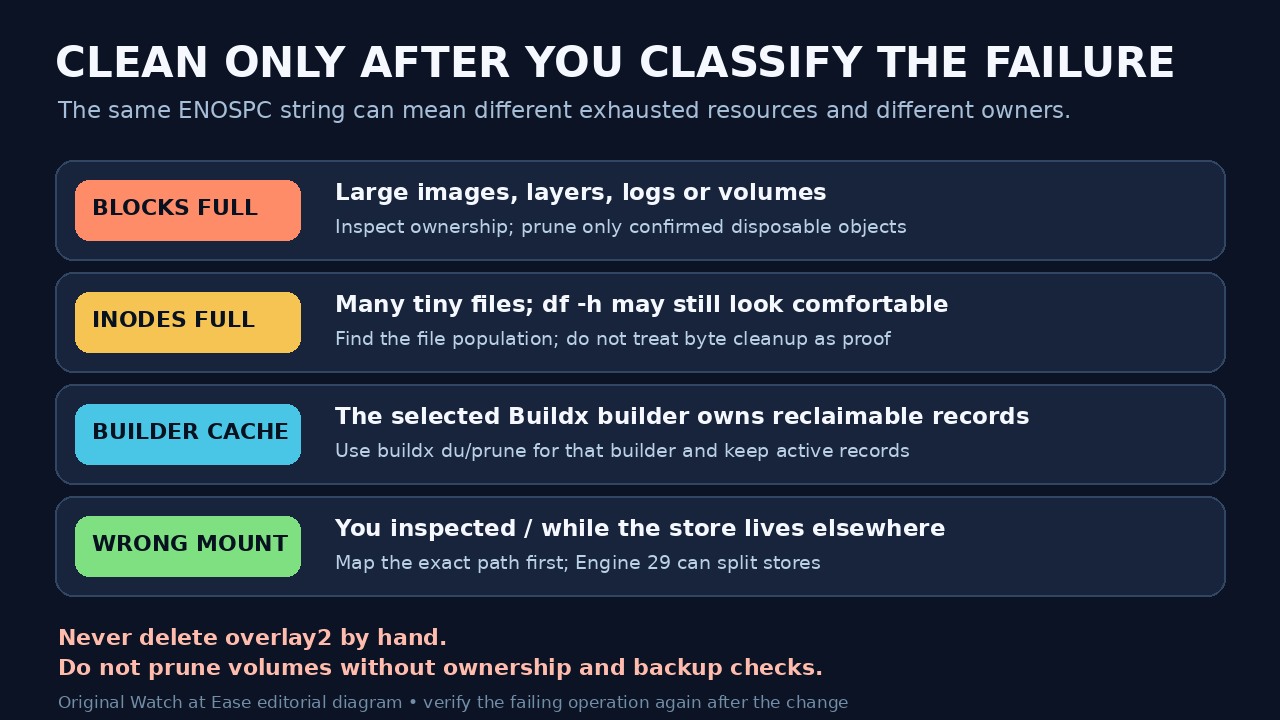
A host-wide df summary can look healthy while the filesystem receiving a Docker write is full. The failing pull, build or container may use a separate mount, run out of inodes rather than bytes, or belong to a Buildx builder whose cache is outside the path you inspected.
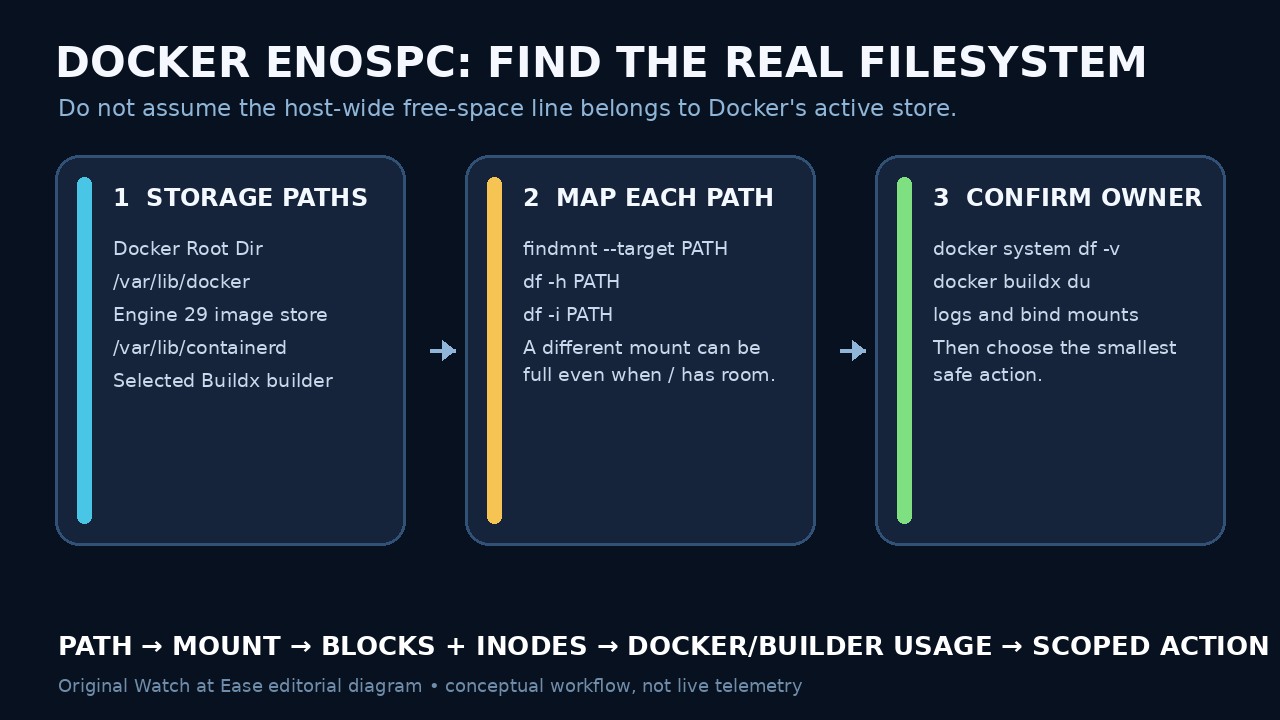
Start by preserving the exact command and error. Then identify the active daemon, its storage paths and the selected builder. Map each path to one filesystem, measure that filesystem, and clean only after the owner and exhausted resource agree.
Preserve the failing operation and active context
Record whether ENOSPC occurred during docker pull, a BuildKit build step, container startup, an application write or log output. Keep the complete path from the error when one is shown. A cleanup that fixes a pull cache may not fix a bind-mounted application directory, and a container's writable layer is not the same owner as every host path it can reach.
Run docker context show and confirm that docker info describes the daemon you intend to inspect. Record Docker Root Dir, storage driver and relevant builder with docker buildx ls. Remote contexts and Docker Desktop move the storage boundary away from the local Linux paths described here; stop and use that daemon's documented storage view instead of assuming /var/lib/docker.
Map every real storage path to its filesystem
For each applicable path, use findmnt --target PATH --output SOURCE,FSTYPE,SIZE,USED,AVAIL,USE%,TARGET. Check the reported Docker Root Dir. On a fresh Engine 29 installation using the containerd image store, also check /var/lib/containerd; Docker's current daemon documentation says data-root does not move that image and snapshot store.
Do not infer the backing filesystem from the pathname. A subdirectory can sit on a separate mount, logical volume or network filesystem. If the error names a bind mount or application directory, map that path too. Save the target and source so later cleanup measurements refer to the same filesystem.
Separate byte exhaustion from inode exhaustion
Run df -h PATH for available blocks and df -i PATH for inodes on every mapped path. A filesystem can have gigabytes free but no inodes for another small file. Conversely, plenty of inodes cannot compensate for exhausted blocks. Keep reserved-space, quota, read-only and I/O errors as separate branches; ENOSPC alone does not prove Docker objects are the cause.
If bytes are full, identify the largest owner without crossing unrelated mounts accidentally. If inodes are full, measure file populations rather than trusting directory byte totals. Do not delete an unfamiliar high-count tree merely because it is large; first tie it to Docker, containerd, a builder, a bind mount or logs and preserve anything stateful.
Measure Docker and builder ownership before pruning
Use docker system df -v to review daemon-managed images, containers, local volumes and build cache. Use docker buildx du --builder NAME for the builder selected by the failed build. Its output marks reclaimable, shared, mutable and active records; Docker notes that an active record is not deleted even with --all.
Choose the narrowest documented command: remove a confirmed stopped container, unused image or scoped build cache before considering system-wide pruning. docker system prune has a wider object scope, and volumes require an explicit option because they may contain data. Review compose projects, named volumes, backups and rollback needs before any destructive action.
Migrate only the store you have proved is full
If retention needs exceed the backing filesystem, plan a supported migration during a maintenance window. Stop writes, preserve configuration and backups, verify ownership and permissions, and follow the current daemon or containerd documentation for the actual store. Changing Docker data-root alone does not move Engine 29's containerd image store.
After cleanup or migration, run findmnt and both df checks again on the same path, then repeat the exact pull, build or write that failed. Confirm the expected image, container, volume and application data still exist. A daemon restart or disappearing error is not enough: the original operation and the targeted filesystem must both show the intended result.