Technology · PRACTICAL GUIDE
Uvicorn could not import module? Prove the app string, search path, and inner traceback
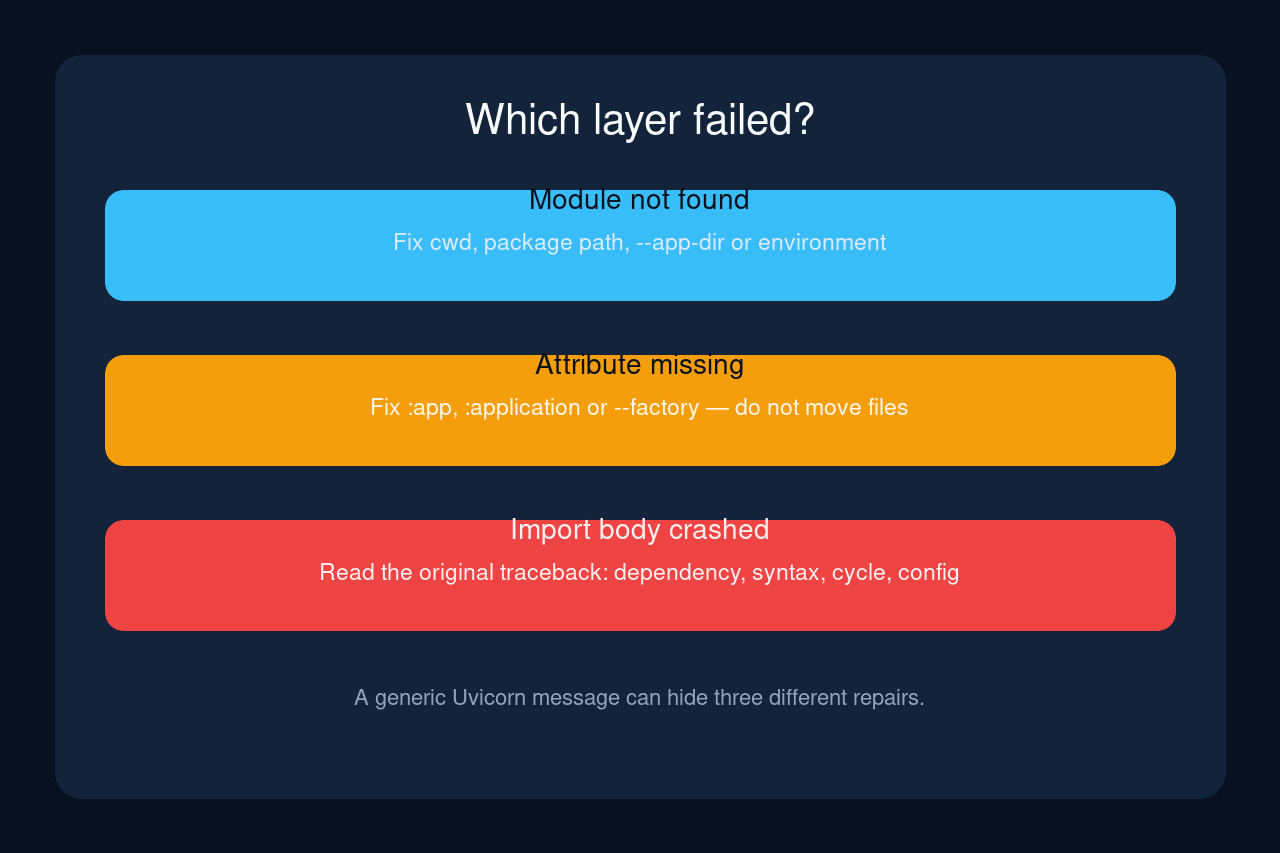
Treat the startup message as three separate tests: can Python find the module, does the named attribute exist, and does importing the module finish without another exception?
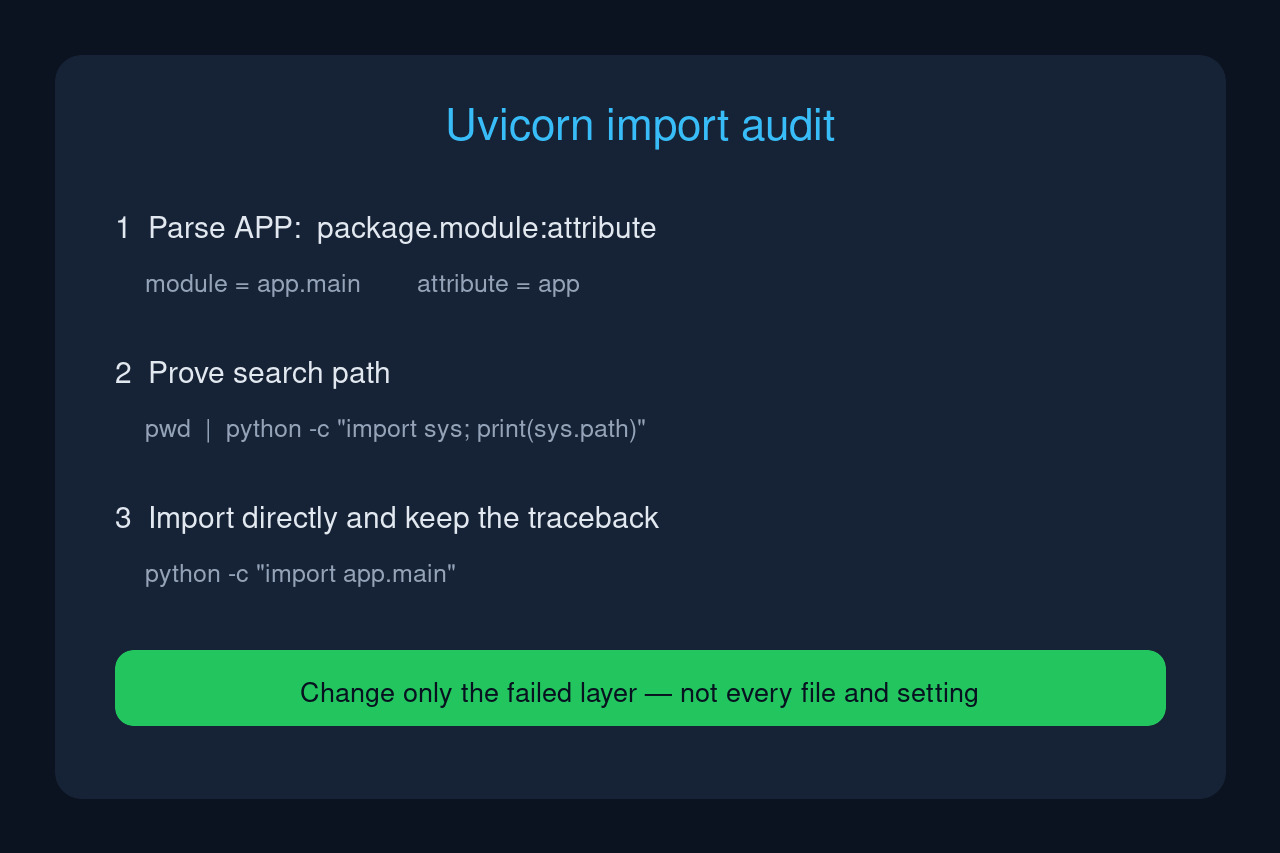
“Error loading ASGI app. Could not import module” does not identify one universal repair. Uvicorn first parses an APP target such as app.main:app, Python then searches for app.main, and importing that module can execute code that raises a different exception.
Preserve the exact command, working directory, interpreter and first complete traceback. The workflow below changes only the layer that fails, so a path mistake is not “fixed” by deleting environments and a circular import is not hidden by moving files.
1. Freeze the failing command and environment
Record the exact command, current directory and interpreter before editing anything: pwd (or Get-Location), python -c "import sys; print(sys.executable)", and python -m uvicorn --version. If a service manager or container starts the app, record its working directory and command instead of assuming they match your terminal.
Using python -m uvicorn keeps the Uvicorn module on the same interpreter you just inspected. If that command cannot import uvicorn, repair the environment or invocation first; changing the application import path will not solve an interpreter mismatch.
2. Parse APP literally as module:attribute
Uvicorn documents APP as <module>:<attribute>. For app.main:app, the module is app.main and the attribute is app. Do not include .py, a slash, or the project-root folder merely because it appears in the filesystem.
If the object is created by a callable such as create_app, the target must name that callable and --factory must be intentional. A message that the attribute is missing is different from a message that the module cannot be imported; fix the right-hand side without moving files.
3. Prove that Python can locate the module
From the same directory and interpreter, run python -c "import importlib.util; print(importlib.util.find_spec('app.main'))" with your own module name. None means Python cannot locate that module in the current search path. It does not prove the file is absent everywhere.
Python’s path-based finder searches entries in sys.path, and Uvicorn’s --app-dir adds a directory to PYTHONPATH. Choose one stable contract: start at the project root with app.main:app, start inside app with main:app, or keep the service directory fixed and pass --app-dir /absolute/project/root. Do not combine all three until the effective path is ambiguous again.
4. Import directly to expose the real traceback
If find_spec locates the module, run python -c "import app.main". A complete traceback that points to a dependency, syntax error, configuration read, or circular import proves that the module was found and failed while executing. Repair that first failing frame.
This branch matters because a generic Uvicorn startup line can make an inner exception look like a path error. Adding directories, renaming main.py or creating empty files does not repair a missing dependency or a cycle between app.main and one of its routers.
5. Verify the attribute without starting a server
After the import succeeds, inspect the named object: python -c "import app.main as m; print(m.__file__); print(hasattr(m, 'app')); print(type(getattr(m, 'app', None)))". The printed file catches same-name shadow modules; hasattr separates a missing object from a missing module.
If the object is named application, use app.main:application. If it is a factory, use the documented factory form. If the printed file is not your project file, remove or rename the shadowing module and repeat the test before starting Uvicorn.
6. Preserve package imports and deployment parity
FastAPI’s multi-file example uses a package entrypoint such as app.main:app. Keep internal imports consistent with that package boundary. Switching between running main.py as a loose script and importing app.main as a package can change which absolute and relative imports are valid.
Reproduce the final command under the same working directory, interpreter, environment variables and mounted files used by the real service. A command that works only after cd in an interactive shell is not yet a deployment fix unless the service performs that same directory change.
7. Exit only after an observable success test
Start once without reload or multiple workers so one process produces one traceback. Success means the expected module file and attribute were verified, application startup completes, and a known route responds. Then re-enable reload or workers and confirm the child process uses the same import contract.
If direct import still fails, stop before changing Uvicorn flags and keep the traceback. If direct import and attribute inspection pass but Uvicorn fails only under a service manager, compare that manager’s directory, interpreter, environment and mounts with the proven terminal run.