Technology · PRACTICAL GUIDE
Docker says a network has active endpoints? Map every owner before removing it
Inspect the exact network ID, include stopped containers, and map labels to the owning Compose project or Swarm service. Remove or disconnect the owner—not the evidence—then verify the same network ID.
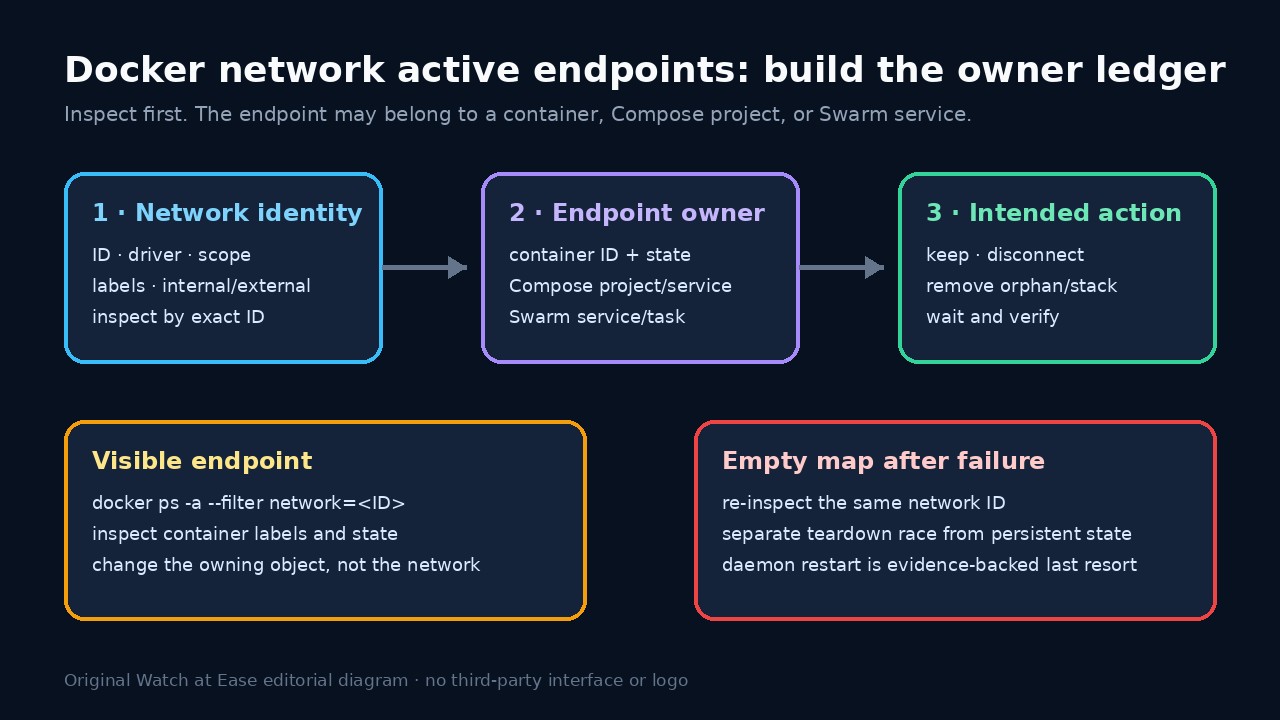
“Network has active endpoints” means Docker still sees at least one attachment to the exact network object. The attachment may belong to a running or stopped container, a Compose project that is not the one you expected, or a Swarm service whose desired state can recreate tasks.
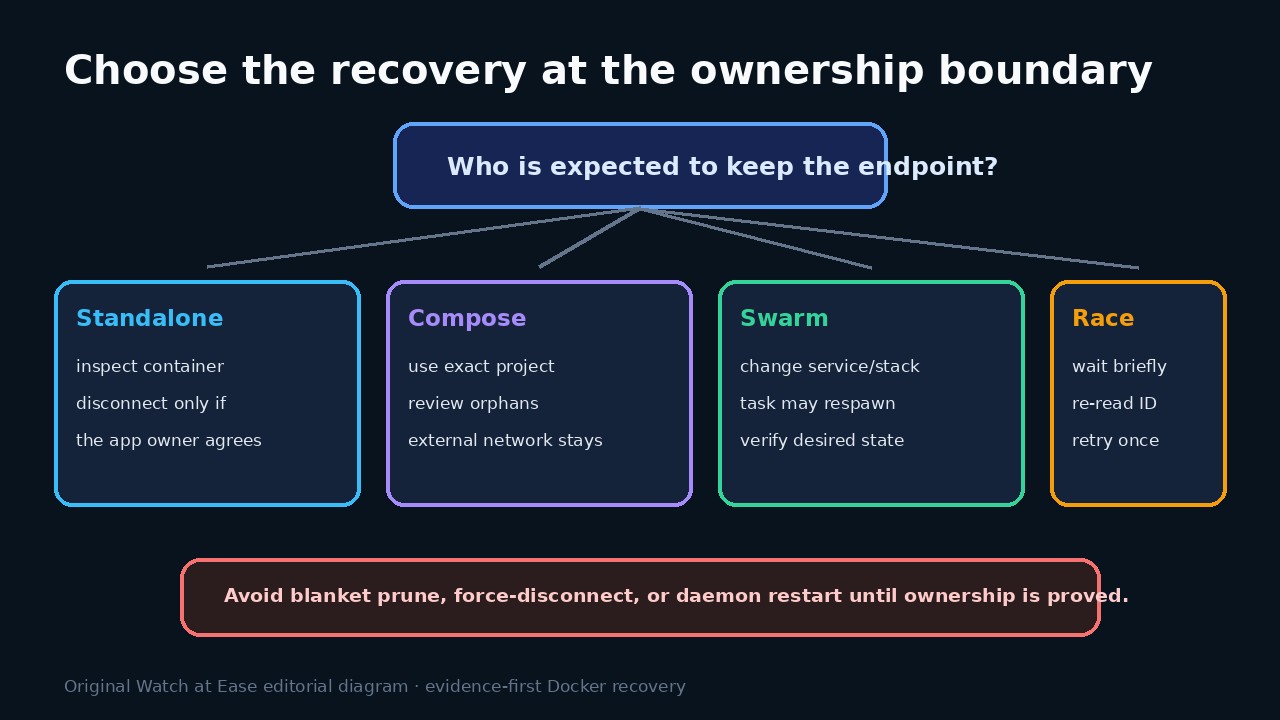
Do not start with prune, force-disconnect, or a daemon restart. Record the network ID, driver, scope and labels; enumerate every attached container; map each endpoint to its owner; then change the owner and verify the same network ID before removal.
Freeze the exact network identity
Copy the complete error and resolve the name to one network ID with docker network inspect. Record Name, ID, Driver, Scope, Internal, Attachable and Labels. Reuse that ID for every later check so a recreated network with the same name cannot masquerade as the original.
Export the inspection result before cleanup. If multiple networks share similar names, compare IDs and Compose labels rather than guessing from the human-readable prefix. A production overlay and a local bridge need different owners and change windows.
Build the endpoint owner ledger
Read the Containers map from docker network inspect and run docker ps -a --filter network=<network-ID> with ID, name, state, labels and networks in the output. The -a matters: stopping a container does not prove its endpoint was removed.
For every container, record com.docker.compose.project, service and one-off labels when present. If they are absent, inspect how the standalone container was created. Do not disconnect an unfamiliar endpoint until the application owner confirms whether connectivity should remain.
Change the owner, not the symptom
For Compose, use the exact project identity and file set that created the containers. Review the target list before --remove-orphans; an orphan is “not in this model,” not automatically disposable. Leave an external network in place unless its separate owner scheduled removal.
For Swarm, find the service or stack that declares the overlay attachment. Update, scale, or remove that owner under its change plan. Removing one task container is not closure because the orchestrator can replace the task to restore desired state.
Separate a teardown race from persistent state
If removal failed but a fresh inspection of the same ID shows no endpoints, wait briefly for Compose or Swarm teardown to settle, confirm no new tasks are appearing, and retry the narrow removal once. A new ID with the same name is a different object and must be audited again.
If the same ID persistently reports an empty map while removal still claims endpoints, collect daemon logs, Engine version, driver and reproduction. Only then consider a controlled daemon restart according to host policy. Restart is an availability action, not evidence that the original owner was harmless.
Verify service health and close the cause
After the intended owner is gone, inspect the same ID again. Remove the network only when the endpoint ledger is empty and the owner plan says it is disposable. Confirm required external/shared networks and remaining services still have their expected attachments.
Record the cause as a stopped container, Compose project mismatch, orphan model, shared external network, Swarm desired state, teardown race, or persistent daemon/driver issue. The next runbook should prevent that owner class rather than add a broader prune.