Technology · PRACTICAL GUIDE
Filled PDF fields print blank? Compare saved values, appearances and print visibility
A visible answer, a saved form value and printable text are separate checks. Four controlled text-field fixtures show why a non-empty appearance stream is not enough.
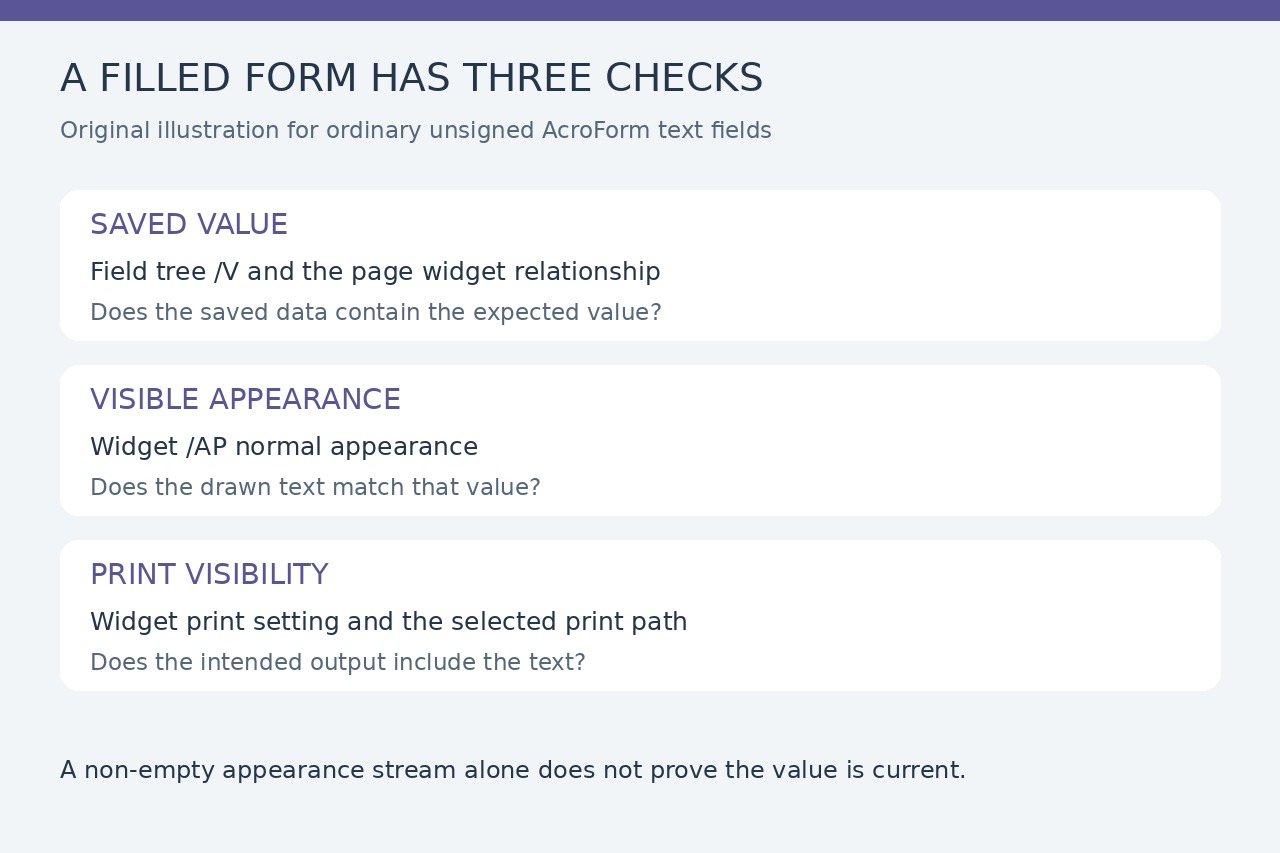
For an ordinary AcroForm text field, start with the exact saved file and compare three things: its stored value, the widget’s visible appearance and its print visibility. A screenshot alone cannot establish all three.
Adobe’s current print instructions say Document includes the form and entered data; Form Fields only omits the underlying form. If the field text still disappears, changing Document to Document and Markups is not a complete diagnosis.
Locate the failing output before editing
Record the file name or hash, filling application, receiving viewer and print settings. Compare the reopened screen, print preview and one test page through the intended output. In Acrobat, an authorized form author can inspect the field’s visibility setting; visible on screen does not necessarily mean printable.
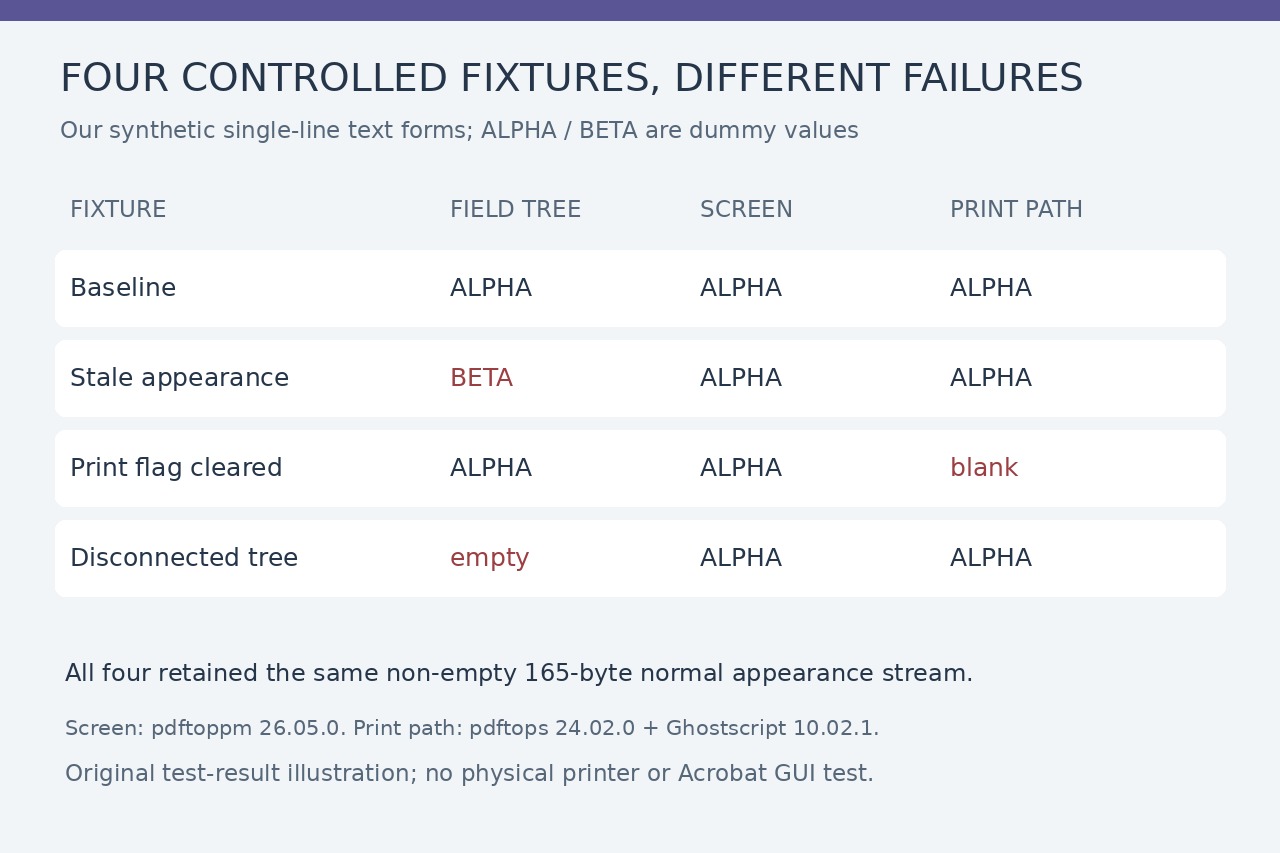
Our baseline stored ALPHA and displayed it in both paths. Clearing the widget’s Print flag kept ALPHA on screen but removed the field text from our PostScript print path. This is a visibility failure, not evidence that the saved answer vanished.
A non-empty appearance can still be stale
We changed the saved /V to BETA while retaining the ALPHA appearance. Both our screen renderer and print path showed ALPHA. All four fixtures retained the same 165-byte normal appearance stream, so checking only that /AP exists or contains bytes would miss the mismatch.
For a genuine appearance failure, ask the form producer to regenerate appearances from the correct saved values on a copy, then reopen and compare again. /NeedAppearances requests viewer regeneration; it does not prove a particular viewer has produced the correct result. Existing appearance-generation answers already explain that mechanism.
Check the field tree as well as the page
pypdf’s get_fields() reads the /AcroForm/Fields structure; page /Annots exposes the visible widgets. Parent and child relationships matter, especially for repeated fields. The same displayed name is not proof that two disconnected objects form a correct field/widget relationship.
In our disconnected-tree fixture, the canonical field value was empty while a separate page widget retained ALPHA. Screen and print both looked correct. A producer should reconcile the actual object relationships and values before any repair: automatically reattaching widgets can be insufficient, and duplicate names need explicit review.
Verify the repair against the required deliverable
For an editable form, reopen the output and check expected field values, widget relationships, the visible text and the intended print result. A static copy has a different contract: verify the actual painted content and retain the editable original when needed. Flattening a stale appearance can preserve the wrong text rather than repair it.
These are controlled examples, not a diagnosis of your document. We used Python 3.12.14, pypdf 6.10.0 and ReportLab 4.4.9; screen rendering used pdftoppm 26.05.0, printing pdftops 24.02.0 plus Ghostscript 10.02.1. Acrobat GUI, physical printers, signatures and dynamic XFA were not tested. Use the issuer’s supported workflow for those forms.