Technology · PRACTICAL GUIDE
Git says “cannot lock ref”? Classify the suffix before deleting anything
“Is at … but expected,” “exists; cannot create,” and “unable to resolve” are different failures. Preserve the exact ref and OIDs, stop competing Git writers, then repair only the proven branch.
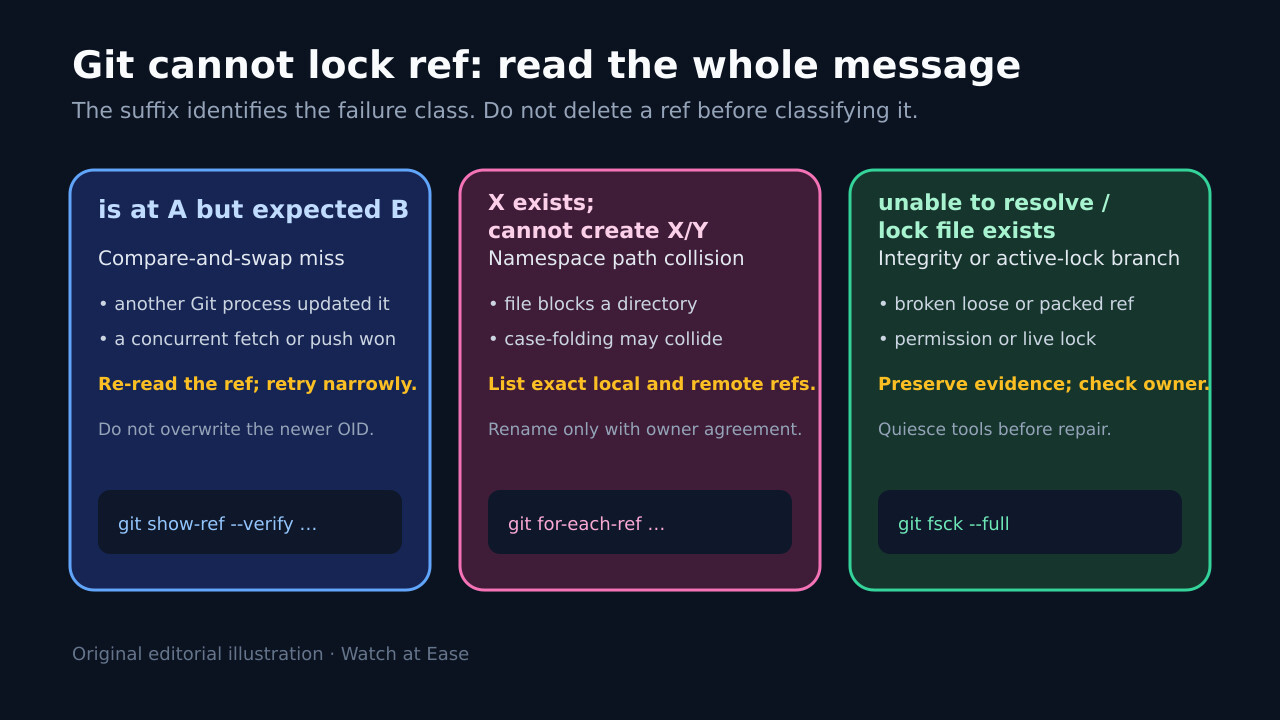
“Cannot lock ref” is an error prefix, not one diagnosis. The rest of the line tells you whether Git lost an expected-old-OID race, hit a hierarchical name collision, found a broken reference, or could not create a lock.
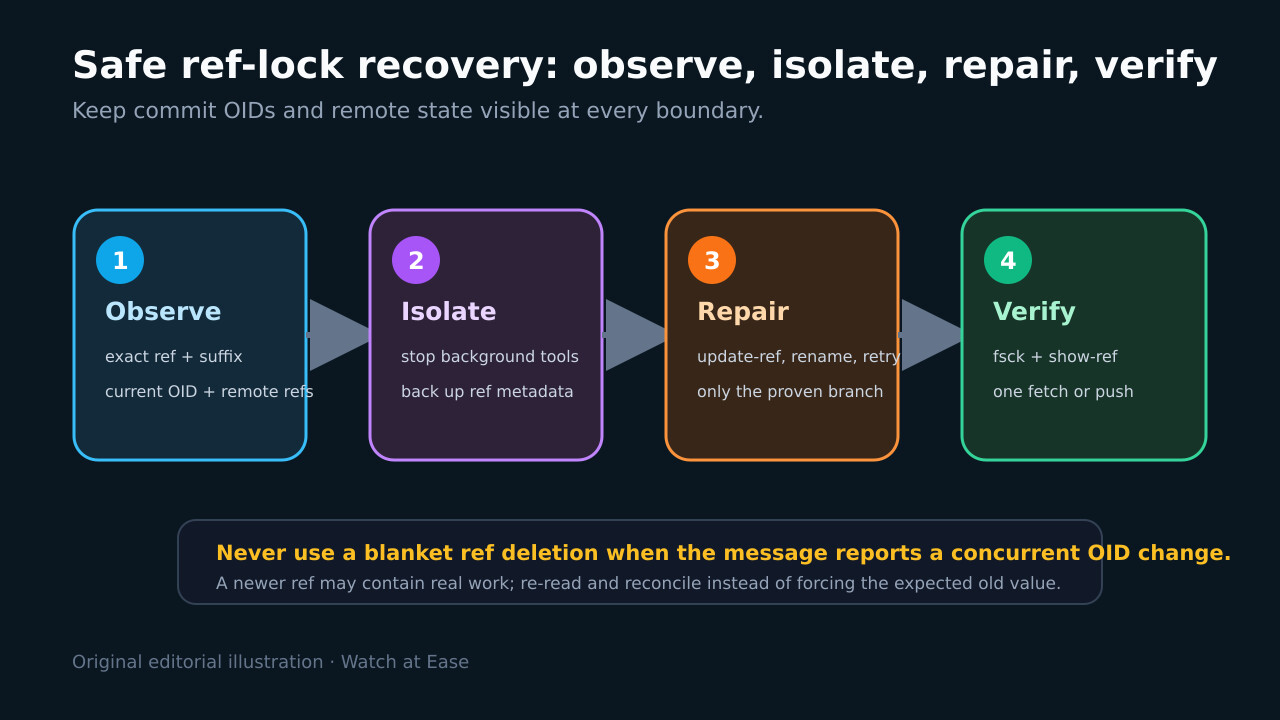
Save the complete line and current ref values before deleting anything. Then stop background fetchers or CI writers, classify the suffix, and make one narrow correction that preserves newer work.
Preserve the exact ref, suffix and OIDs
Copy the complete error, command, repository path and whether the failure was local or prefixed by “remote:”. Record git rev-parse --git-common-dir, git version, git status --short --branch, and the exact ref named in the message.
Use git show-ref --verify on that full ref and git for-each-ref with the surrounding namespace. Save the current OID and the remote-advertised ref before any cleanup; an expected-old-OID mismatch may be evidence that another writer already completed useful work.
Treat “is at A but expected B” as a race
This wording is compare-and-swap protection: Git expected B but re-read A. Stop background fetchers, IDE Git integrations and overlapping CI jobs, then inspect who changed the ref and whether A matches the remote or a completed operation.
If A is valid, re-run one fresh fetch or push so Git calculates from current state. Do not force B back into place or delete the ref simply because a retry recipe says so; that can erase the update the lock protected.
Resolve namespace and case collisions deliberately
For “X exists; cannot create X/Y,” list both local and remote refs. A branch named foo blocks foo/bar in file-based ref storage. Decide with the branch owners which name must move, update automation and protection rules, and delete or rename only after the target OID is preserved.
On Windows or other case-folding filesystems, compare names case-insensitively as well as byte-for-byte. A clean clone into a neutral path can confirm the storage collision, but it is not permission to silently rename remote branches.
Separate active locks from broken-reference evidence
For “unable to resolve reference,” inspect the exact ref through Git commands, not only .git/refs files: the value may be packed, loose, symbolic or stored in reftable. Run git fsck --full and inspect packed-refs only as evidence; avoid hand-editing it.
If a .lock file exists, first prove no Git process, hook, IDE, backup job or server task owns it. Preserve its path and timestamp. Only an abandoned lock from a stopped operation belongs in the stale-lock branch; permissions, disk errors and broken refs require their own repair.
Verify one narrow repair and close the cause
Prefer git update-ref with an expected old OID for a proven local ref correction. For a namespace collision, perform the agreed rename or delete through the hosting or Git workflow, then fetch into a clean state. For a concurrency race, a single fresh retry is the repair.
Finish with git show-ref, git fsck --full, one fetch or push, and comparison with the remote-advertised OID. Record the root cause—concurrent writer, hierarchical name, case folding, interrupted lock, permission fault or broken ref—so the same automation does not recreate it.