Technology · PRACTICAL GUIDE
Git says “src refspec main does not match any”? Prove the local source before pushing
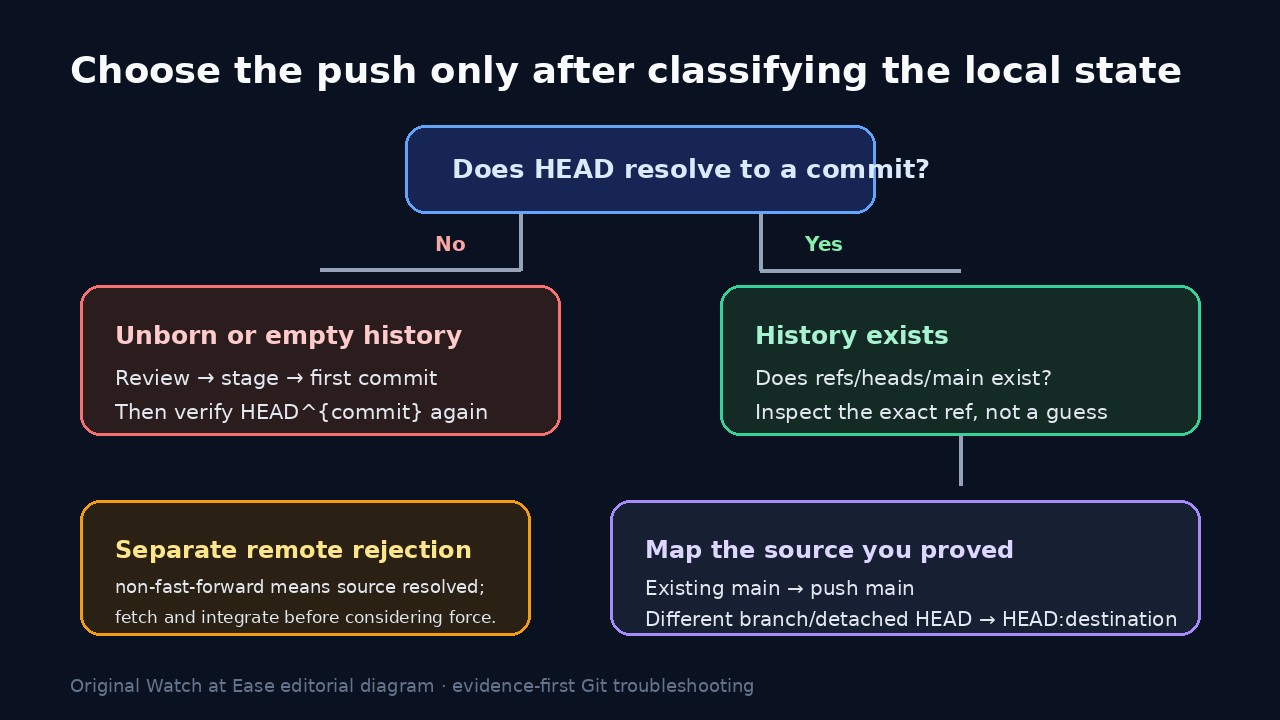
This error is about the local source named in your refspec, not proof that GitHub rejected an existing branch. Verify that HEAD is a commit and that refs/heads/main exists, then choose a first commit, the correct branch, or an explicit HEAD-to-destination mapping.
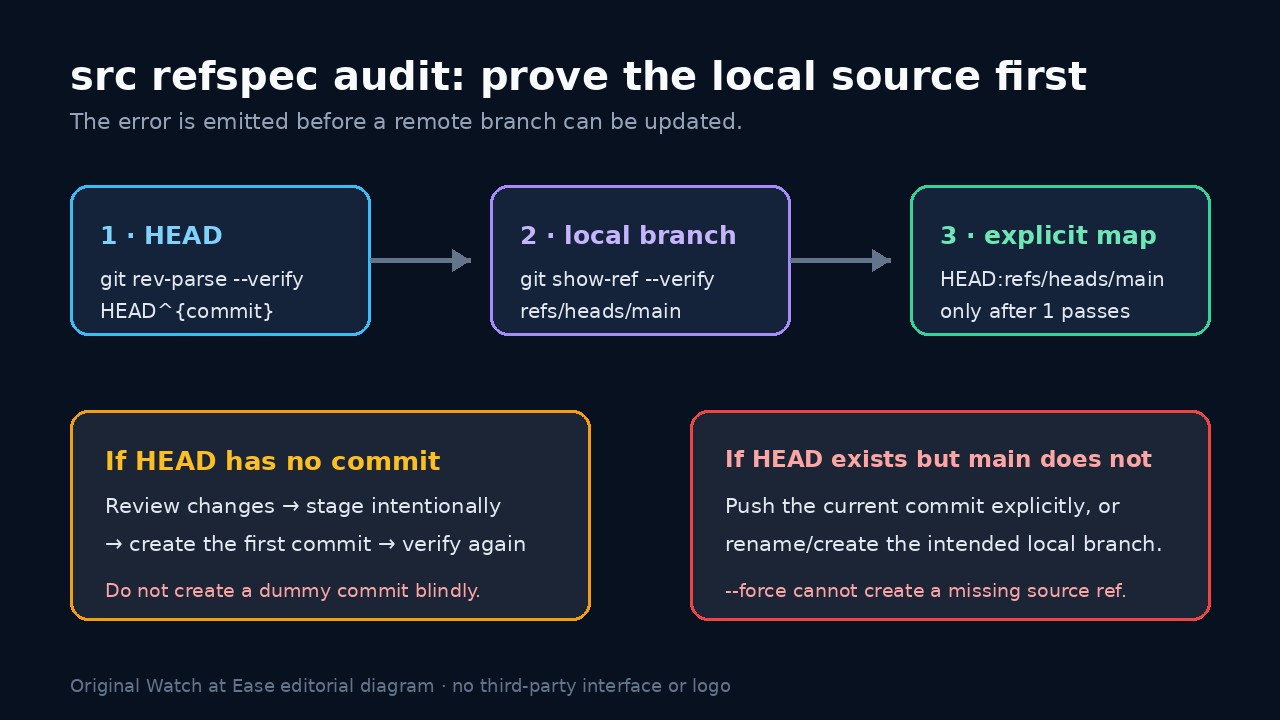
“src refspec main does not match any” means Git could not resolve the local source side named by the push. It does not prove that the remote already has a conflicting main branch, that authentication failed or that a force push is needed.
Freeze the exact command, then prove two things locally: HEAD resolves to a commit, and the source ref you named actually exists. Only after those tests should you create the first commit, push the actual branch, rename deliberately or map HEAD to a chosen remote destination.
Preserve the command and prove HEAD
Save the exact push command, repository path, git status --short --branch, git branch --show-current and git remote -v. A script may be using main even when your local branch is master, another name or detached.
Run git rev-parse --verify HEAD^{commit}. If it fails in a newly initialized repository, review the intended files, stage only what belongs and create the first real commit. Do not manufacture a dummy commit merely to silence the error.
Verify the exact local source ref
If the command names main, run git show-ref --verify refs/heads/main. A nonzero result means that exact local branch ref is absent even if a remote-tracking ref or tag contains the word main.
Compare git symbolic-ref --short -q HEAD and git branch --show-current. If another local branch holds the desired commit, push that branch or rename it deliberately; do not assume the hosting provider's default branch name changed your local refs.
Choose an explicit mapping when appropriate
When HEAD resolves to the correct commit but no local main branch should be created, use an explicit mapping such as git push -u origin HEAD:refs/heads/main. The left side is the proven source object; the right side is the remote branch to update.
If you do want a local main branch, create or rename it only after confirming which commit it should reference. Re-run show-ref and inspect git log -1 --decorate before pushing.
Keep remote rejection in a separate branch
If Git reaches the remote and reports non-fast-forward, the source resolved successfully. Fetch the remote branch, inspect the divergence and integrate the remote work according to the repository's policy.
Do not use --force to repair “does not match any.” Force changes update rules after a source has resolved; it cannot conjure a missing local source ref and can overwrite remote history in the wrong problem branch.
Verify the result and close the incident
After one narrow change, run the push once and read the complete output. Confirm the displayed source and destination, the new upstream setting if -u was used and the commit ID reported by git rev-parse HEAD.
Check git status --short --branch and git ls-remote --heads origin main. Record whether the root cause was unborn history, a wrong branch name, detached HEAD, wrapper configuration or a distinct remote divergence so the command is not reintroduced.