Technology · PRACTICAL GUIDE
npm says EINTEGRITY? Trace the expected and received tarball before resetting anything
A checksum mismatch can come from a stale lock entry, a damaged local cache, a private registry or proxy serving different bytes, or changed package metadata. Preserve the evidence, identify the exact source and repair only the failing boundary.
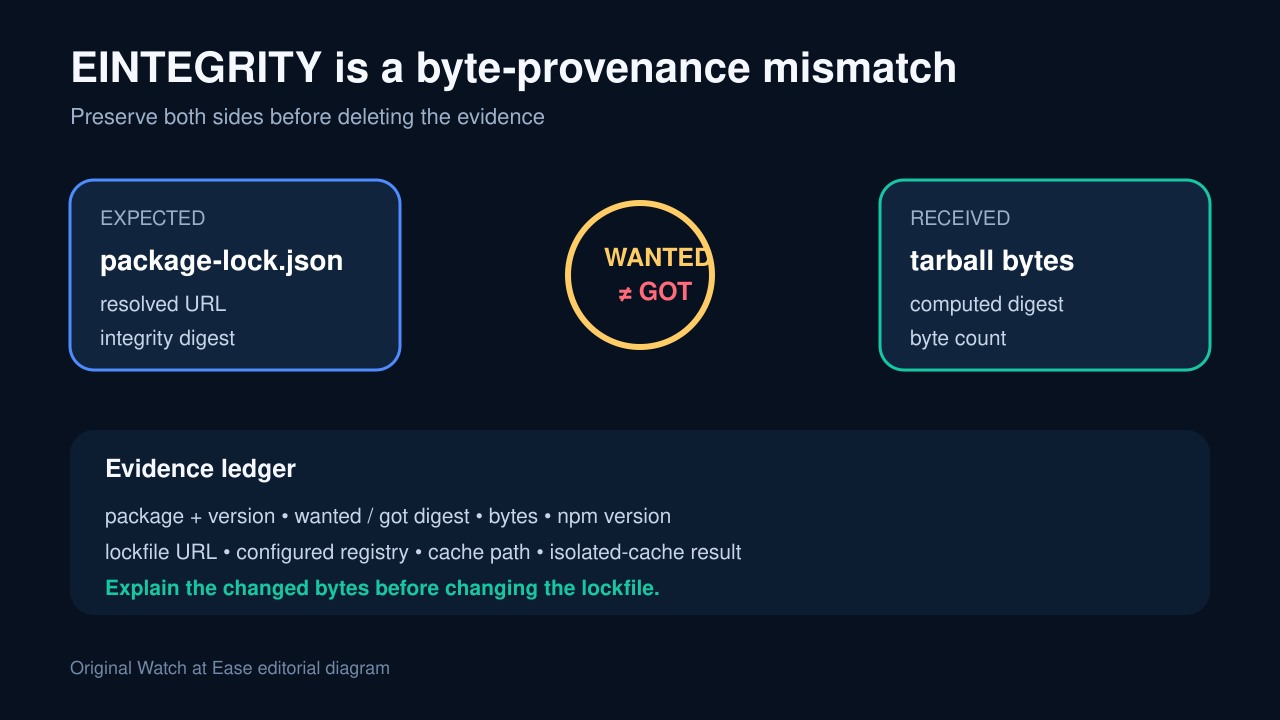
EINTEGRITY means npm computed a digest for received package bytes that did not match the digest it expected. The error is evidence, not a command to delete package-lock.json, disable TLS checks or wipe every cache.
Build a byte-provenance ledger: preserve the failing package, wanted and got digests, byte count, lockfile source and integrity, configured registry, npm version and the result of one isolated-cache retry.
Preserve the mismatch as a provenance record
Capture the package name and version, wanted and got digests, byte count, npm and Node versions, command, platform and debug-log path. Record npm config get registry and npm config get cache without exposing tokens.
Find the failing package entry in package-lock.json and record its resolved and integrity fields. The lockfile is the expected-artifact side of the comparison; keep it unchanged while testing the received side.
Verify the local cache before clearing it
Run npm cache verify and npm doctor cache. npm documents its cache as content-addressable and integrity checked, so a verified cache or automatic refetch changes the diagnosis.
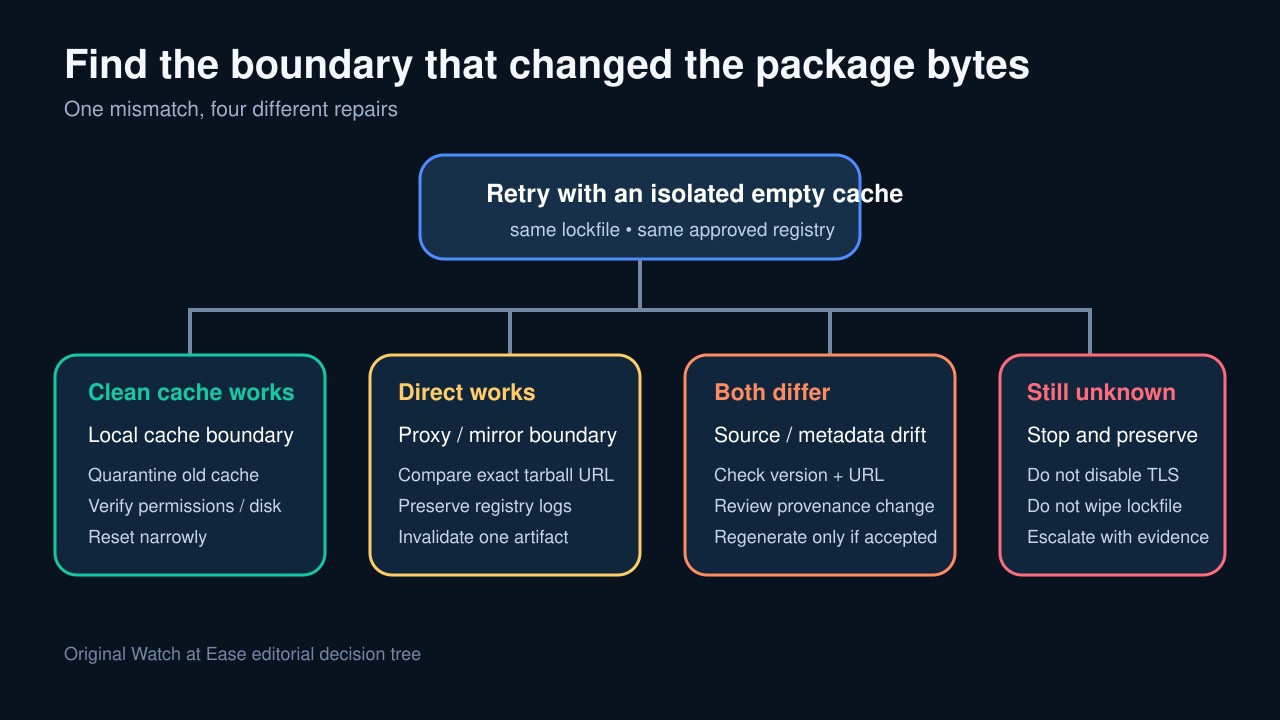
Repeat the exact install with a new empty cache directory. If that succeeds, quarantine and repair the old cache narrowly. If the same got digest returns, the old cache is not the only source.
Compare direct and configured registry paths
Use the exact resolved tarball URL and configured registry to determine whether npm reaches npmjs, a scoped private registry, Verdaccio, Azure Artifacts or another proxy. Do not disable strict SSL to make the error disappear.
Fetch the same package through the approved direct path and configured proxy in a controlled environment, compute SHA-512 for each and compare byte count, redirects and content type. Do not publish or replace anything during the test.
Classify lockfile drift, cache damage or registry mutation
If the isolated cache receives bytes matching the lockfile, the original cache or local filesystem was the boundary. If direct upstream matches the lockfile but the proxy does not, preserve proxy logs and invalidate only the affected artifact.
If neither approved source matches the committed integrity, investigate whether the version or source was republished, mirrored incorrectly or intentionally changed. Regenerate the lockfile only after the team reviews and accepts that provenance change.
Close with reproducible CI evidence
Retry npm ci or npm install with the committed lockfile and same approved registry. Record exit code, registry, cache path and final digest; confirm the lockfile did not change unexpectedly.
In CI, separate cache keys by lockfile hash and registry, and retain the first failure log. A green retry after deleting the evidence does not explain why different bytes were received.