Technology · PRACTICAL GUIDE
npm ci says package-lock is out of sync? Audit the manifest, flags and npm version before regenerating
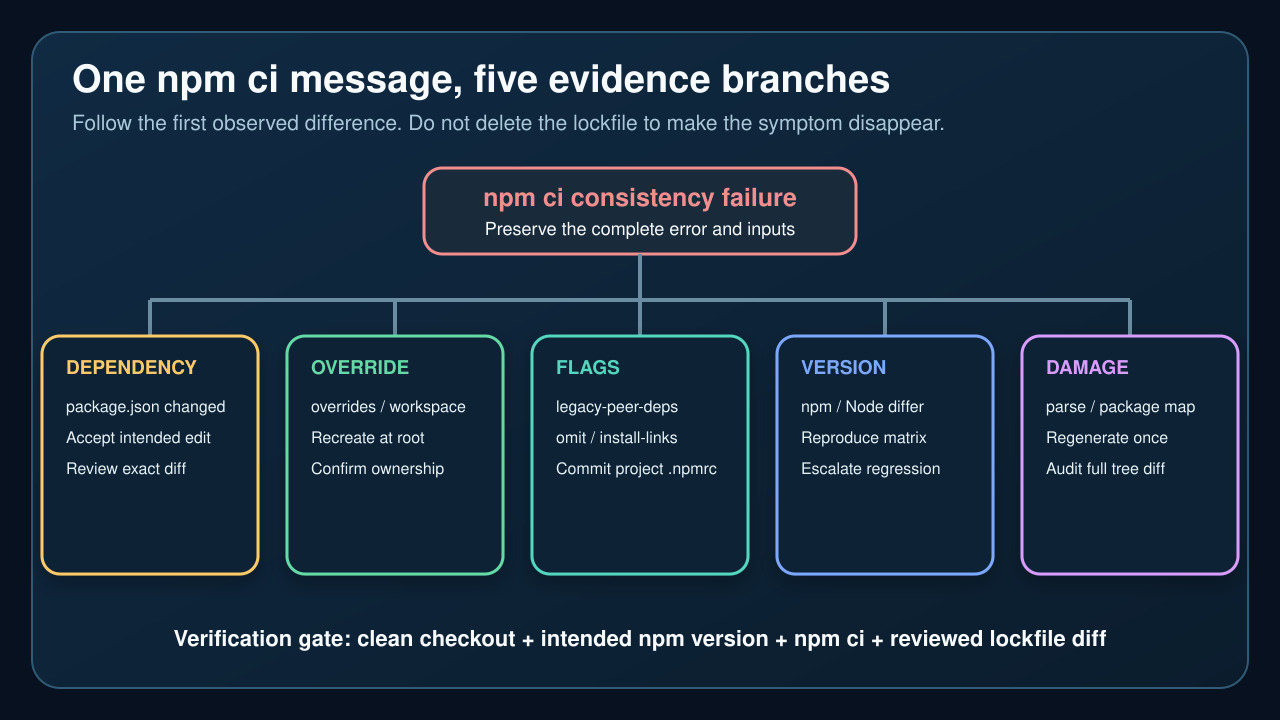
Preserve the failing inputs first. The same EUSAGE banner can mean dependency drift, project configuration mismatch, an old lockfile or npm-version-specific resolver behavior.
When npm ci says package.json and package-lock.json are not in sync, it is refusing to change a dependency tree that is supposed to be frozen. The banner describes a consistency failure, not one universal root cause. The safe response is to preserve the failing inputs, identify which input changed, and only then decide whether the manifest, project configuration, npm version or generated lockfile needs correction.
Do not begin by deleting package-lock.json, switching CI to npm install, or adding --force. Those actions can erase the comparison that explains the failure and can turn a small intended edit into a large dependency-tree change. A clean fix should explain the exact Missing or Invalid entry, reproduce under the intended install policy and leave a reviewable lockfile diff.
1. Treat the EUSAGE banner as a consistency gate
npm ci is designed for automated, reproducible installs. It requires a lockfile, removes an existing node_modules directory before installation, and does not write package.json or the lockfile. When the manifest and lockfile disagree, the command exits instead of silently choosing a new tree. That behavior protects CI from accepting an unreviewed dependency change.
Copy the complete error before trying another command. Preserve every Missing or Invalid line, the working directory and whether the command ran at the repository root or inside a workspace. The first named package and version range often identifies the comparison branch; the final generic instruction to run npm install does not prove that regeneration is the only correct repair.
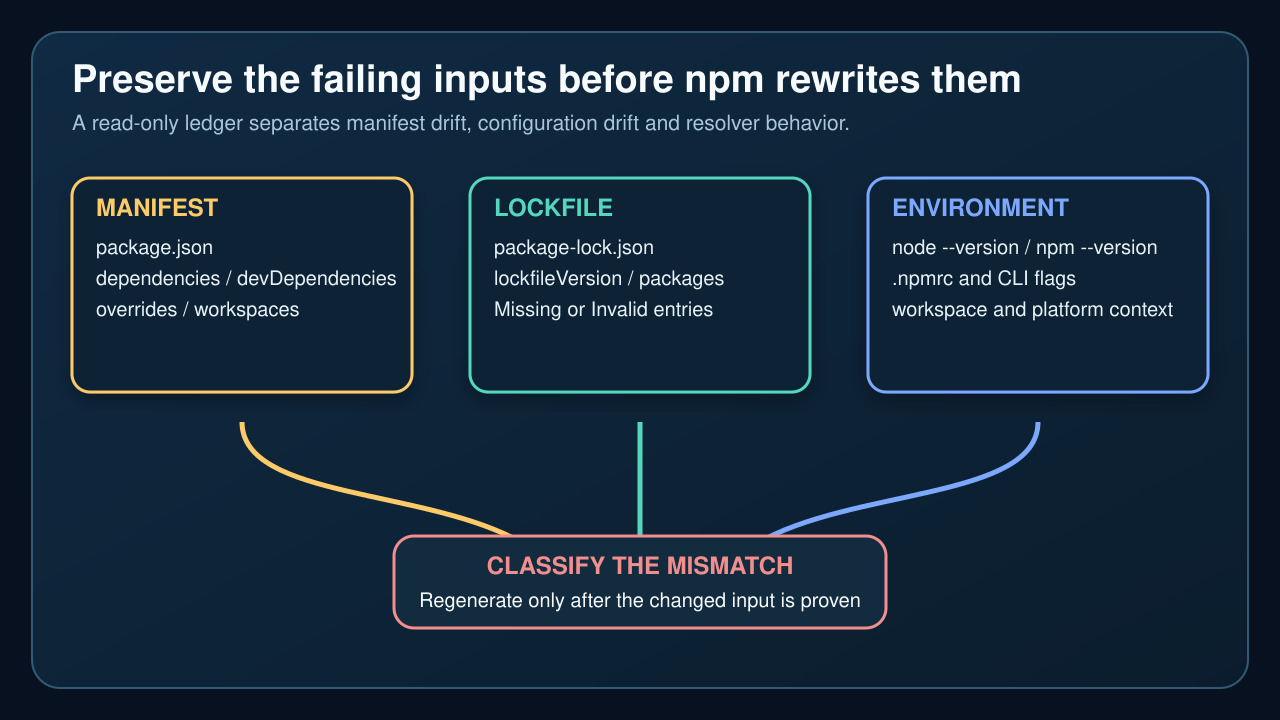
2. Build a read-only manifest, lockfile and environment ledger
Record the exact commit and whether package.json or package-lock.json is modified. Read the root manifest sections that affect the tree: dependencies, devDependencies, optionalDependencies, peerDependencies, bundledDependencies, overrides and workspaces. In the lockfile, record lockfileVersion and inspect both the root packages[""] entry and the package path named by the error. Do not hand-edit generated integrity or dependency fields.
Record node --version, npm --version, the project .npmrc, relevant environment variables and the exact CI command. Include flags that shape the tree, especially legacy-peer-deps, strict-peer-deps, install-links, omit/include and workspace selectors. Redact registry tokens and credentials. The goal is a comparison ledger, not a dump of secrets.
3. Separate intended manifest drift from an accidental edit
If package.json changed after the lockfile, determine whether the dependency edit was intended and reviewed. A direct dependency added to package.json but absent from packages[""].dependencies is a manifest-drift branch. An override, workspace membership or package-manager setting can also change the resolved tree even when the familiar dependencies block looks unchanged.
If the edit is intended, regenerate the lockfile in a controlled development environment using the project’s intended npm version and configuration. If the edit is accidental, restore the reviewed manifest instead. Do not make CI repair the tree on every run: committing a generated lockfile is a source change that deserves an explicit diff and ownership review.
4. Reproduce the install policy that created the lockfile
The official npm ci guidance warns that a lockfile created with tree-shaping flags must be installed with the same flags. A common example is legacy-peer-deps. Project-level configuration belongs in a committed .npmrc when every contributor and CI job must use it; a developer’s user-level configuration should not silently determine the repository tree.
Compare the failing runner with a clean local checkout using the same npm major version, project .npmrc and workspace command. If one environment passes only after a flag is added, explain why that flag is part of the repository policy before committing it. A passing command without a documented policy can merely move the mismatch to another machine.
5. Distinguish npm-version behavior from a damaged lockfile
If the manifest, lockfile and project configuration are identical but the failure changes with npm version, reproduce a small version matrix before rewriting anything. Capture the exact error for the project’s supported npm version and one adjacent version. Recent upstream reports show that npm install can complete while npm ci still rejects the resulting tree in a particular resolver path; that is evidence for escalation, not permission to ignore the gate.
A truly damaged or obsolete lockfile branch needs concrete evidence: parse failure, missing root metadata, impossible package-map references, conflict markers or a known format transition. Preserve the original file, regenerate once with the intended toolchain and compare the entire diff. Large unrelated churn means the environment or policy still is not controlled.
6. Verify the smallest correction from a clean checkout
After making the smallest evidence-backed correction, start from a clean checkout. Use the intended Node and npm versions, load only the committed project configuration and run the same npm ci command as CI. Confirm that the lockfile remains unchanged, the expected workspace is installed, lifecycle scripts behave as intended and the application’s existing tests or build still pass.
Review the lockfile diff as dependency code: root ranges, resolved versions, integrity values, peer relationships and removals should match the intended change. If npm ci fails again, keep the new error and return to the branch ledger. Do not repeatedly regenerate until the command happens to pass; reproducibility requires an explained input and a stable result.