Technology · PRACTICAL GUIDE
npm EACCES permission denied? Read the failing path before sudo, chown, or prefix changes
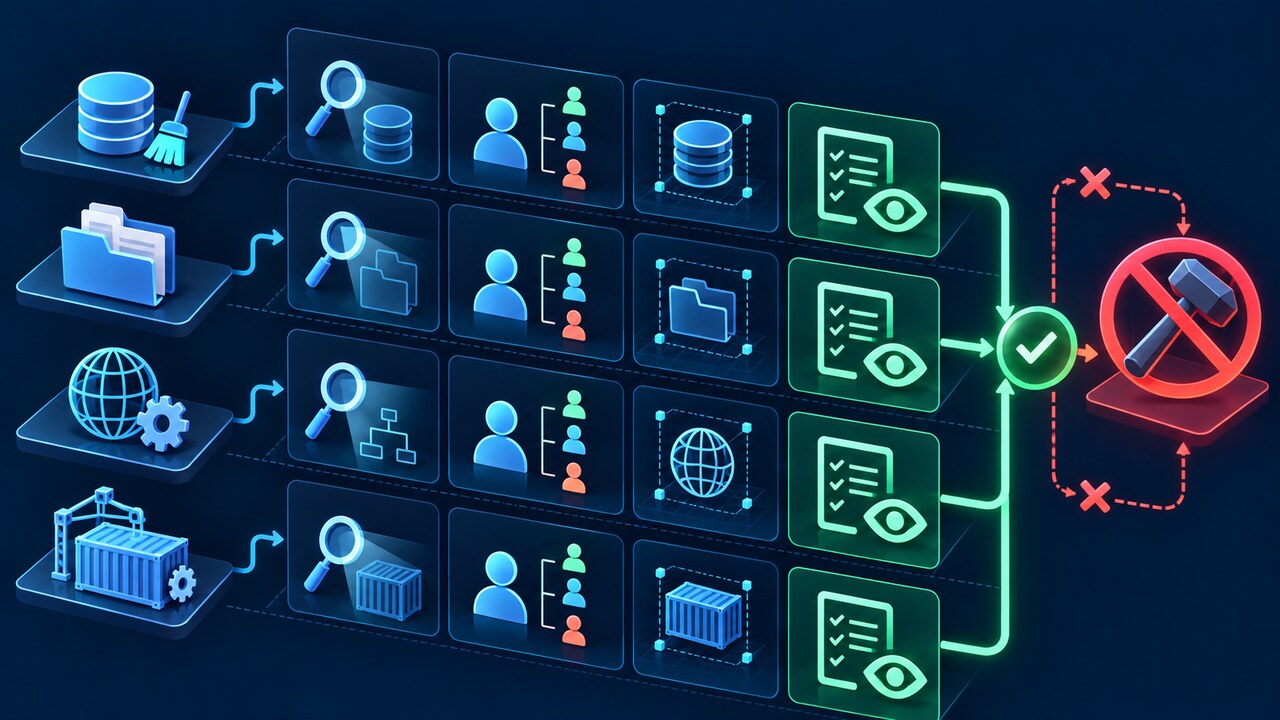
Cache, project, global prefix, and container failures look alike but need different owners. Preserve the exact path and classify the scope before any mutation.

EACCES tells you that one filesystem operation was denied. It does not tell you that npm itself, the cache, the current project, or the global install prefix is universally broken.
The decisive clue is the exact `npm ERR! path` together with the syscall and the account that ran the command. Preserve those three facts before changing ownership, permissions, cache, prefix, or user.
This guide classifies the failure into four scopes—user cache, local project, global prefix, and container or CI mount—then gives a read-only evidence card and the safest owner for the next decision.
One error code covers four different permission scopes
A path under `~/.npm` points to the per-user cache. A path inside the current project, such as `node_modules`, points to the project tree. A path under the result of `npm config get prefix`, often a system directory, points to a global install. A path in `/workspace`, `/app`, a mounted volume, or an unexpected home directory may instead expose a container, CI, remote-workspace, or service-account mismatch.
Those branches require different owners and different remedies. Changing the global prefix cannot make `/var/test/node_modules` writable. Recursively changing `~/.npm` cannot repair a read-only project mount. Running the same install with sudo can create new root-owned files and make the next normal run harder to diagnose.
Capture a read-only evidence card before changing anything
Copy the complete EACCES block, especially `code`, `syscall`, `path`, `cwd`, Node version, npm version, and the original command. Then record `npm config get cache`, `npm config get prefix`, `npm prefix`, `npm root -g`, `node -p "process.getuid?.() ?? process.env.USERNAME"`, and the current directory. These commands explain scope; they do not repair it.
On macOS or Linux, inspect the failing path and every parent with `ls -ld` or `namei -l`; in a container also record `id`, `pwd`, `printf "%s\n" "$HOME"`, and the mount definition. On Windows, use `Get-Acl` for the failing path and record whether the shell is elevated. Do not paste registry tokens or the contents of `.npmrc` into a ticket.
If the path is the npm cache, verify ownership and runtime first
When the denied path is below the value returned by `npm config get cache`, the project may be perfectly writable. Compare the cache path, its parent ownership, the current UID, and whether an earlier sudo or container run wrote into the same home directory. `npm cache verify` is an integrity check; clearing the cache is not a permission diagnosis.
Do not blindly execute the ownership command printed by npm. The Termux issue shows that npm once reported root-owned cache files in an environment where ordinary root ownership was not the explanation. Confirm the runtime and actual owner first. If the cache is genuinely owned by the wrong account, the human owner of that home directory should review a narrowly scoped ownership repair—not a machine-wide recursive change.
If the path is inside the project, fix the project boundary—not npm global settings
A denied `mkdir` for `/var/test/node_modules`, a repository checkout, or a mounted workspace means the current account cannot write where the local install belongs. Prefix changes and version-manager reinstalls do not alter that directory. Identify the project owner, group policy, ACL, mount mode, and whether the directory was created by root, another host UID, a package manager, or deployment tooling.
Avoid `chmod -R 777`, `chmod a+w`, or a recursive chown across a shared tree without owner review. Those shortcuts can grant unrelated users write access or rewrite ownership for generated files, secrets, and deployment artifacts. Prefer restoring the repository or workspace to its intended account and group, or run the build as the account that owns the mounted work.
If the path is the global prefix, use npm’s supported routes
For global-install EACCES, npm’s current documentation recommends reinstalling Node and npm with a version manager, or changing the npm prefix to a user-owned directory. It also suggests `npx` when a command is needed only occasionally. These routes avoid turning global package files into a mixed root/user ownership tree.
Confirm that the failing path is actually under the reported global prefix before following that advice. A global-looking command can still fail in the cache, and a local install can still fail in the project. On managed machines, system Node directories may be intentionally controlled by an administrator; stop and request the approved runtime instead of bypassing policy.
Containers and CI need UID, HOME, and mount alignment
In containers and CI, the visible username is less useful than the numeric UID and GID. A host bind mount may be owned by a different numeric account; `HOME` may point to a read-only or shared cache; a previous root step may have populated both `node_modules` and the npm cache. Record host and container ownership before changing either side.
A durable fix usually aligns the execution UID with the workspace owner, gives each job an appropriate cache, or changes the mount policy. Do not recursively chown a host volume from inside a disposable container unless the volume owner explicitly approves the exact target and impact.
Choose the smallest reviewed action and preserve the handoff
Your handoff should state the exact denied path, syscall, current account, cache, local prefix, global prefix, project owner, and environment type. Classify the branch as cache, project, global, or container/CI. Name the owner who can approve the next change and keep the original log available.
Stop if the path is outside the expected project or home directory, if ownership differs across a shared tree, if the mount is read-only, if the runtime is managed, if the account is unknown, or if the suggested command would broaden permissions. EACCES is resolved when the intended account can perform the intended operation—not when the error disappears under a more powerful account.