Technology · PRACTICAL GUIDE
zsh compinit says “insecure directories”? Audit the completion trust chain before chmod
The warning protects a shell-code loading path. Bind the real user, every fpath parent, symlink target and installer owner before changing one permission or bypassing the check.
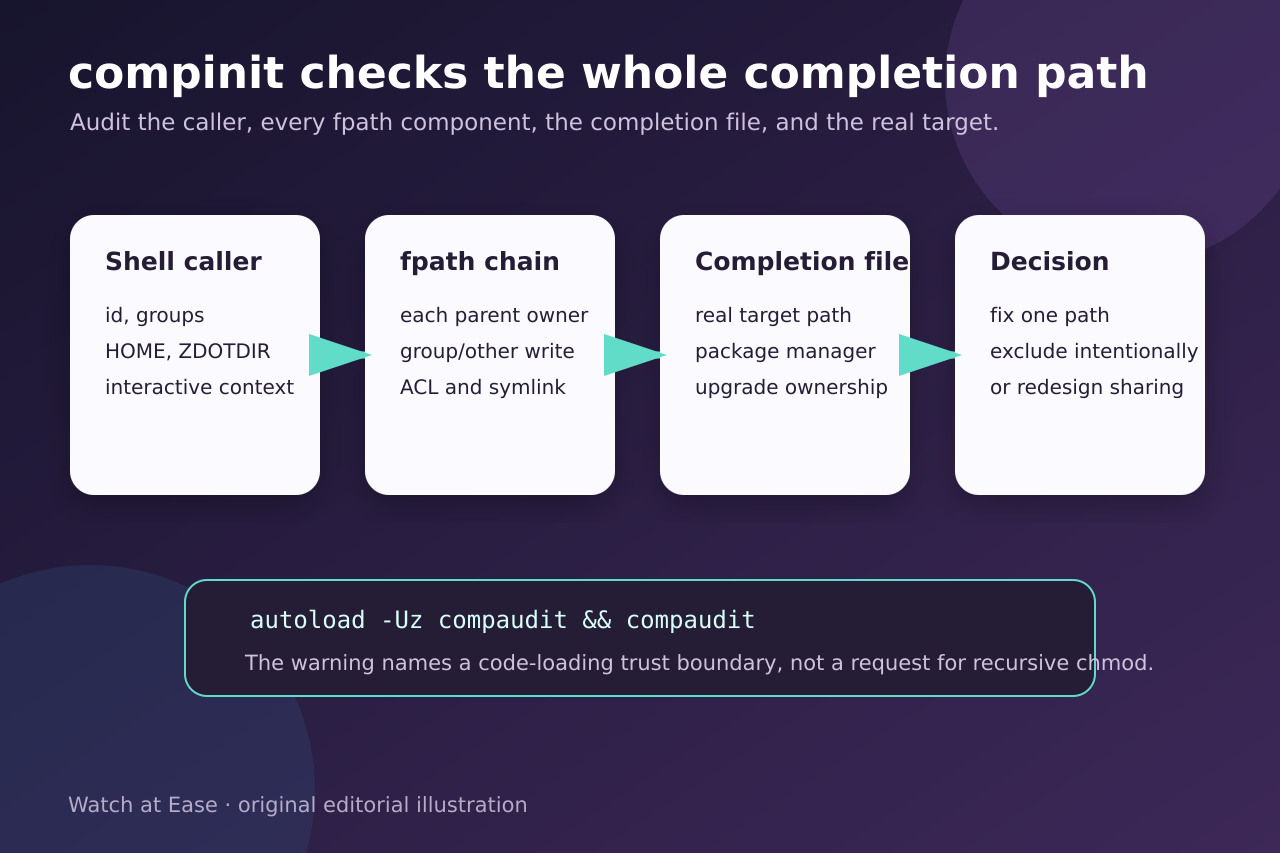
zsh warns about insecure completion directories because files found through fpath can become executable shell code. The message is therefore a trust-boundary stop, not a request to recursively chmod or chown an installation.
Run compaudit as the user who opens the shell, map every listed path through its parents and symlink target, identify the package or installer that owns it, then apply one reversible repair and retest both completion and the untrusted-writer boundary.
1. Reproduce the audit as the real shell user
Open the same interactive shell that shows the warning. Record zsh --version, id, groups, HOME, ZDOTDIR and the ordered fpath array. Then run autoload -Uz compaudit followed by compaudit without sudo. Save the exact paths and whether the warning comes from zsh itself or a framework such as Oh My Zsh.
Do not answer the prompt repeatedly, delete the completion dump or prepend sudo as a diagnosis. Those actions can change the caller or cache without proving which writable path can supply code.
2. Inventory every path, parent and real target
For each path from compaudit, record the owner, group, mode and ACL for the file, every relevant parent directory and the resolved symlink target. Compare that chain with fpath order. A mode that looks safe on the link can still lead to a target or parent controlled by another writer.
Classify each writer as the current user, root, a package-manager owner, a trusted shared group or an unintended account. Preserve the before state and the installer or package that created the path.
3. Choose among three different ownership cases
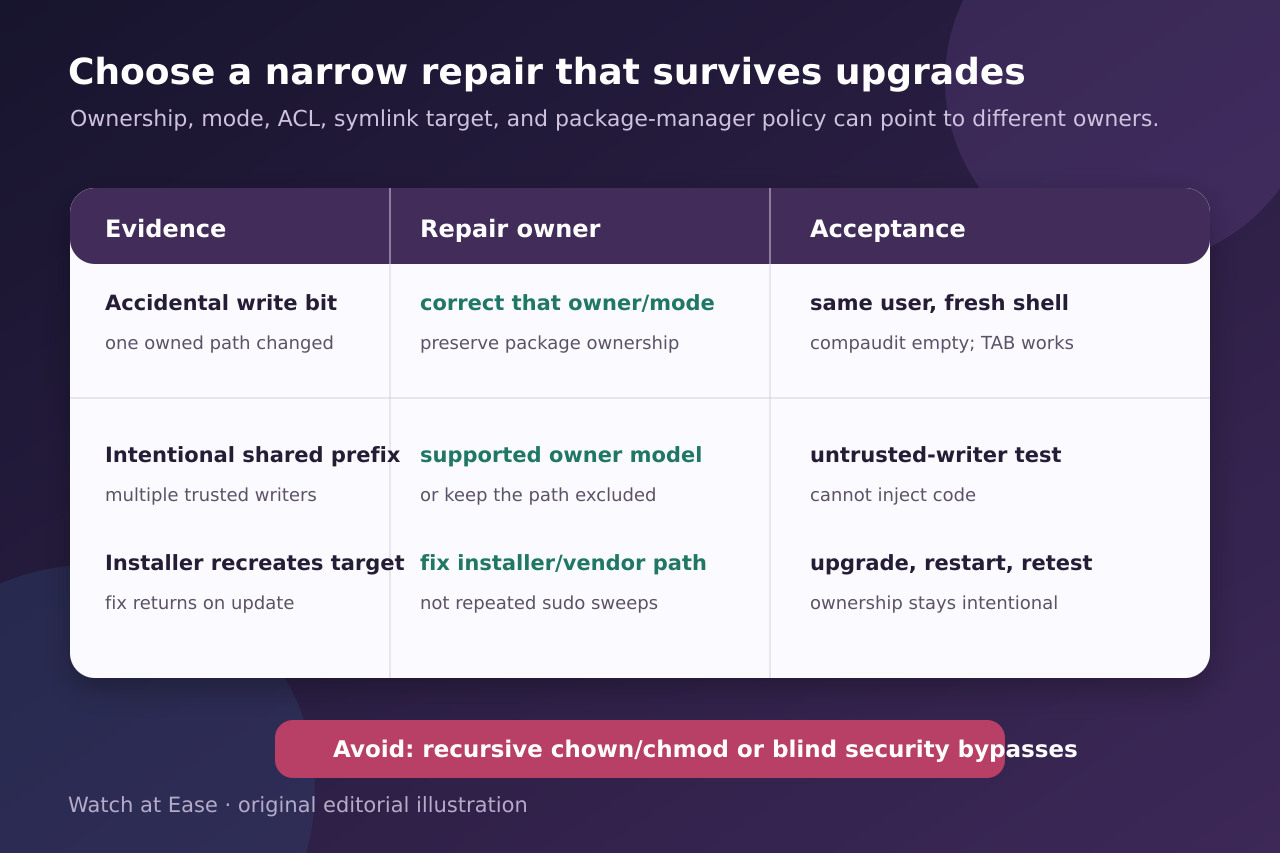
For accidental drift in a user-owned tree, correct only the proven owner or write bits. For a package-managed tree, use that package manager or vendor’s supported owner model; Homebrew explicitly warns against recursive permission changes across its entire prefix.
For an intentional multi-user prefix, decide whether every writer is trusted to load shell code. If not, move completions to a per-user trusted path or keep the insecure path excluded. Treat compinit -u, -C and framework bypasses as explicit trust decisions, not universal fixes.
4. Make the repair durable and reversible
Change the smallest listed path or configuration under the authority of its real owner. Record the old and new owner, group, mode and ACL, the exact command or package operation and a rollback. Avoid chmod -R, chown -R or xargs over unreviewed output.
If an application update recreates the path, repair the installer, package configuration or FPATH entry instead of repeating a privileged sweep after every update. Do not delete a vendor completion merely to hide the warning.
5. Verify a fresh shell and the negative boundary
Start a fresh shell as the original user, rerun compaudit and exercise completion for one command supplied by the repaired path. Confirm the expected completion loads and the audit output is empty or contains only intentionally excluded paths.
Finally prove that an untrusted account cannot modify any loaded completion file or ancestor directory. Repeat the package or application upgrade that previously recreated the problem. Accept the repair only when ownership stays intentional, TAB completion works and the code-loading boundary remains closed.