Technology · PRACTICAL GUIDE
systemd status=226/NAMESPACE? Prove the failed namespace operation before disabling hardening
Capture the first detailed journal error, map every namespace directive to its resource, and change one proven boundary instead of removing the sandbox.
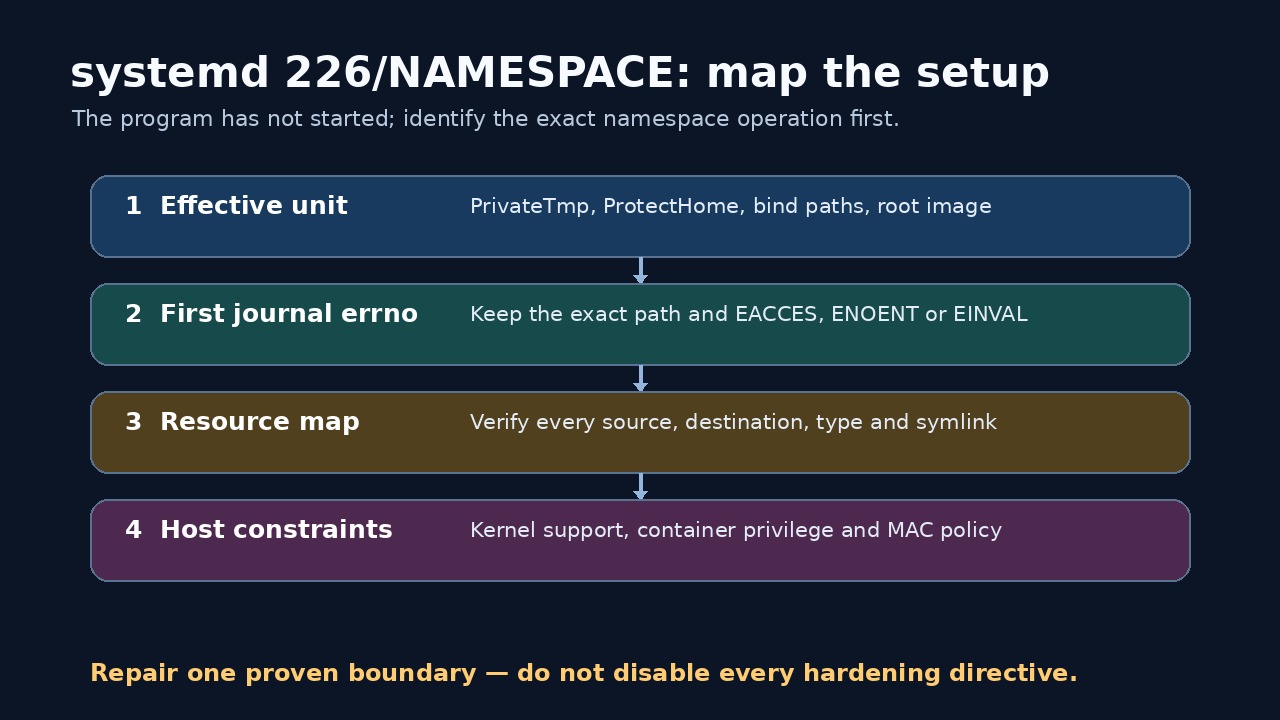
systemd status=226/NAMESPACE means process setup failed while creating a mount, UTS or IPC namespace. The service program has not begun normal execution, so changing application flags or reading its own logs starts at the wrong layer.
Build four linked records: the merged unit, the first detailed journal errno, the directive-to-resource map, and the host or container boundary. Repair only the first broken join; keep unrelated sandbox controls enabled.
Freeze the effective unit and first failure
Save systemctl cat and systemctl show output for the failing unit, including drop-ins and generated properties. Record the systemd and kernel versions, whether the manager is system or user, and whether it runs inside a container.
Read the journal from the beginning of the failed start. Keep the exact “Failed to set up … namespacing” line, its path and errno before the final status=226/NAMESPACE summary.
Map directives to namespace operations
List each directive that changes the unit’s filesystem or namespace view: PrivateTmp, ProtectHome, ProtectSystem, path allow or deny lists, bind mounts, temporary filesystems, root directories or images, private IPC and hostname protection.
For every directive, record source path, destination path, expected type, symlink resolution, mount that supplies it and whether an optional “-” prefix changes failure handling. Do not audit only the line you remember editing.
Verify the exact resources without weakening policy
Check that every named source and destination exists with the expected directory, file or device type in the manager’s host view. Compare findmnt and path resolution; a path typo, wrong node type or missing mount is different from a permission denial.
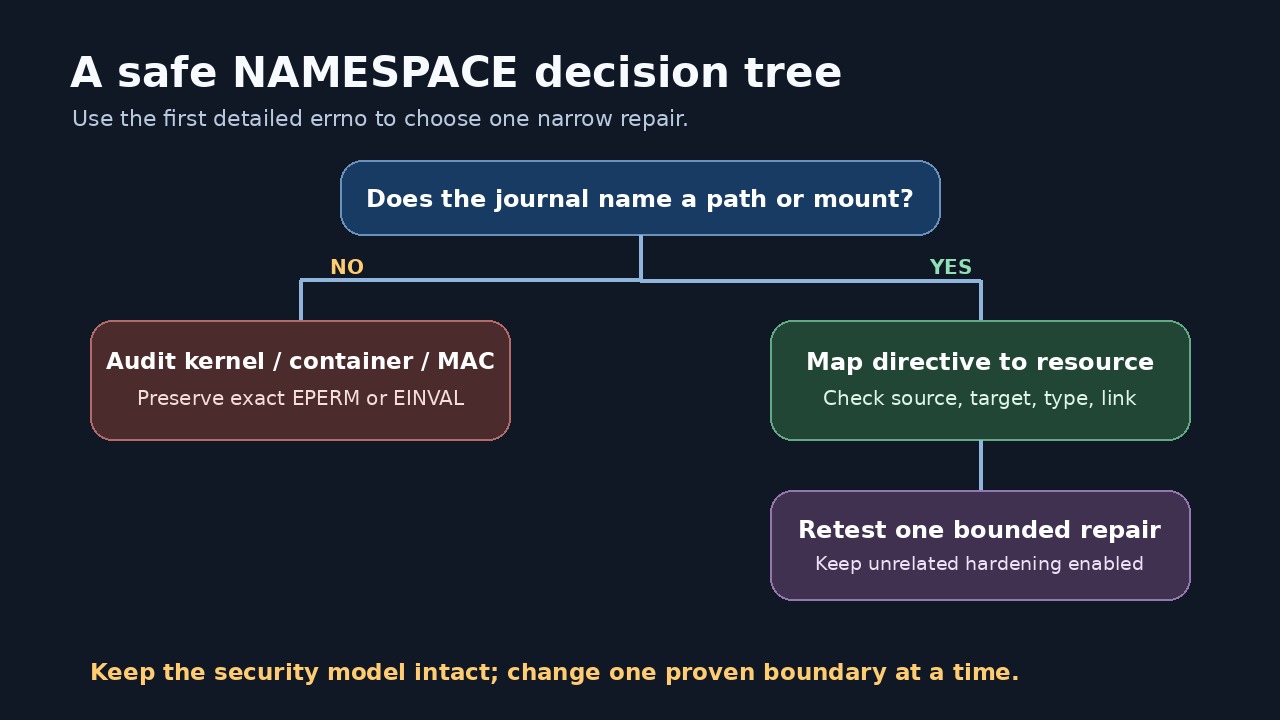
When the log reports EACCES or EPERM, inspect ownership, execute permission on parent directories, mount flags and mandatory-access-control denials. When it reports EINVAL, preserve the failing object and environment before replacing it.
Separate host failures from container limits
A unit inside Docker, LXC, a user manager or a user namespace may not own the mount namespace or capability needed for the requested setup. Compare the same minimal unit on the host and in the constrained environment without converting production to privileged mode.
Record user-namespace settings, kernel support, container policy and AppArmor or SELinux evidence. The absence of a denial log is not proof that every kernel namespace operation is available.
Apply one bounded repair and close the loop
Correct one proven typo, missing path, mount order, node type, policy rule or environment constraint. If a sandbox directive must be relaxed, document why its specific protection conflicts with the service and prefer a narrower bind or writable path.
Reload the unit, repeat the start and confirm that the original namespace line disappears, status 226 does not return, and the intended sandbox properties remain active. Keep before-and-after unit, journal and mount evidence.