Technology · PRACTICAL GUIDE
systemctl --user says “Failed to connect to bus”? Prove the session context before exporting variables
Match the effective user, runtime directory, bus socket and user manager; then choose a login, remote-management or lingering remedy that fits the real execution model.
A user-bus error is usually a disagreement about who is running the command and which login context owns the service manager. Preserve that context before applying a familiar one-line fix.
The safe route is to prove four linked layers, classify the intended lifecycle, make one narrow change and repeat the original failing launch path.
Treat the message as a context mismatch
`systemctl --user` talks to the service manager for one login user. “No medium found,” “No such file or directory,” and “environment not defined” are transport symptoms: the current process cannot reach the expected user bus. They do not prove that the unit file is wrong or that D-Bus is globally broken.
Record the exact command, effective UID, intended target user, launcher, `XDG_RUNTIME_DIR`, `DBUS_SESSION_BUS_ADDRESS`, and the complete error. Note whether it came from SSH, sudo, su, cron, CI, Ansible, a container or an interactive login.
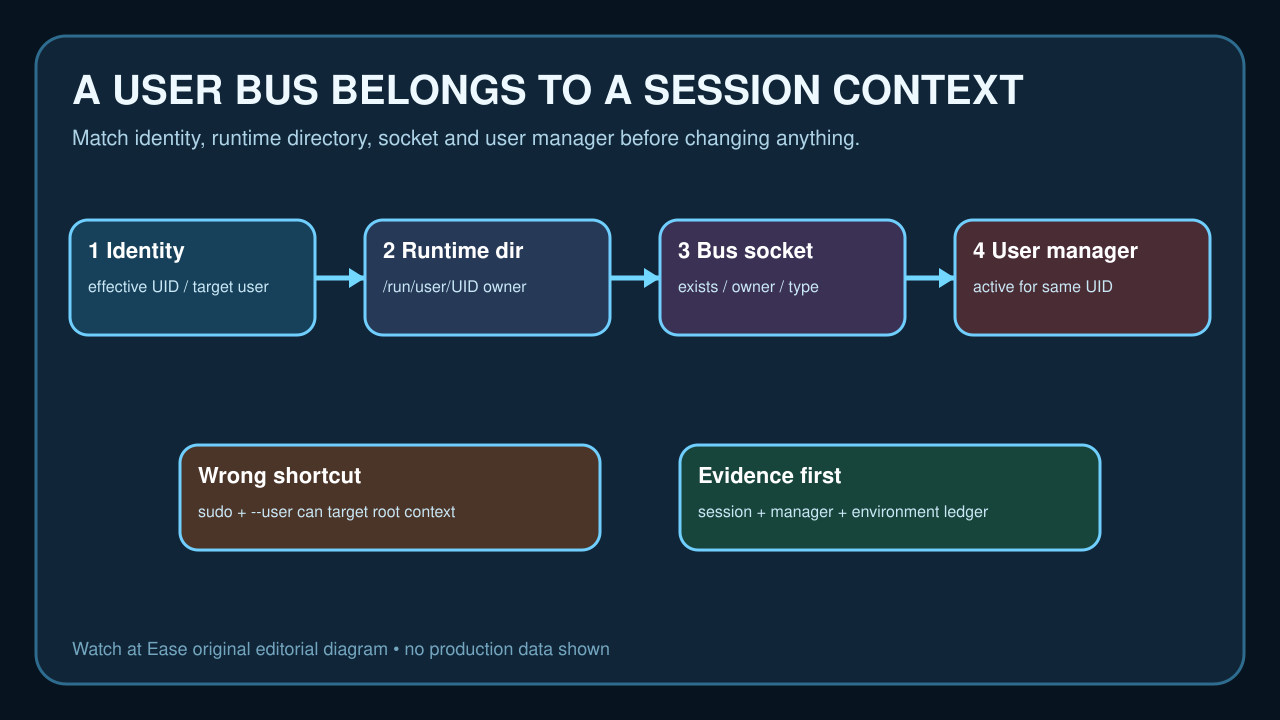
Verify four layers without creating them
Check the target UID, then inspect `/run/user/UID` and its `bus` entry from outside that directory. Record existence, owner, mode and socket type. Use `loginctl show-user USER` and session listings to learn whether logind knows the user and whether a user manager is running.
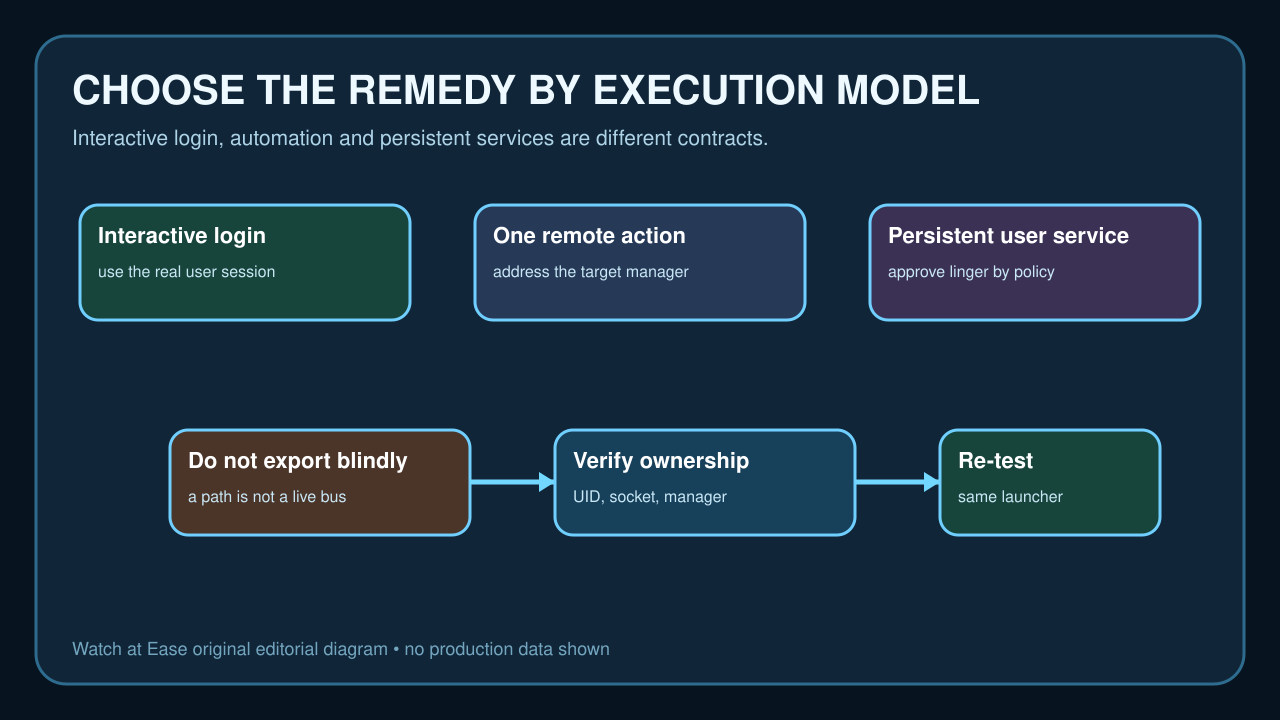
Do not export a guessed path merely because `/run/user/UID/bus` is conventional. A string can point to a missing socket, a socket owned by another identity or a manager that is not running. The effective identity, runtime directory, socket and manager must agree.
Separate three execution models
For an interactive login, reproduce the command in the user’s real session without `sudo systemctl --user`. For a one-off administrative action, use a distribution-supported way to address the target user manager instead of impersonating a shell and borrowing environment variables. For an unattended persistent user service, decide whether lingering is actually the approved lifecycle.
`loginctl enable-linger` keeps the user manager available beyond logouts and can start it at boot. That is a policy change with resource and lifecycle consequences, not a generic fix for every missing bus. Record who approved it and which user service needs persistence.
Classify the broken layer before changing packages
A wrong effective UID points to sudo, su, privilege escalation or an automation task running as the wrong account. A missing runtime directory or manager points to login/PAM/logind lifecycle. A missing or wrong-owner socket points to session creation or stale runtime state. A correct socket with refusal requires journal and manager-state evidence.
Installing a D-Bus package, rebooting, enabling lingering or editing shell startup files may appear to work while changing a different layer. Make one evidence-backed change and keep the original error plus before-state ledger.
Re-test through the same launcher
After the narrow repair, repeat the exact failing route: the same SSH account, automation runner, cron context or administrative command. Confirm the effective UID, runtime directory, bus socket and user manager still align before checking the unit.
Then run a read-only user-manager command and inspect the intended unit. A command that succeeds only in a different shell is not closure. Preserve the successful context so later automation does not silently regress to root or another user.
Know the boundary of this audit
This workflow does not decide whether a service should run as a user or system unit, authorize lingering, repair PAM policy, delete runtime files or create a bus. Those choices depend on distribution, security policy and the required service lifecycle.
Completion means the original launcher reaches the intended user manager without borrowed credentials or fabricated environment, the target unit is addressed in the correct scope, and the approved lifecycle survives logout or reboot only when that persistence was explicitly required.