Technology · PRACTICAL GUIDE
SSH timed out, refused, or says “No route to host”? Prove the destination tuple first
Do not rotate keys when TCP has not reached authentication. Freeze the hostname, resolved address, family, port and jump path; preserve the first error and verbose phase; then prove the first failed hop and change one boundary.
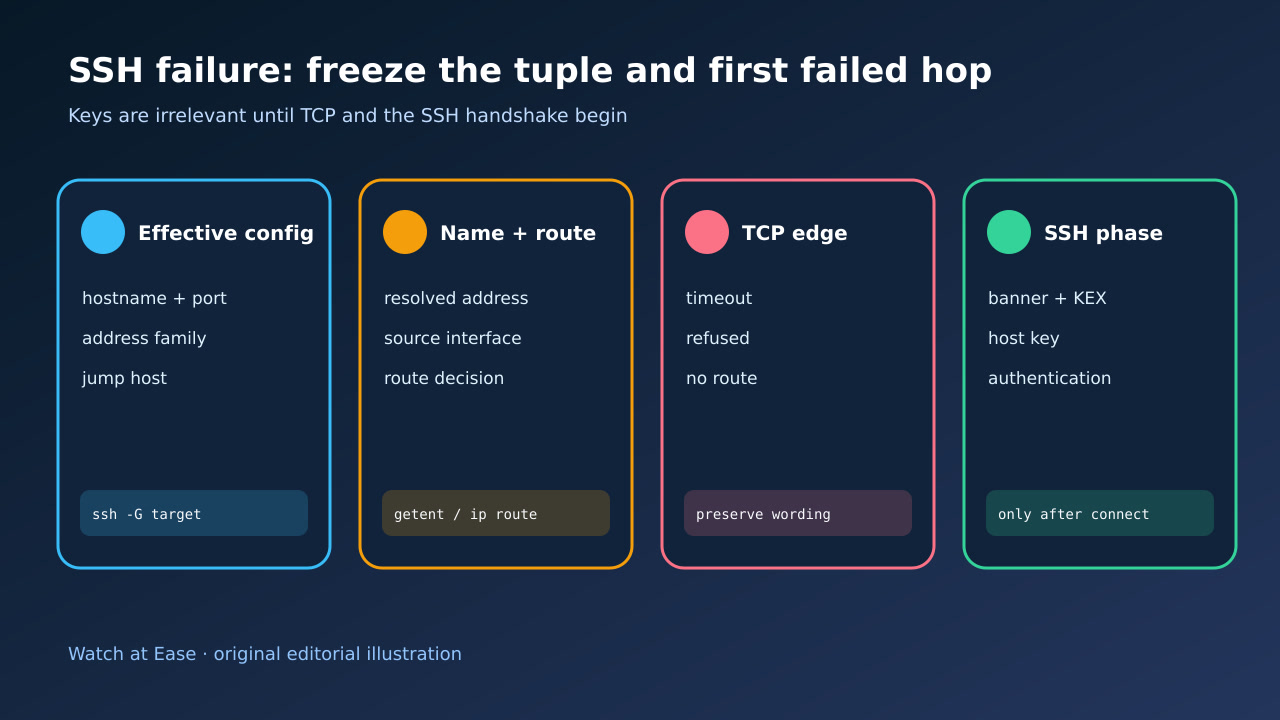
Do not rotate keys when TCP has not reached authentication. Freeze the hostname, resolved address, family, port and jump path; preserve the first error and verbose phase; then prove the first failed hop and change one boundary.
ssh -G prints the client configuration after Host and Match rules are evaluated. ConnectTimeout covers both TCP connection establishment and the initial SSH handshake and key exchange.
1. Freeze the effective destination tuple
Save the exact command and run ssh -G target to record hostname, user, port, address family, ProxyJump or ProxyCommand, config files and any command-line overrides. Redact credentials and private host details before sharing evidence, but keep an internal mapping.
Do not assume an alias means port 22 or the typed hostname. A Match block, Include file, -p flag, IPv4/IPv6 choice or jump host can change the real tuple. If automation runs in a container, runner or service account, capture its environment rather than a successful laptop test.
2. Preserve the exact first failure and phase
Run one bounded ssh -vvv attempt and keep the first decisive line, elapsed time and last completed phase. Separate name-resolution errors, local route errors, TCP refused, TCP timeout, SSH banner/key-exchange timeout, host-key verification and authentication failure.
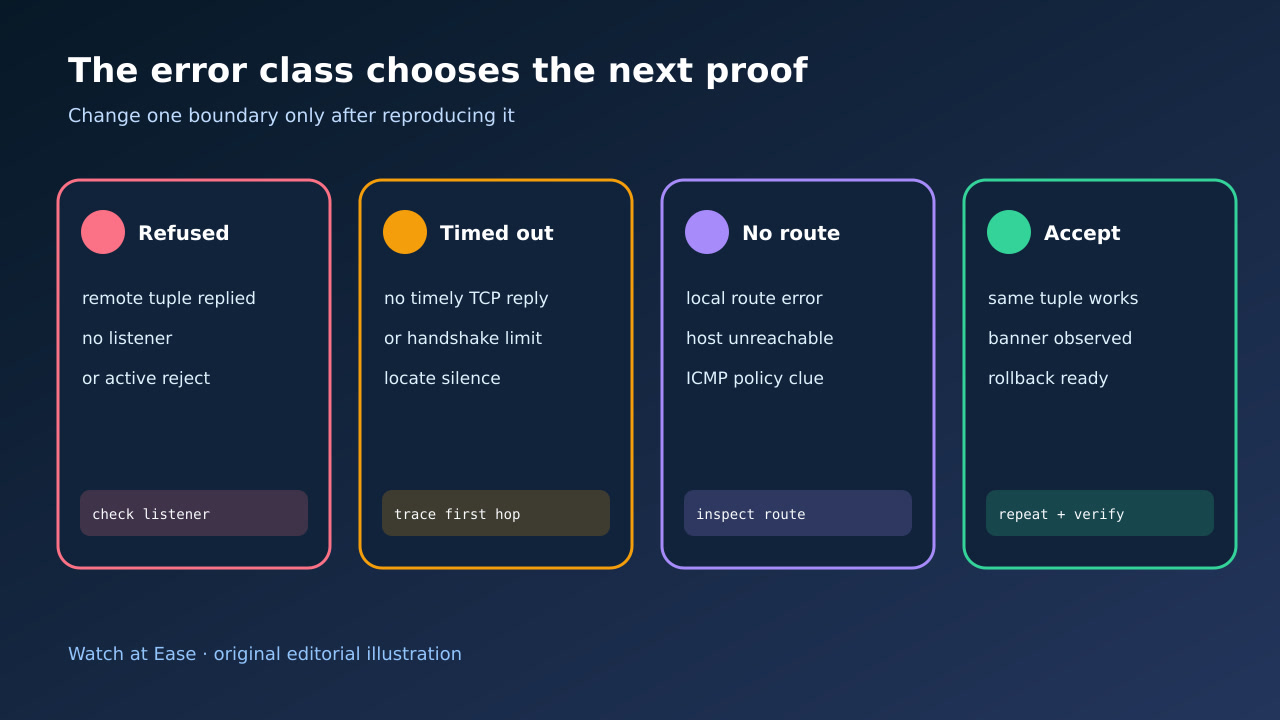
Connection refused proves that the attempted tuple received an active failure, commonly because nothing listens there or a policy rejects it. A timeout means no timely completion; it does not by itself prove which firewall, NAT, host or handshake edge stayed silent. No route is a routing or reachability result, not an SSH-key diagnosis.
3. Prove name, address family and route
Resolve the exact hostname from the failing environment and list all returned IPv4 and IPv6 addresses. Record which address ssh -vvv attempted, the selected source interface and the route decision. Test -4 and -6 only as controlled classifiers, not permanent fixes.
If ProxyJump or ProxyCommand is active, split the path: client to jump host, then jump host to destination. A working direct path does not prove the jump path, and a working laptop path does not prove a CI runner, VPN or cloud subnet path. Preserve DNS split-horizon and NAT/hairpin differences.
4. Test the first TCP boundary from the same source
From the same source identity, test only the authorized destination and port with a bounded TCP probe. On the destination or an approved management channel, verify the listener address and port, host firewall, cloud policy, NAT target and recent logs. Do not expose a new port broadly merely to make the test pass.
Match evidence to the class: refused calls for listener and active-reject proof; timeout calls for packet-path or handshake-silence proof; no-route calls for local route, neighbor and returned ICMP evidence. Avoid treating ping as a universal gate because ICMP policy can differ from TCP.
5. Change one authorized boundary and accept it
Change one boundary: correct the alias or port, repair a route, update one scoped firewall/NAT rule, bind sshd to the intended address, or fix the jump host. Keep an out-of-band recovery path and syntax-check server configuration before reload.
Repeat the identical source, hostname, address family, port and jump path. Acceptance requires the expected SSH banner or key-exchange phase, correct host-key identity and the intended authentication result; also prove unintended sources remain blocked and roll back if the change widens exposure or breaks the control path.