Technology · PRACTICAL GUIDE
kubectl port-forward says “connection refused”? Audit four hops before retrying
Separate the local listener, API tunnel, selected Pod and in-Pod process. The first failed hop tells you whether to change a local port, RBAC, target identity or application listener.
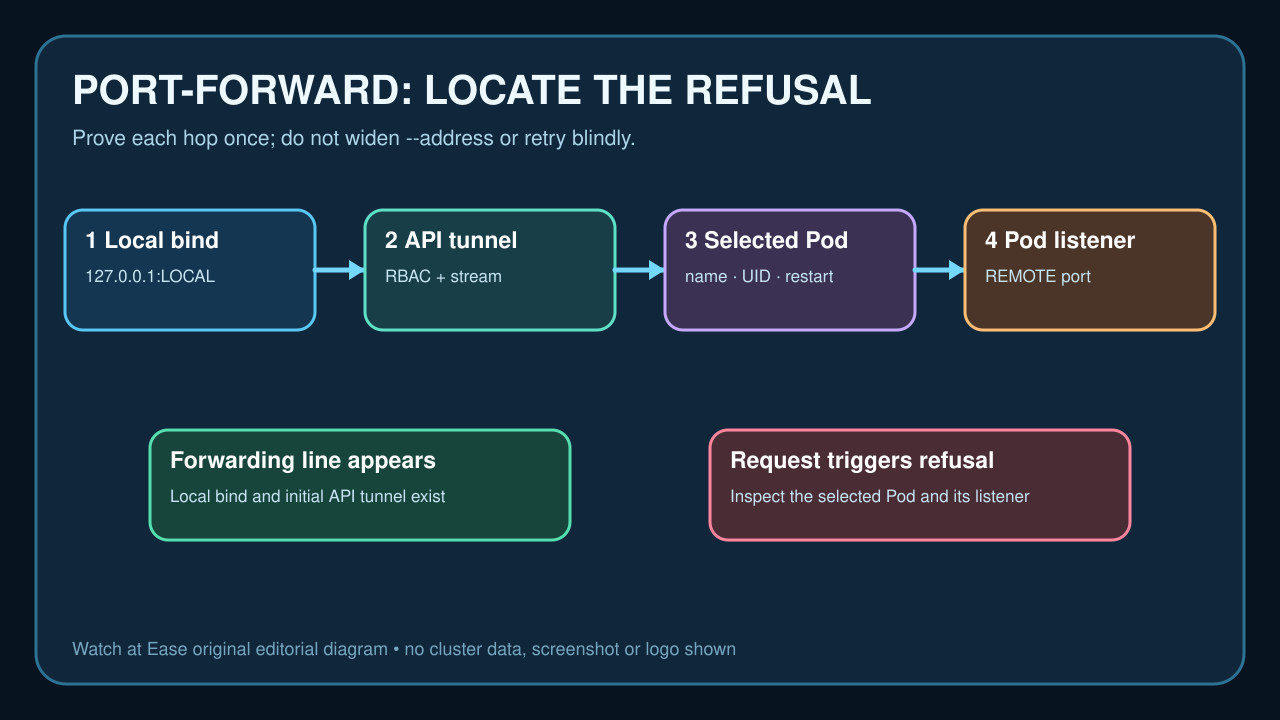
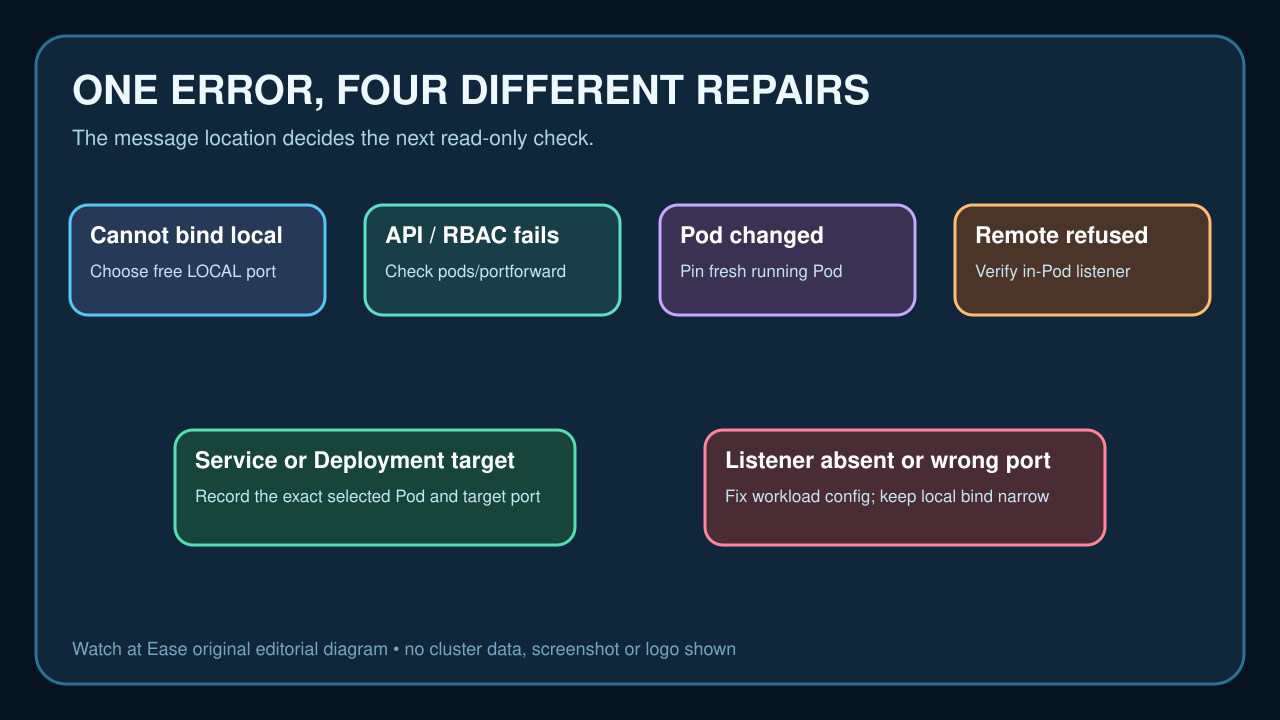
A port-forward refusal is not one failure. The local socket can fail to bind, the API stream can be denied, kubectl can select a Pod that is restarting, or the tunnel can reach a Pod where no process listens on the requested remote port.
Preserve the exact command and first error, then audit those four hops in order. Do not begin by adding --address 0.0.0.0: that changes only where kubectl listens locally, can expose the port to other hosts, and does not create a listener inside the Pod.
Preserve the command and locate the first failure
Copy the full command, context, namespace, target type and name, local-to-remote mapping, kubectl version, and every line before the first refusal. Keep the terminal open; later lines can prove that the local listener and initial API stream already existed.
If kubectl reports that it cannot listen on the local port, solve that local collision first or let kubectl allocate a free local port with :REMOTE_PORT. If it reports forbidden, unauthorized or an upgrade/stream error, verify context and RBAC before touching the workload.
Prove the exact selected Pod
A Service, Deployment or ReplicaSet target is not the final network endpoint: kubectl selects a Pod. Record its name, UID, node, start time, readiness, restart count, deletion timestamp and owning ReplicaSet before retrying.
During a rollout, the selected Pod can terminate after the forwarding line appears. Re-run only after identifying a fresh Running and Ready Pod; for diagnosis, forwarding directly to that Pod makes the tested identity explicit.
Resolve the remote port, not just the Service port
For a Service, read the exact port, name and targetPort, then inspect the selected Pod's containerPort declarations and runtime configuration. A Service port of 80 can legitimately forward to targetPort 8080; the remote side of the kubectl mapping must match the resolved Pod port.
Labels, endpoints and readiness can change independently. Save the Service selector and current EndpointSlice addresses to explain why a Pod was eligible, but remember that successful selection does not prove a process is listening.
Verify the listener inside the Pod
Use an approved read-only diagnostic method to inspect listening TCP sockets in the selected Pod's shared network namespace, or query the application health endpoint from an ephemeral diagnostic container when policy allows. Confirm the protocol, remote port and process startup state.
If nothing listens, fix the application command, configuration, startup dependency or port. If it listens only after a slow start, wait for readiness. Changing local --address cannot repair this remote refusal; widening to 0.0.0.0 only increases who can reach the local listener.
Retry once and verify the same identity
Start a new forward to the explicit Pod and port, record the forwarding lines, make one protocol-correct request, and confirm the same Pod UID remains Running. HTTP versus HTTPS mismatches can reset an application connection even when TCP forwarding works.
The exit condition is a stable local listener, authorized API stream, known Pod identity and verified remote process that answers the intended protocol. If the Pod changes or the listener disappears again, investigate rollout and application lifecycle rather than looping kubectl.