Technology · PRACTICAL GUIDE
SSH says “Permission denied (publickey)”? Prove the offered fingerprint before copying another key
Print the effective target, capture the key fingerprint the client actually offered, map it to the intended account, and inspect server rejection evidence before changing permissions or policy.
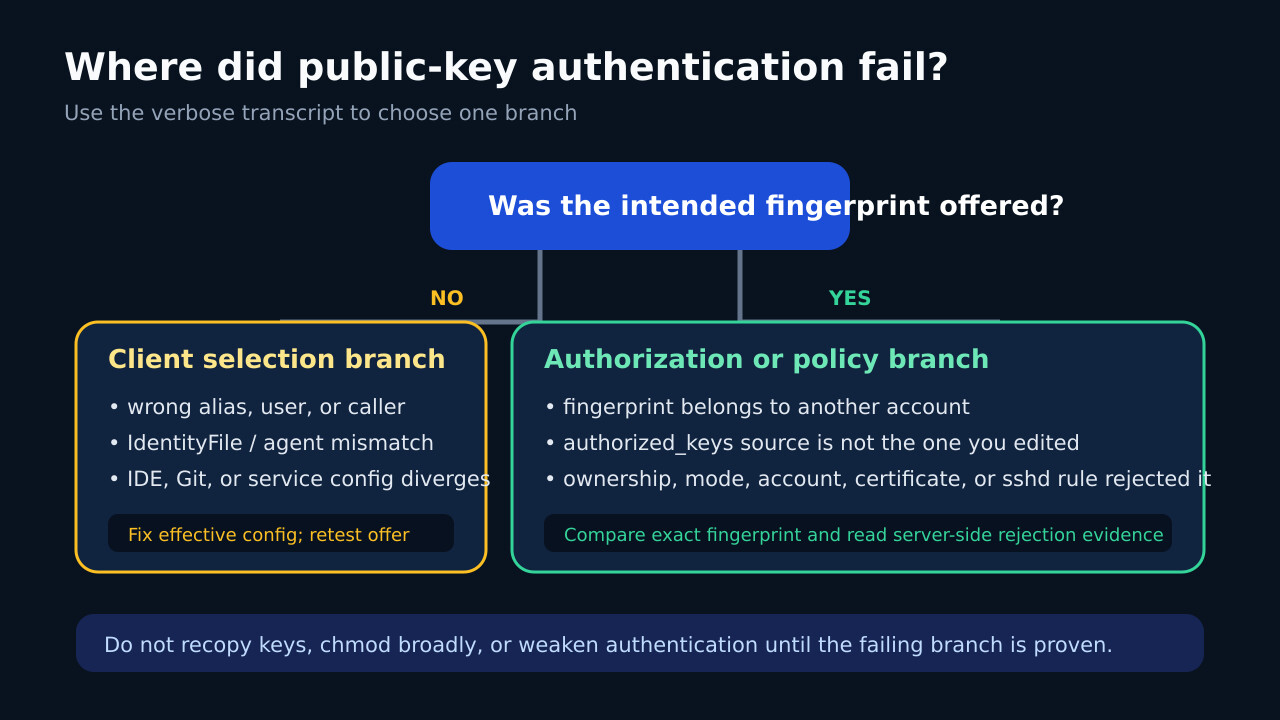
“Permission denied (publickey)” means the connection reached user authentication and the server did not accept a usable public-key path for the requested account. It does not tell you whether the wrong key was selected, the right key belongs to another account, or server policy rejected it.
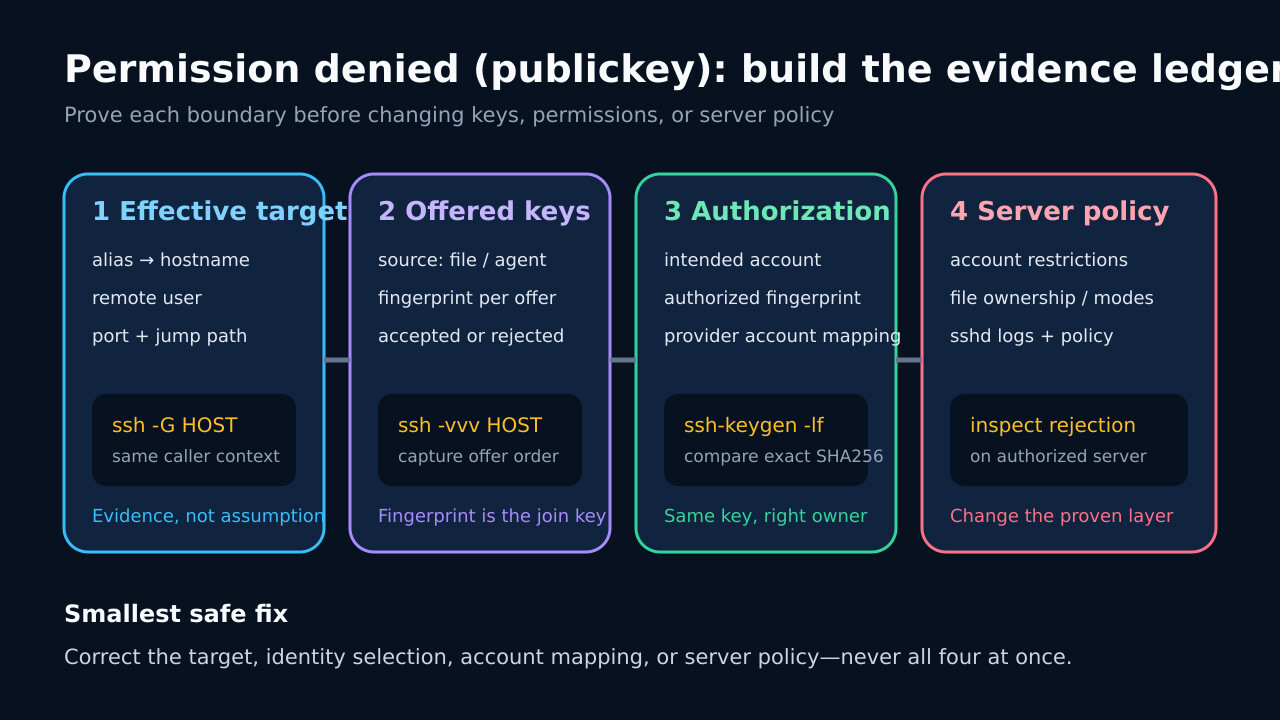
Build a four-column ledger: effective destination, offered fingerprints, authorized account mapping, and server-side rejection evidence. The first broken join tells you where to make the smallest fix.
Freeze the exact target and caller
Copy the failing command, alias, remote user, port, jump path and execution context. Run ssh -G with that exact destination and record hostname, user, port, identityfile, identitiesonly, identityagent and proxyjump. Repeat from the failing IDE, service or container when possible.
Do not assume the username from your local shell or the hostname from DNS. Public-key authorization is attached to a remote account, and the wrong alias or User directive can make a valid key look invalid.
Record only keys the client actually offers
Run ssh -vvv and preserve the authentication section. Record each “Offering public key” line, its source and fingerprint. A missing identity file and an offered-but-rejected key are different branches.
If no intended fingerprint appears, inspect the effective IdentityFile entries, agent socket and caller home directory. Use a narrow host test with -i and IdentitiesOnly=yes, then confirm the intended fingerprint is now offered.
Join the fingerprint to the intended account
Derive the SHA256 fingerprint from the public key or approved agent listing; never expose private-key material. Compare that exact fingerprint with the key registered for the requested remote account or managed provider account.
Do not recopy a key until this join is known. Copying another public key can create duplicate or unintended authorization while leaving the original caller context unchanged.
Move to the server only after an offered rejection
When the right fingerprint is offered and still rejected, inspect the authorized server’s authentication logs and the actual authorization source. Check account status, AuthorizedKeysFile or managed directory mapping, file ownership and modes, certificate rules, Match blocks and allowed algorithms.
Avoid recursive chmod or loosening authentication. Apply the documented requirement to the exact account and file path, then retest from the original caller.
Close the loop with before-and-after evidence
Repeat ssh -G and ssh -vvv from the failing context. Confirm the same target and user, the intended fingerprint offered, and successful authentication without fallback or policy weakening.
Keep the sanitized ledger with timestamps and caller identity. It turns a future IDE, agent, alias or account change into one comparison instead of another round of blind key copying.