Technology · PRACTICAL GUIDE
SSH says “no matching host key type found”? Prove the negotiation boundary before enabling a legacy algorithm
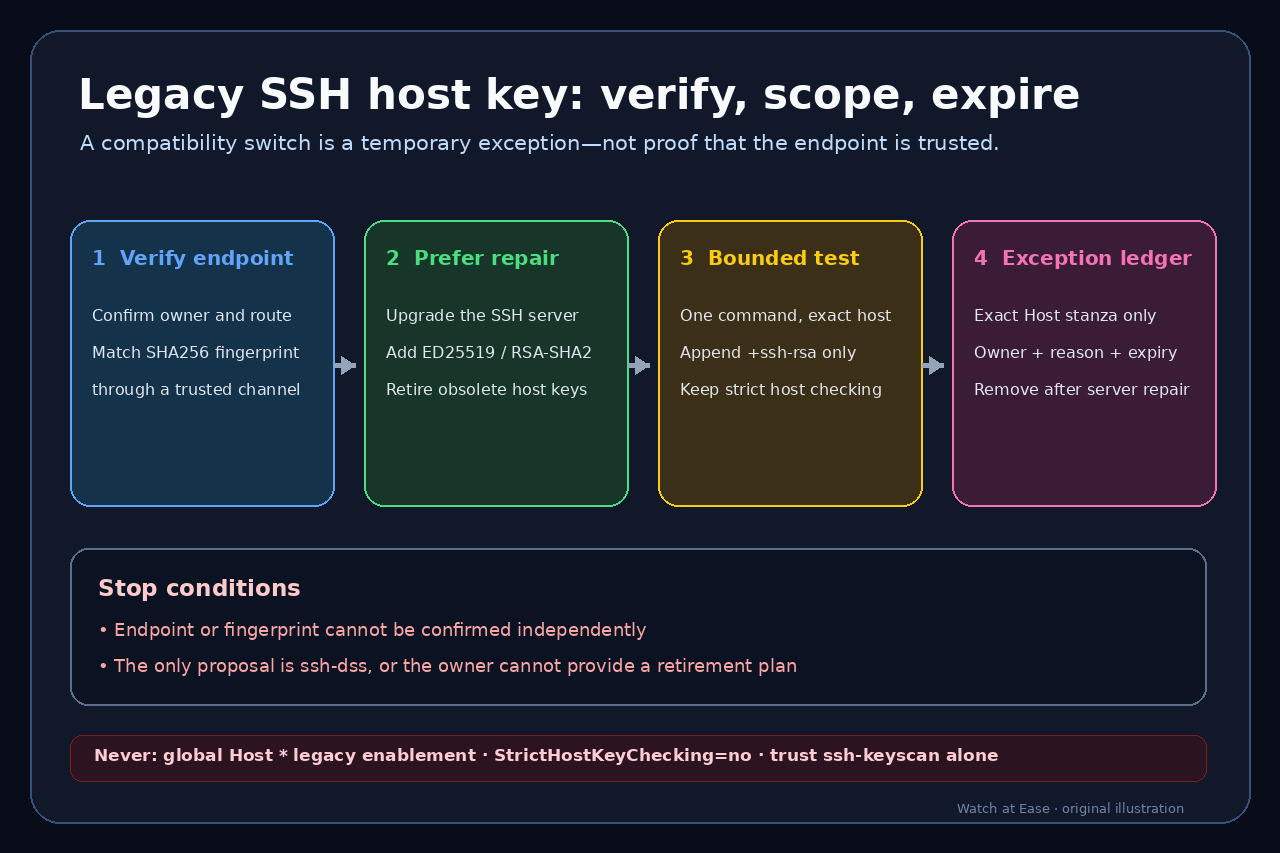
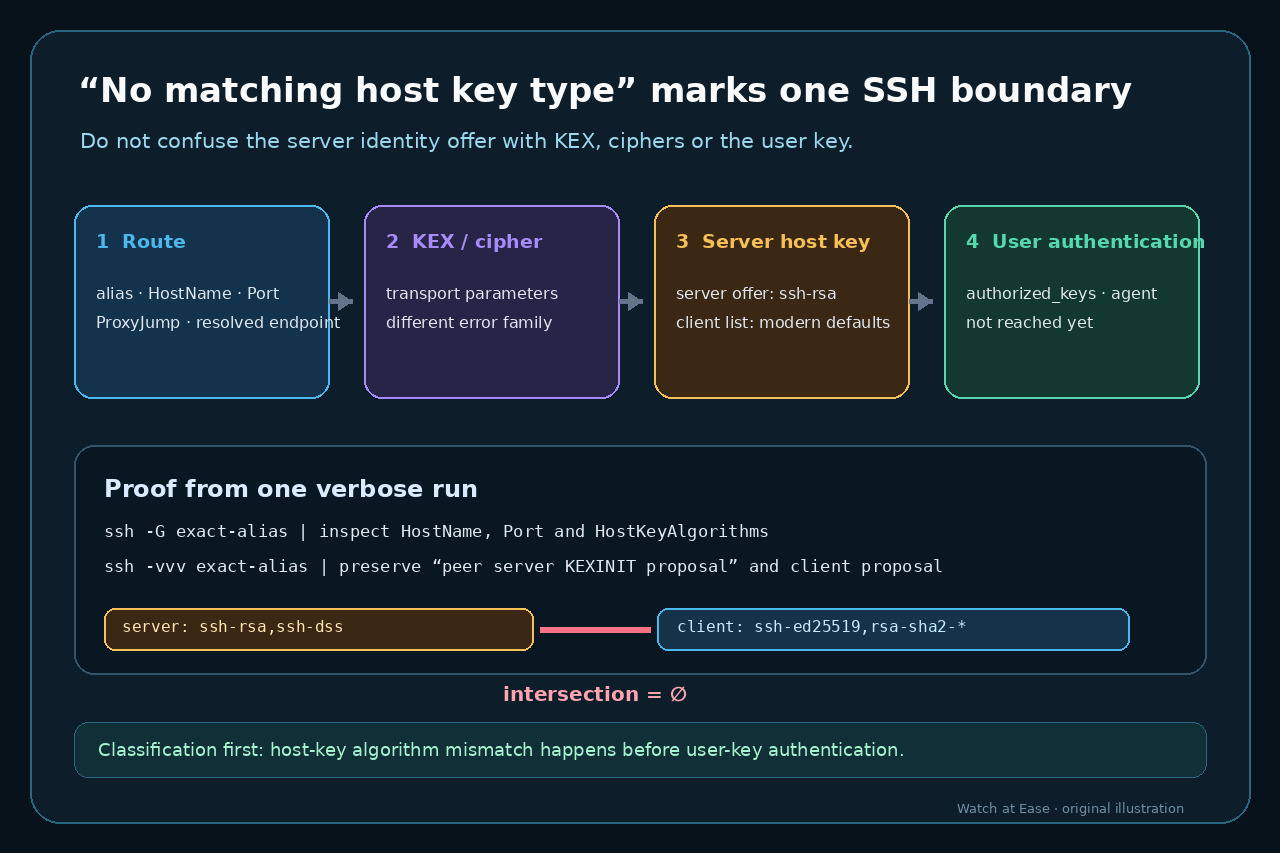
The error names the server-host-key negotiation stage, not your login key. Verify the exact endpoint and fingerprint, compare both proposal lists, and permit a legacy algorithm only as an exact-host, owned, expiring exception.
The error names the server-host-key negotiation stage, not your login key. Verify the exact endpoint and fingerprint, compare both proposal lists, and permit a legacy algorithm only as an exact-host, owned, expiring exception.
The safe question is not “Which old algorithm makes the error disappear?” It is “Which endpoint offered which server identity algorithms, how was that identity verified, and how will the exception be removed?”
Classify the failure before touching authentication keys
Keep the complete error and one redacted ssh -vvv transcript. Confirm that the line names “host key type” or “host key algorithm.” If the error instead names key exchange, cipher, MAC, or public-key authentication, stop: that is a different boundary and needs different evidence.
Do not rotate the user key, edit authorized_keys, empty the agent, or change PubkeyAcceptedAlgorithms yet. Server host-key negotiation authenticates the server before the client offers the user credential.
Prove the effective destination and configuration
Run ssh -G against the exact alias and record the resulting hostname, port, user, ProxyJump, known-hosts files and HostKeyAlgorithms. Use ssh -vvv to preserve the connected address and which configuration files and Host blocks were applied. Redact names and addresses before sharing.
Resolve surprises before enabling anything: aliases, Match rules, include files, DNS, nonstandard ports and jump hosts can send the same command to a different server. A compatibility rule for the wrong target is both ineffective and unsafe.
Compare the two host-key proposal lists
In the verbose trace, retain the client host-key algorithms and the peer server KEXINIT host-key offer. The error is explained only when those lists have no common algorithm. Save the exact offered names instead of translating them to vague labels such as “old RSA.”
Keep algorithm classes separate. HostKeyAlgorithms selects the server identity signature. KexAlgorithms negotiates the shared secret, Ciphers protects traffic, and PubkeyAcceptedAlgorithms applies later to user authentication. Changing multiple classes destroys the diagnosis.
Verify the endpoint and understand RSA naming
Ask the asset owner for the expected host key type and SHA256 fingerprint through a trusted, independent channel such as an inventory record, console or authenticated administrator conversation. ssh-keyscan can collect a candidate key, but its manual explicitly warns that an unverified scan does not authenticate the endpoint.
Do not equate every RSA key with ssh-rsa. RFC 8332 defines rsa-sha2-256 and rsa-sha2-512 signatures that can use RSA key material without the legacy SHA-1 ssh-rsa signature. Confirm what the server software can actually offer before preserving a weaker algorithm.
Prefer server repair; if necessary, create an exact-host exception
The durable repair is to upgrade the SSH server or configure a modern ED25519, ECDSA, or RSA-SHA2 host-key path, then verify the new fingerprint. Treat ssh-dss as a stop condition unless a controlled owner has a documented migration plan; do not normalize it across a fleet.
For a verified endpoint that temporarily requires ssh-rsa, test one command with an additive HostKeyAlgorithms=+ssh-rsa option. If approved, place the same additive rule under one exact Host alias, keep StrictHostKeyChecking enabled, record owner, reason and expiry, and remove it after server repair. Never use Host * or disable host checking.