Technology · PRACTICAL GUIDE
SQLite says “database disk image is malformed”? Preserve the original before recovery
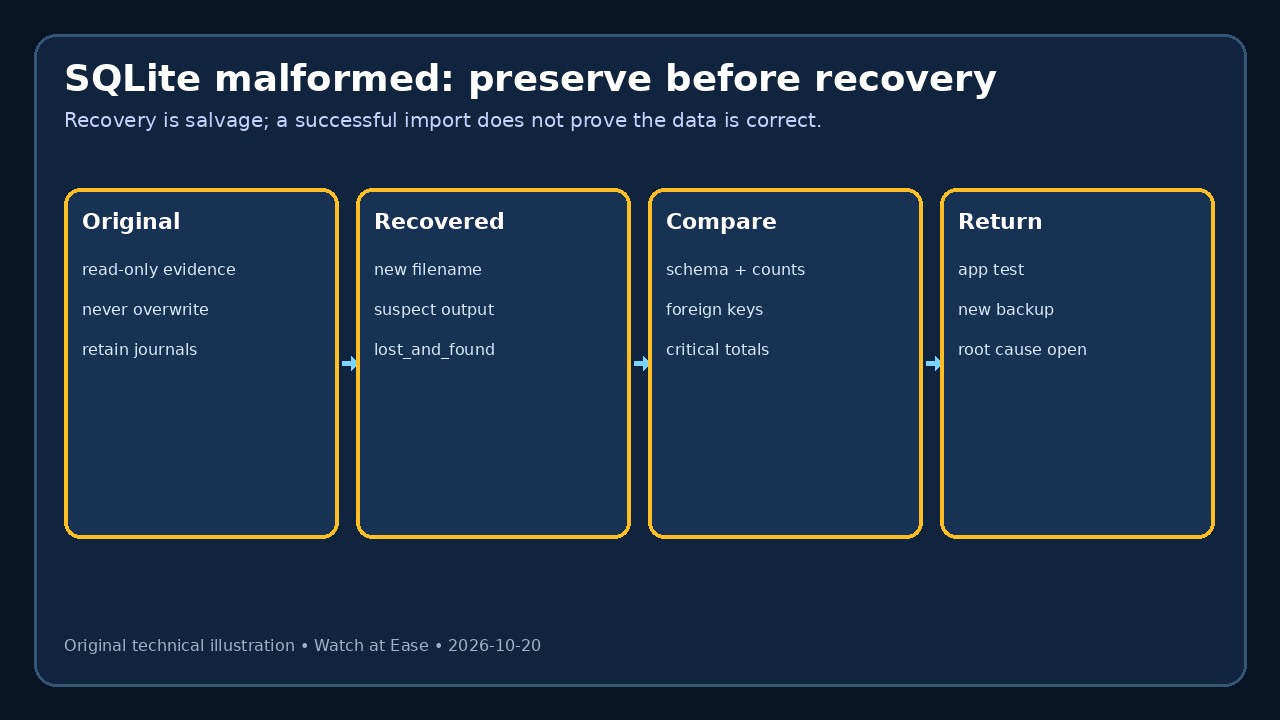
Treat SQLITE_CORRUPT as a preservation incident. Stop writers, keep the database with its journal/WAL companions, hash a read-only copy, then recover into a new file and verify constraints, totals and application behavior before replacement.
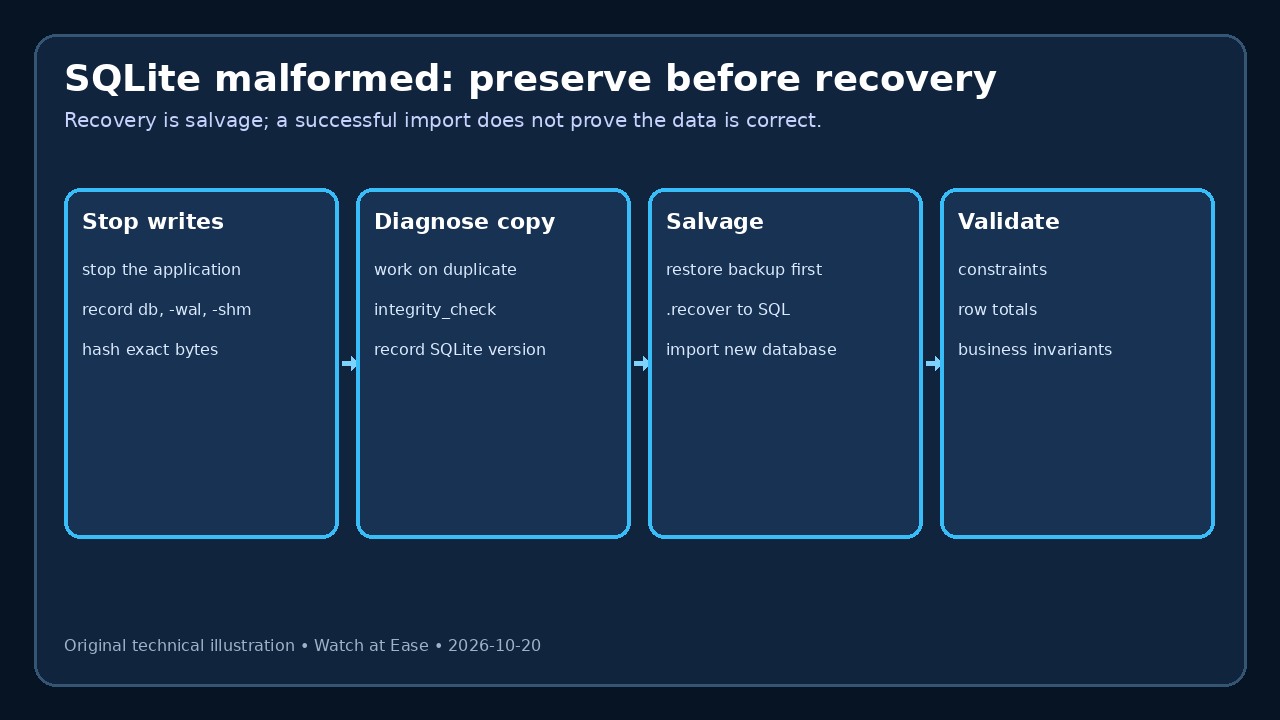
Treat SQLITE_CORRUPT as a preservation incident. Stop writers, keep the database with its journal/WAL companions, hash a read-only copy, then recover into a new file and verify constraints, totals and application behavior before replacement.
A replacement is trustworthy only after the recovered file passes structural, relational, business-rule and application checks; the untouched original remains evidence, not a target for experiments.
1. Stop change and identify the exact files
Stop the application and every worker that can write the database. Record the resolved database path, SQLite library and CLI versions, file sizes, timestamps and the first complete error. Do not run VACUUM, REINDEX or a write pragma on the only copy.
If rollback-journal or WAL mode was in use, preserve the matching -journal, -wal and -shm files with the database. SQLite warns that separating a hot journal or WAL from its database can defeat automatic recovery and create a misleading copy.
2. Make evidence and working copies
Hash the original set, make it read-only and place recovery attempts on separate working copies. A normal file copy is safe only after writers are stopped; for a live healthy database, use SQLite’s backup API, VACUUM INTO or sqlite3_rsync instead of copying bytes mid-transaction.
Keep one untouched evidence set and record each command, tool version and output filename. A command that partly succeeds must never replace the original. If storage or hardware failure is suspected, preserve device evidence and seek specialist help before repeated reads.
3. Diagnose the copy without promising repair
Run PRAGMA integrity_check on the working copy and save every returned row, not only the first. It checks low-level structure, missing or duplicate pages and several constraints, but foreign keys require PRAGMA foreign_key_check separately.
An “ok” result on a different copy does not prove the original was sound. Confirm which file was opened. Also compare schema visibility, page count and critical table accessibility; record any I/O errors separately from SQLITE_CORRUPT.
4. Prefer backup restore, then salvage
Test a known-good backup first and verify it before use. When no adequate backup exists, run the current SQLite CLI .recover command against a working copy, redirect the SQL to a new file, and import that SQL into another new database. Never pipe recovery output over the original.
SQLite describes recovery as salvage: deleted rows can reappear, values can change, constraints can fail and rows can land in lost_and_found. .dump may stop at corruption; .recover reads pages directly and may retrieve more, but neither guarantees correctness.
5. Validate before returning to service
On the recovered database, run integrity_check, foreign_key_check and application-specific checks for UNIQUE/CHECK rules, row counts, required relationships, date ranges, balances and critical totals. Review lost_and_found and compare against the last known-good backup or external records.
Only after a clean application test should you switch to the recovered file under a new backup and rollback plan. Retain the original evidence set, document missing or altered data, and investigate the cause—unsafe copying, journal separation, filesystem faults, rogue writes or application memory errors—before resuming normal writes.