Technology · PRACTICAL GUIDE
Python says “database is locked”? Check the error code and retry the right transaction stage
A longer timeout cannot refresh a stale WAL snapshot. Record the error code, failed stage and Python transaction mode before choosing what to retry.
The same database-is-locked message can hide different recovery jobs: waiting for another writer, discarding a stale read snapshot, or finishing a commit that has not yet succeeded. Repeating the last UPDATE blindly can preserve stale decisions or apply a write twice.
Start with the connection that raised the exception. Record Python and runtime SQLite versions, the database identity, journal mode, transaction-control setting and whether the failure happened at BEGIN, UPDATE or COMMIT. Diagnose a disposable reproduction before changing an application’s transaction policy.
Keep the extended code and the failed stage
In Python 3.11 and later, SQLite-origin exceptions expose sqlite_errorcode and sqlite_errorname. Log them with getattr(exc, "sqlite_errorcode", None) and getattr(exc, "sqlite_errorname", None); preserve the full value before deriving its primary category with code & 255. SQLITE_BUSY is 5, SQLITE_LOCKED is 6, and SQLITE_BUSY_SNAPSHOT is 517.
BUSY generally concerns another connection; LOCKED can concern an unfinished statement on the same connection or shared-cache use. Our isolated test produced database table is locked, code 6, when a partially consumed SELECT cursor remained open during DROP TABLE. Close or finish the actual cursor after its intended work; do not kill unrelated processes based only on an error string.
Confirm who owns transaction control
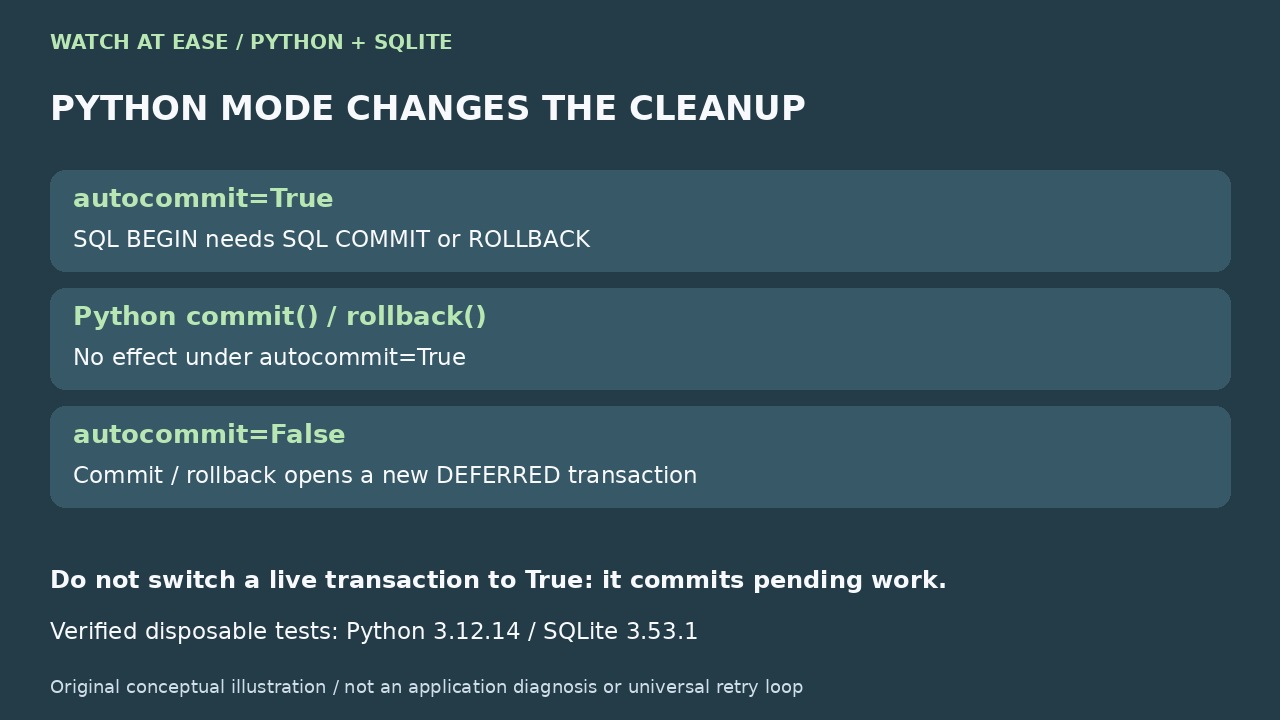
Python 3.12 introduced autocommit. With autocommit=True, Connection.commit() and rollback() do nothing, even when you opened a transaction with SQL BEGIN; use explicit SQL COMMIT or ROLLBACK for that transaction and inspect in_transaction. With autocommit=False, commit and rollback immediately open another DEFERRED transaction. isolation_level controls only LEGACY_TRANSACTION_CONTROL.
Do not switch modes on a live transaction as a repair shortcut: changing autocommit to True commits pending work. Frameworks can own these boundaries too. Current Python’s connection context manager rolls back a failed commit, but does nothing with autocommit=True and does not close the connection. The closed 2016–2021 CPython bug is historical evidence, not proof that today’s context manager retains that bug.
Choose the retry unit before adding waits
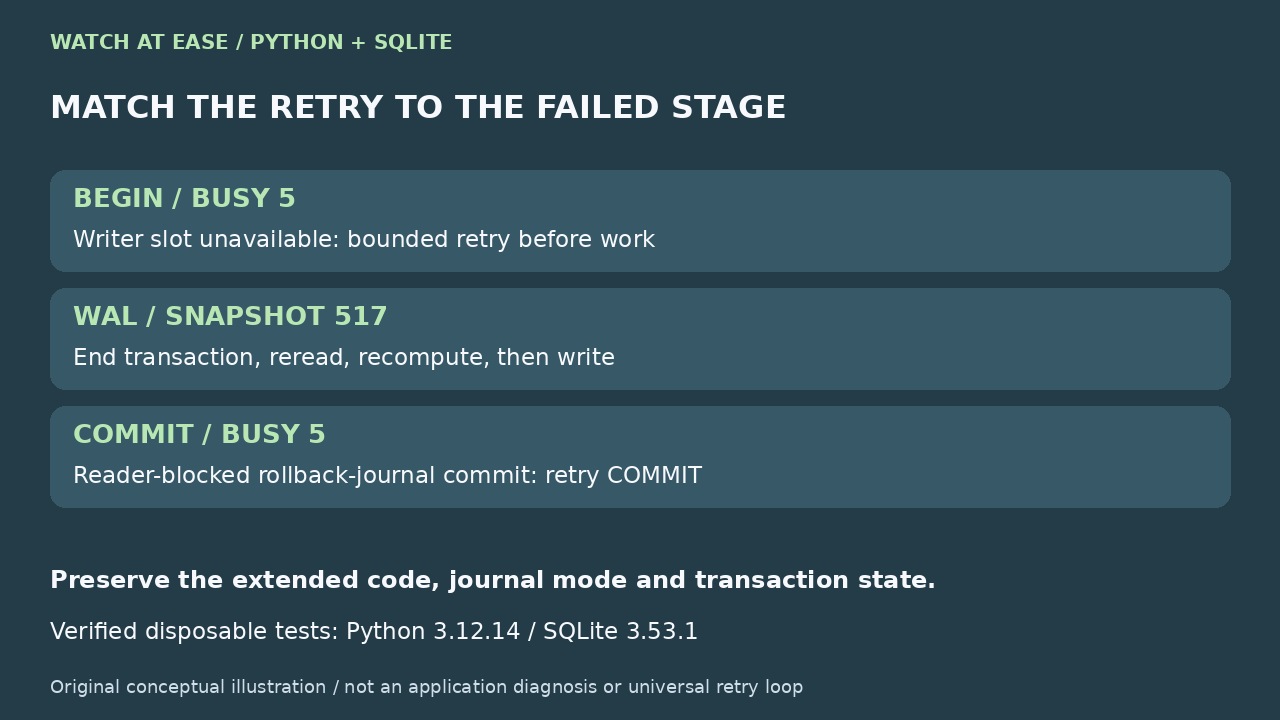
If BEGIN IMMEDIATE fails with BUSY before your operation starts, a bounded retry can try acquiring the writer slot again. Keep transactions short and avoid network calls while holding them. A successful BEGIN IMMEDIATE is not a universal promise that every later operation in every journal mode will avoid BUSY.
If a WAL read transaction sees 517 after another connection commits, end that transaction, begin a new one, reread and recompute the decision. Waiting or retrying only its UPDATE cannot refresh the old snapshot. In rollback-journal mode, a COMMIT blocked by another reader can return BUSY while the transaction remains active: when the documented condition clears, retry COMMIT rather than replaying its already-applied writes.
What our disposable two-connection test showed
We ran four small cases using Python 3.12.14 and runtime SQLite 3.53.1 with timeout=0.05 seconds, temporary database files, explicit SQL boundaries and no user database. In WAL mode, connection A read counter 10; B changed it to 11; A’s attempted write returned 517. A.rollback() left in_transaction=True under autocommit=True. SQL ROLLBACK cleared it; a new BEGIN IMMEDIATE reread 11 and one increment committed 12.
A second connection’s BEGIN IMMEDIATE returned code 5 while the first held the writer slot, and no transaction was active on the failed starter. Separately, with DELETE journaling, an open reader blocked the other connection’s COMMIT: code 5, transaction still active. After ending the reader, retrying only COMMIT yielded 11 from an initial 10. These are reproducible synthetic cases, not evidence about an unknown application or proof of production safety.
Finish with a bounded, observable recovery
A connection timeout is a waiting budget, not a cure for a stale snapshot or a deadlock. SQLite may skip the busy handler when waiting cannot resolve a lock cycle. Record attempts, elapsed time, code, stage and transaction state; cap retries, and surface the failure when the budget expires. Do not catch every OperationalError and treat it as retriable contention.
Before accepting a fix, verify the intended durable value from a separate connection, confirm that the expected transaction has ended, and repeat the relevant contention case. Under autocommit=False, a newly opened empty transaction can make in_transaction stay True, so interpret it in that mode. Do not delete WAL or shared-memory files to “unlock” the database. If the failure involves corruption, I/O errors or uncertain transaction ownership, stop this retry workflow and investigate that separate cause.