Technology · PRACTICAL GUIDE
Rsync says “protocol version mismatch”? Capture the remote stream before editing the shell
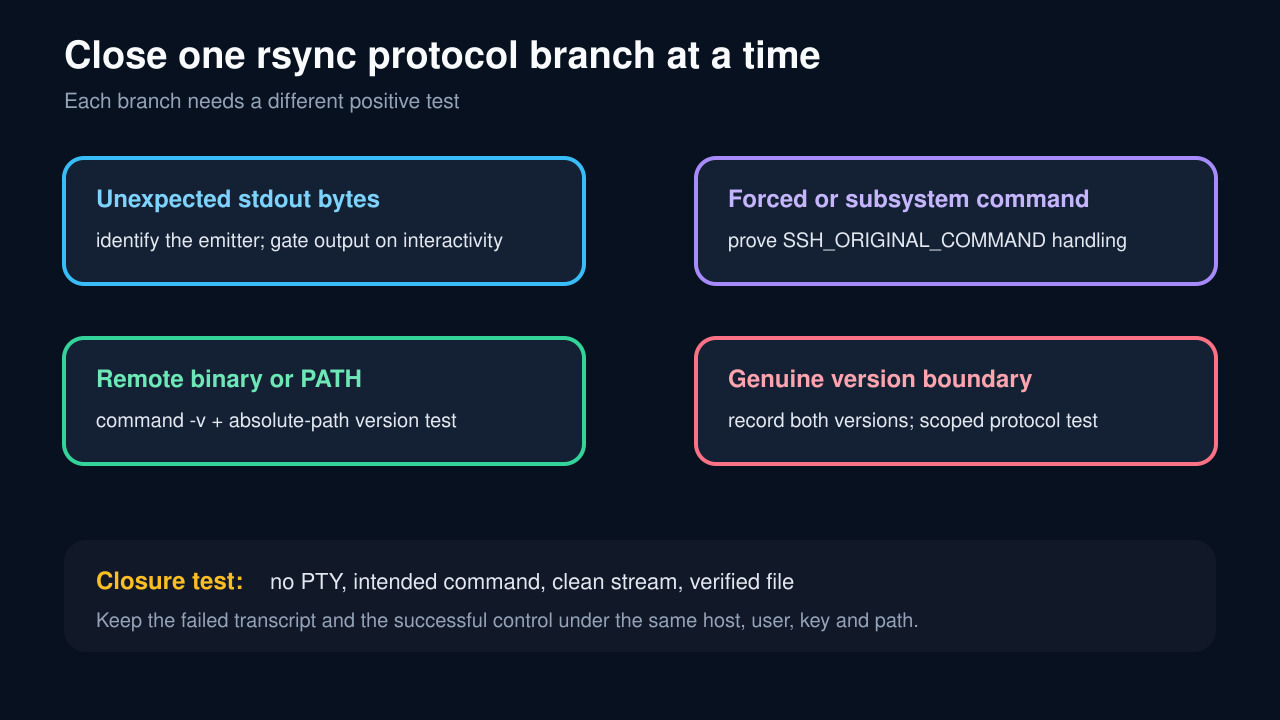
Prove whether stray stdout, a forced SSH command, a missing remote rsync binary, or a genuine version boundary broke the protocol before changing startup files or forcing --protocol.
The rsync message “protocol version mismatch — is your shell clean?” means the first bytes did not form the protocol conversation the client expected. Startup output is common, but the message alone does not prove .bashrc is guilty. A forced command, internal-sftp account, missing remote binary, different PATH, pseudo-terminal, or genuine old-version boundary can create the same visible failure.
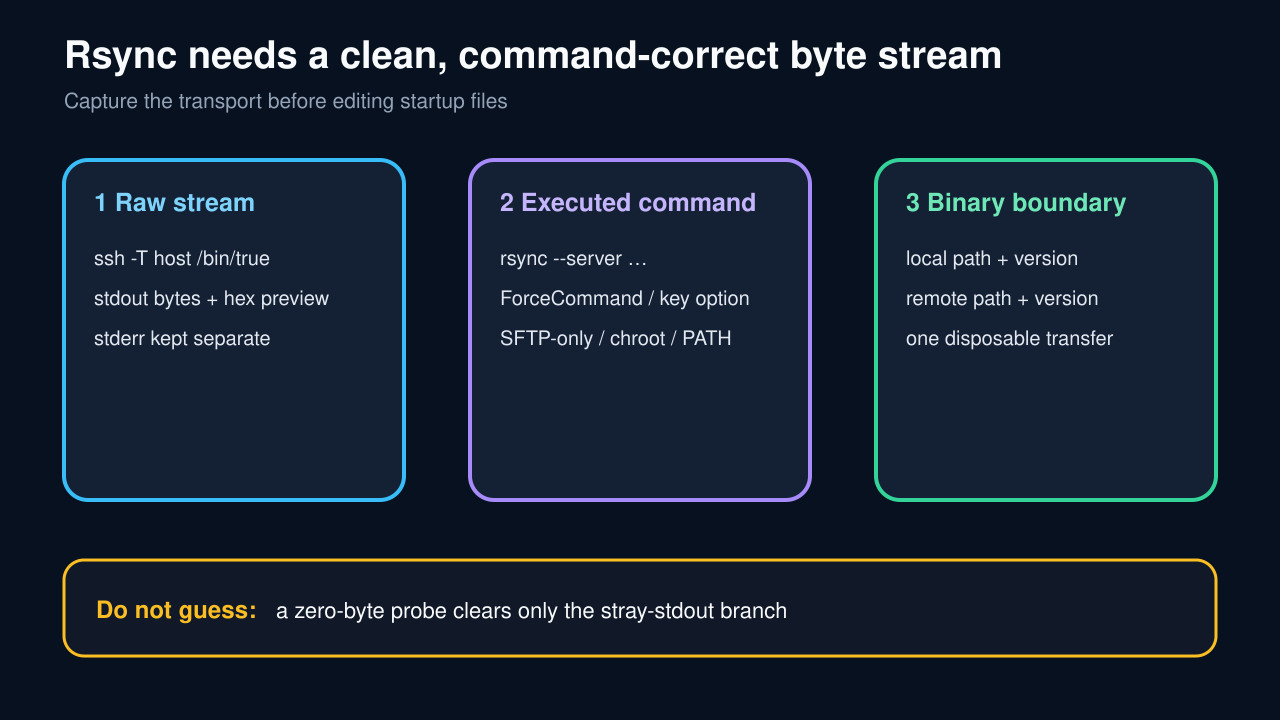
Use one fixed transcript. Preserve the exact rsync and ssh arguments, capture no-PTY stdout as bytes, keep stderr separate, prove the remote command sshd allowed, resolve both rsync binaries and versions, and transfer one disposable fixture. Change only the branch supported by positive evidence.
Freeze the failing transport
Record the exact local command, rsync direction, source and destination syntax, host alias, user, key or agent path, port, rsync exit code, and both output streams. Expand the effective SSH configuration with ssh -G for the same host alias, but do not publish keys, tokens, internal names, or file contents.
Repeat diagnosis with the same user, key, hostname, path, and network route. A successful interactive login is not an equivalent control because it may allocate a terminal, use a different startup path, or omit the command rsync asks sshd to execute.
Capture the remote stdout bytes without a PTY
Run ssh -T remotehost /bin/true >out.bin 2>err.txt, then record the byte count and inspect a safe hexadecimal or escaped preview. The rsync manual expects out.bin to be zero length; any bytes must be attributed before the transfer is retried.
Common emitters include shell startup files, system login banners, wrapper scripts, and shell-specific initialization. Fix the emitter at its owner and gate human-only output on an interactive-session test. Do not hide the evidence with rsync -q or redirect both streams together.
If stdout is empty, prove what sshd executes
A clean /bin/true probe does not prove rsync can start. Check authorized_keys options and applicable Match blocks for command=, ForceCommand, internal-sftp, ChrootDirectory, no-user-rc, and wrapper scripts. OpenSSH documents that forced commands ignore the client command and expose it separately as SSH_ORIGINAL_COMMAND.
Rsync-over-SSH normally asks the remote side to run an rsync --server command whose flags and direction depend on the transfer. An SFTP-only account, an unconditional backup command, or a wrapper that discards those arguments is a command-contract failure, not shell noise. Preserve restrictions; replace them only with a reviewed allowlist wrapper if rsync access is actually intended.
Resolve the remote binary and version explicitly
Using the same noninteractive context, record command -v rsync and the output of the resolved absolute path with --version. Compare that with the local command -v rsync and local version. A chroot or restricted PATH can make the remote binary unavailable even when an administrator sees it in an interactive shell.
Only after clean bytes and an allowed command should you test a protocol override. Historical reports show real version boundaries and also show that older binaries may not support the same flag. Treat --protocol as a recorded compatibility experiment, not a permanent universal cure.
Close with one disposable transfer
Create a small fixture with known bytes, run one verbose rsync transfer without a PTY, and record the command, both versions, exit code, destination size, and a checksum calculated independently at both ends. Keep the failed and successful transcripts together.
Restore automation only when the same account and restriction policy run the intended remote rsync command, stdout contains no extra bytes, the file verifies, and no prompt or banner appears. If a restriction intentionally permits only SFTP, keep it and choose an SFTP-native transfer instead of weakening the account.