Technology · PRACTICAL GUIDE
Robocopy returned exit code 1 but copied the files? Fix the CI boundary, not the copy
Robocopy uses 0–7 as completed result states and 8 or higher as failure. Capture its native code immediately, preserve the log, and translate only at the batch, PowerShell or Jenkins boundary.
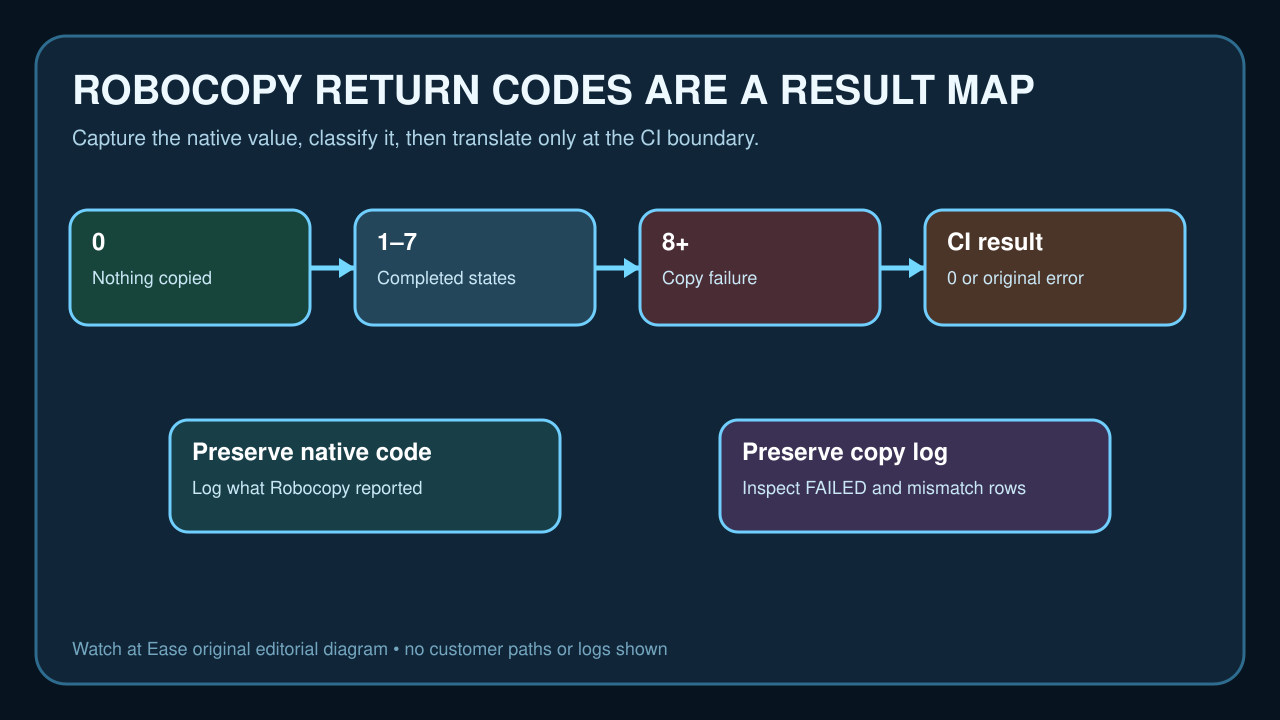
A Robocopy exit code of 1 means all selected files were copied successfully. Jenkins and other runners still treat any nonzero process status as failure unless the script captures and classifies it.
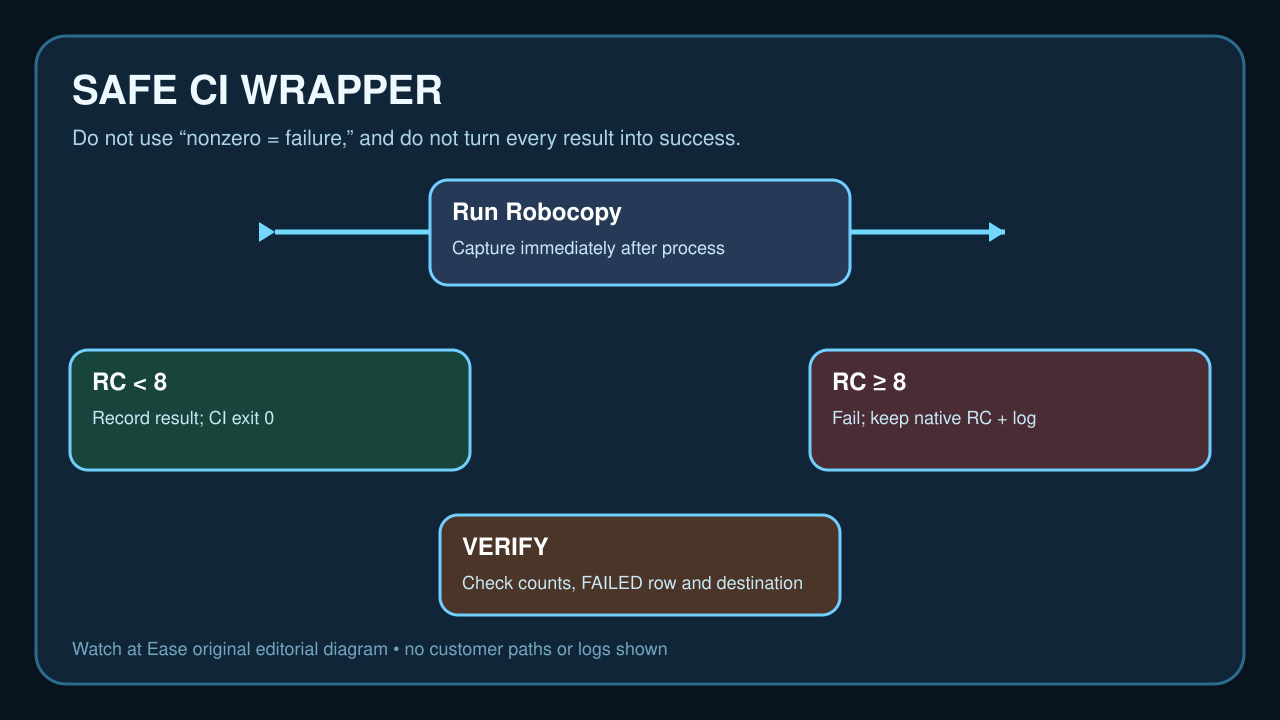
Do not silence every nonzero result. Save the native code immediately after Robocopy, treat values below 8 as completed states, fail on 8 or higher, and keep the copy summary for verification.
Read the native result before the runner rewrites the story
Run Robocopy as the command whose result you intend to inspect, then capture %ERRORLEVEL% in cmd or $LASTEXITCODE in PowerShell immediately. Another external command can overwrite that value.
Keep the Robocopy summary and the FAILED, Mismatch and Extras counts. The process code classifies the run; the log explains what happened and supports a destination check.
Classify 0–7 and 8+ correctly
Microsoft's table assigns 0 to an already-synchronized result and 1 to a successful copy. Values 2–7 combine copied files, extras and mismatches without a copy failure. They may still require policy review, especially with /MIR.
Use 8 as the failure boundary. Do not replace the official threshold with 'nonzero failed,' and do not use a narrow 0–3 rule that can incorrectly reject valid 5–7 outcomes.
Translate the boundary in cmd and PowerShell
In a batch file, save the value and return success only when it is below 8: robocopy ... then set "rc=%ERRORLEVEL%" and use if %rc% GEQ 8 (exit /b %rc%) else exit /b 0. If delayed expansion or a block is involved, test the variable behavior in that exact script.
In PowerShell, run Robocopy, assign $rc = $LASTEXITCODE immediately, write the native result to the log, and exit 0 when $rc -lt 8; otherwise exit $rc. Do not clear $LASTEXITCODE before saving it.
Handle Jenkins without hiding failures
Jenkins documents that bat, powershell and pwsh normally throw on nonzero status. With returnStatus: true, the step returns the code so the pipeline can compare it. Capture the code, log it, and apply the Robocopy threshold explicitly.
A pipeline may mark the wrapper successful after a native code below 8, but it should still archive or retain the Robocopy log. For 8 or higher, fail with the native value or a clear mapped failure while keeping the original code in the message.
Verify the copy and avoid destructive assumptions
Review source and destination paths, copied and failed counts, and a representative destination file. With /MIR or /PURGE, extras can trigger deletion, so a nonfailure code does not prove the selected policy was safe.
Record the command, options, native code, translated CI code and log location. If the destination is wrong, counts are unexpected or the log reports access or retry failures, stop and investigate instead of weakening the threshold or forcing success.