Technology · PRACTICAL GUIDE
Pathlib keeps finding hidden files: prune the walk instead of filtering the result
A result filter hides names after Python has already crossed the directory. Define the hidden-file policy, prune top-down, and verify the tree that was never visited.
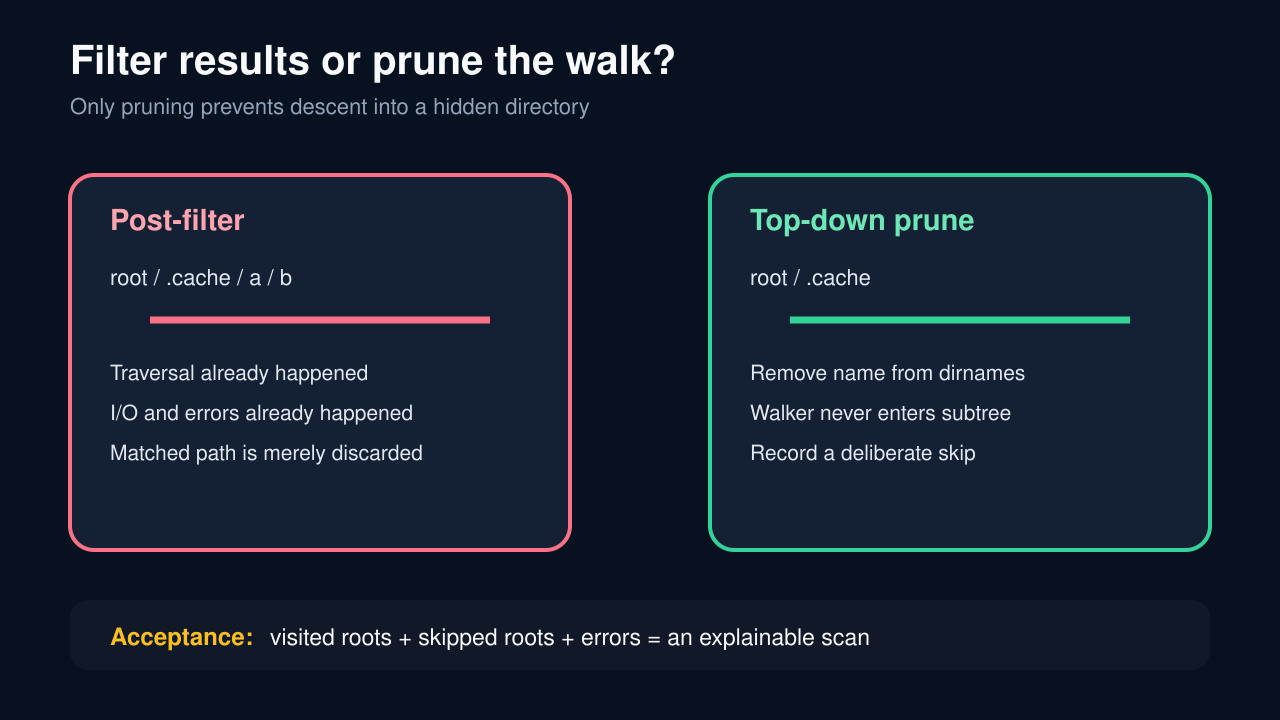
Pathlib does not treat a leading dot as a universal exclusion rule. Its glob methods can match dot-prefixed names, while glob.glob has a separate include_hidden control. More importantly, discarding a hidden-looking result after rglob returns it does not stop Python from entering that directory and enumerating its descendants.
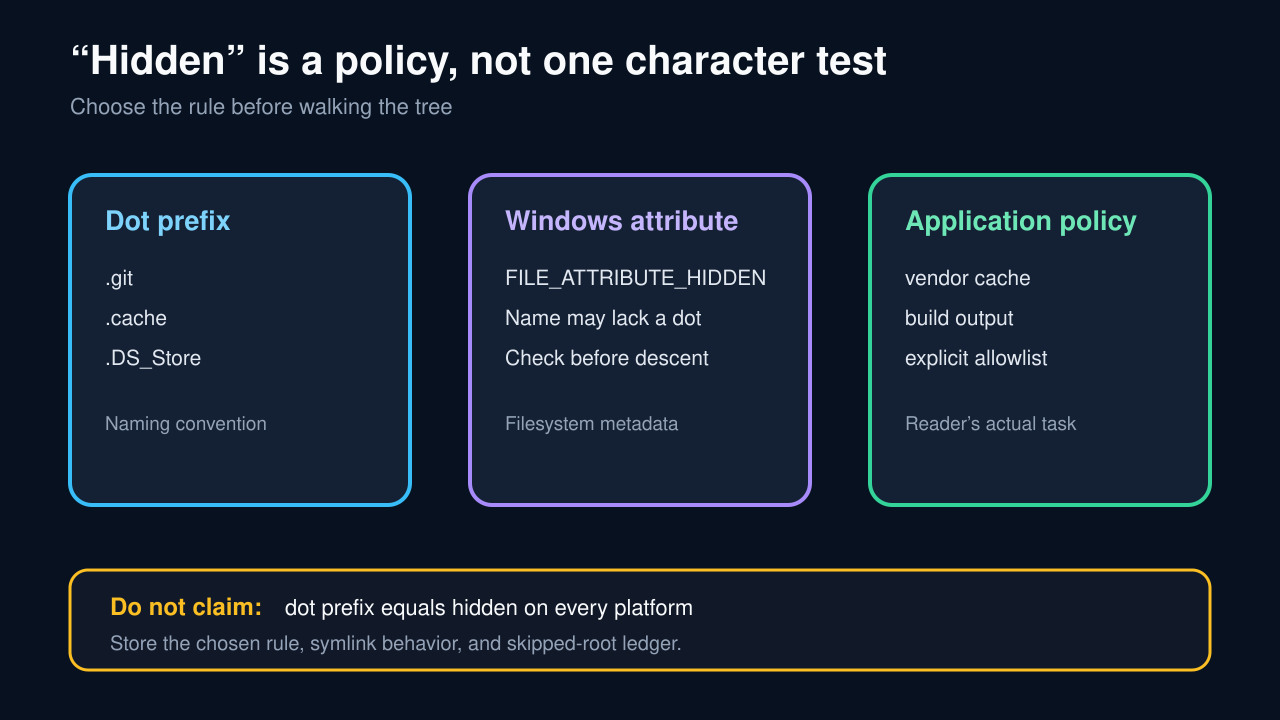
Make the policy explicit before the scan: does hidden mean a POSIX dot prefix, the Windows hidden attribute, a named application cache, or a combination? Then use a top-down walk, remove excluded directories from dirnames before descent, filter files separately, and keep a ledger of visited roots, skipped roots, symlinks, and errors.
Write the hidden-file contract first
State the root, platform, Python version, and purpose of the scan. Define whether a dot prefix excludes files, directories, or both; whether Windows hidden attributes count; and whether application names such as build or vendor are separate exclusions.
Do not label one rule “cross-platform” unless it actually checks each platform’s metadata. A portable scanner can implement a common application policy while keeping platform-specific tests explicit.
Prune directories before descent
On Python 3.12 or newer, iterate root.walk(top_down=True). For every directory name, build the child Path and keep only children allowed by the policy; assign the kept names back to dirnames with slice assignment. The removed names are never traversed.
Earlier Python versions can apply the same pattern with os.walk(topdown=True). Rebinding a local variable is insufficient: mutate the list supplied by the walker so its pending traversal queue changes.
Filter files separately and explain glob differences
After pruning directories, test filenames with the same policy before yielding them. This catches .DS_Store and other excluded leaf files without confusing file filtering with subtree pruning.
If glob.glob is the right API, record include_hidden explicitly. Do not assume a glob recipe and a pathlib recipe share the same hidden-name defaults merely because both accept * and **. Recursive ** can also be expensive on a large tree.
Handle Windows attributes and symlinks deliberately
On Windows, test FILE_ATTRIBUTE_HIDDEN with a supported metadata call for both candidate directories and files. Keep the dot-prefix rule only if the application wants it; the operating system attribute and the naming convention are different signals.
Default to not following directory symlinks unless the task requires it. If links must be followed, track stable directory identity and reject repeats so a junction or symlink cycle cannot make the scan unbounded.
Turn errors and skips into an acceptance manifest
Provide an on_error callback or equivalent boundary that records the path, operation, and exception. Decide whether a permission error makes the scan fail, makes one subtree incomplete, or is an allowed skip; never erase it silently.
Accept the scan only when the manifest names the root, policy version, visited-directory count, yielded-file count, skipped roots with reasons, symlink policy, and errors. A small fixture containing a dot directory, hidden Windows item where available, ordinary subtree, link, and denied directory makes regressions visible.