Technology · PRACTICAL GUIDE
npm says ENOTEMPTY during rename? Audit path and destination before deleting anything
Save the complete error, stop concurrent writers, classify local versus global install scope, and inspect the exact destination. Remove only a proven stale staging directory, then retry once and verify the cache.
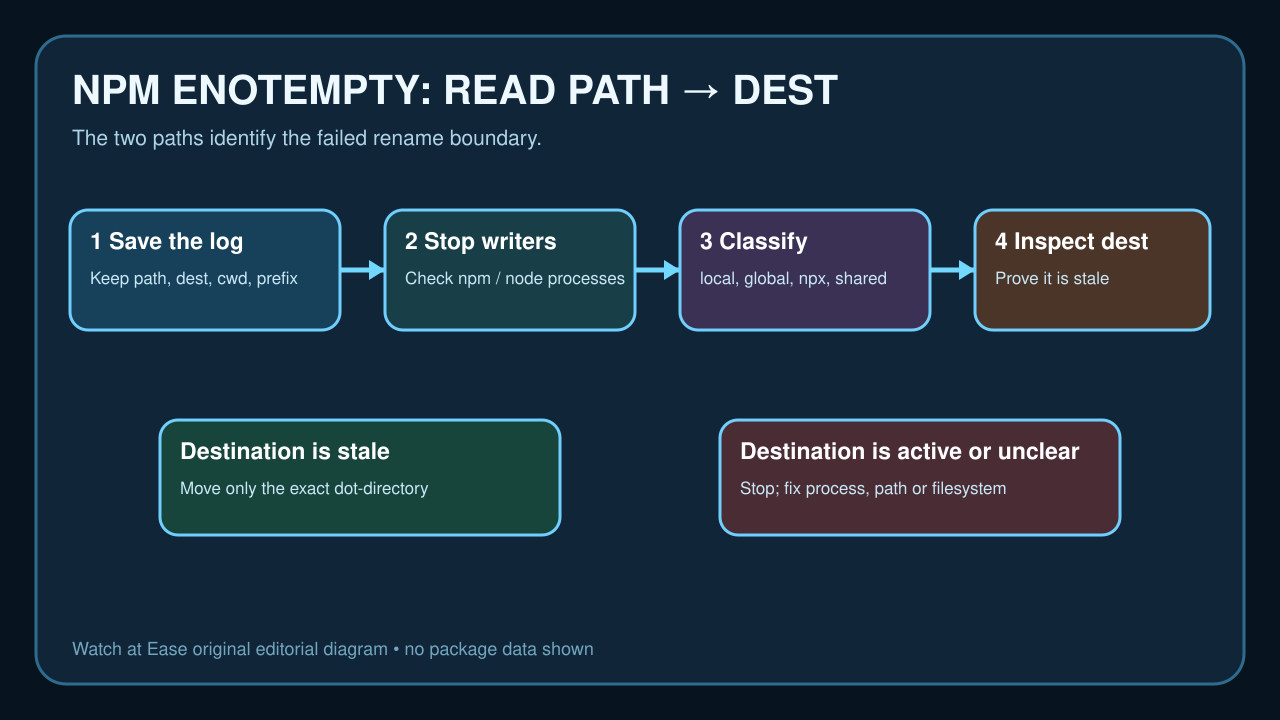
ENOTEMPTY during an npm rename identifies a failed move between the reported path and destination. It does not prove that the whole cache, lockfile or node_modules tree is bad.
Preserve the complete error, stop concurrent writers and classify the install scope. Inspect both paths; only move a destination that you can prove is stale, then retry once and verify rather than repeating broad deletion.
Preserve the exact rename evidence
Copy the complete npm error block, especially code, syscall, path and dest. Also save node --version, npm --version, npm config get prefix, the working directory and the verbose log path before deleting anything.
The destination often has a dot-prefixed package name, but that alone does not prove it is disposable. It may be a stale staging directory, an active install target or a path on a filesystem with unusual rename behavior.
Stop concurrent writers and classify the install
Close editors, dev servers, package watchers and other terminals that may be running npm, npx or Node-based installers. Check for active processes before touching either reported path.
Decide whether the command is local, global, npx-driven, containerized or operating on a mounted/shared directory. Record the effective user and prefix; a global path should not be repaired with local node_modules advice.
Inspect path and destination before removal
List both reported paths, owners, timestamps and contents. Compare the destination with the package being renamed and confirm that no process has it open. On shared or virtual filesystems, reproduce on a local disk before assuming cache damage.
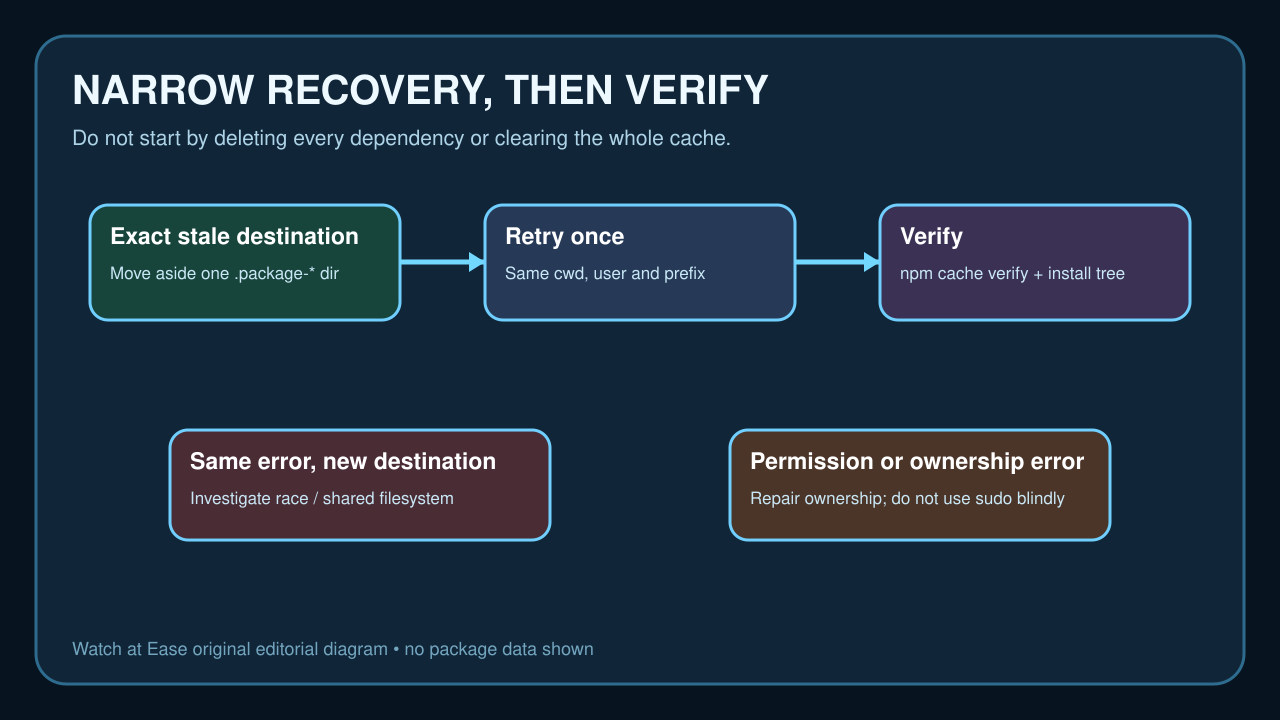
If the destination is clearly a leftover from the same failed attempt and contains no unique work, move only that exact directory aside. Keep the moved copy until one controlled retry finishes; do not delete the whole dependency tree as the first experiment.
Retry once and verify the cache
Repeat the same command from the same working directory, user and prefix. If it succeeds, run the project checks and confirm that the intended package tree and lockfile state are coherent.
Use npm cache verify to validate and garbage-collect the content-addressed cache. npm documents cache clean as normally unnecessary and force-gated, so a full cache purge is an escalation step only when evidence points to cache corruption.
Escalate repeated or changing failures
If the error returns with a new destination, investigate concurrent installers, antivirus/indexing tools, container bind mounts, network filesystems and ownership rather than repeating deletion. Capture the new verbose log and compare the failing boundary.
Stop before sudo, recursive ownership changes or forceful reinstall. When identity or permissions remain unclear, reproduce in a clean local directory and send the saved versions, path/dest pair, filesystem type and logs to the package owner or npm issue tracker.