Technology · PRACTICAL GUIDE
Notepad++ backups exist but tabs are gone? Preserve content and session paths before reopening
A surviving backup can hold edits even when session links are gone. Preserve both, identify the real configuration route and recover the bytes before trying to rebuild the tab list.
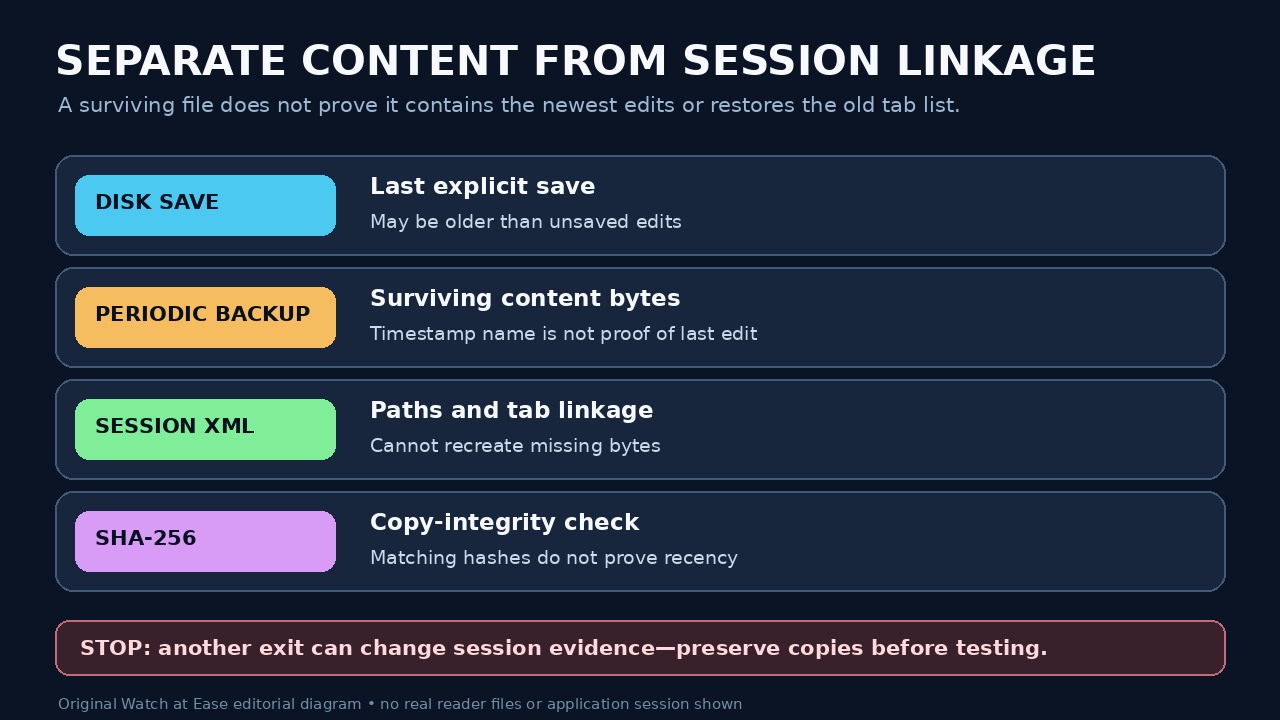
Missing Notepad++ tabs do not prove that every document has been deleted. The session file records what to reopen; a named file on disk and its periodic backup may contain different revisions. A folder of backups can preserve content without preserving the original tab order or every recent edit.
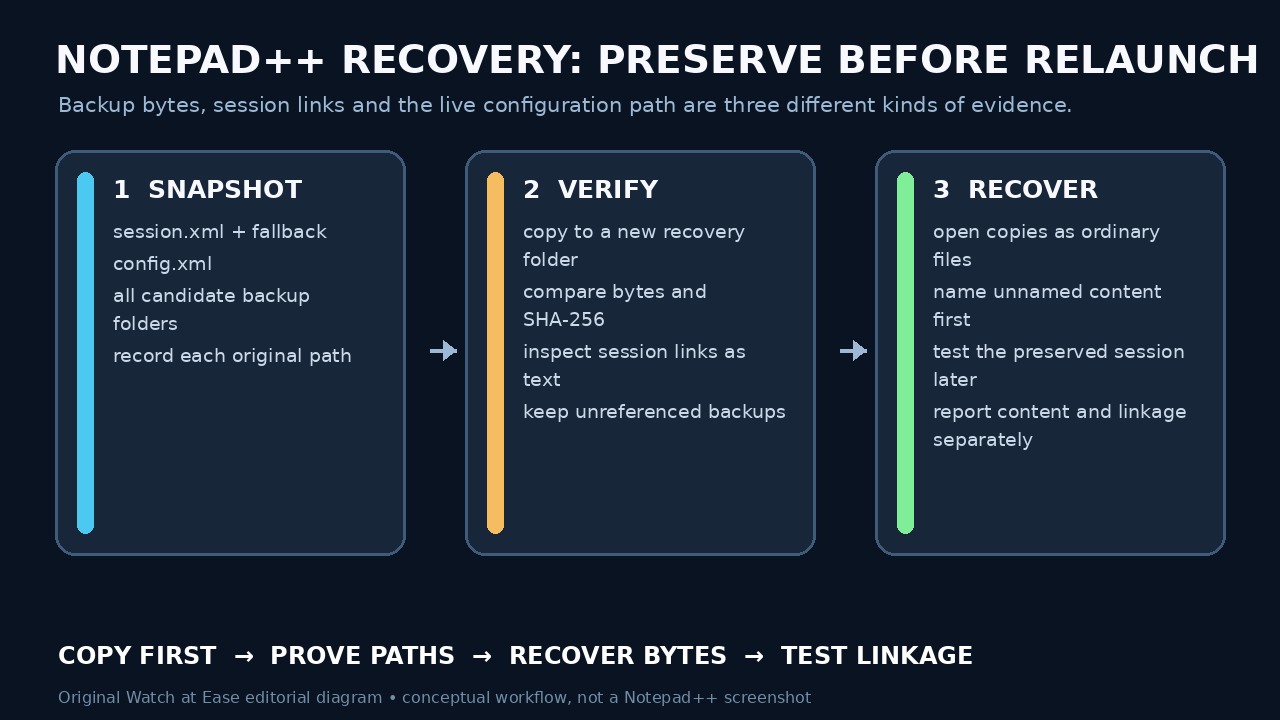
Begin with copies of the evidence you still have, rather than another restart. Then establish which configuration and backup locations this particular installation uses. Recover named content into a separate directory before testing whether a preserved session can reopen it.
Preserve the session and content before restarting
Copy session.xml, the corruption fallback if present, config.xml and the relevant backup directories to a new recovery folder. Preserve every candidate location separately, with its original path and collection time. Work on copies; do not replace the live session, reset settings or merge similarly named backup files yet.
If Notepad++ is still open, first preserve its on-disk evidence. Then copy any still-visible edits into separate named files outside those backup directories. After a controlled exit, keep a second snapshot in another folder because exiting can change session state. A live copy may change while being collected; note mismatches instead of calling it a consistent snapshot.
Prove the configuration route and backup path
For a normal installation, %AppData%\Notepad++ is a starting point. A portable installation with doLocalConf.xml uses the executable directory, while an actual -settingsDir launch argument chooses another configuration directory. Record the executable, version, launch arguments and Debug Info when available; inspect copied config.xml and the configured periodic-backup path.
The current configuration manual explicitly says that the Cloud setting alone does not move session.xml into the cloud folder, whereas -settingsDir can. Keep that distinction separate from a February 2026 report about one portable 8.9.1 relative-cloud setup after a Plugin Admin restart. That report shows demand for careful path checking; it does not prove the same defect in every current version.
Compare session links with the surviving files
Inspect a session XML copy as text in a separate editor, rather than loading it as a session. Record each File entry’s filename and backupFilePath, keeping its mainView or subView context. Compare the referenced saved file and periodic backup separately. A relative path needs its actual installation context; do not silently assume the session file’s parent directory is the resolution base.
Backups not referenced by the surviving session remain candidates for content recovery, not proof of lost tab order. Keep duplicate new-file names and zero-byte candidates separate until their contents are understood. The manual and FAQ explain that the timestamp in a periodic-backup filename can remain unchanged as later edits update that file.
Recover content before testing the tab list
Open copies of surviving periodic backups as ordinary files and save recovered content under distinct, meaningful names in your recovery directory. For an already named document, compare the backup with the last disk save before choosing a revision; neither a familiar name nor a newer-looking timestamp guarantees the edits you need. Keep the source copies for rollback.
If a preserved corruption fallback is useful, the FAQ describes replacing session.xml while Notepad++ is closed. Test that only after preserving both versions and the content backups, with the correct configuration route and a rollback copy. File > Save Session is a different mechanism: the current manual says new unnamed, unsaved documents are omitted, so it is not a content-backup substitute.
Verify recovered bytes and state the limits
Record sizes and use Get-FileHash -LiteralPath 'C:\Recovery\candidate.txt' -Algorithm SHA256 for each known copy, substituting your actual path. Microsoft documents that LiteralPath avoids wildcard expansion. Compare the source and preserved copy when stable; a changed hash shows changed bytes, while a matching hash does not show which revision is newest.
Reopen the recovered named files from their known locations and check recognizable recent edits. Report separately what content survived, which session links still work and what remains unknown. A restored tab count, successful launch or cloud-sync completion is insufficient. We did not test a real Windows installation or reproduce the reported Notepad++ defect; missing source bytes cannot be recreated from session metadata alone.