Technology · PRACTICAL GUIDE
Thunderbird folders missing after a profile move? Compare both data trees before copying again
Before copying a Thunderbird profile again, produce a read-only, byte-level manifest of both trees so missing mail data, changed files and profile-path mismatches can be separated safely.
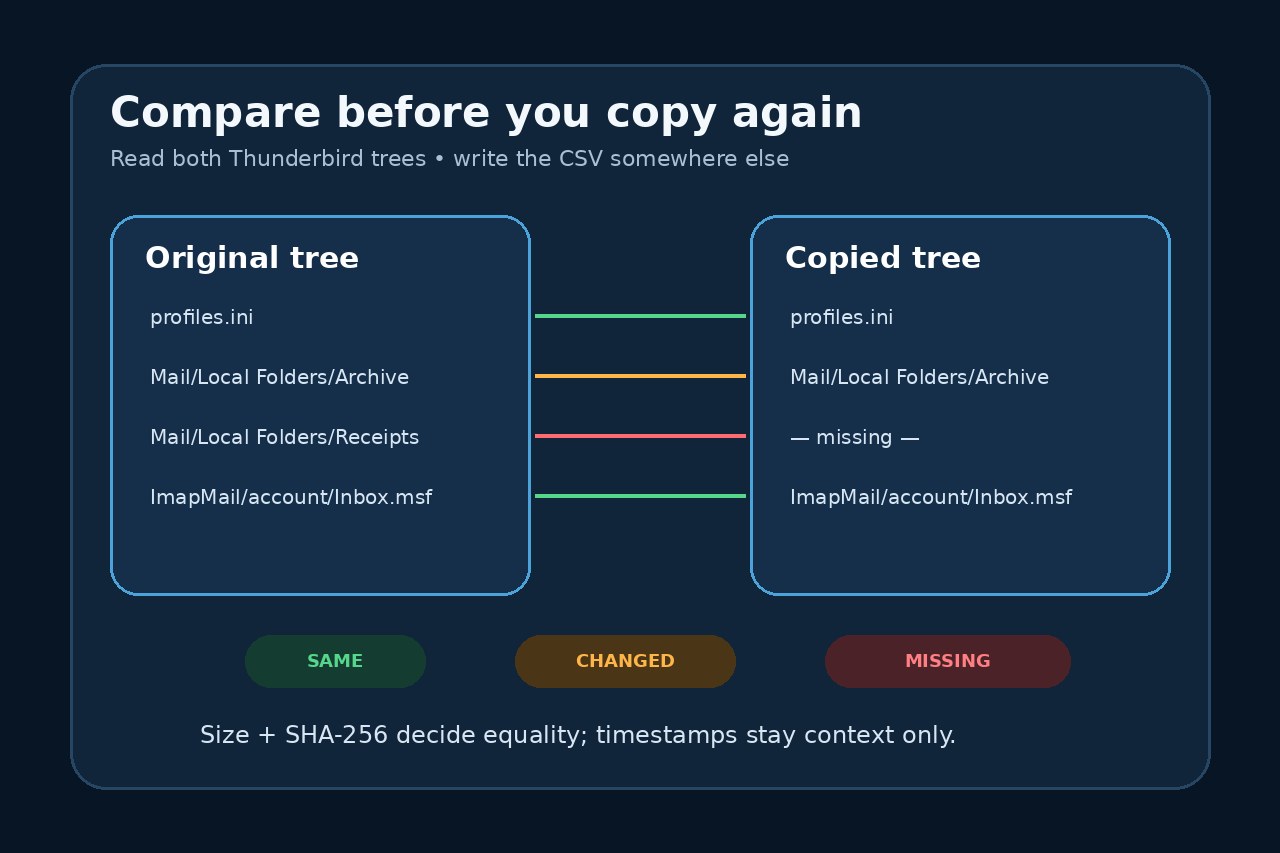
Moving a Thunderbird profile is supposed to preserve mail, settings and folders, yet a transfer can appear successful while some local folders or messages are absent. Before you overwrite either copy again, freeze the evidence: close Thunderbird, keep the original tree unchanged, and compare it with the destination at the byte level.
Mozilla's normal migration route is still the primary answer. It tells you to close Thunderbird, copy the complete Thunderbird data folder, keep versions aligned and use Profile Manager or `profiles.ini` when a profile lives in a different location. The audit below does not replace those steps. It answers a narrower question: which files are identical, changed, absent from the destination, or present only there?
Preserve the two trees first
1. Close Thunderbird on both computers. Do not scan a profile while Thunderbird can still change databases, indexes or lock files. 2. Make a separate backup of the original data before attempting another repair. A Thunderbird profile on a computer is not itself a backup. 3. Identify the correct roots. On Windows, the default roaming tree is under `%APPDATA%\Thunderbird`; macOS normally uses `~/Library/Thunderbird`; Linux normally uses `~/.thunderbird`. If your installation uses a custom path, confirm it in Troubleshooting Information or Profile Manager instead of guessing. 4. Choose a CSV output location outside both trees. The tool refuses to write inside either scanned directory.
The comparison is read-only for the two trees. It skips symbolic links and Thunderbird's transient lock names, and hashes regular files in one-megabyte chunks. A SHA-256 match means that particular file's bytes match; it does not prove that the selected profile is the one Thunderbird currently opens.
Run the tested audit
Save the accompanying Python script as `thunderbird_profile_tree_audit.py`. Run it with Python 3 and three arguments: the original root, the copied destination root and a new CSV filename outside both trees.
```text python3 thunderbird_profile_tree_audit.py "/path/to/original/Thunderbird" "/path/to/copied/Thunderbird" "/path/to/reports/thunderbird-audit.csv" ```
On Windows, `py -3` can replace `python3`. Use the enclosing Thunderbird data directories when you want `profiles.ini` and `installs.ini` included; use two exact profile directories only when you deliberately want a profile-to-profile comparison. Do not compare one enclosing directory with one inner profile directory, because the relative paths would describe different structures.
The script was tested on synthetic trees for all four principal states: `same`, `changed`, `missing-from-destination` and `only-in-destination`. Tests also verify exact SHA-256 output, role classification, cross-platform path handling and the refusal to place the report inside either input tree. No physical mailbox, server account or Thunderbird interface was modified during that test.
Read the manifest in the right order
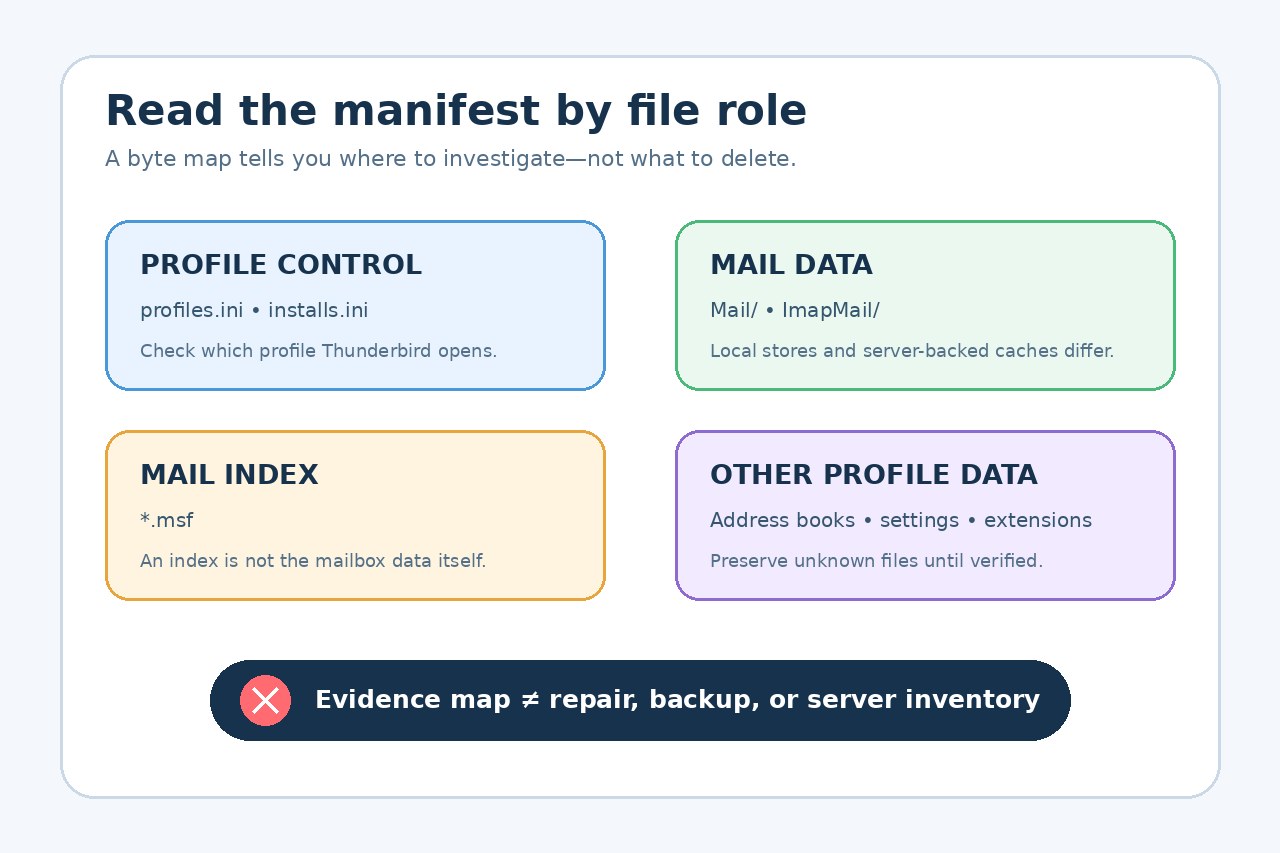
Start with `missing-from-destination`, then `changed`. Filter the `role` column:
- `profile-control` covers `profiles.ini` and `installs.ini`. A mismatch can explain why Thunderbird opens a different profile, but edit paths only after following Mozilla's Profile Manager or `profiles.ini` guidance. - `mail-data` covers files under `Mail` or `ImapMail`. POP and Local Folders can contain local-only data. IMAP trees may largely be caches that the server can rebuild, so do not assume every missing IMAP cache file is lost server mail. - `mail-index` covers `.msf` files. These are indexes, not a substitute for the corresponding mailbox data. A missing or changed index should not be counted as a missing message store. - `address-book` identifies common address-book SQLite files. `other-profile-data` includes everything not safely assigned to the narrower roles.
For a row marked `same`, both byte count and SHA-256 match. For `changed`, at least the size or hash differs. Timestamps remain in the report only as context; they do not decide equality. `only-in-destination` can be legitimate new state, so never delete it merely to make the trees look identical.
Decide the next action without destroying evidence
If `profiles.ini` or `installs.ini` points to a different profile than the one you copied, correct the profile selection through the supported profile tools. If mail-data files are missing from the destination, return to the official closed-application full-tree transfer steps, using the preserved source and a separate backup. If only indexes differ, investigate the corresponding mail-data rows before trying index rebuilding.
Stop if the source itself is incomplete, if you cannot identify which profile Thunderbird used, or if the files are changing during the scan. The manifest cannot recover deleted data, decrypt credentials, inspect message contents, select the authoritative copy, or prove what remains on a mail server. It is an evidence map for a careful next step, not an automatic repair.
After any supported transfer, open Thunderbird and check the expected accounts and folders. Keep the original backup and the CSV until the result has been verified. If the manifest and the user interface disagree, preserve both and seek profile-specific support rather than repeatedly overwriting the remaining copy.