Technology · PRACTICAL GUIDE
Too many open files even after ulimit? Prove which Linux ceiling the service hit
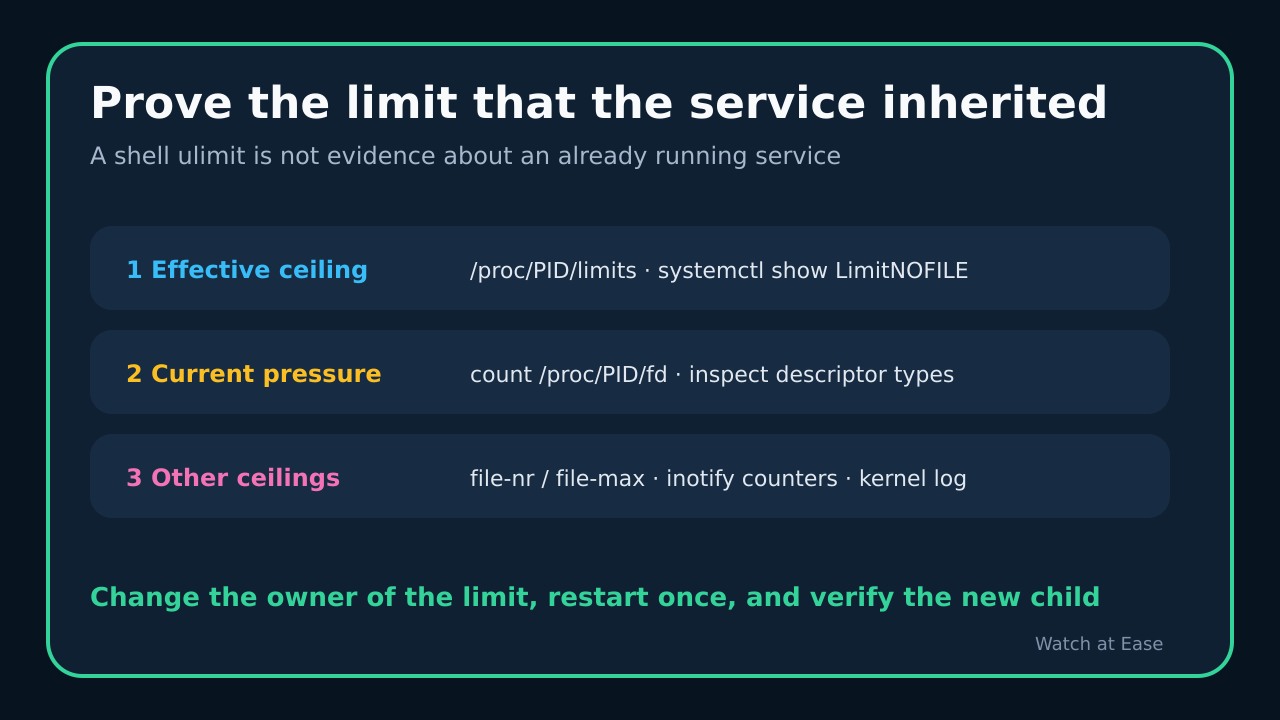
A shell ulimit does not describe an existing service. Use the failing PID to separate RLIMIT_NOFILE, the system file table and inotify before changing any ceiling.
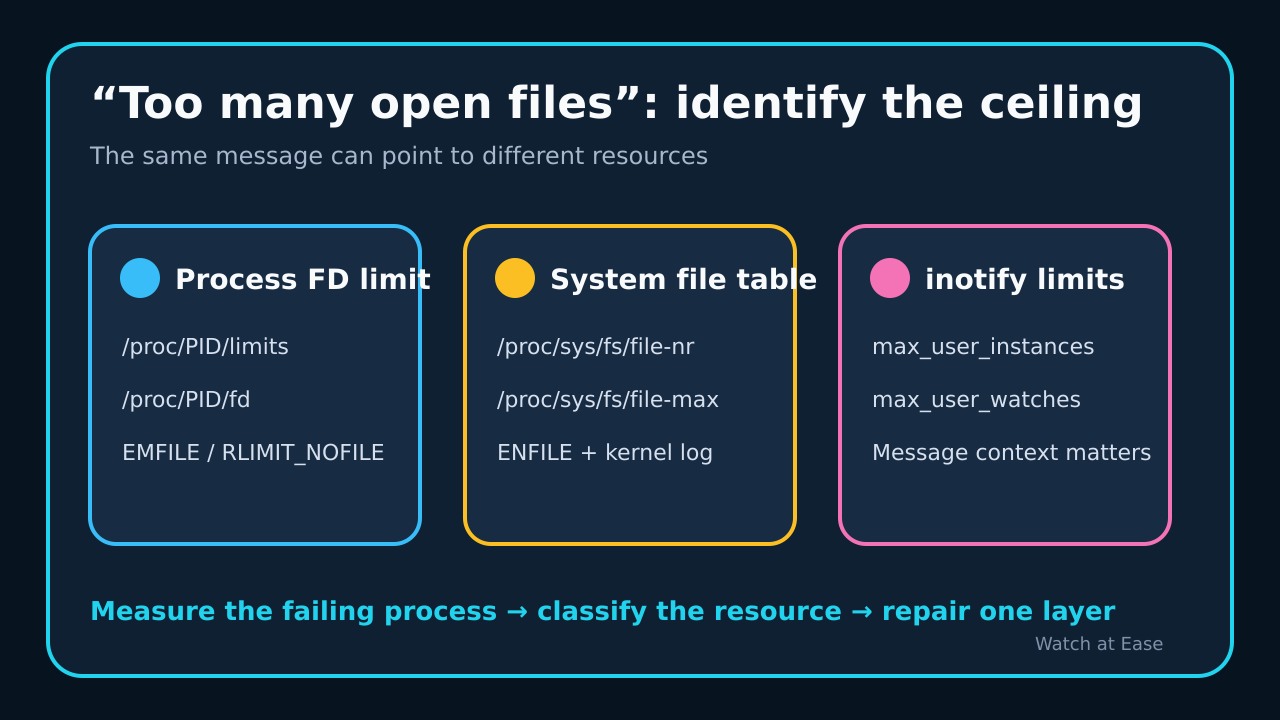
A Linux message that says “Too many open files” does not prove which ceiling failed. EMFILE usually points to the calling process and its RLIMIT_NOFILE, ENFILE points to the system-wide file table, and an inotify call can return EMFILE when the user has exhausted inotify instances. The wording alone is not a diagnosis.
A high ulimit in your current shell is also not evidence about an already running service. Freeze the failing PID and time, read the limits that process actually inherited, measure its descriptors, and check the system and inotify branches before changing a limit.
1. Capture the failing process, not your shell
Record the error time and the service PID before restarting. For a systemd service, use systemctl show UNIT -p MainPID -p LimitNOFILE, then read /proc/PID/limits and count entries under /proc/PID/fd. The process file is the decisive snapshot: a later ulimit -n in an administrator shell describes that shell and its future children, not the running service.
Keep soft and hard limits separate. Compare the descriptor count with the process soft limit and inspect a sample of descriptor targets with readlink. Avoid treating lsof -u USER | wc -l as a per-process count: it can mix many processes and duplicate entries.
2. Separate EMFILE, ENFILE and inotify
If the application exposes errno, EMFILE commonly means the process crossed RLIMIT_NOFILE, while ENFILE means the system-wide table is exhausted. For the system branch, compare /proc/sys/fs/file-nr with file-max and inspect the kernel log for the documented “VFS: file-max limit … reached” signal. Do not raise file-max merely because the application printed a generic sentence.
If the failing operation creates watches or the log mentions a watch, test the inotify branch. Linux documents that inotify_init may return EMFILE for either the per-user inotify-instance limit or the process FD limit, and separately exposes max_user_instances and max_user_watches. The operation and surrounding log line decide which counter matters.
3. Trace where the service inherited its limit
Identify the process manager. PAM login limits, a shell ulimit, a container setting, an application launcher and a systemd unit are different inheritance paths. For a systemd service, inspect the loaded unit and drop-ins before editing anything. LimitNOFILE accepts one value for both limits or a soft:hard pair for executed processes.
Do not copy a huge number into every service. Current systemd documentation warns that applications using select cannot handle descriptor numbers above 1023; software that can use higher descriptors should be verified with its own documentation and behavior. Prefer a local drop-in over editing a vendor unit, and keep the old value for rollback.
4. Distinguish normal concurrency from a leak
A single count cannot show whether demand is legitimate. Sample the same PID repeatedly under comparable load, group descriptor targets by sockets, pipes, regular files and anonymous descriptors, and compare the trend with application metrics. A count that grows without falling after work completes is a leak clue, not proof by itself.
A restart can temporarily lower the count without fixing the cause. Preserve the pre-restart evidence and look for a bounded steady state. If the workload legitimately needs more descriptors, estimate headroom from measured concurrency; if one descriptor class grows unexpectedly, fix the owner before increasing the ceiling.
5. Change one owner, then prove the new child
Change only the layer that the evidence identified: the service or launcher for a process limit, the application for a leak, the host after capacity review for a system file-table limit, or the responsible watcher after confirming inotify pressure. Restart once only when that layer requires a new child, then read the new PID, /proc/PID/limits and descriptor count again.
Success means the intended process inherited the intended limit, the exhausted counter has headroom under real load, and the original error no longer occurs. Stop and escalate if the errno is unavailable, the descriptor owner is unclear, the proposed value exceeds nr_open, or the change would hide an unbounded leak.