Technology · PRACTICAL GUIDE
Linux says “cannot open shared object file”? Prove what the loader searched before changing libraries
The named .so may be absent, hidden by the real service context, cached differently, or ABI-incompatible. Build a loader ledger before running ldconfig, exporting LD_LIBRARY_PATH, copying files, or creating symlinks.
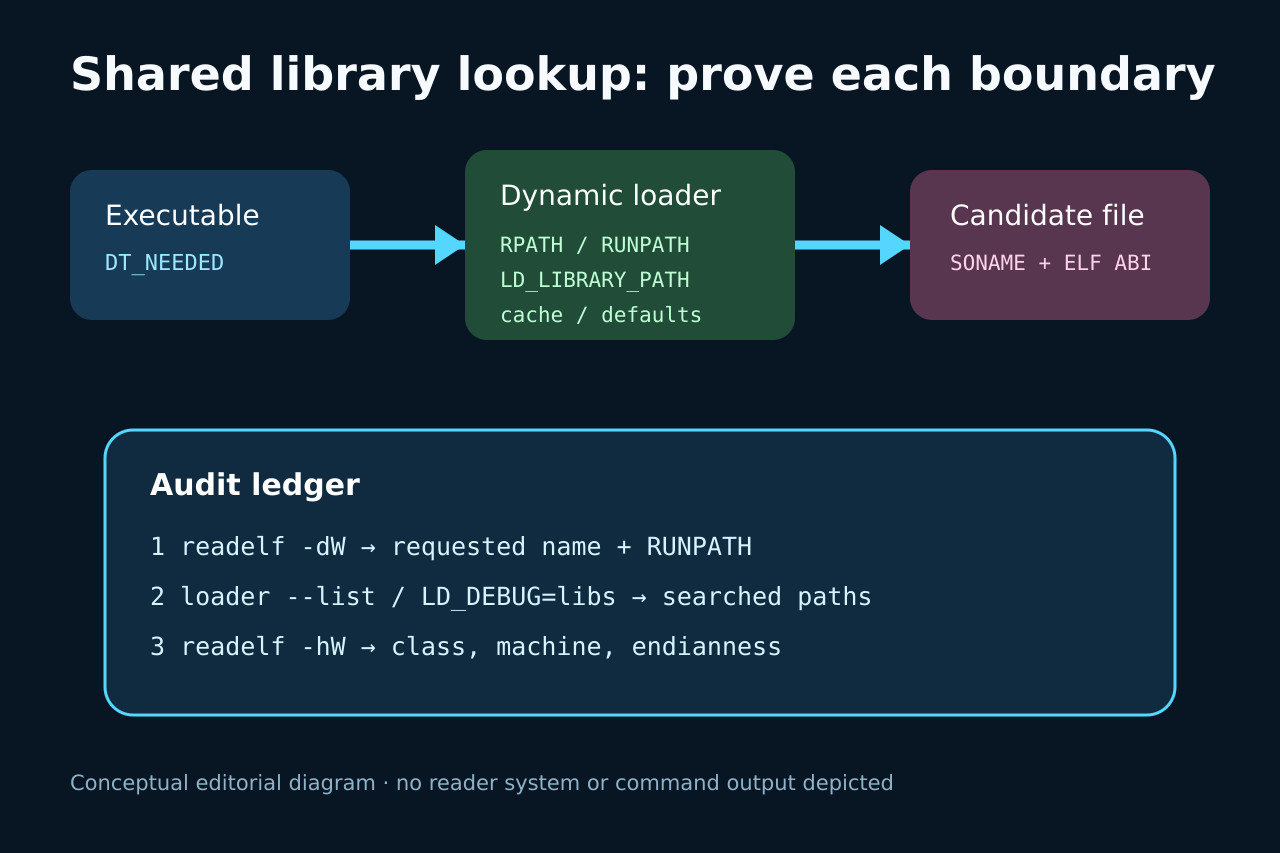
“Error while loading shared libraries” names the dependency the runtime loader could not satisfy; it does not prove that no similarly named file exists. The actual executable, ELF interpreter, DT_NEEDED name, RUNPATH or RPATH, environment, loader cache, default directories, architecture and service or container namespace all shape the result.
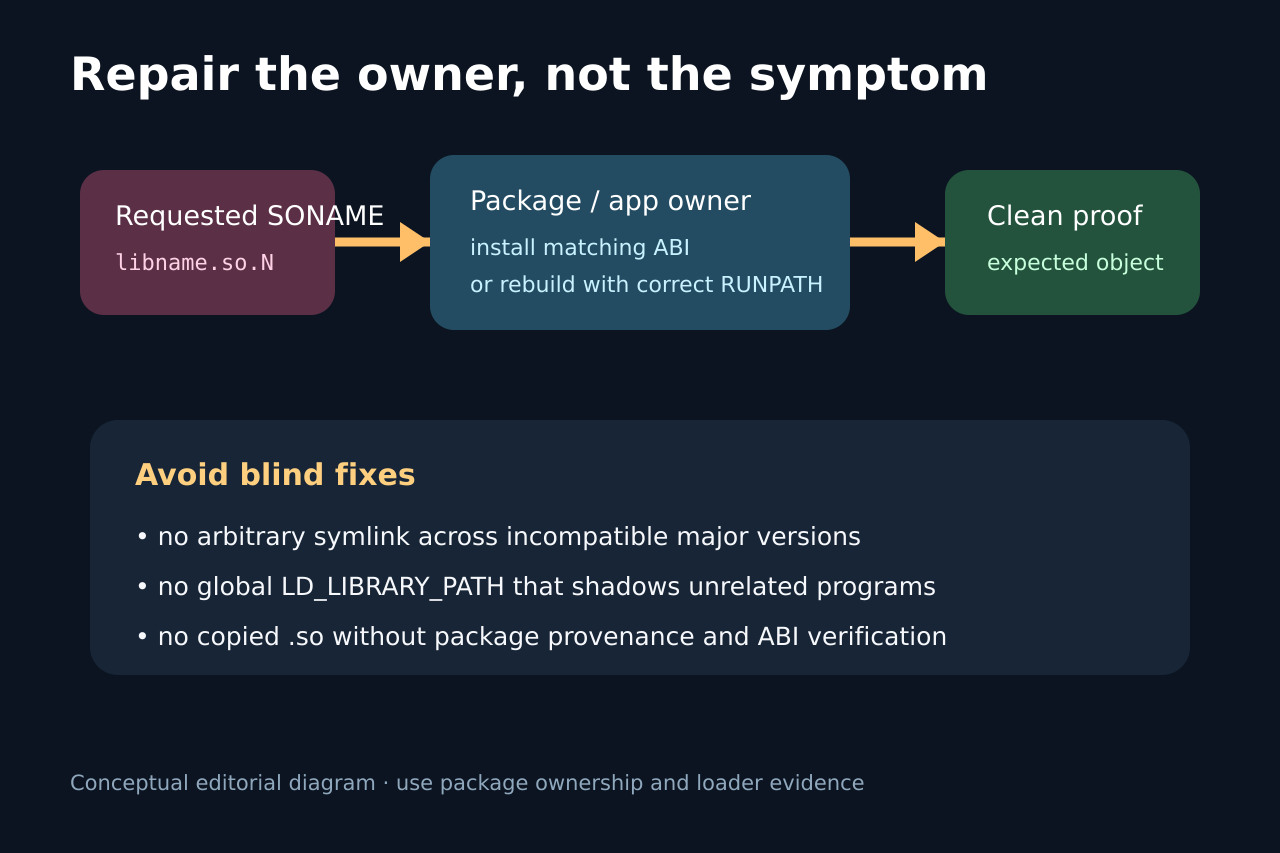
Treat the repair as an ownership decision. If a distribution or vendor package owns the dependency, install or repair the matching package. If your build owns it, fix the SONAME and deployment path. Avoid global search-path changes or invented major-version symlinks unless compatibility is actually proven.
1. Capture the real executable and requested name
Record the exact command, executable path, user, service or container, working directory and full error. Resolve wrappers and symlinks so that readelf inspects the ELF file that actually reaches execve.
Use readelf -dW to record every DT_NEEDED entry and any RPATH or RUNPATH. Use readelf -lW or file to identify the ELF interpreter and target platform; do not infer the requested SONAME from a directory listing.
2. Reconstruct the loader search
Run the loader diagnostic from the same execution context, such as the interpreter --list option or LD_DEBUG=libs when appropriate and not in secure-execution mode. Record every directory searched and the first candidate or rejection.
Compare embedded search tags, the actual LD_LIBRARY_PATH, the cache and default directories. A systemd unit, container, sudo boundary or set-user-ID program can have a different environment or ignore variables that made a shell test succeed.
3. Validate the candidate and owner
For every candidate, inspect the ELF header and dynamic section. Match class, machine, endianness, SONAME and symbol-version requirements; a symlink can change a filename but cannot make incompatible ABIs compatible.
Use the distribution package database, vendor manifest or build artifacts to identify ownership. Distinguish a package removed during upgrade, a stale cache, an incomplete container layer, a wrong architecture, and an application shipped without its declared runtime.
4. Repair narrowly and prove a clean start
Prefer reinstalling or rebuilding the owning component with a correct deployment path. For custom applications, use a deliberate RUNPATH or documented loader configuration; avoid broad LD_LIBRARY_PATH exports that shadow unrelated programs.
Retest from the original service or container with temporary overrides removed. Record the resolved object path, successful startup, architecture and package version; if the fix changes libraries, exercise the application path that actually uses the dependency.