Technology · PRACTICAL GUIDE
Linux says “Read-only file system”? Prove the mount, namespace and device boundary first
Map the failing path to its deepest mount, preserve the first kernel error, and distinguish policy, namespace isolation, media protection and filesystem damage before remounting or running repair tools.
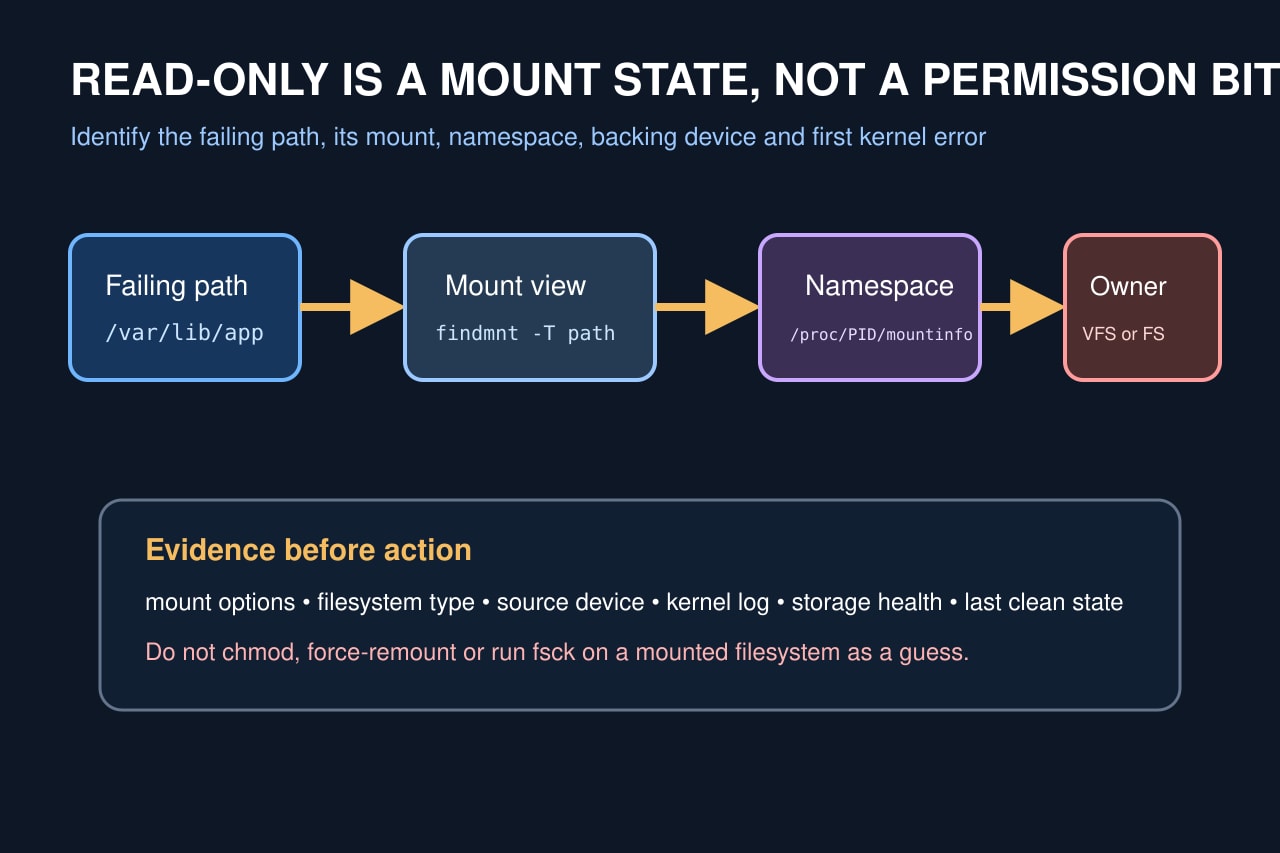
A “Read-only file system” error means the kernel rejected a write at a mount or filesystem boundary. It is not fixed by changing Unix mode bits, and the path may belong to a bind mount or namespace that differs from the shell where you inspected it.
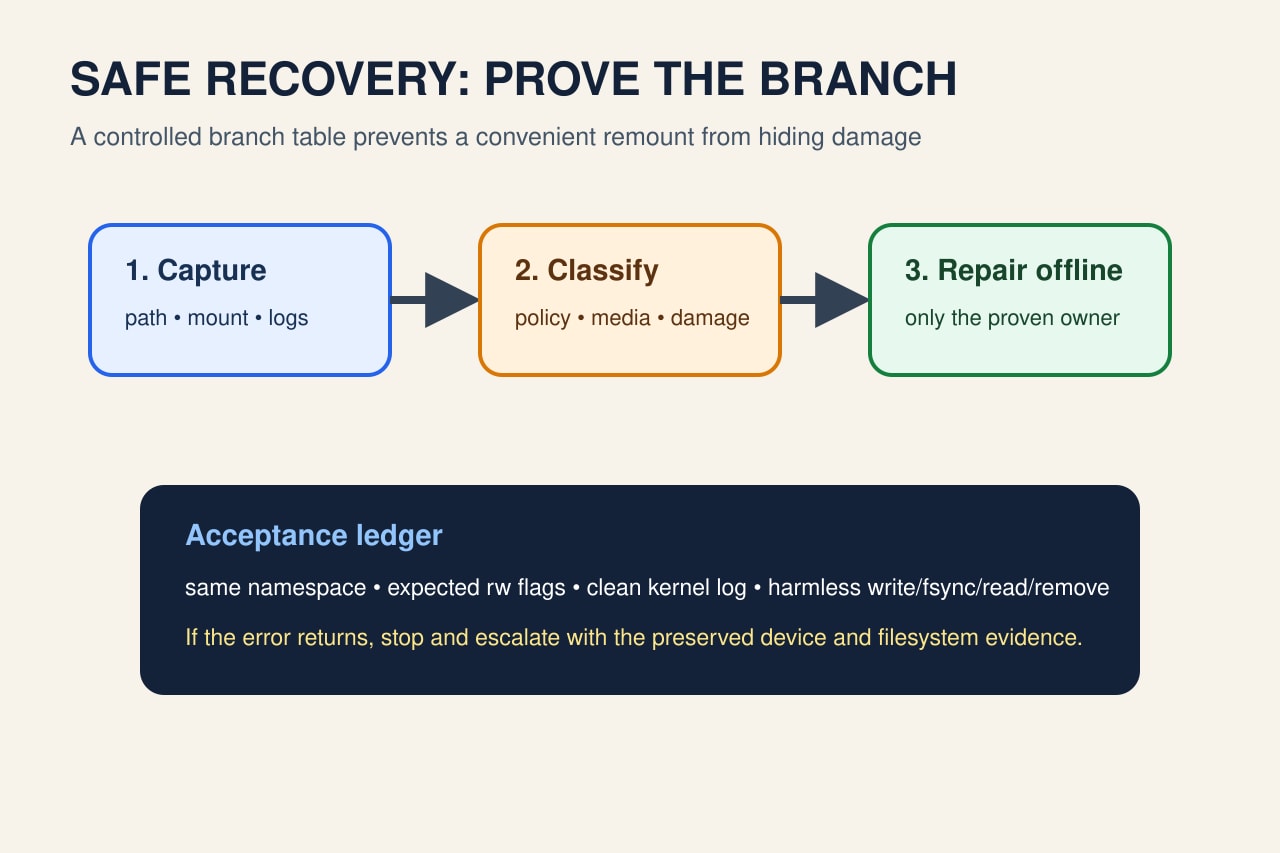
Freeze the failing path and process context. Map the deepest mount, preserve the first kernel and storage error, then classify deliberate policy, VFS-only read-only state, filesystem-wide error remount, or hardware/cloud write protection. Repair only the proven branch and require a same-namespace write transaction before closure.
Freeze the exact failure boundary
Record the absolute failing path, process PID, exact errno text, timestamp, operation, uid/gid, container or service identity, and the first complete application error. Stop retry loops that may overwrite evidence or increase device stress.
From the failing context, use findmnt -T /exact/path -o TARGET,SOURCE,FSTYPE,VFS-OPTIONS,FS-OPTIONS and inspect /proc/PID/mountinfo. The deepest target owns the path. Compare it with the administrator shell instead of assuming both see the same mount tree.
Separate policy from an error remount
Confirm whether ro appears at the VFS mountpoint, filesystem layer, or both. Check the effective fstab, unit, container bind, image, overlay and cloud-volume configuration that created the mount. A deliberate read-only root or bind is a configuration branch, not corruption.
Preserve journalctl -k or dmesg around the first timestamp. For ext4, errors=remount-ro explicitly allows a filesystem error to switch the filesystem read-only. Record I/O, journal, checksum, transport and device messages before reboot or remount changes the timeline.
Prove the backing owner and blast radius
Map SOURCE, UUID, device-mapper layer, RAID, network export, loop image or cloud volume. Check whether the block device itself is read-only and whether sibling mounts of the same filesystem are also affected. Do not publish serial numbers, tenant IDs or sensitive mount paths.
If only one namespace or bind target is read-only, fix that mount policy. If the filesystem superblock or device is read-only, treat every path backed by it as affected. A successful write somewhere else is not proof that this path is safe.
Repair only the proven branch
For intended policy, change the source configuration and recreate or remount the exact target in a controlled window. For filesystem or media errors, stop dependent writers, preserve data and platform diagnostics, unmount or boot into the appropriate recovery environment, then use the filesystem- and vendor-supported check or repair procedure.
Do not run fsck against a mounted writable filesystem, force rw repeatedly, clear logs, or replace storage based only on EROFS. If hardware, network storage or cloud control planes report write protection or I/O failure, follow that owner’s recovery and backup process.
Accept recovery in the original namespace
Return to the original service, container or PID namespace. Re-run findmnt for the exact path and record expected VFS and filesystem flags. Confirm that no new kernel, filesystem or device error appears during the test.
Create a harmless uniquely named file in the intended directory, write a small known payload, fsync it, read it back, compare the content and remove it. Then restart one dependent workload and observe one normal operation. If EROFS or I/O errors return, stop and escalate with the preserved boundary ledger.