Technology · PRACTICAL GUIDE
Linux says “cannot execute binary file: Exec format error”? Prove the file, platform, and interpreter boundary
Preserve the exact bytes, classify the file, compare its machine and format to the host, and inspect the declared interpreter before rebuilding or changing permissions.
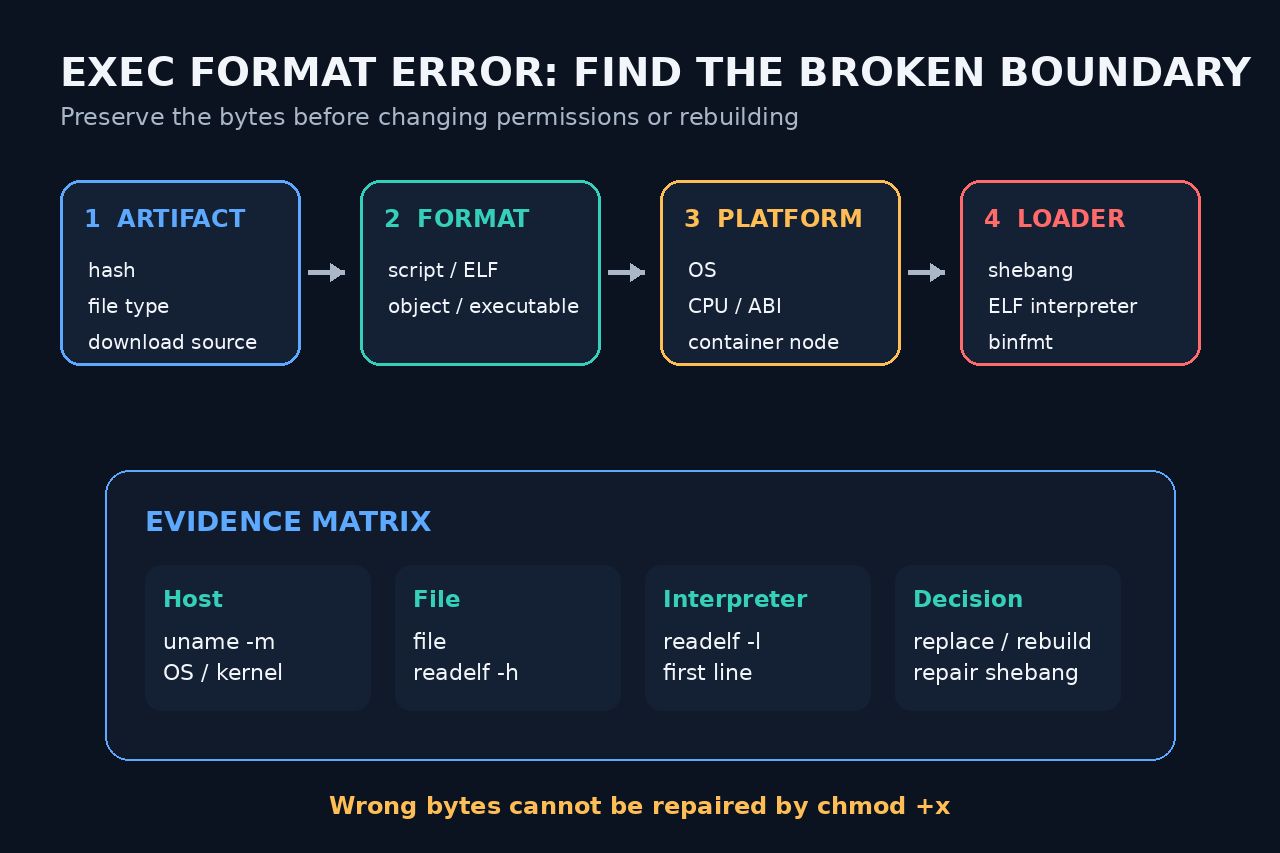
“Exec format error” is a classification failure, not proof that the execute bit is wrong. Preserve the exact command, path, working directory, shell, host architecture and file SHA-256 before changing anything. Then use read-only inspection to decide whether the bytes are a script, an ELF executable, an object file, an archive, or simply text such as an error page saved under a binary name.
This workflow is deliberately for direct host execution. If the failure comes from a systemd unit or a Docker build/entrypoint, stop after preserving the same evidence and follow the dedicated context-specific guide; service-manager and container boundaries change which path, platform and interpreter actually executed.
Freeze one failure and identify the exact bytes
Record the literal command, exit status, absolute path, working directory, shell, uname -s, uname -m, and sha256sum of the target. Resolve symlinks without replacing the file, and note whether a wrapper selected a different path than the one you inspected.
Run file on that exact path and save its complete output. If it reports HTML, JSON, ASCII text, an archive, a relocatable object, or data instead of an executable or script, investigate the download or build output before changing permissions.
Separate a script from an ELF binary
For a script, inspect only the first line as bytes. Confirm the #! marker, the absolute interpreter path, and whether a carriage return or byte-order mark changed the path the kernel sees. Verify the interpreter with a separate read-only path check; do not rewrite the whole script as a first response.
For ELF, run readelf -h and compare Class, Data, Type and Machine with the intended host. A mismatch here belongs to the producing build or selected release artifact, not to chmod.
Prove the ELF interpreter boundary
If the ELF header matches, inspect readelf -l for the requested program interpreter. Record the exact path and verify that the expected loader exists on this host. A compatible CPU label does not prove that the required ABI and loader are present.
Do not “fix” a missing loader by copying a random similarly named file. Select an artifact built for the host’s supported ABI, or install the documented runtime through the system’s controlled package process.
Repair the producing boundary, not the symptom
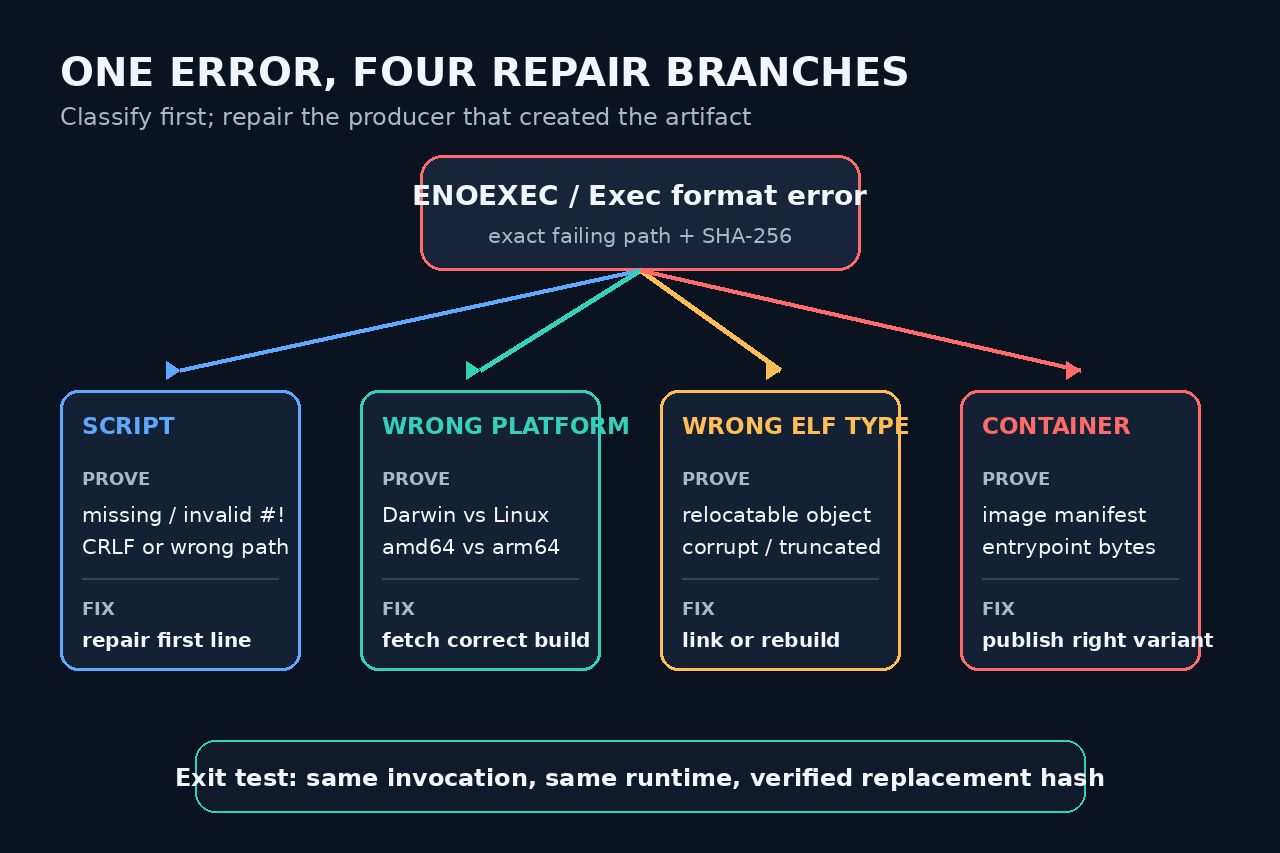
Wrong OS or machine means choose or rebuild the release for the intended target. Wrong ELF type means publish the executable rather than an object or library. A text payload means correct the download, authentication, redirect or packaging step. A malformed script header means repair and review only that header boundary.
Keep the original hash and the replacement hash in the incident record. If the path is generated by a build, deployment or updater, fix that producer so the next run cannot silently restore the bad bytes.
Repeat the same invocation and define closure
Run the same command from the same working directory on the same intended host. Record the replacement hash, file classification, relevant ELF or shebang evidence, exit status and a small expected output or behavior check.
Close only when the execution succeeds for the intended target and every earlier mismatch is accounted for. If systemd or Docker supplied the failing context, hand the preserved evidence to the dedicated systemd 203/EXEC or Docker exec-format workflow instead of merging unlike runtime boundaries.