Technology · PRACTICAL GUIDE
ld.so says “object from LD_PRELOAD cannot be preloaded”? Find the injector before changing libraries
The warning proves that the dynamic loader rejected a requested object; it does not identify who requested it or why. Preserve the command, trace every preload source, compare the executable and object’s ELF identity, then change only the owning configuration.
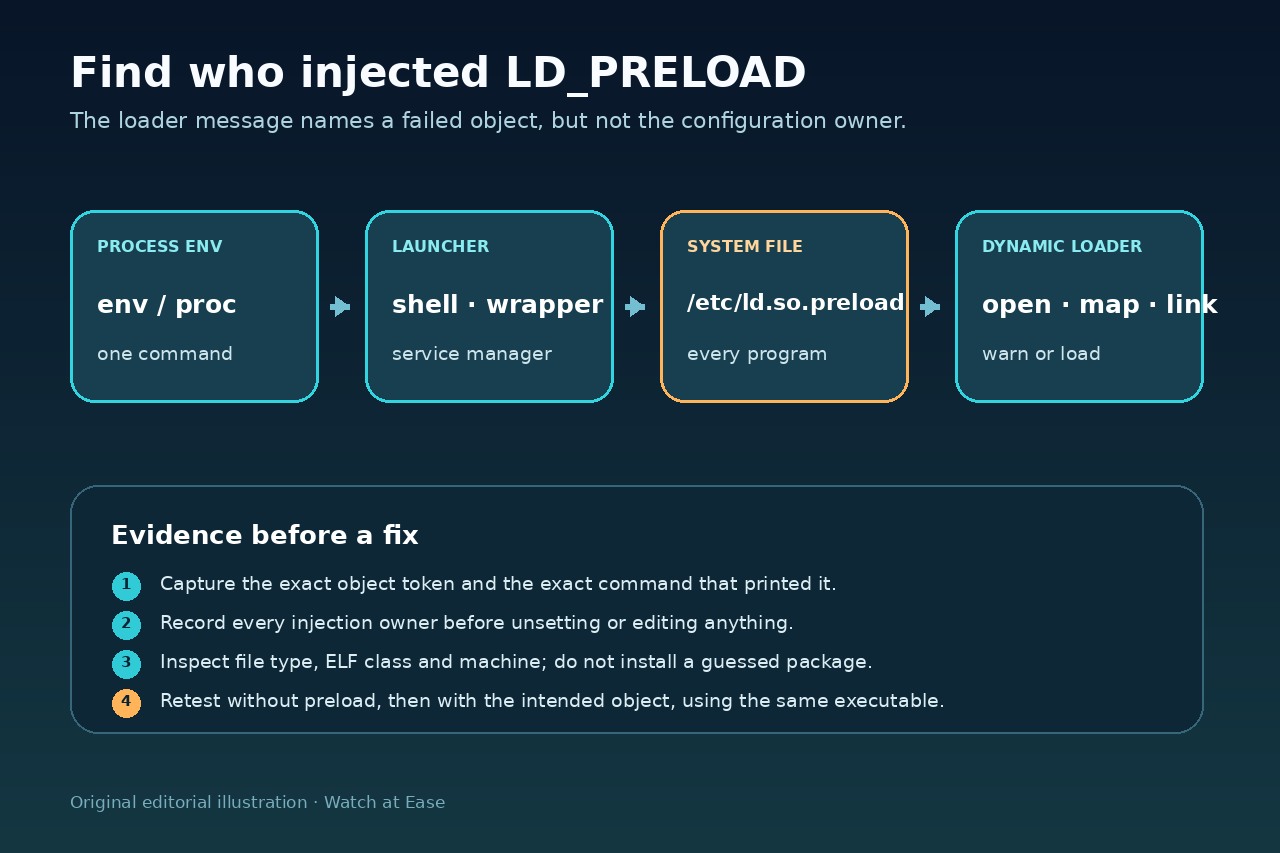
The message is emitted by the dynamic loader before the requested program has fully started. It says an additional object was requested and ignored; it does not prove that every shared library is missing or that the foreground application created the request.
Build an owner-to-object ledger. Find whether the request came from the process environment, a launcher, a service or /etc/ld.so.preload; then classify path, ELF identity, mapping and secure-execution evidence before changing the system.
1. Freeze the exact warning and execution context
Copy the full ld.so line, including the object token and parenthetical reason, beside the exact command, executable path, user identity, working directory and time. “Cannot open”, “failed to map” and a silent secure-execution removal are different findings.
Reproduce once only if it is safe. Record whether the warning appears in an interactive shell, a wrapper, a service, a container entrypoint or a privileged program. Do not start by reinstalling a library whose ownership has not been proved.
2. Identify every preload owner
Capture the process environment, shell startup files, wrapper scripts, service Environment or EnvironmentFile settings and container configuration. Check /etc/ld.so.preload separately: the loader applies that system-wide file in addition to the environment variable.
If unsetting LD_PRELOAD in one shell leaves the warning, that is evidence of another owner, not proof that the loader is broken. Preserve each value and its source before editing so the persistent injector can be corrected rather than hidden.
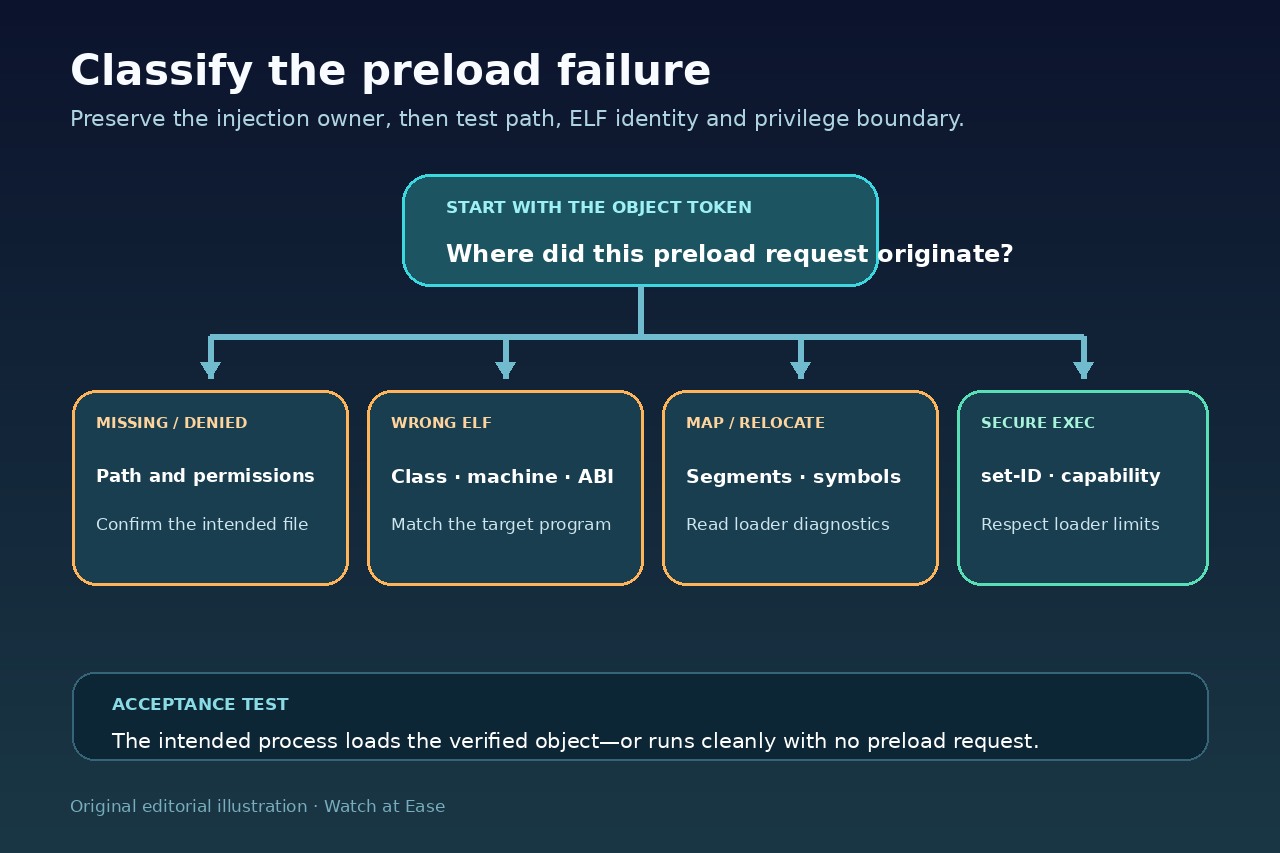
3. Classify path, access and object identity
Resolve the exact token as the loader would, then record existence, type, ownership, permissions and mount context. A directory, broken link, inaccessible file or token split on a space or colon cannot become a valid preload object.
Use file and readelf on both the target executable and requested object. Compare ELF class, data encoding, OS/ABI and machine fields; a present library can still be unusable when it targets the wrong class or architecture. Avoid executing an untrusted object merely to inspect it.
4. Keep mapping, relocation and secure execution separate
When the path and ELF identity match, collect loader diagnostics for the same non-privileged test and look for segment mapping, dependency, relocation, symbol or version failures. Do not collapse all of them into “file missing”.
For set-user-ID, set-group-ID or capability-bearing programs, secure-execution mode strips or restricts LD_PRELOAD. That protection is a boundary to respect, not a reason to weaken permissions, remove capabilities or copy arbitrary objects into trusted directories.
5. Fix the owning configuration and prove the result
Remove or correct the preload only in the verified owner: shell profile, wrapper, service configuration, container definition or /etc/ld.so.preload. Install or restore a package only after proving it owns the intended object and matches the target ABI.
Retest the same executable first with no preload request, then with the intended verified object if injection is required. Accept the repair only when the warning is gone, the expected object is loaded or intentionally absent, the program behavior is correct and unrelated processes remain unchanged.