Technology · PRACTICAL GUIDE
GitHub says “Repository not found”? Prove the URL and authenticated account before replacing credentials
Preserve the effective fetch and push URLs, identify the account Git actually uses, verify repository permission and SSO, then change one boundary and require a remote-ref proof.
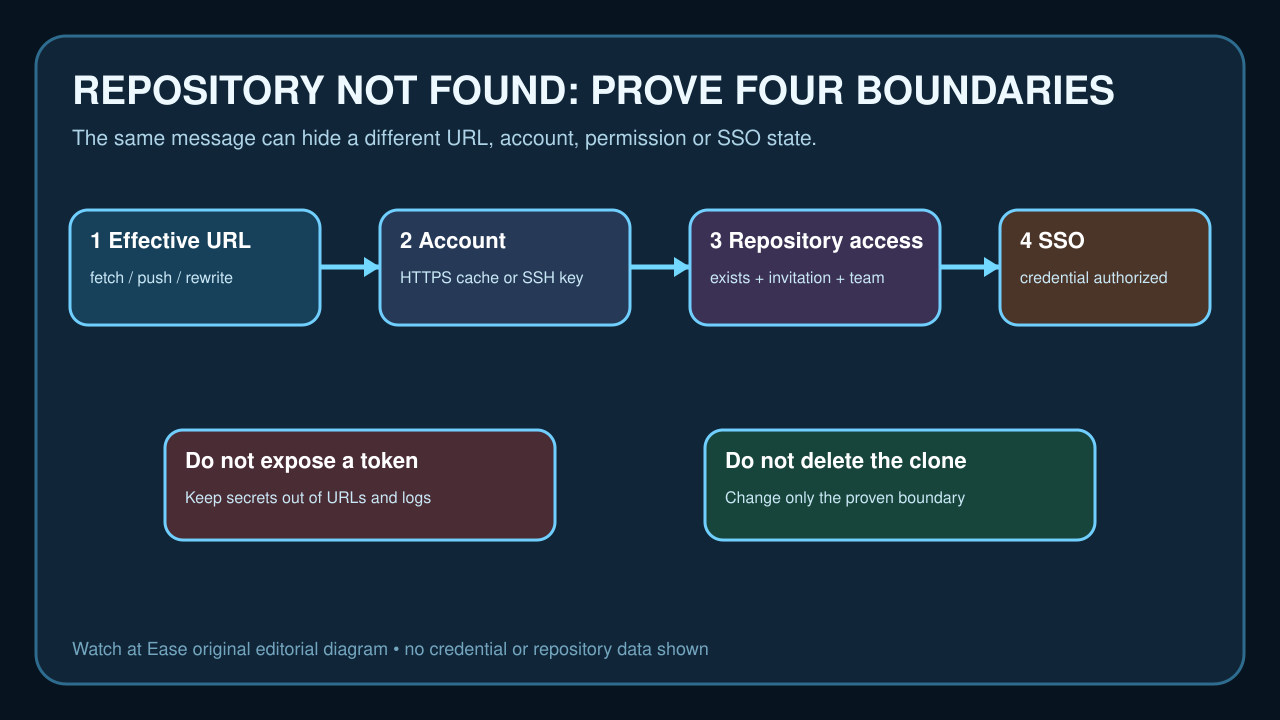
GitHub's `Repository not found` can mean a wrong or rewritten URL, the wrong cached account, missing repository permission or an SSO credential that is valid but not authorized. A browser tab proves only the browser session.
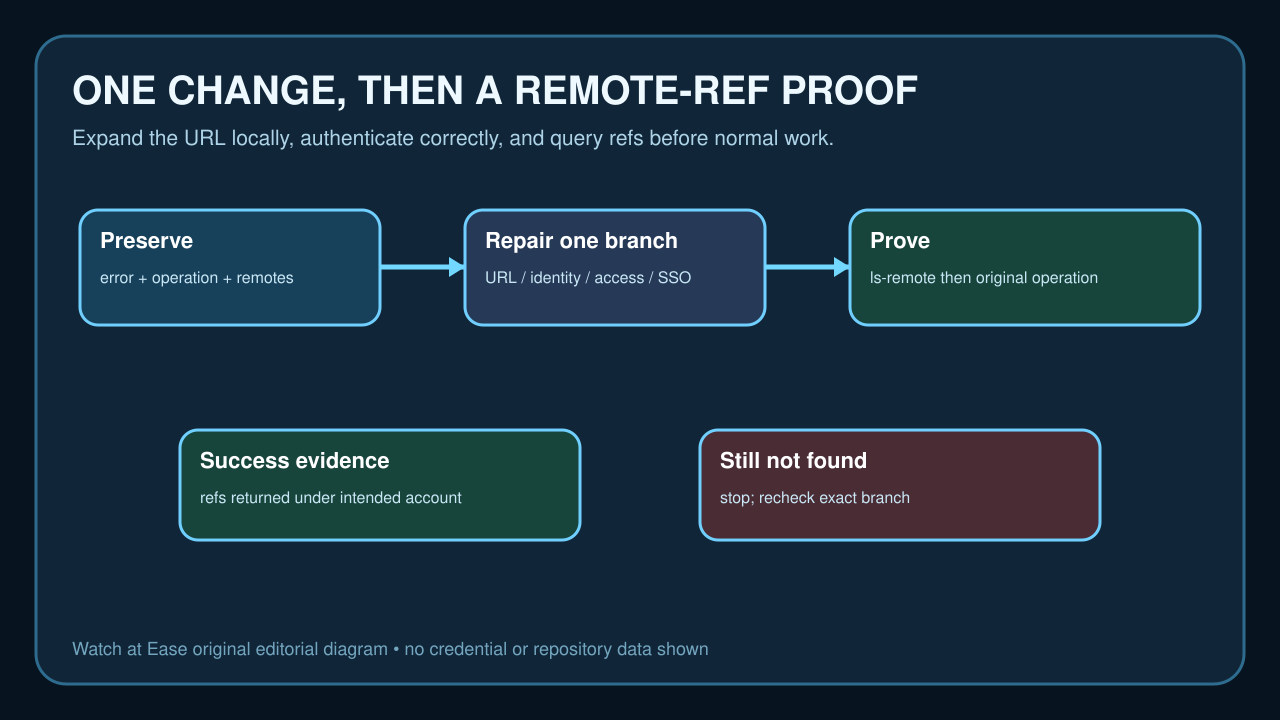
Preserve the effective remote URLs and operation, identify the account used by HTTPS or SSH, verify access and SSO, then change one boundary and require a remote-ref proof.
Preserve the exact operation and remote
Record whether clone, fetch, pull or push failed, the exact host, repository owner and name, and the full error without any secret. In an existing clone, save fetch and push URLs with `git remote -v`; they can differ.
Use `git remote get-url --all origin` and its `--push` form to see effective URLs after Git's `insteadOf` or `pushInsteadOf` rewrites. `git ls-remote --get-url origin` expands the URL without contacting the server, so a hidden rewrite can be proved before authentication is changed.
Prove the repository and URL as the intended account
Open the repository page while signed into the account that should have access, then copy the clone URL from that page. GitHub documents that the message can mean either the repository does not exist or the caller lacks permission, so a public logged-out check cannot prove private access.
Compare host, owner, repository name and transport. Change `origin` only if the effective URL is wrong. Do not delete the working tree or create a replacement repository simply because the current URL returns not found.
Identify the credential Git is actually using
For HTTPS, check the configured credential helper and the account it supplies without printing a token. An old cached account can differ from the browser session. Use a credential manager or GitHub CLI login flow rather than placing a token in the remote URL, shell history or support log.
For SSH, `ssh -T git@github.com` reports the GitHub account attached to the offered key. A successful SSH authentication proves an account, not permission to this repository. Keep key selection, repository permission and SSO authorization as separate checks.
Check permission, invitation and SSO
Confirm that the authenticated account is the owner, an accepted collaborator or a member of a team that can read the repository. A pending invitation or access granted to another personal account does not satisfy this check.
For an organization that uses SAML SSO, GitHub requires an authorized personal access token over HTTPS or an authorized SSH key for protected command-line content. A valid credential can still lack organization authorization. Complete the required SSO authorization rather than broadening token scope blindly.
Repair only the proven boundary
Correct a typo with `git remote set-url`, switch the cached HTTPS account, select the intended SSH key, accept the invitation, request repository access or authorize the existing credential for SSO—whichever branch the evidence supports.
Do not run a force push, delete `.git`, reclone over uncommitted work, paste a token into a URL or rotate every credential at once. Those actions either risk local work, leak secrets or destroy the comparison that identified the real boundary.
Require a remote-ref and original-operation proof
Run `git ls-remote origin` after the one change. Success means Git contacted the effective remote under the current transport and received advertised refs; save the command result without credentials. Then repeat the original clone, fetch, pull or push.
Completion requires both the intended account/repository mapping and the original operation to succeed. If ls-remote still says not found, stop and return to the exact URL, identity, permission or SSO branch rather than stacking unrelated fixes.