Technology · PRACTICAL GUIDE
Git says “refusing to merge unrelated histories”? Prove the graph before using the flag
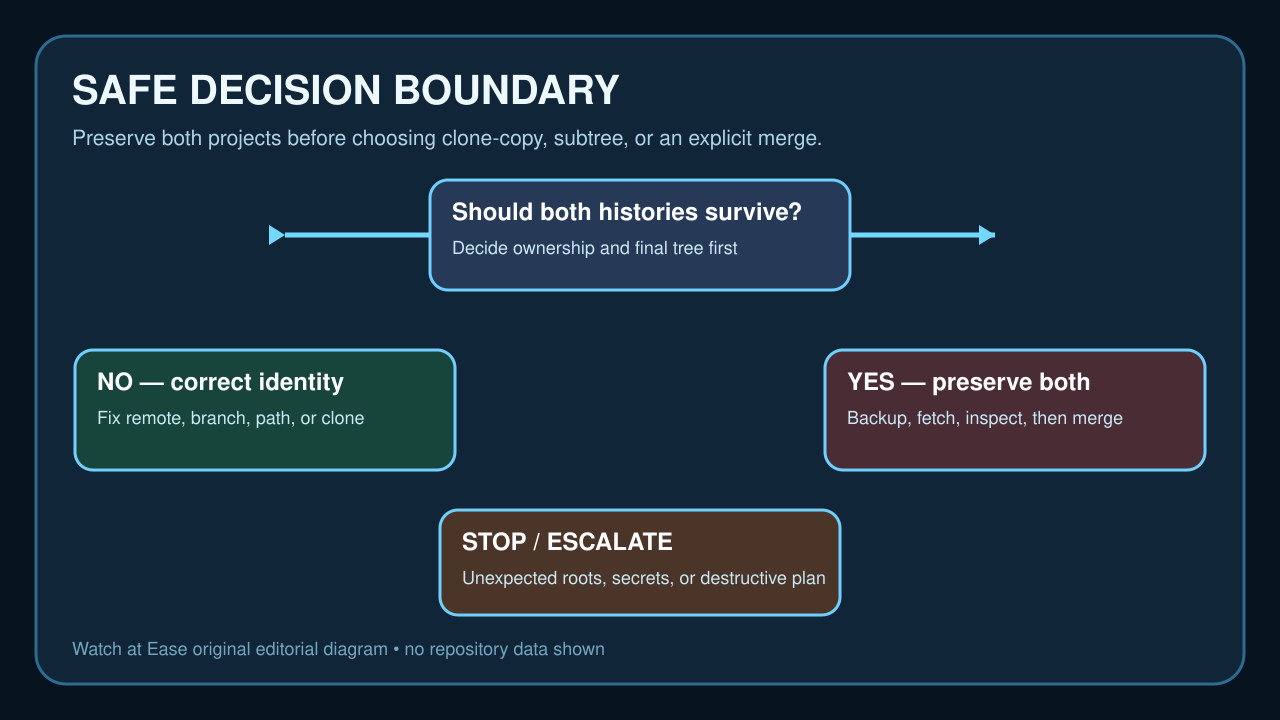
Do not begin with --allow-unrelated-histories. Confirm the repository, remote, root commits and merge-base first; then correct a mistaken identity or deliberately preserve two independent projects with a backed-up, reviewable merge.
“fatal: refusing to merge unrelated histories” means Git found no common ancestor between the two histories being combined. It does not tell you whether the histories belong together, whether the remote is correct or whether one side is merely incomplete.
Preserve the repository and prove identity first. Inspect the path, remotes, root commits and merge-base; only then correct a mistaken connection or intentionally join two independent projects with a reviewed, reversible merge.
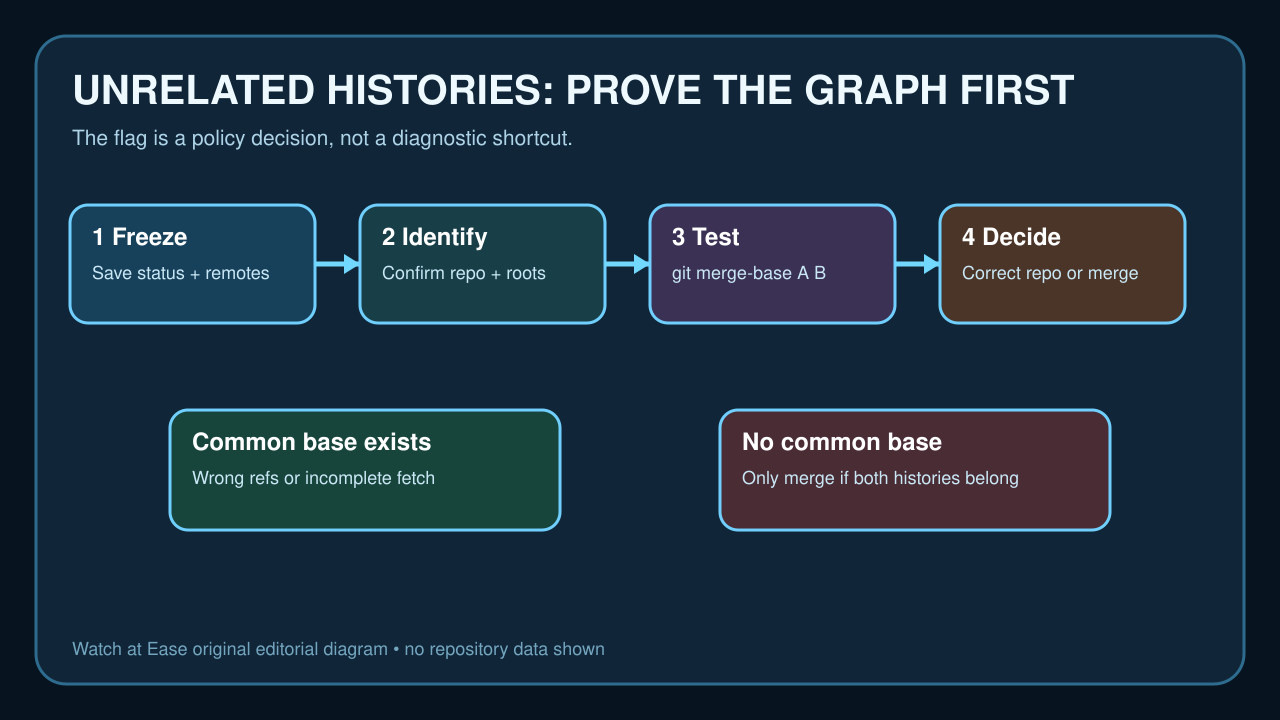
Freeze the evidence before changing history
Save the exact failing command, repository path, git status --short --branch, git remote -v and git log --all --graph --decorate --oneline. Create a filesystem backup or a protective branch before resets, rebases or merges.
Confirm which local-only commits and untracked files must survive. If the working tree contains secrets or unexplained generated files, stop and clean that boundary before publishing or combining anything.
Prove repository identity and ancestry
Verify the remote URL and fetch the refs you intend to compare. Inspect each candidate tip and its root commits; a wrong directory, wrong origin, shallow/incomplete fetch or double initialization can all present a misleading graph.
Run git merge-base A B and check its exit status and output. A merge base means the histories are related and you should investigate refs or fetch depth instead of overriding the safety check. No base supports—but does not by itself authorize—an independent-history merge.
Decide whether both histories belong
If one side is only an accidental README or the wrong repository, correct the remote/path or move the intended files into a clean clone. Preserve the old directory until the expected tree, commit IDs and remote are verified.
If both projects have meaningful history that must remain searchable, document the desired final directory layout, ownership and conflict policy. Consider a prepared subtree workflow when one project should live under a subdirectory.
Use the exceptional merge deliberately
Commit or stash intended local changes, create a protection branch and fetch the exact other tip. Then run the merge with --allow-unrelated-histories only when the evidence shows two intentional roots and both histories belong in the result.
Review every conflict and the complete staged tree; abort if paths collide unexpectedly or the combined tree exposes files that should remain separate. The flag permits the graph operation—it does not validate the resulting project.
Verify the merge and record the decision
After resolution, inspect the merge commit's two parents, run the project's tests and compare the final tree with the documented layout. Confirm the remote destination and branch protections before pushing.
Record the two original tip IDs, merge-base result, backup location, chosen strategy and why both histories were retained. If identity remains uncertain or multiple roots appear unexpectedly, stop and ask the repository owner rather than forcing a publishable history.