Technology · PRACTICAL GUIDE
Docker cannot find a credential helper? Trace the config, binary and caller first
Prove which Docker config selected which docker-credential-* executable, and whether the same user, WSL, sudo or service process can run it before disabling the store.
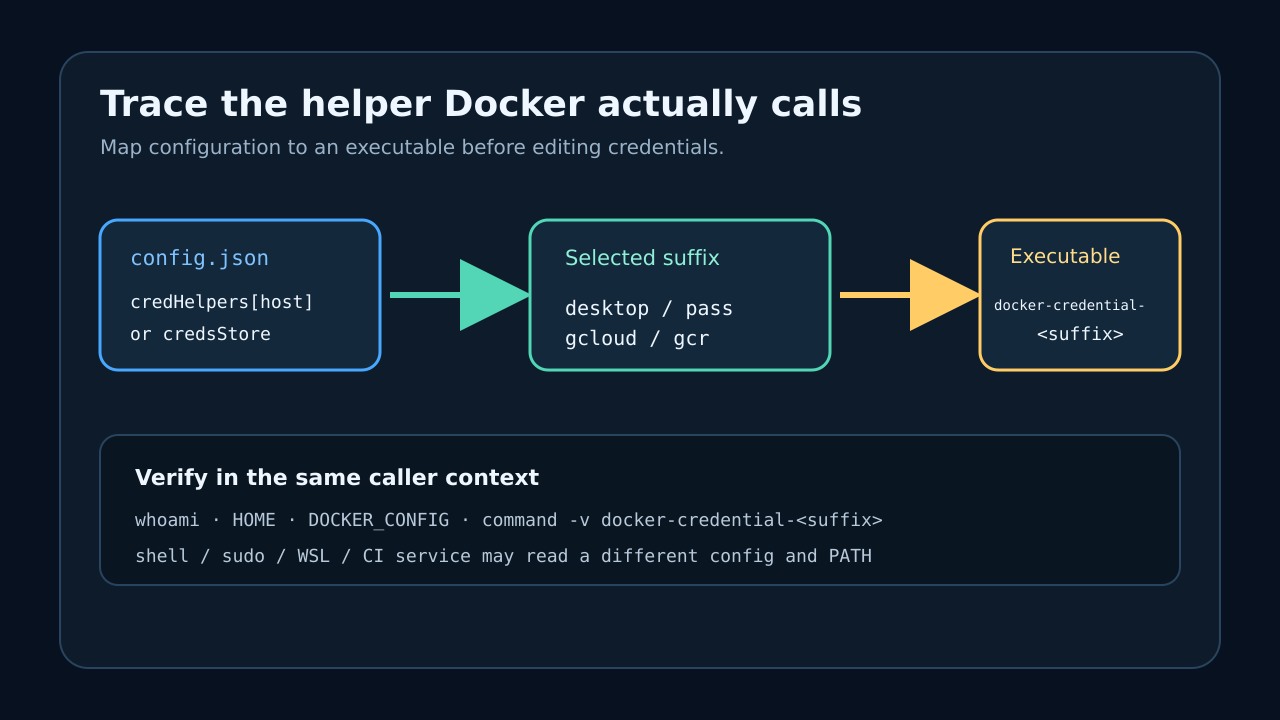
The error names a program, not a damaged password: Docker selected a credential helper such as docker-credential-desktop or docker-credential-gcloud and the process that launched Docker could not execute it. Deleting config.json or misspelling credsStore can hide that call, but it may also disable the intended secure store.
Preserve the file, identify the exact configuration and registry entry Docker used, translate the selected suffix into docker-credential-<suffix>, and test visibility from the same user, shell, sudo, WSL or service context. Repair only the boundary you can prove is broken.
Freeze the caller and effective configuration
Record the exact failing command and registry, then capture whoami, HOME, DOCKER_CONFIG, the shell or service, and whether sudo or WSL is involved. Copy the effective config.json to a private backup before editing it; do not paste auth entries, tokens or helper output into logs.
Inspect only the non-secret structure that selects a helper: credHelpers for the target registry first, then the global credsStore. If DOCKER_CONFIG is set, or the command runs as root, a service account or another Windows/WSL user, inspect that caller’s file rather than assuming your interactive home is authoritative.
Translate the config value into one executable
For a registry-specific entry such as credHelpers selecting gcloud, the expected command is docker-credential-gcloud. For credsStore set to desktop, it is docker-credential-desktop. The suffix is not a package-name guess; it is the literal program Docker attempts to execute.
Use command -v, type -a or the platform equivalent from the same caller context to locate that exact executable. If it is absent, distinguish a stale Docker Desktop bridge from an intentionally configured standalone helper before installing, copying or symlinking anything.
Separate PATH failure from helper failure
Run a harmless capability check supported by that helper, such as its documented version or list command, without printing secrets. For a registry helper whose official instructions provide a get test, treat the returned secret as sensitive and do not capture it in shared logs.
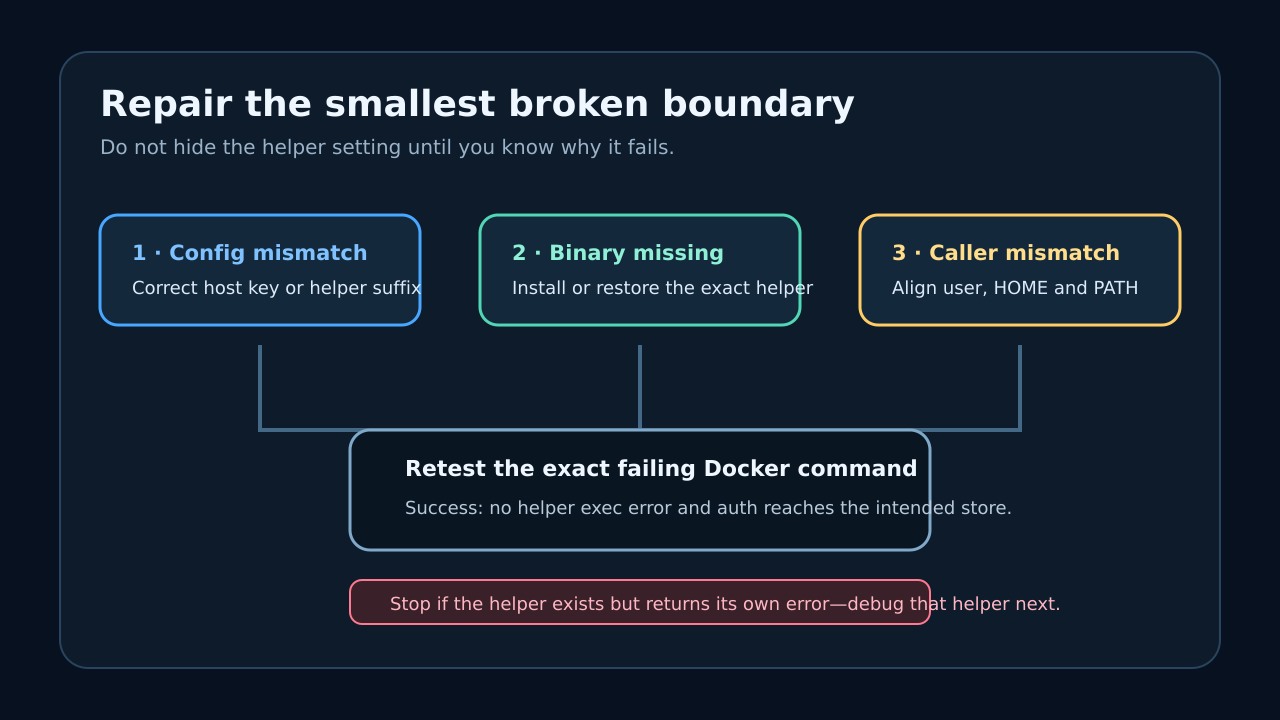
If the shell cannot start the helper, repair installation or PATH. If the helper starts but reports a keychain, pass, gpg, Desktop bridge or cloud-auth error, stop changing Docker config: the executable boundary is fixed, and the remaining incident belongs to that helper.
Repair the smallest proven boundary
A wrong registry key or suffix calls for a narrowly reviewed config edit. A missing official helper calls for restoring that exact supported binary. A user-versus-root, WSL or service mismatch calls for aligning HOME, DOCKER_CONFIG and PATH for the process that actually runs Docker.
Do not rename credsStore to credStore as a permanent fix. The latter is not a valid store key, so Docker ignores it; this can make an unauthenticated command proceed while silently abandoning the configured credential store.
Retest the original path and define success
Start a fresh instance of the same shell, service, CI job or WSL distribution and rerun the exact Docker command against the same registry. Success means the helper-exec error is gone, Docker reaches the intended credential store, and no alternate user or config file supplied the result.
If command resolution points to an unexpected copy, the config immediately regenerates, or the error returns only under sudo or automation, stop and compare the caller ledger again. Do not delete stored credentials until the responsible config owner and supported helper are known.