Technology · PRACTICAL GUIDE
Container exited 137 or says “OOMKilled”? Prove the SIGKILL boundary before raising memory
Exit 137 says the process received SIGKILL; it does not name the killer. Correlate runtime state, cgroup counters, node evidence and orchestrator events in one incident window before changing limits.
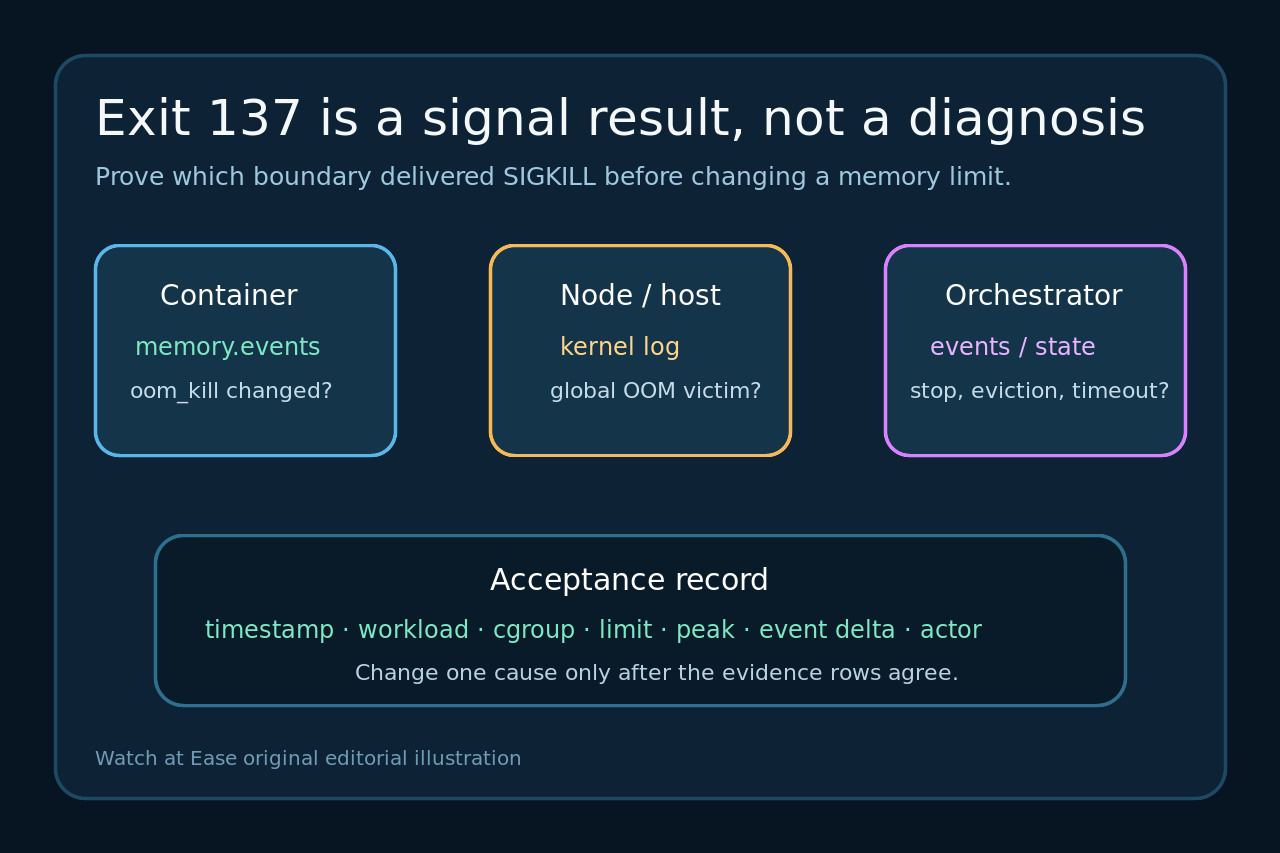
A container exit code is a compressed clue, not a root cause. Exit 137 conventionally reflects signal 9, SIGKILL, but the process cannot report who sent that uncatchable signal. “OOMKilled” is stronger evidence only when bound to the same container attempt and incident window.
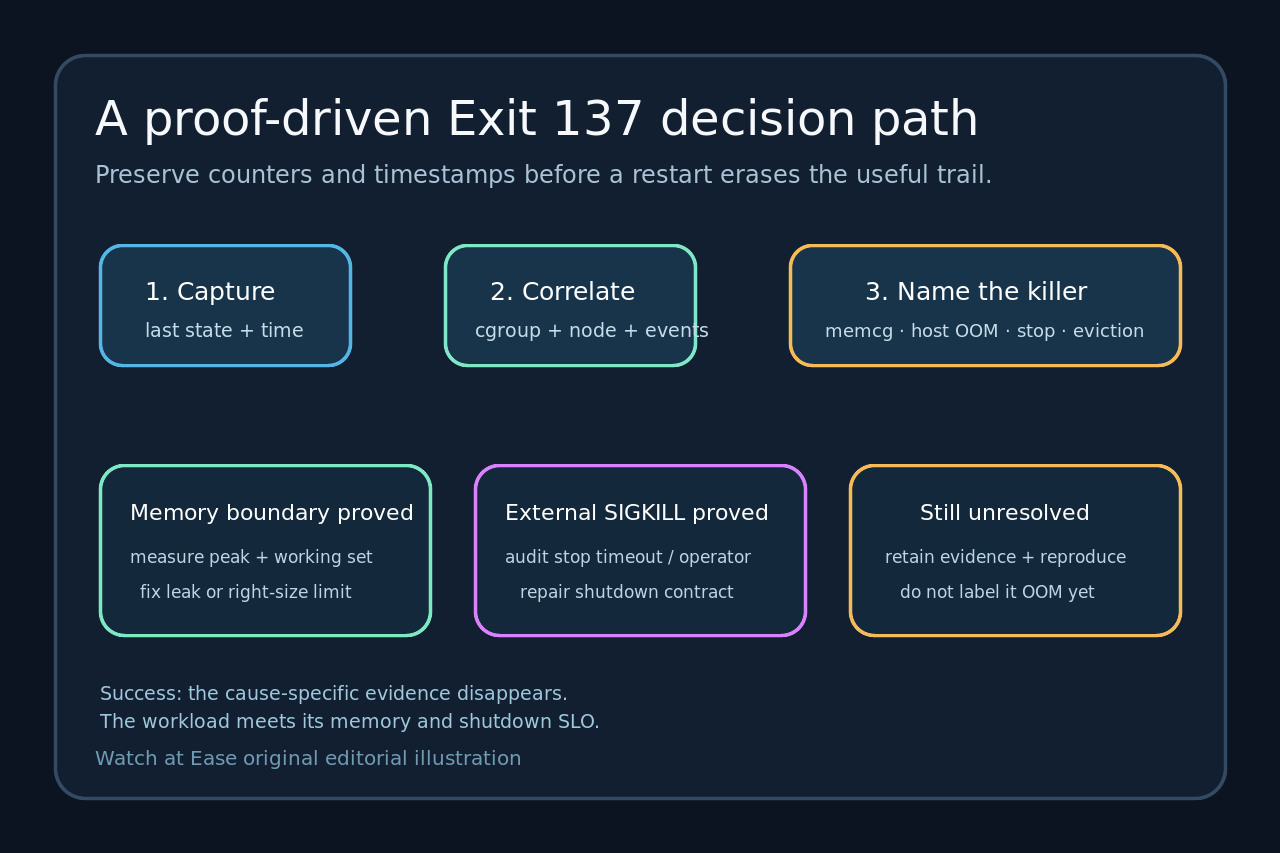
Build a timestamped ledger before changing memory. Compare the runtime termination record, affected cgroup counters, node kernel evidence and orchestrator stop or eviction events. Accept a diagnosis only when those layers agree—or preserve their disagreement explicitly.
1. Freeze one incident window
Record the exact container attempt, node, start and exit times, code, signal, runtime reason and last workload action. A restart can replace the state you need.
Normalize timestamps and keep raw output. Never combine a current cgroup counter with an old kernel message or another replica’s OOMKilled field.
2. Treat 137 as SIGKILL evidence
Map the exit status to SIGKILL, then list possible senders: kernel OOM, an operator or automation, runtime timeout, orchestrator grace escalation, or another privileged process.
If the runtime says OOMKilled, bind it to the same attempt. If false or absent, keep OOM as a hypothesis; the exit code alone cannot make it a finding.
3. Locate the memory boundary
Identify the actual cgroup and limit. On cgroup v2, capture memory.max, usage and memory.events; compare oom and oom_kill deltas at the leaf and relevant ancestors.
A leaf oom_kill increase supports a kill inside that boundary. Broader node OOM evidence supports a different boundary. Without a matching delta, continue testing.
4. Correlate node and orchestrator evidence
Read node kernel logs and orchestrator events for the same seconds. Look for memory pressure, eviction, deletion, probe failure, rollout, drain or grace expiry.
Record missing evidence as missing. Restricted logs, rotated events or inaccessible cgroup files reduce confidence; they do not turn an assumption into fact.
5. Fix the proven boundary
For proven container OOM, measure working-set growth, allocation spikes and concurrency before changing requests or limits. Fix node capacity, shutdown behavior or an external sender when those are the proven causes.
Reproduce under controlled load. Accept the fix only when the four-layer ledger stays clean: no matching oom_kill delta, no node OOM, no unexplained escalation and an expected runtime record.