Technology · PRACTICAL GUIDE
Bash says “bad interpreter”? Inspect the shebang bytes before converting the script
Separate CRLF, a wrong interpreter path, a missing runtime and access failures before editing the file or changing permissions.
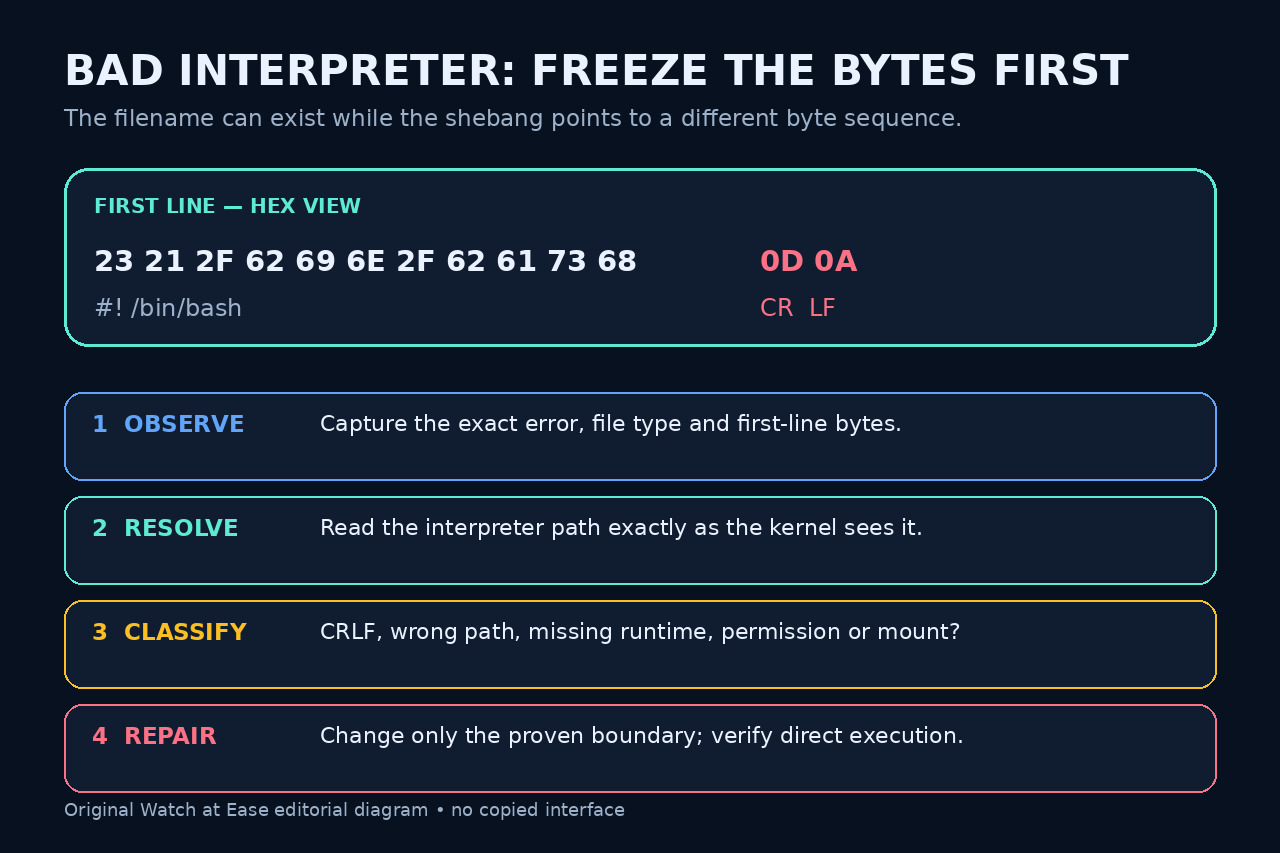
A bad-interpreter message is evidence about direct program execution, not proof that Bash itself is broken. Linux reads the executable script’s first line as an interpreter pathname; a carriage-return byte, a misspelled path, a missing runtime or an access boundary can all make that pathname fail.
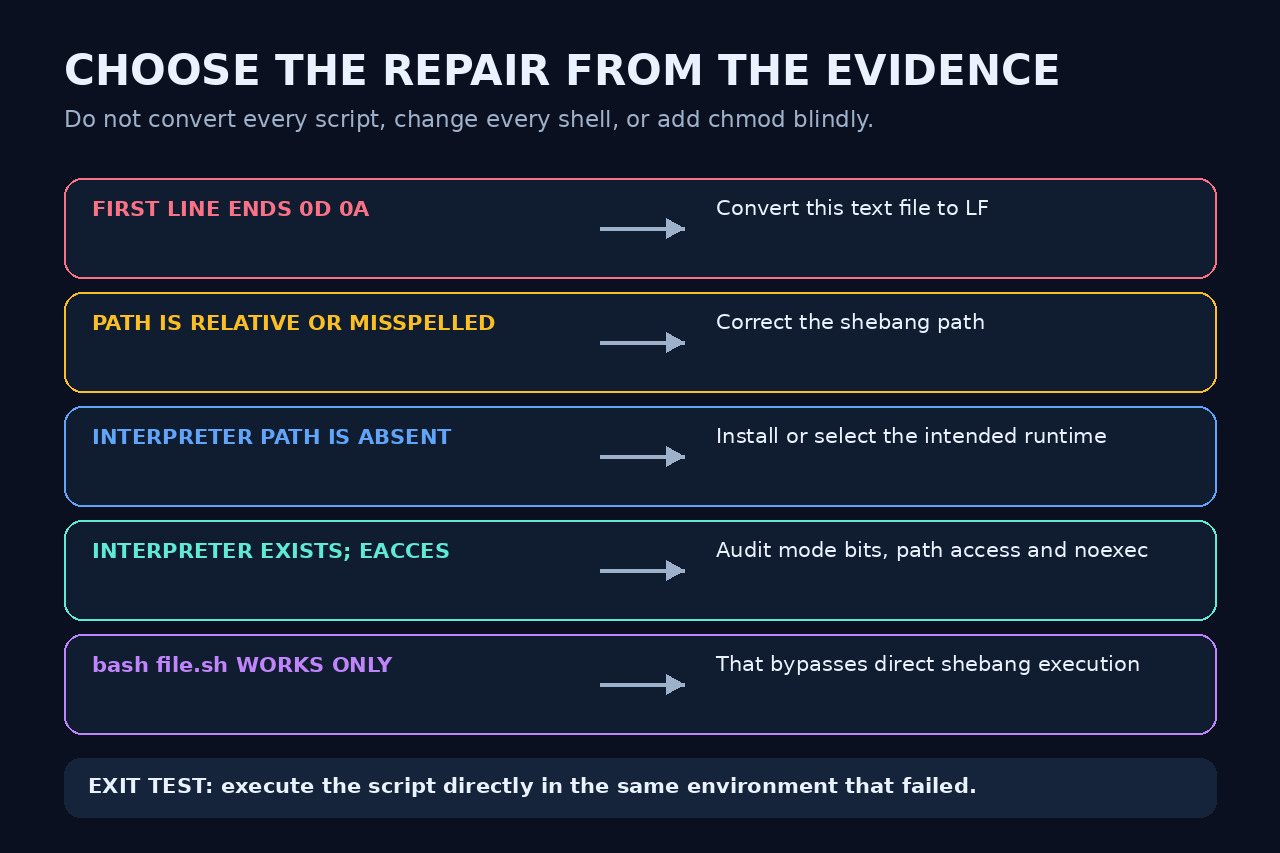
Do not start with dos2unix, chmod, a new shebang or bash script.sh. Preserve the exact error and first-line bytes, resolve the interpreter string the kernel sees, classify ENOENT versus EACCES, then change only the proven boundary and rerun the script directly in the same environment.
Freeze the error and the first-line bytes
Record the exact command and message. Copy the file to a safe location if another process may regenerate it, then inspect the first line with a byte-visible tool such as od -An -t x1 -N 64 script.sh. A CRLF shebang ends with 0d 0a; an LF shebang ends with 0a.
Also record file script.sh, ls -l script.sh and the filesystem or container context. Do not edit first: conversion, an editor save or a checkout can erase the evidence that distinguishes content from path and access failures.
Resolve the literal interpreter path
Read the bytes after #! exactly as they appear. Check whether the pathname is absolute, correctly spelled and present in the same environment that executes the script. A missing leading slash and /usr versus /user are different failures from CRLF.
If the line uses /usr/bin/env, verify that env exists and that the intended program resolves in that execution context. Do not assume the interactive shell, container entrypoint and CI runner have the same PATH or root filesystem.
Classify ENOENT, EACCES and the bypass clue
A no-such-file message can refer to the script or its interpreter, including an interpreter name contaminated by CR. An access error points instead to search permission, file type, execute permission or a noexec mount. Preserve that distinction before adding chmod.
If bash script.sh works but ./script.sh fails, you have proved only that Bash can read the file. You have not proved the direct shebang path or executable-file boundary is correct. Use the bypass as a diagnostic clue, not the final repair.
Apply the smallest proven repair
When the byte view proves 0d 0a, convert that text file to LF with a reviewed editor, dos2unix or an equivalent transformation, then inspect the bytes again. When the path is wrong, correct only the shebang. When the interpreter is absent, install or select the intended runtime rather than pointing at an arbitrary shell.
For EACCES, audit the script and interpreter mode bits, parent-directory search permission, file type and mount options. Do not combine conversion, chmod and path changes in one step; a mixed repair destroys the evidence of which boundary mattered.
Prevent recurrence and run the direct exit test
For a cross-platform Git repository, consider a reviewed .gitattributes rule such as *.sh text eol=lf. From a clean worktree, inspect any proposed renormalization with git status and git diff before committing so the policy change does not hide unrelated content edits.
Return to the same shell, service, container or job and execute the script directly. Confirm the expected interpreter runs, the first line still has the intended bytes, and the checkout policy reproduces LF on another supported platform. Stop if the error class changes; diagnose that new boundary separately.