Technology · PRACTICAL GUIDE
Windows Playlists Fail on Linux? Fix the Path Without Losing the Order
Separate the slash problem from the root-folder problem. Repair a playlist copy against the destination library, retain its sequence and repeated tracks, and verify the actual recordings before importing the rest.
A Windows M3U playlist can point to the right music and still fail after that music moves to Linux. Changing backslashes to forward slashes is only one possible repair: a drive letter, the playlist’s own folder or a server’s view of the files may still be wrong. Keep the Windows export unchanged and fix a separate destination copy.
This guide covers ordinary local-file M3U and M3U8 music lists whose source files still exist. It does not repair HLS streaming manifests, recover deleted recordings or promise that every player accepts the same path style. Start with one small playlist, not a library-wide replacement.
Start with one track the destination can already play
Open an affected song directly in the destination player or server library. If that fails, solve file availability, access or format support first; a playlist rewrite cannot supply a missing recording. If direct playback works, compare that track’s displayed file location with its line in a text-editor copy of the playlist.
A historical Emby forum report and separate Navidrome issue both describe Windows-exported backslashes causing import failures on Linux. They establish a recurring migration problem, not an assertion that those older product versions still behave identically today. Diagnose the path in your current installation rather than reinstalling on the strength of an old bug report.
Distinguish separators from the destination root
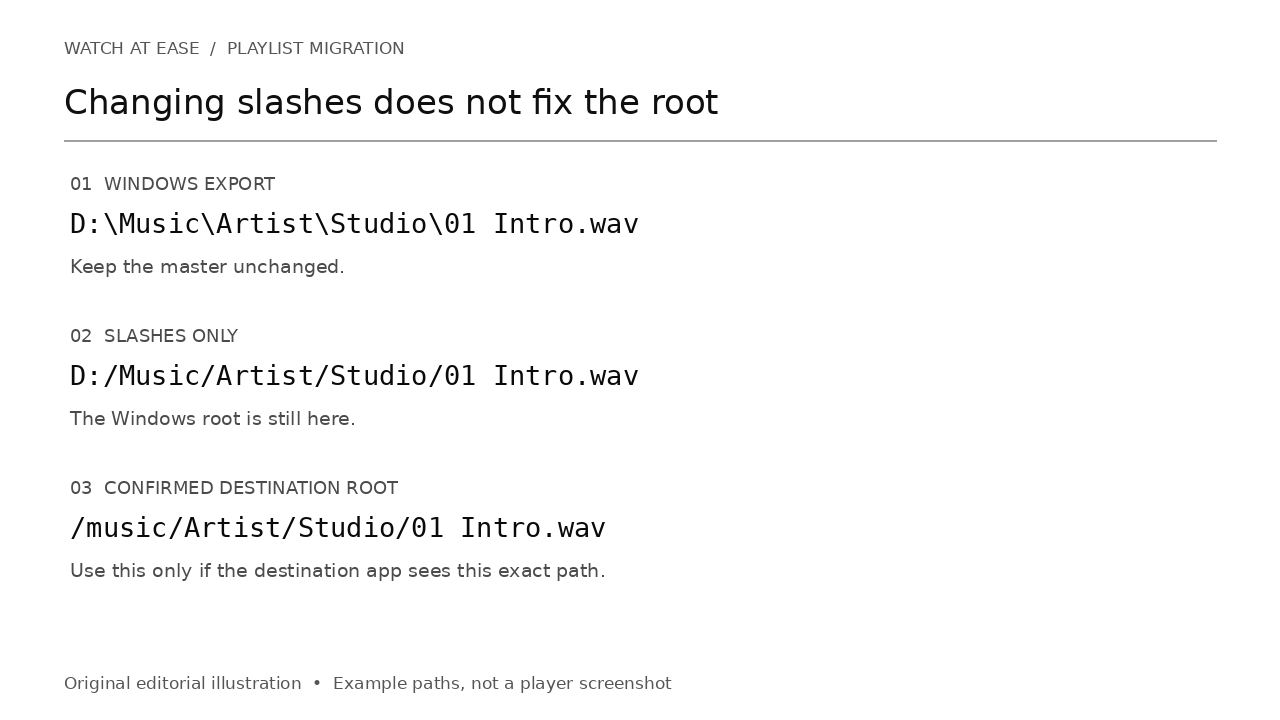
Use the path seen by the application that reads the playlist. A Windows share, the Linux host and a container can expose the same music under different names. For example, D:\Music\Artist\Studio\01 Intro.wav becomes D:/Music/Artist/Studio/01 Intro.wav after slash conversion. It still has a Windows root. If the destination reports /music/Artist/Studio/01 Intro.wav, the checked prefix is D:/Music/ and its replacement is /music/.
In a plain-text editor, change only the local track-path lines, preserving comments and each #EXTINF line with its following track. First convert their separators; then replace the confirmed leading prefix, including its ending slash. Preview every affected line. Do not globally replace the word Music, rewrite unrelated roots or change URLs and metadata. For a playlist spanning two old drives, establish two mappings rather than guessing one.
Relative paths depend on where the playlist lives
Artist/Studio/01 Intro.wav can work when mix.m3u8 sits in the music root. Move only that playlist into a Playlists subfolder and the same entry instead points under Playlists/Artist. When the destination resolves entries from the playlist folder, ../Artist/Studio/01 Intro.wav reaches back to the music root. Alternatively, keep the playlist in its original relative position while copying the directory tree.
Check the destination’s documented import rules before choosing relative or absolute output. WiiM’s USB-playlist guide specifically requires relative paths and UTF-8; that is not a universal Linux-server requirement. Save a new UTF-8 copy when your target supports it and verify accented filenames remain correct. Renaming an incorrectly decoded file to .m3u8 does not repair its text.
A found filename is not proof of the right recording
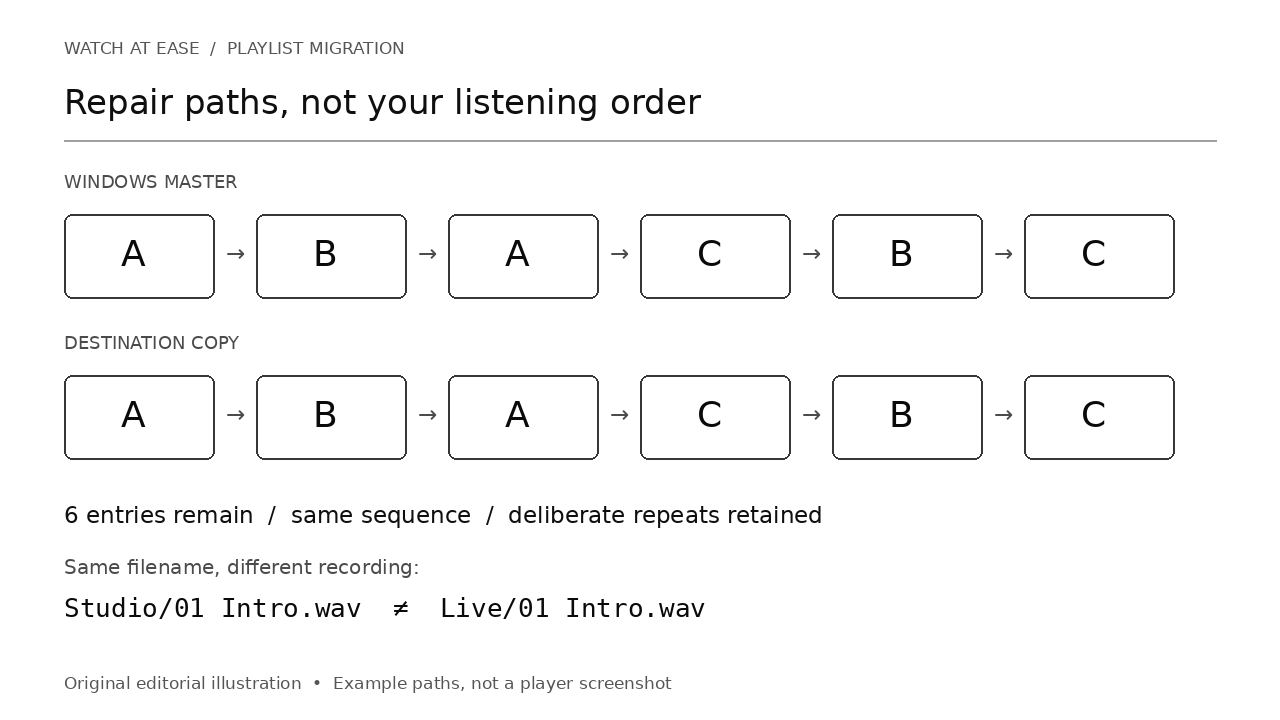
Do not strip everything down to filenames as the default repair. Artist/Studio/01 Intro.wav and Artist/Live/01 Intro.wav can both exist and contain different performances. Compare the full artist and album path, then listen to the selected recording. Where that cannot identify a unique original, leave the entry unresolved rather than substituting a convenient match.
Existing tools can help: X M3U Converter documents explicit path replacement and batch conversion; its missing-file relocation uses filenames and a closest-folder preference for duplicate names. ListPorter is specifically a Plex importer, supports explicit path mapping and stops when fuzzy matches collide. Its import mapping does not rewrite your original M3U files. Select the tool for your destination, not because it reports a large repaired count.
Verify the list, not just the first playable song
Compare the old and corrected lists in order. Every intended track entry should remain, including deliberate repeats. Leave sorting, deduplication, dropping missing entries and destructive mirroring disabled during a path-only repair. Check missing files, exact spelling and capitalization, and any duplicate filenames. Then import the small copy and inspect its entry count, sequence and repeated tracks; play samples from each mapped root and each ambiguous album.
We validated the path examples on a synthetic Linux filesystem with three generated WAV files referenced six times. Changing only slashes resolved zero of six Windows-root entries; exact root mapping resolved all six. Moving the relative playlist into a subfolder broke all six until the relative base was corrected. Sixteen assertions passed, including unchanged input and audio hashes, Unicode paths, metadata preservation and different audio behind two identical filenames. These are filesystem tests, not Emby, Navidrome, Plex or WiiM integration tests.
Keep one master and a repeatable destination copy
After the pilot passes, retain the unmodified Windows master, the destination copy and a short mapping note: old prefix, destination-visible prefix, playlist location, encoding and validation date. Apply the same reviewed mapping only to playlists with the same layout. Keep a list of exceptions; a renamed album or different mount point needs a new check.
A later Windows export may restore Windows-style paths. Generate or edit the destination copy again rather than overwriting the master or reorganizing your music to accommodate one importer. If exact paths exist but import still fails, preserve the failing copy and a redacted error example for that player’s support channel. Never hide an unresolved track by deleting its entry merely to make the import look successful.