Technology · PRACTICAL GUIDE
Terraform says “Error acquiring the state lock”? Prove the backend and owner before force-unlock
A lock error may mean a live writer, an abandoned lock, the wrong backend, or missing permissions. Preserve the lock record, identify its owner, and use the narrow recovery path.
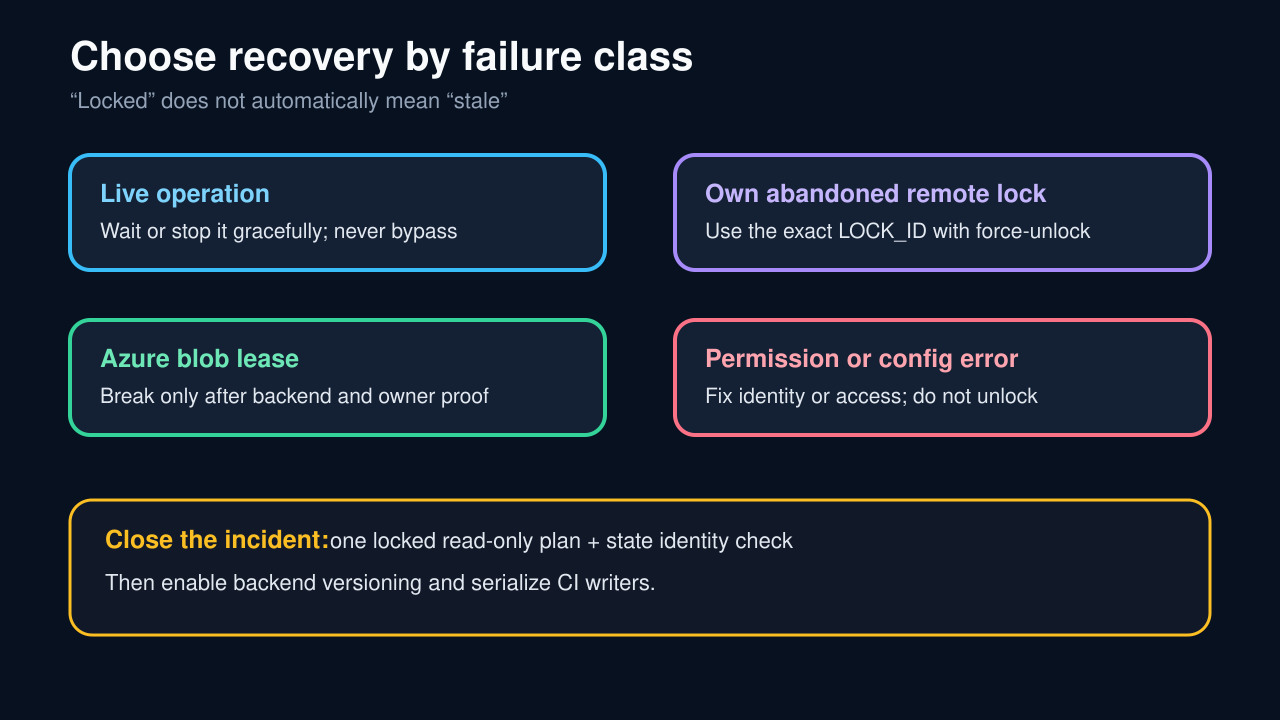
Terraform locks state to prevent concurrent writers. “Error acquiring the state lock” is therefore evidence of a safety boundary, not proof that a stale file should be deleted. The same message can come from a live terminal, a CI job, an interrupted remote session, the wrong backend or workspace, or permissions that prevent reading or removing the lock.
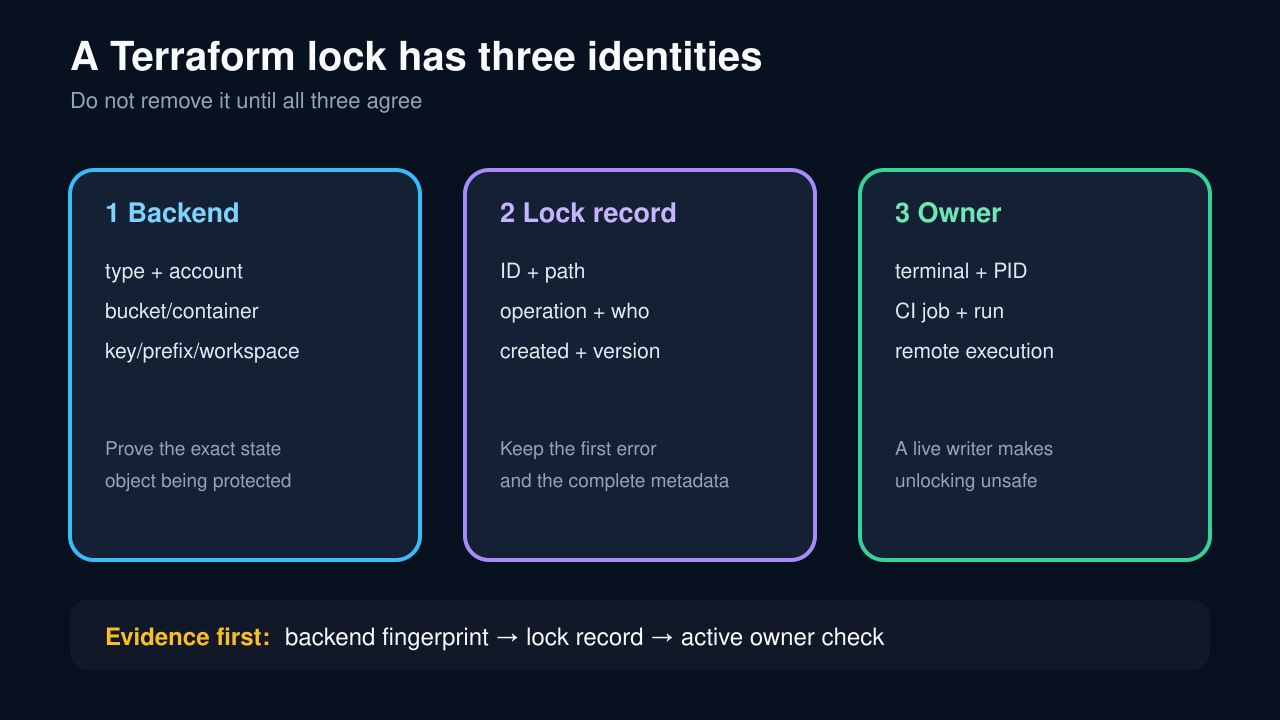
Preserve the complete lock record first. Then prove the effective backend, state object, workspace, and active owner. Only an abandoned lock for the same state should reach force-unlock or a provider-specific lease break; access and configuration errors need their own repair.
Freeze the complete error and lock record
Save the first error before retrying. Record Lock ID, Path, Operation, Who, Version, Created, and Info, plus the exact command, working directory, workspace, and Terraform version. Redact credentials, not identity fields.
A permission error, missing table, wrong key, empty metadata, and a conditional-write conflict are not interchangeable. Keep the backend’s full status code and resource name so the next step does not erase the cause.
Prove the effective backend and state object
Confirm the initialized backend from the actual working directory and configuration. Record backend type, account or project, bucket or container, key or prefix, and workspace. Do not assume a copied command or another checkout points to the same state.
For S3, distinguish the optional .tflock path from deprecated DynamoDB locking and verify lock-object permissions. For GCS, confirm bucket and prefix. For Azure, identify the exact state blob and lease.
Find a live owner before declaring the lock stale
Check local terminals and processes, CI jobs, queued retries, remote Terraform runs, and deployment concurrency. Match operation, user, creation time, workspace, and state path to the saved lock record.
If a writer is live, wait or stop it gracefully and let Terraform release the lock. Do not use -lock=false beside it; that removes the safety boundary without resolving ownership.
Separate stale locks from permissions and misconfiguration
A stale lock means the owning operation ended and automatic release failed. A wrong backend, local fallback, denied DeleteObject, missing lock table, or malformed metadata is a different failure and force-unlock may target the wrong place or fail again.
Reinitialize only after preserving the effective-backend evidence. Repair credentials and the minimum documented lock-object permissions without exposing secrets or granting broad access to the state file.
Use the narrow provider-aware recovery
For your own abandoned remote lock in the verified configuration, run terraform force-unlock with the exact LOCK_ID and keep confirmation enabled unless approved automation requires otherwise. The command removes a lock; it does not change infrastructure, but an incorrect unlock can permit another writer.
For Azure, Break lease only after the same backend and owner proof; the broken lease cannot be renewed and a break period may apply. Direct deletion of lock records is a last-resort backend-owner action, never a reason to delete state.
Verify state identity and prevent recurrence
Run one read-only plan with normal locking enabled. Confirm the same backend, workspace, state serial or version, and expected resources before any apply. Check backend versioning or recovery controls and preserve the incident ledger.
Serialize CI writers per state object, cancel superseded jobs safely, and make backend identity visible in pipelines. Closure is not merely “the command runs”; it is the same state accepting one locked reader without drift or a second owner.