Tech · PRACTICAL GUIDE
journalctl vacuum freed 0B? Rotate active journals and explain the size floor
Separate active from archived journal files, choose the cap that matches persistent or volatile storage, and verify why usage may remain above a requested target.
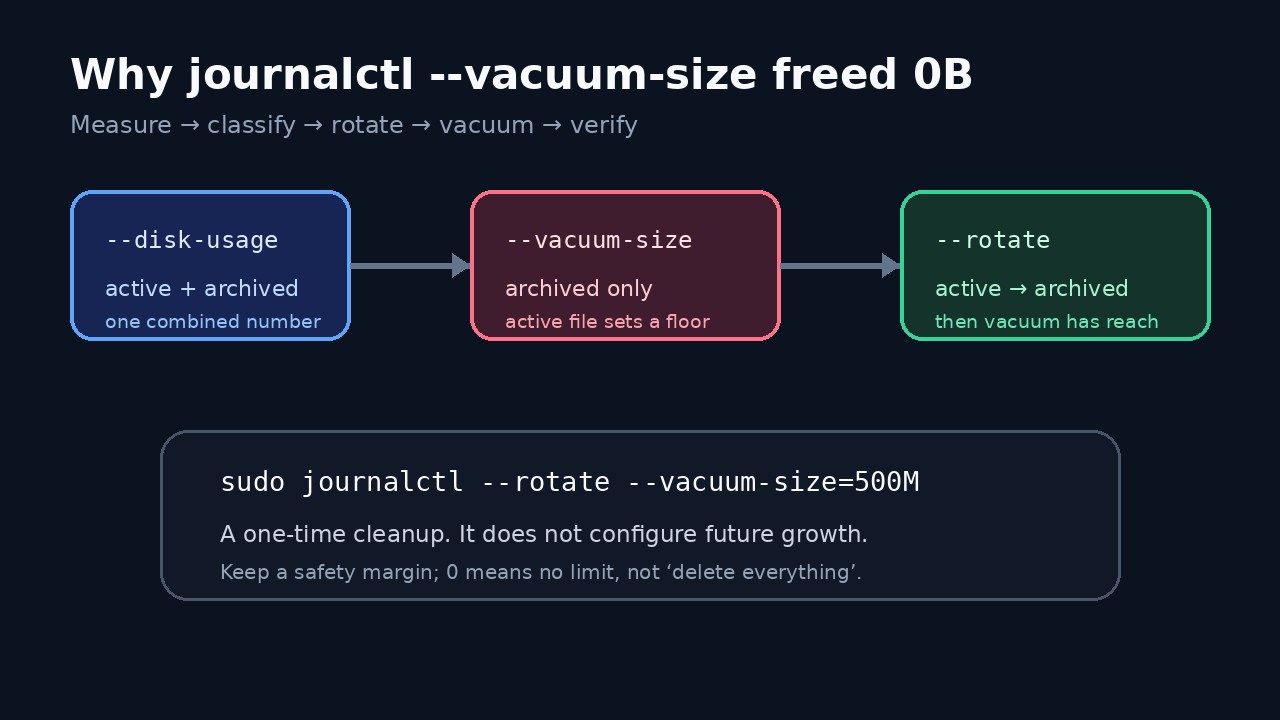
A successful journalctl vacuum can free 0B or leave disk usage above the requested size without being broken. The displayed usage includes active and archived journal files, while vacuum removes archived files only. Rotate first when you need a one-time cleanup to include data written so far.
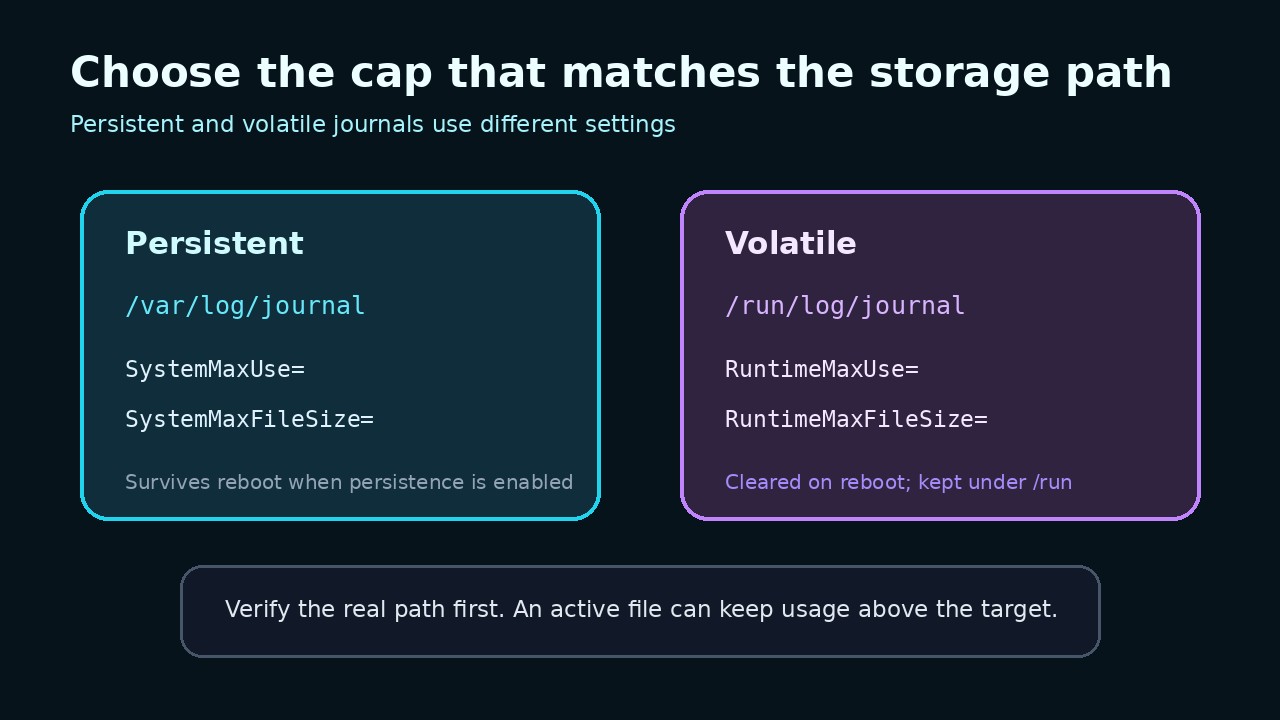
A one-time vacuum is different from a future storage cap. Persistent journals under /var/log/journal use System settings; volatile journals under /run/log/journal use Runtime settings. Even after a correct cap, one active journal and file-size granularity can keep the total above the nominal value.
1. Record the baseline before deleting anything
Run sudo journalctl --disk-usage and record the output. Then inspect both sudo du -sh /var/log/journal /run/log/journal 2>/dev/null and sudo journalctl --list-boots. The first command reports the journal view, while the directory check tells you whether the relevant store is persistent, volatile, or both. Do not infer the storage class from a distribution name alone.
Preserve logs needed for an incident, audit or support case before cleanup. This procedure manages local journal storage; it does not cover journal-remote retention, exported archives or copied files outside the active journal hierarchy.
2. Explain a 0B result before changing configuration
The upstream manual says --disk-usage includes active and archived files, but vacuum operates on archived files. If the store contains only an active file, a small target can still free 0B. The Server Fault example shows exactly that pattern and later frees space only after archived files exist.
Do not use --vacuum-size=0 as a shortcut. Current systemd documentation defines zero as no limit for that criterion. Choose a nonzero target that leaves enough diagnostic history for your system.
3. Perform a bounded one-time cleanup
To include data written so far, run sudo journalctl --rotate --vacuum-size=500M, replacing 500M with your reviewed target. Combining the switches rotates active files first and then vacuums archived files. Avoid deleting .journal files manually while journald is using them.
Run sudo journalctl --disk-usage again and record both the freed-byte message and the new total. Remaining space is not automatically a failure: a newly active file stays, and separate namespaces or stores may contribute.
4. Choose the correct long-term limit
For persistent storage under /var/log/journal, configure SystemMaxUse and, when tighter deletion granularity is needed, SystemMaxFileSize in a local journald.conf drop-in. For volatile storage under /run/log/journal, use RuntimeMaxUse and RuntimeMaxFileSize instead. SystemKeepFree and RuntimeKeepFree reserve free space; journald uses the smaller applicable limit.
Red Hat documents persistent journal enablement separately and verifies that /var/log/journal exists and contains files. On systems where Storage=auto is in effect, the presence of that directory matters. Follow your distribution configuration mechanism and validation tooling rather than copying a role-specific example blindly.
5. Apply and verify the configuration
After adding a local drop-in, validate the effective configuration with the tools available on your distribution, reload or restart systemd-journald according to its supported procedure, and confirm the expected storage directory. Then generate ordinary logs, wait for rotation as appropriate, and recheck disk usage. A syntax-valid file can still target the wrong storage class.
Test the steady state rather than only the immediate cleanup. Record the active file size, archived total, configured MaxUse and MaxFileSize, and free space. This distinguishes a real growth problem from the documented active-file floor or coarse file-size granularity.
6. Know what this result proves
A rotate-and-vacuum result proves only that eligible archived local journal files were considered under the selected criteria. It does not prove that every application log is stored in journald, that remote archives were pruned, or that a future cap is configured.
If usage still grows beyond the expected steady-state range, capture the actual directories, active and archived file sizes, journal namespaces, effective configuration and systemd version. Do not keep lowering the target until evidence identifies the component consuming space.