Technology · PRACTICAL GUIDE
rsync says “file has vanished”? Prove source churn before suppressing exit code 24
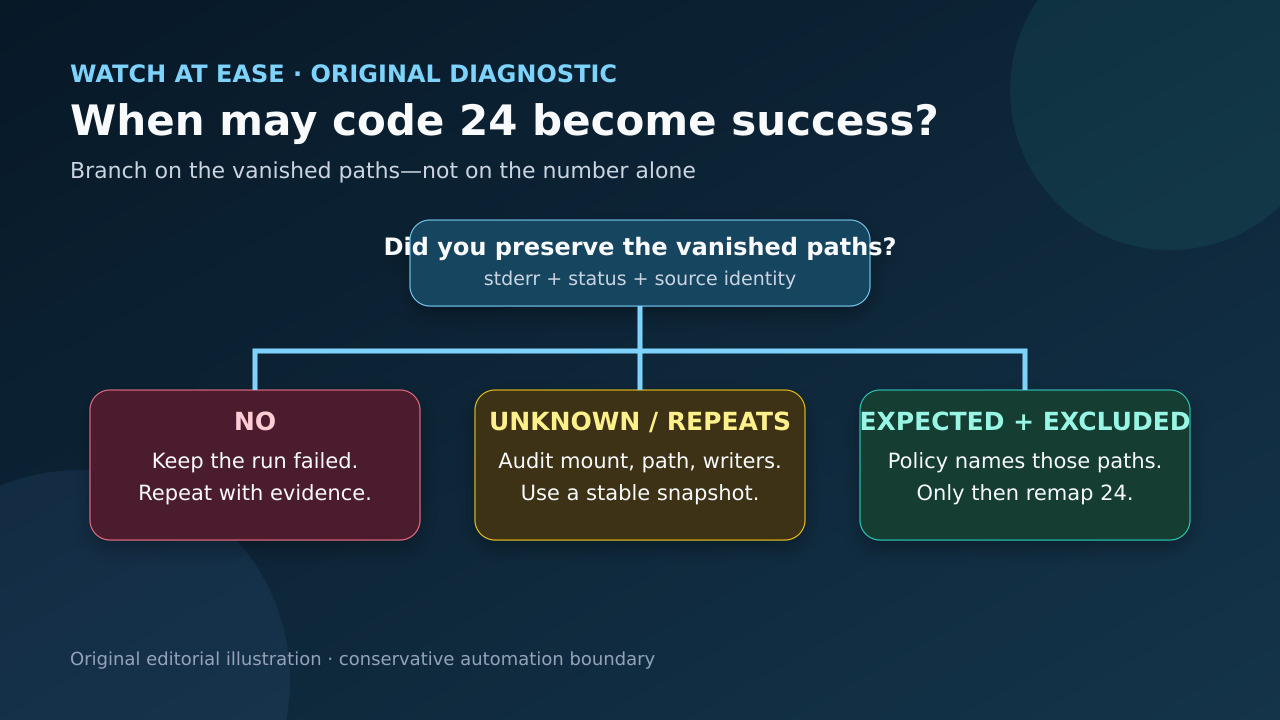
Keep the exact vanished paths, classify what created them, repeat the run against the same or a stable source, and remap code 24 only for an explicit ephemeral-file policy.
Exit code 24 is specific: rsync completed a partial transfer because source files vanished. That can be normal on a live tree, but the number alone does not prove the missing paths were disposable.
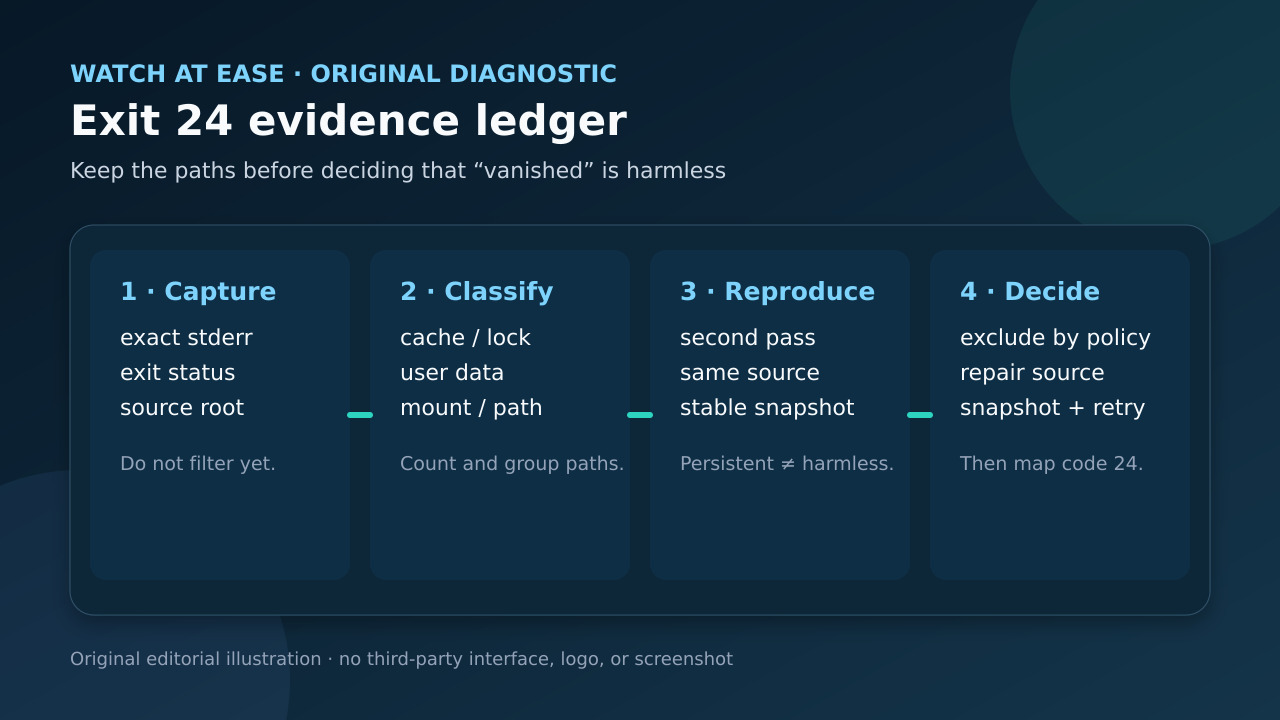
The safe order is evidence first, policy second. Preserve stderr and the exit status, classify the paths, repeat against the same or a stable point-in-time source, then decide whether to repair, exclude or narrowly downgrade code 24.
Capture the run before filtering it
Run the existing job once with stderr written to a dated log and save the shell status immediately. Keep the command, source root, destination, rsync versions on both ends and whether the source is local, NFS, a daemon module or a snapshot. Do not pipe through grep before status capture; a pipeline can replace rsync’s status unless the wrapper handles it deliberately.
Extract every “file has vanished” path into a separate list without deleting the original log. Count paths and group them by parent directory. This turns one alarming line into evidence: one rotating lock file, hundreds of user documents and an entire NFS subtree require different responses.
Classify each vanished path by ownership and value
Ask which process creates, renames or deletes each path, and whether the file is authoritative data, a recoverable cache, a transient lock, an inbox or spool item, or unknown. A filename ending in .lock is a clue, not proof; document the application rule that makes it disposable.
Check whether ordinary files still exist at the source after the run. When many stable paths vanish after a time threshold, verify mounts, permissions, source identity and remote service health before changing exclusions. Persistent or broad patterns are a source-integrity incident, not harmless churn.
Repeat with a stable boundary
Repeat the same command while keeping the source as quiet as operationally possible. If the same important paths recur, stop treating the event as random. For a mutable filesystem, run rsync against an appropriate point-in-time snapshot or application-consistent export rather than trying to freeze arbitrary live services.
A filesystem snapshot preserves a block-level point in time, but applications may still require their own flush, dump or snapshot procedure. Monitor snapshot capacity: Red Hat documents that a full copy-on-write snapshot becomes invalid. Copy the snapshot to separate backup media; the snapshot itself is not the backup.
Choose repair, exclusion or a narrow wrapper
Repair the source path, mount or application workflow when important or unknown paths vanish. Exclude a directory only when its contents are intentionally reconstructible and the exclusion is documented. Prefer application-supported dumps or immutable handoff directories for databases, mail and job spools.
The upstream FAQ’s wrapper maps only status 24 to zero and preserves every other status. Use that pattern only after the path audit proves the remaining vanished set is expected and covered by policy. Never turn all nonzero rsync statuses into success, and do not delete the evidence from logs.
Close with a two-pass acceptance test
Run the final job twice: once from the normal schedule and once from the stable source path or snapshot. Record transferred totals, vanished paths, exit status and the destination verification you actually use. Expected ephemeral paths should be few, named and stable as a class; important paths must not disappear.
The exit test is explicit: code 0 passes; code 24 passes only with a complete approved vanished-path set and no other diagnostic; unknown, repeated ordinary data, a broken snapshot, an inaccessible mount or any other rsync error keeps the job failed and triggers investigation.