Technology · PRACTICAL GUIDE
Python SQLite backup hangs? Check both connections before committing
Separate a pending source write, an active destination and external contention; a transaction flag alone cannot identify the repair.
A Python SQLite backup can keep retrying without raising the familiar database-is-locked exception. Adding commit() may make one example work, but it can also publish application changes that the backup helper does not own. Start by identifying the source, destination and unfinished work.
Our 12 small controls distinguish a stalled copy from an immediate destination refusal and a successful read transaction. They also show why in_transaction=True is evidence to investigate, not an instruction to commit or a universal reason to reject a backup.
1. Record the two roles before changing transaction state
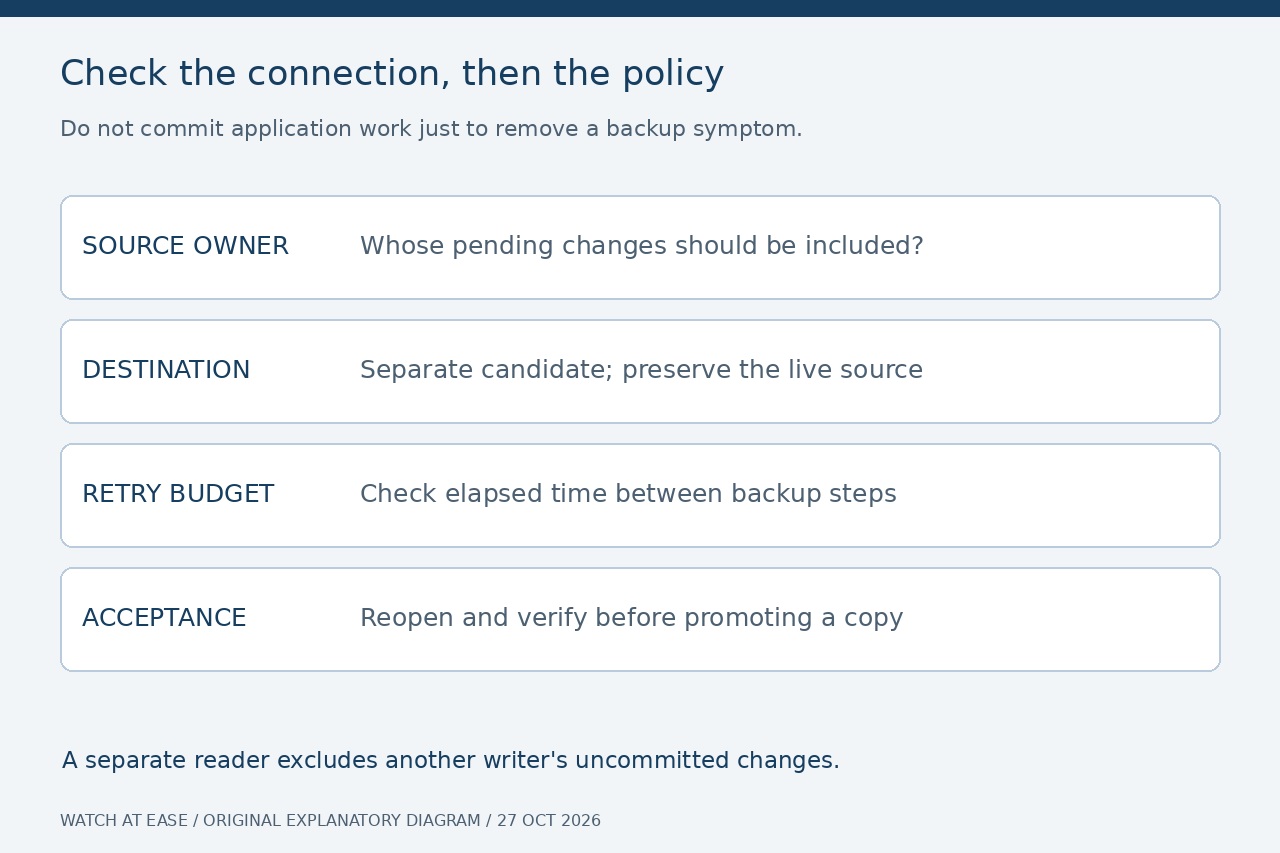
Record Python and sqlite3.sqlite_version, the exact call, both database paths, and each connection’s autocommit, isolation_level and in_transaction. Identify the last SQL statement and transaction owner on each handle. Use a separate, uniquely named candidate destination; never point the backup at the live source or an existing backup you need to retain.
Capture whether failure occurs before the first progress callback or after repeated callbacks. Keep status, remaining pages and total pages together. Do not issue queries on the destination while backup is running: SQLite explicitly restricts use of that handle during the operation. A zero remaining count accompanying a busy status is not proof of completion.
2. Do not turn a Boolean flag into a diagnosis
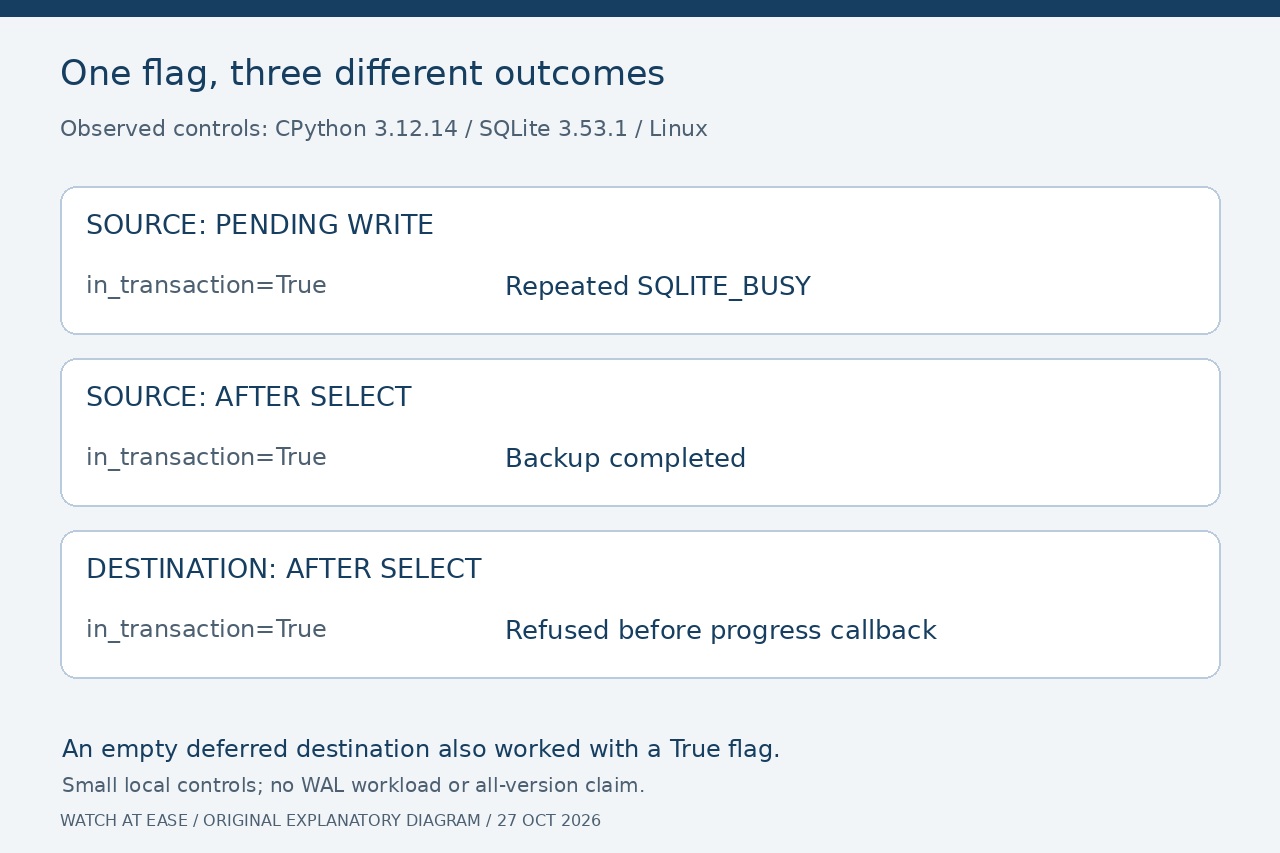
With CPython 3.12.14 and SQLite 3.53.1 on Linux, an uncommitted INSERT on the source produced repeated status 5, SQLITE_BUSY. Our diagnostic callback stopped it after three attempts. Once the test’s transaction owner deliberately committed, the same source copied successfully. A separate exclusive lock also produced status 5, so that number alone did not identify the owner.
With autocommit=False, both an empty deferred source transaction and a source transaction that had read the table copied successfully while in_transaction stayed True. A new destination in that mode also worked before it read anything; after a SELECT, another backup raised “destination database is in use” without invoking progress. A destination with a pending write was refused too. The connection’s role and actual work matter more than the flag alone.
3. Choose whose data the backup must contain
If pending source writes belong in the backup, let the application’s transaction owner finish its intended unit before retrying. Do not commit from a generic helper merely to remove a symptom. Python documents that setting autocommit=True commits a pending transaction; changing this attribute on an existing application connection is therefore a real data decision.
For a file-backed database, a dedicated read-only connection can instead copy committed data without committing the writer. Our separate-reader control backed up row 1 while the writer still saw its uncommitted row 2. That success intentionally excluded row 2. Another connection to plain :memory: is a different database, so this alternative does not transfer automatically to an in-memory source.
4. Bound retries in the backup callback
The tested CPython implementation loops on SQLITE_OK, SQLITE_BUSY and SQLITE_LOCKED. Its backup progress callback runs after each step; an exception from that callback finishes and abandons the operation. A connection’s lock timeout does not set an overall backup deadline. Use backup(progress=...), rather than confusing it with the separate SQL execution progress handler.
For a total elapsed-time policy, record a deadline with time.monotonic() before the call. In the callback, record the three arguments and raise TimeoutError when the deadline has passed and status is not SQLITE_DONE. Keep that deadline fixed if successful-but-restarting work must also be bounded. Our locked-file control, with connection timeouts of zero and a 0.03-second callback budget, raised after about 0.03 seconds. This is a cooperative check between steps, not a hard real-time limit on a stalled system call.
5. Keep cancellation separate from an accepted backup
After any refusal or callback exception, close the dedicated handles and keep the candidate outside the usable backup set. Do not promote it because a file exists, a callback ran or an error was caught. For a successful call, close the destination and reopen that exact candidate to check integrity and the application data you require; the linked acceptance guide covers that later stage.
Our controls used tiny local and in-memory databases with rollback journaling; they did not test WAL write churn, network filesystems, ORMs or every Python release. An independent Hermes report led to an August 16, 2026 fix that bounds consecutive busy retries; its application-specific policy is not a universal deadline. Preserve the source and choose an explicit completion policy before scheduling another attempt.