Technology · PRACTICAL GUIDE
SQLite backup completed? Reopen and verify the snapshot before rotation
A completed backup call proves that bytes were copied, not that the candidate satisfies your restore contract. Reopen the exact file, run SQLite and application checks, promote it safely, and only then rotate the previous known-good snapshot.
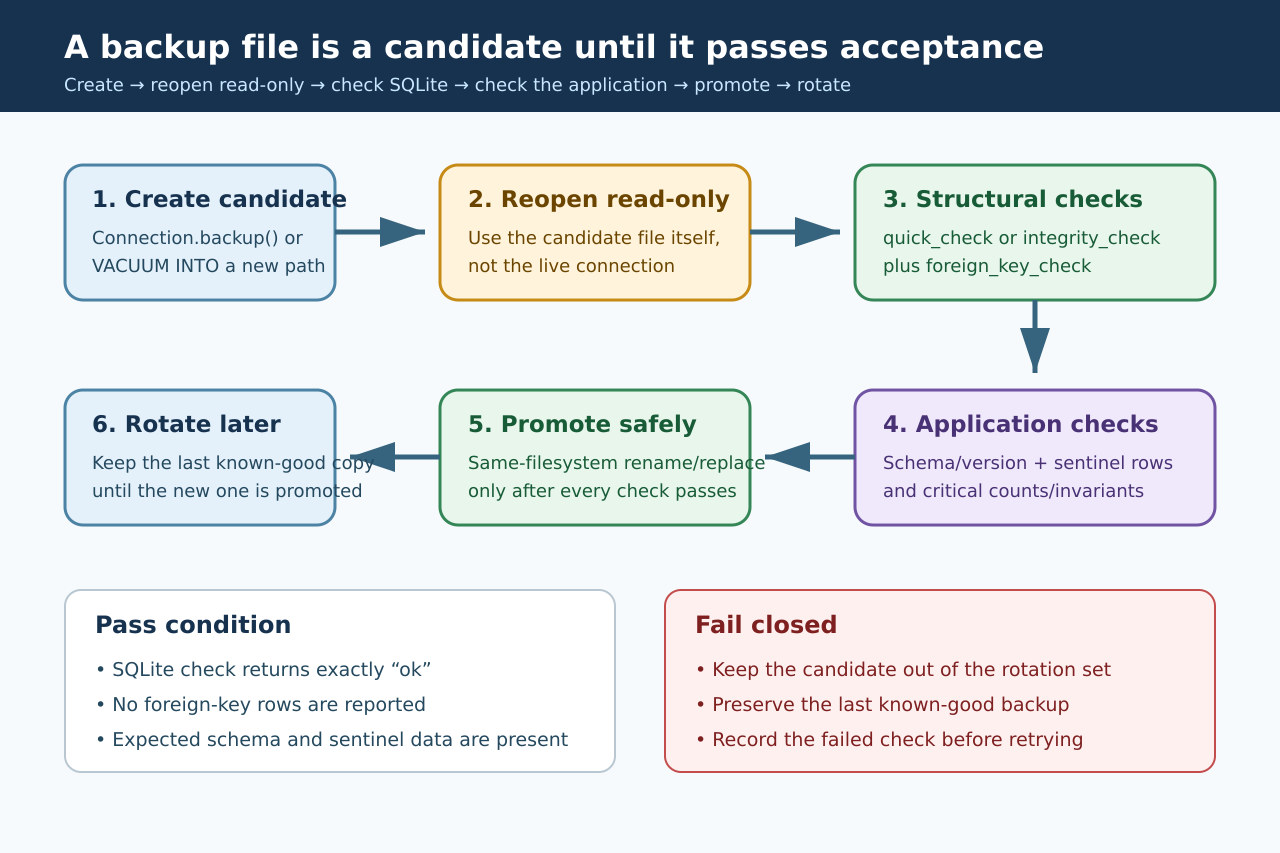
A successful SQLite backup call is the start of restore acceptance, not the end. Create to a unique candidate path, close the destination cleanly, and then reopen that exact file read-only so no check silently targets the live database.
The acceptance gate needs both engine-level and application-level evidence. Promote the candidate only after all checks pass on the intended filesystem, and keep the previous known-good backup until the promoted file has been reopened successfully.
1. Create a candidate, not the final rotation target
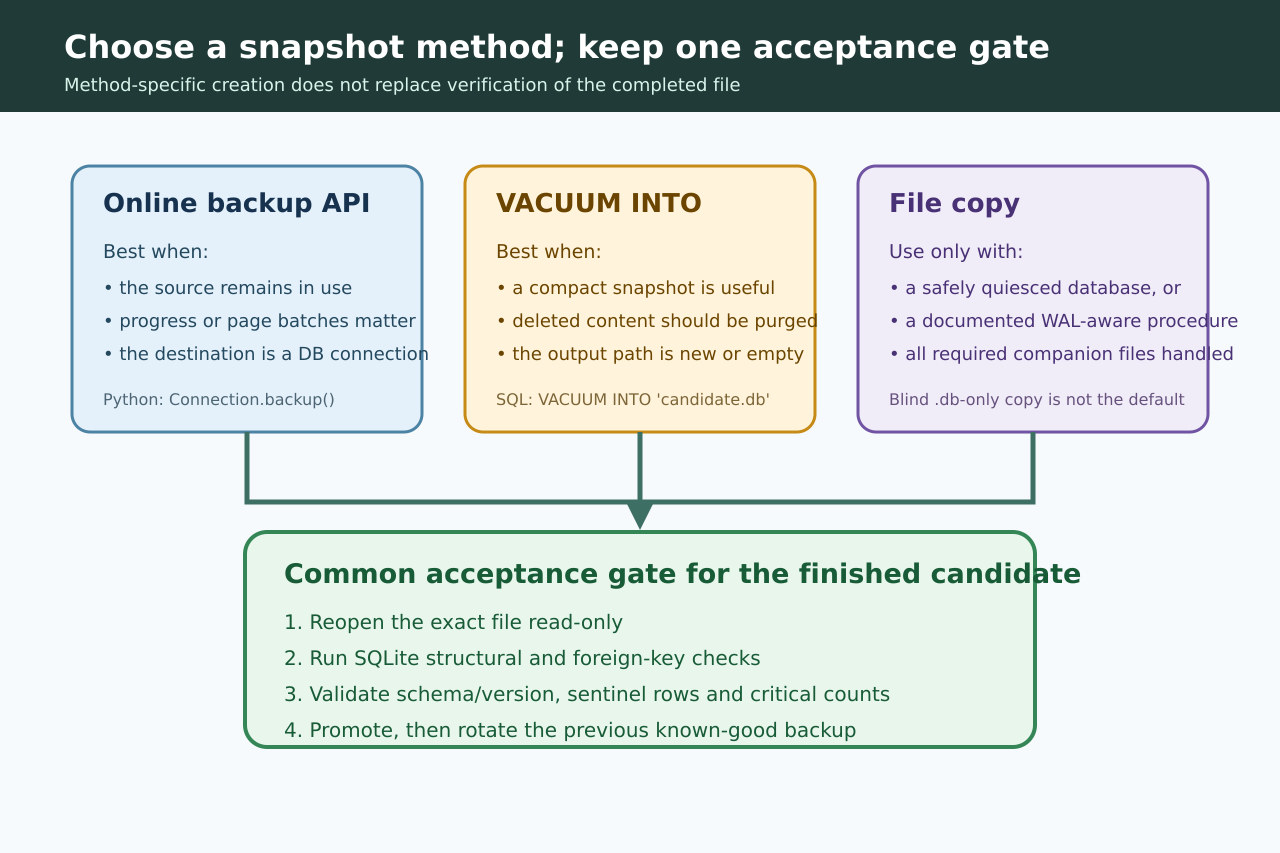
Use SQLite’s online backup API when the source stays open or when progress and page batches matter. Python exposes it as Connection.backup(). VACUUM INTO is another consistent live snapshot path and produces a compact copy with deleted content purged, but its output file must be new or empty. SQLite also warns that an interrupted VACUUM INTO can leave an incomplete or corrupt file.
Write to a unique candidate in the directory where it will be promoted. A blind copy of only the main .db file is not the default for an active WAL database. If an operational procedure uses file copying, it must deliberately quiesce the database or account for every required companion file.
2. Reopen the exact candidate read-only
Close the destination connection, then open the candidate itself with a read-only URI. Do not run the acceptance queries through the source connection or a path alias that could resolve to the live database. Record the candidate path, size, hash, SQLite and Python versions, creation method and creation result before promotion.
In our CPython 3.12.14 and SQLite 3.53.1 Linux fixture, Connection.backup() produced a candidate that reopened read-only. The test later reopened the promoted file as a separate step. That distinction catches path mistakes that an in-memory success flag cannot.
3. Combine structural, foreign-key and application checks
Require PRAGMA quick_check to return exactly one row containing ok, or use the more thorough PRAGMA integrity_check when the longer scan fits the runbook. Neither result verifies foreign keys: SQLite explicitly says integrity_check does not find foreign-key errors, so run PRAGMA foreign_key_check separately and require an empty result.
Then test the restore contract your application actually needs: expected user_version or migration table, required tables and indexes, a known sentinel record, critical row counts or invariants, and a representative read. Our four-row fixture returned quick_check=ok, no foreign-key rows and sentinel=(sentinel, 3). A copy with a deliberately damaged 16-byte header was rejected on reopen with “file is not a database.”
4. Promote first; rotate the old copy last
If any check fails, keep the file outside the rotation set, preserve the previous known-good backup and log the exact failing query. Do not repair the candidate in place and call it accepted; create a fresh snapshot so provenance stays clear. A green structural check is also not proof that business data is complete, current or semantically correct.
After every check passes, promote with a same-filesystem rename or replacement. Python documents os.replace as atomic when successful but notes that it may fail across filesystems. Reopen the promoted path and repeat the minimum sentinel check before deleting or aging out the previous backup. Periodically prove the entire restore path in an isolated environment; this file-level gate is necessary, not a substitute for restore drills.