Technology · PRACTICAL GUIDE
OpenSSL says wrong version number? Prove the port, protocol and proxy path before changing TLS
Capture the exact route and first bytes, then distinguish plaintext, a wrong port, an HTTP proxy, STARTTLS, interception or corrupted framing before changing versions or certificates.
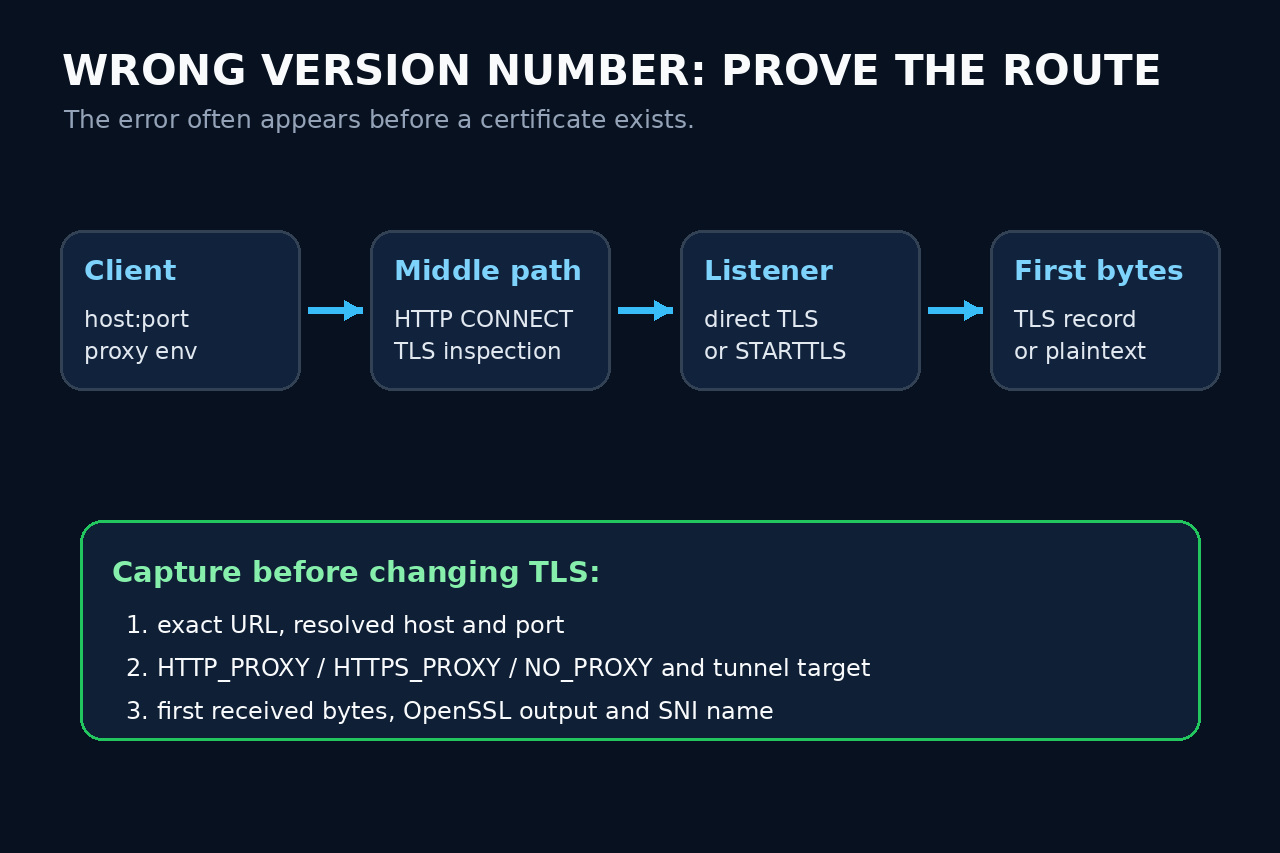
“Wrong version number” is a record-layer clue, not proof that the peer supports only an older TLS version. It often appears before the peer sends any certificate because the first bytes do not have the shape OpenSSL expects for a TLS record.
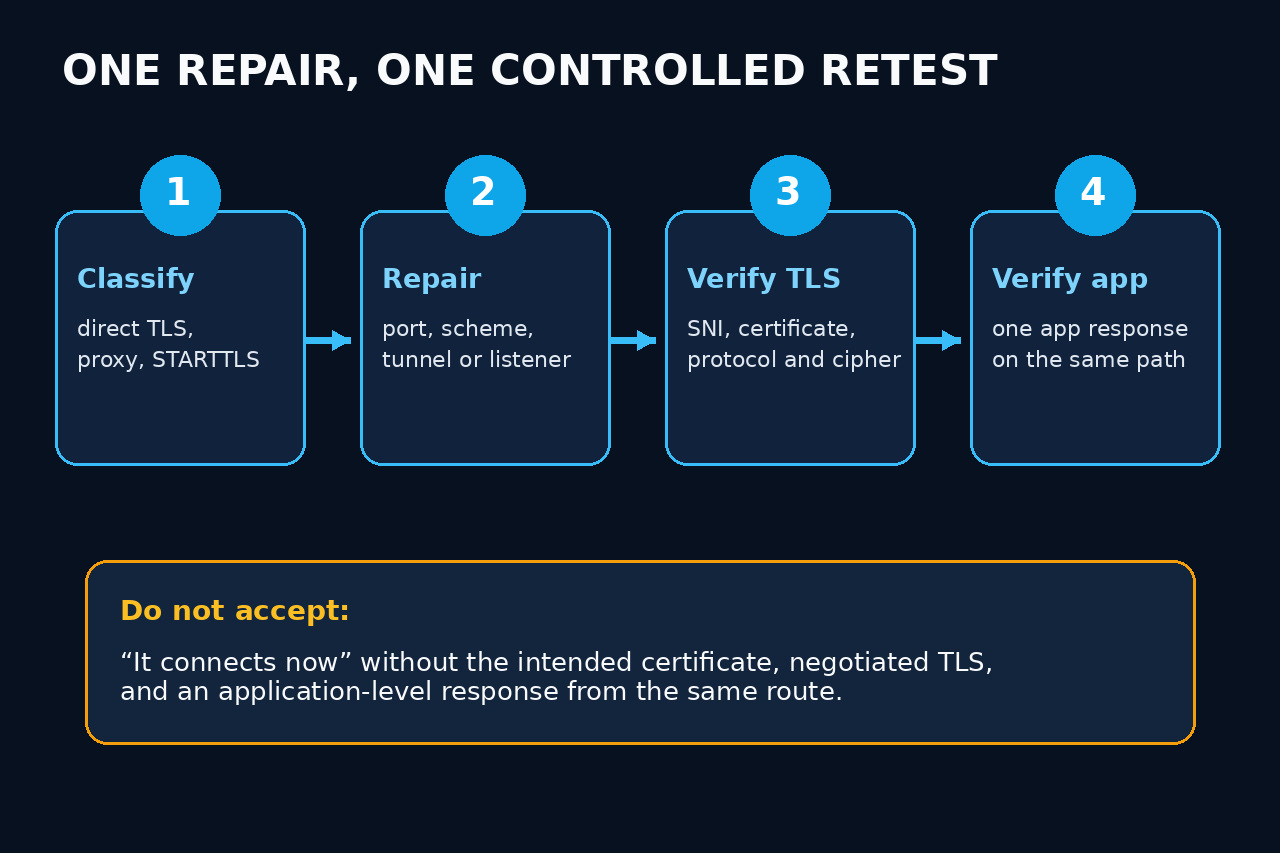
Preserve the exact URL, host, port, proxy environment and error output. Then test the same route as direct TLS, HTTP CONNECT or the correct STARTTLS protocol. Repair one boundary and require both TLS identity and an application response before closing the incident.
Freeze the exact route and error
Record the application, OpenSSL version, full destination URL, resolved address, port, proxy variables, NO_PROXY decision and whether a service mesh or TLS-inspection device is in the path. Preserve the complete first failure before retrying.
Note whether a peer certificate was displayed. If the transcript says no peer certificate and only a few bytes were read, do not begin with trust-store work: the failure likely precedes certificate verification. Never publish proxy credentials or packet captures containing secrets.
Classify direct TLS, CONNECT and STARTTLS
For immediate TLS, test the exact host and port with openssl s_client -connect host:port -servername host -brief. The SNI name belongs to the intended virtual host even when you connect to a specific IP for comparison.
For an HTTP proxy, s_client can issue CONNECT with -proxy host:port. The proxy endpoint is often plain HTTP even when the target is HTTPS. For SMTP, IMAP, POP3, FTP, LDAP, PostgreSQL and other upgrade protocols, use the matching -starttls mode instead of sending a ClientHello to a plaintext greeting port.
Read the first response as protocol evidence
A TLS record has a defined header and handshake sequence. An ASCII HTTP status, SMTP banner, proxy block page, product error word or other plaintext response proves that something before the intended TLS endpoint answered first. Preserve a short redacted hex and text sample.
Map that response to the owner: wrong listener, reverse-proxy port, health endpoint, sidecar, outbound proxy, inspection gateway, redirector or application protocol. If bytes change across networks, compare routes; do not call intermittent success a version fix.
Repair only the proven boundary
Correct the scheme or port, proxy endpoint and CONNECT policy, STARTTLS mode, load-balancer listener, upstream mapping or application framing that the evidence identified. Do not force obsolete TLS, weaken ciphers or disable certificate verification to make a non-TLS peer look compatible.
If the first bytes are valid TLS records but negotiation fails later, open a separate TLS case using the actual alert, supported-version, cipher, certificate or SNI evidence. Keep that later failure distinct from wrong-version-number at the record boundary.
Require same-path TLS and application acceptance
Retest from the original runtime and network path. Record the intended certificate identity, successful hostname verification, negotiated protocol and cipher, SNI, proxy or STARTTLS mode, and the remote address. s_client is diagnostic; an application must still enforce verification.
Finally request one harmless application-level response: an HTTP status from the intended virtual host, an SMTP or IMAP capability line after STARTTLS, or a database protocol response. A connection that merely stops showing the old string is not accepted. Preserve the route ledger for the next proxy or listener change.