Technology · PRACTICAL GUIDE
npm ENOENT: prove the package.json path before creating a new file
Preserve the exact error path and caller directory, then distinguish a missing checkout file from the wrong root, workspace or launcher. Local controls show why a blank manifest is not a fix.
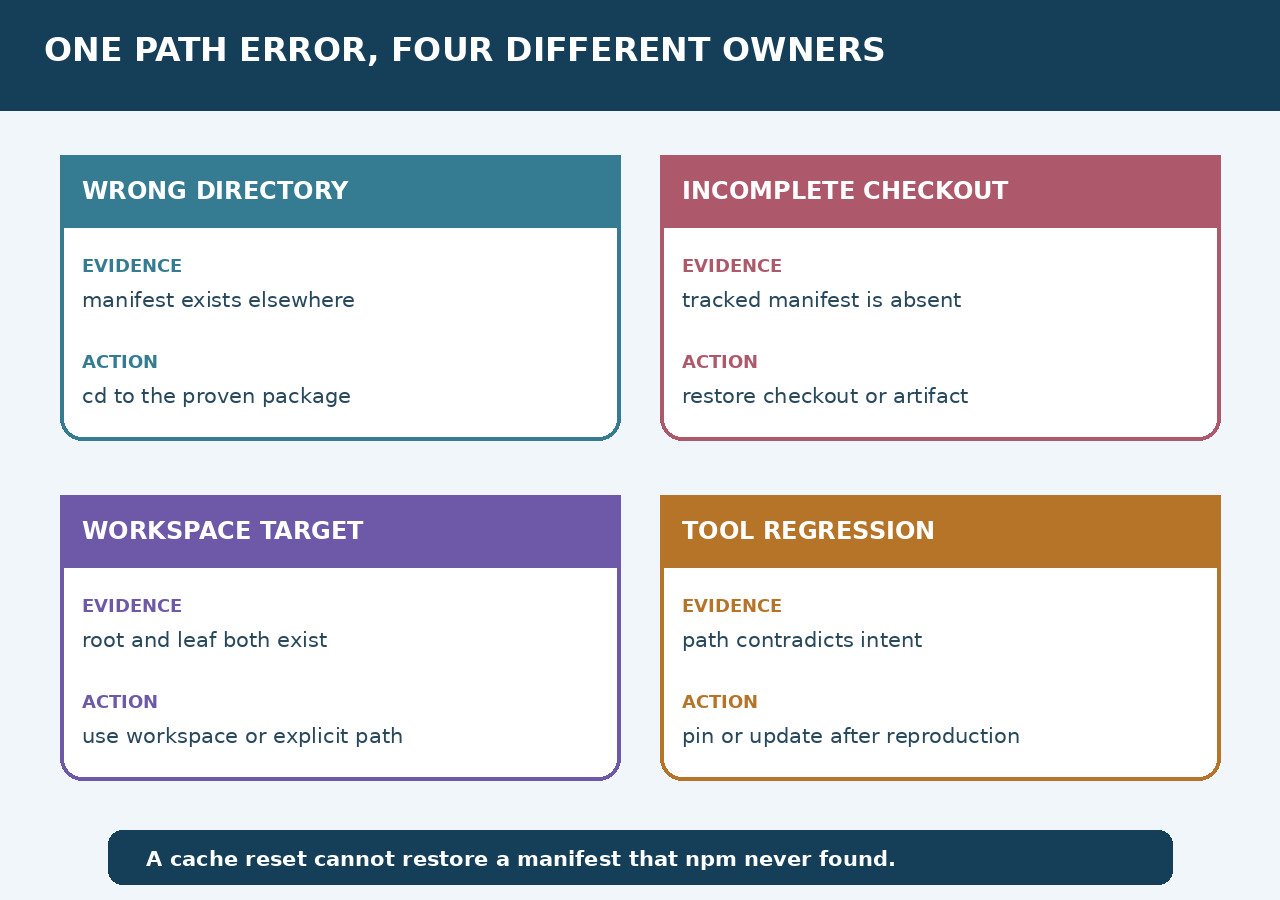
When npm reports ENOENT for package.json, first preserve the path it tried to open. A missing pathname component can reflect the wrong directory, an incomplete checkout or a different package target. The message alone does not choose a repair.
Our isolated Node v24.19.0/npm 11.9.0 controls distinguished root and workspace scripts, an absent tracked manifest and an unrelated empty manifest. Ten checks passed. They illustrate a path-first audit; they do not reproduce the historical Windows --prefix issue or prove that an install or CI build will pass.
Preserve the failing path and caller
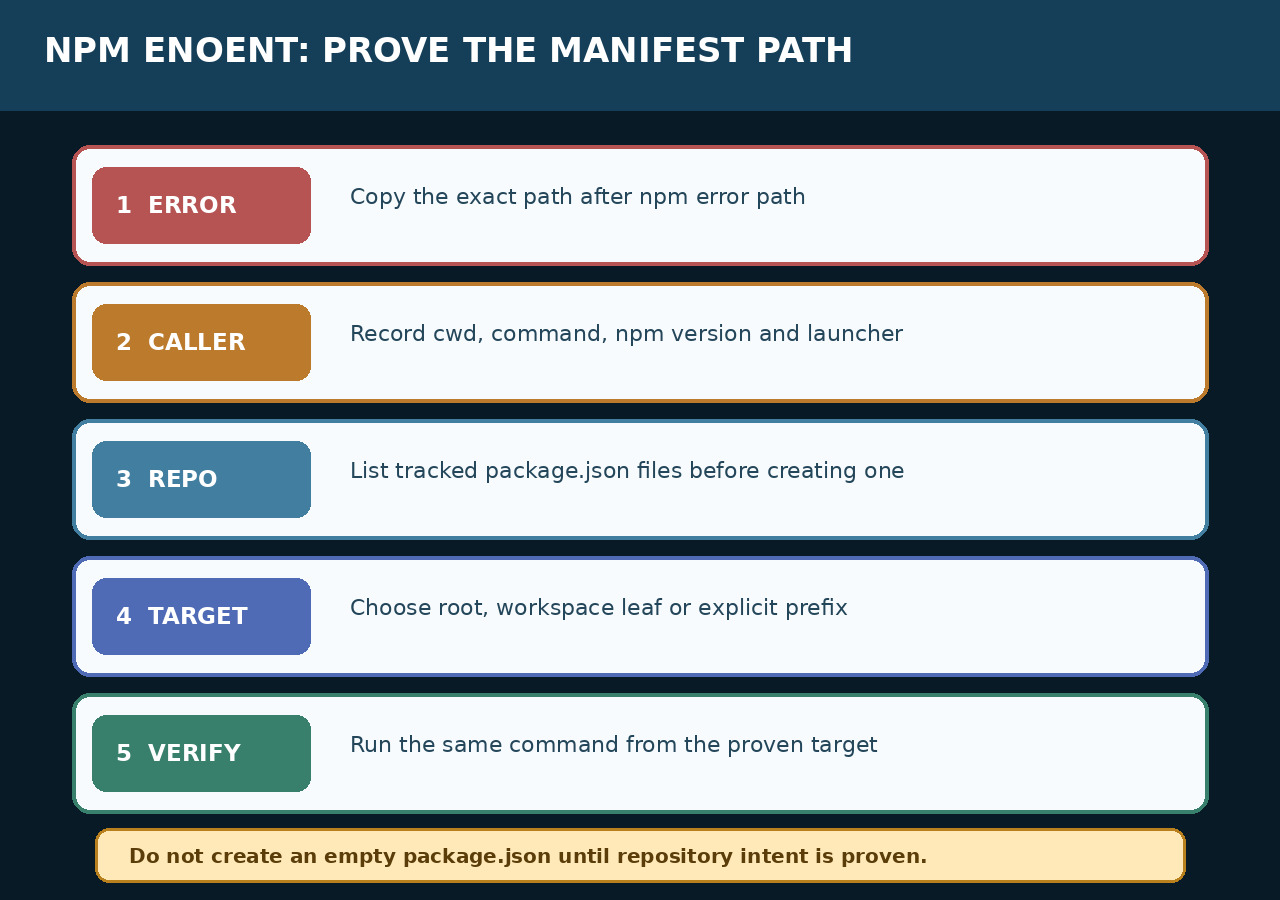
Copy code, syscall, path and the complete command before editing files. Record the directory from which the caller starts, Node/npm versions and the IDE task, CI step or service that launches npm. Preserve drive letters, container paths and symlink context; shorten or redact private path details only in a shareable copy.
Compare the log with the intended repository and package. npm's script working directory can differ from its initial caller directory: our explicit-prefix probe ran the root package script while INIT_CWD retained the parent directory. A script's cwd therefore cannot by itself reconstruct where the original command began.
Map manifests before creating one
At the known repository root, compare tracked package.json paths, the selected commit and the actual working files with the error path. In Git, git ls-files -- package.json ':(glob)**/package.json' lists tracked root and nested manifests; run it from that root. A listed path is index evidence, not proof the file currently exists or contains the expected bytes.
If the current checkout or artifact should contain the missing manifest, preserve local changes and restore the intended file through the project's normal process. Do not run npm init simply to silence this incident. In our own fixture, Git still listed package.json after we removed its working copy; restoring its original bytes let the intended script run.
Choose the root or an actual workspace
Read the root workspaces configuration and each relevant child manifest. Workspace selectors can use a declared package name or a path; the last folder segment is not necessarily the package name. npm's v11 guide documents that starting inside a workspace selects its context and sets prefix to the workspace root.
Our root package declared packages/a, whose manifest name was fixture-a. npm run probe --workspace=fixture-a selected the leaf script, as did running probe inside that leaf. The guessed selector --workspace=a instead reported No workspaces found, not ENOENT. Preserve a new error as a different branch rather than forcing it into the missing-file diagnosis.
Compare invocation routes and version scope
Use a small authorized reproduction to compare the original launcher with entering the verified package directly, an explicit workspace selector, or the original prefix route. Print initial and effective directories and capture the resolved manifest where the tool exposes it. Change one route at a time; do not reset caches or replace the manifest during the comparison.
The public npm issue 7722 records Windows --prefix install failures with specific older npm versions and reports of cd or ci workarounds. It closed as not planned; that state does not certify every affected version fixed. Our Linux npm 11.9.0 --prefix project run probe control succeeded, but it was a script probe, not Windows npm install, dependency resolution or a production regression test.
Repair the demonstrated cause
Wrong directory: target the intended package. Missing tracked file: repair the checkout or artifact. Wrong launcher cwd: set that task's directory explicitly. Wrong workspace selector: use its verified name or path. A version-dependent tool problem needs a minimal reproduction and a bounded version/workaround decision, rather than applying an old issue's workaround to every ENOENT.
The empty-directory and absent-tracked-file probes both failed with the exact missing package.json path. Putting {} in the empty directory made that path readable but produced Missing script: probe. It did not recover the intended scripts or dependencies. The control demonstrates why removal of one error message is a weaker result than restoring the intended project.
Require the original workflow to pass
Return to the original launcher and repeat the original install, ci or script action under the intended versions and workspace target. Preserve caller directory, manifest identity, exit status and the expected output or project checks. A different command that exits successfully is useful comparison evidence, not automatically completion of the failed workflow.
Our ten checks used only newly created local fixtures on Linux, Node v24.19.0 and npm 11.9.0. They ran controlled probe scripts and tracked-file checks without dependency installation or network access. No Windows, IDE, CI service, private repository or historical --prefix regression was reproduced. The linked npm v11 documentation is a versioned branch marked Legacy, not a claim about the newest CLI.