Technology · PRACTICAL GUIDE
NGINX says “upstream sent too big header”? Identify the protocol and header owner before raising buffers
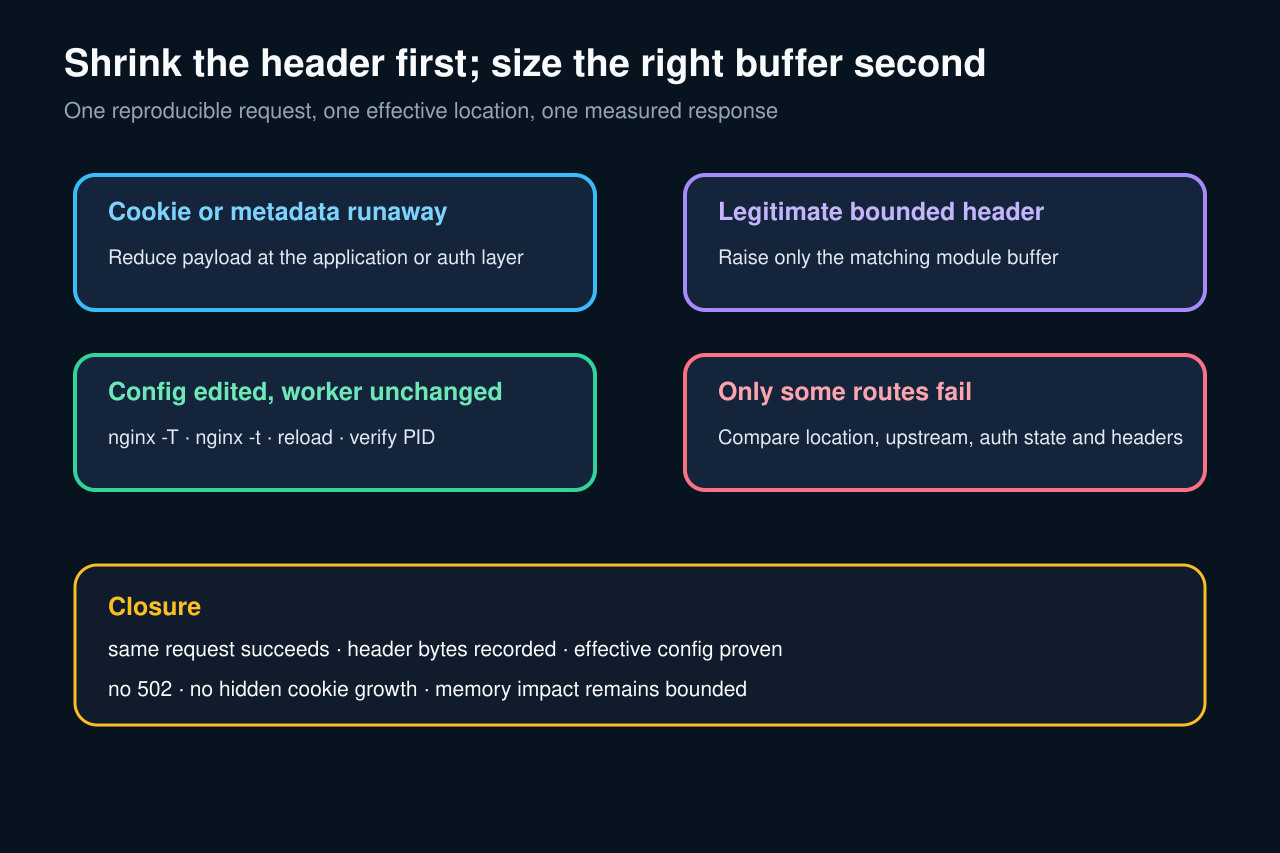
Prove whether the route uses proxy, FastCGI, or uWSGI; measure the actual response headers; reduce runaway cookies or metadata; then size only the first-response buffer that owns the failure.
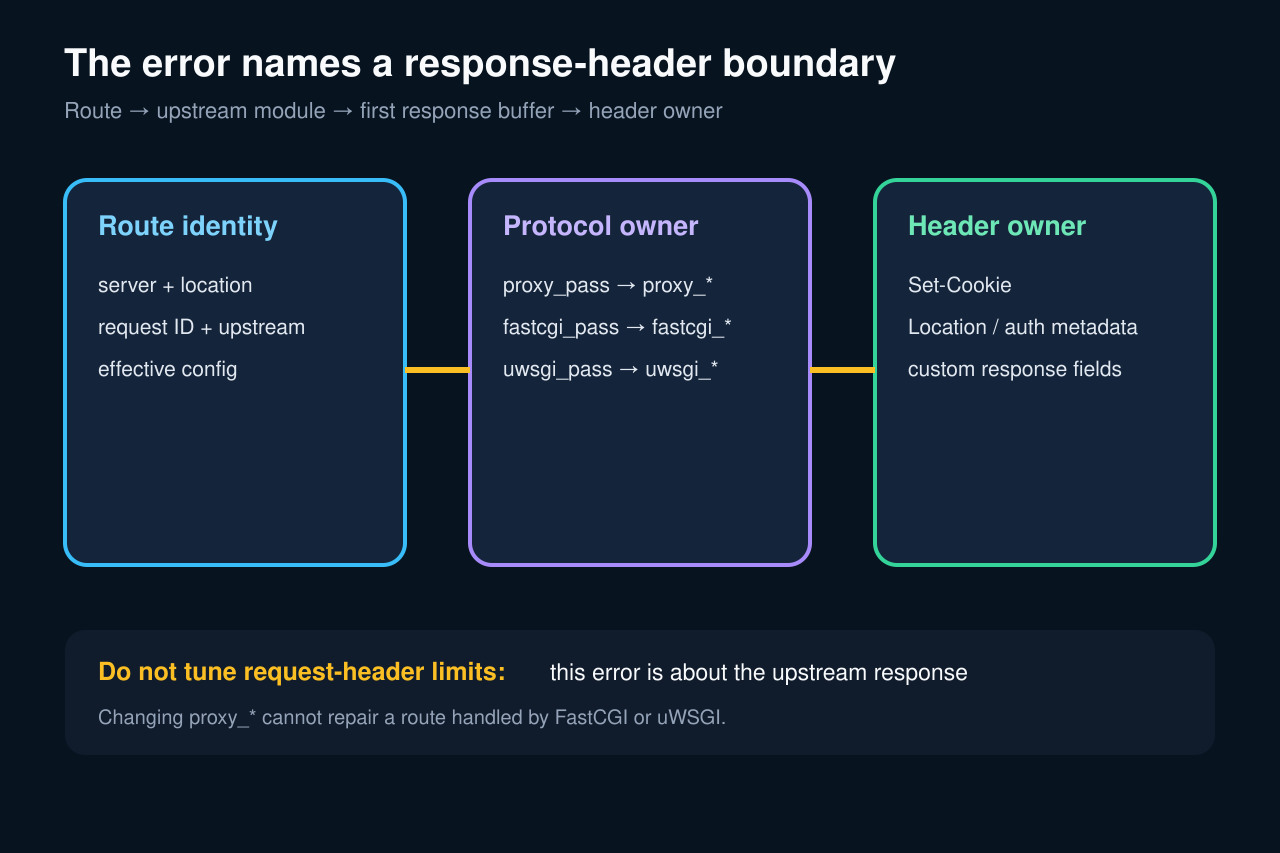
This NGINX error means the first response from an upstream did not fit the buffer owned by the active upstream module. It does not say that an upload is too large, and it does not prove that every response buffer should be increased.
The safe sequence is to preserve one request, print the effective location, identify proxy versus FastCGI versus uWSGI, measure response-header bytes, reduce runaway cookies or metadata, and size only the bounded field that remains. Then reload the actual worker and replay the same route and authentication state.
Preserve one failing request and print the effective route
Save the complete NGINX error line, timestamp, request ID, host, URI, status, upstream address and worker PID. Correlate it with access, upstream application and authentication logs without recording secret cookie values.
Run nginx -T from the same image or host and archive the rendered server and location after includes. Record the active master PID, config path and deployment revision; editing a file that no worker loaded is not a fix.
Identify the upstream protocol before choosing directives
The error concerns the response sent by an upstream. If the location uses proxy_pass, inspect proxy_buffer_size; fastcgi_pass and uwsgi_pass have their own directive families. client_max_body_size and large_client_header_buffers govern different request-side boundaries.
Use the upstream scheme in the error log and the effective location, not a generic blog snippet. A proxy_* change cannot affect a request handled by FastCGI or uWSGI, and a global change may enlarge every route unnecessarily.
Measure the response-header owner
Reproduce the route with the same authentication and session state against a safe environment or direct upstream path. Capture header names and byte lengths while redacting values; pay special attention to repeated Set-Cookie, Location, authentication metadata and custom fields.
Compare a passing and failing response. Determine whether one field exceeds the first-response buffer or many fields accumulate. Header growth caused by session contents, OAuth state or serialized application data should be fixed at the producer when possible.
Apply the smallest module-specific change
Reduce duplicated or oversized cookies, move large session state server-side, remove unnecessary metadata and bound redirect/auth state. If a legitimate header remains larger than the documented first buffer, raise only the matching module buffer in the narrowest effective context.
Keep proxy_buffers and busy-buffer constraints valid when changing proxy buffering, but do not treat them as substitutes for measuring the first response header. Test syntax, reload gracefully and verify the running worker inherited the rendered change.
Repeat the same state and close on bounded memory
Replay the same URI, method, upstream, authentication callback and session size. Confirm a non-502 response, clean error log and expected application result; then test a near-limit and over-limit case so the boundary is known rather than accidental.
Record old and new directives, effective location, header-byte summary, worker reload time, request ID, concurrency, memory impact and rollback threshold. Monitor header growth after login or cart expansion so the new buffer does not merely postpone an unbounded producer bug.