Technology · PRACTICAL GUIDE
Linux says “Segmentation fault (core dumped)”? Preserve the crash and match the binary before reinstalling
Freeze one crash record, locate the real core handler, retain the dump, prove the executable and libraries match, then analyze every thread and verify the fix under the same workload.
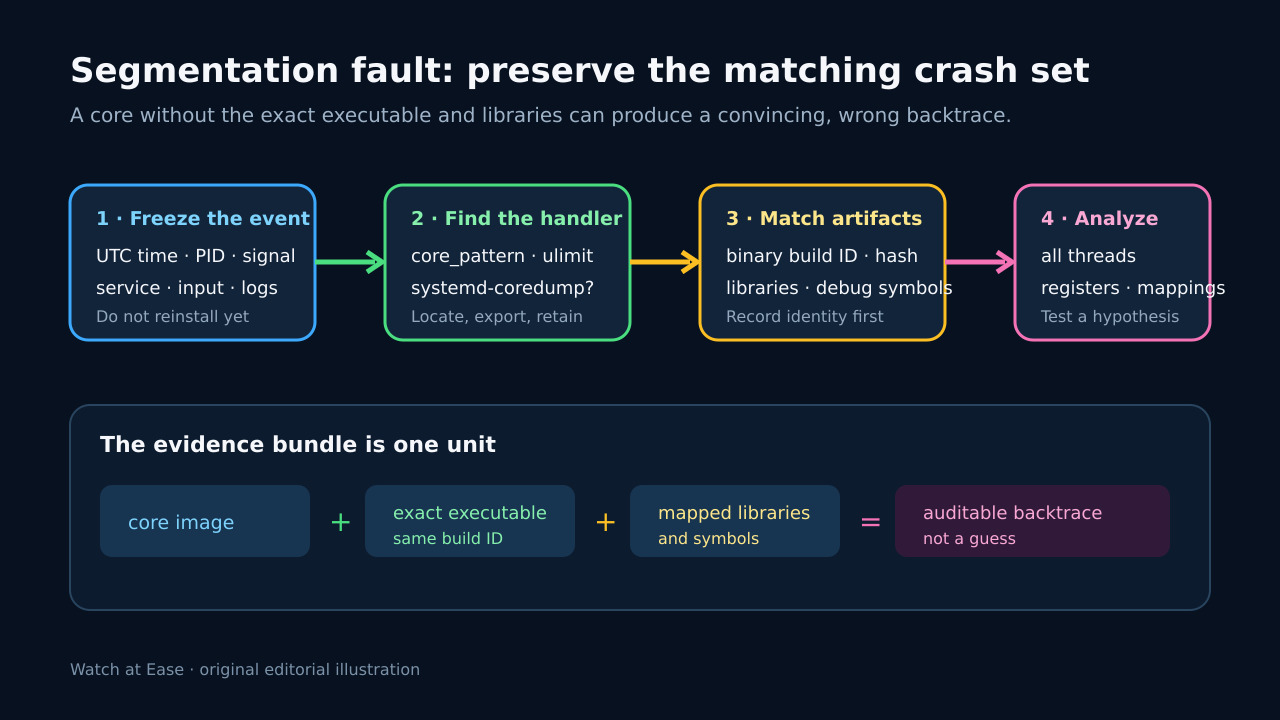
“Core dumped” does not mean a file named core is waiting in the working directory. Linux may suppress the dump, rename it, pipe it to a handler or let systemd-coredump retain it elsewhere. Preserve the event before changing packages, restarting repeatedly or rebuilding.
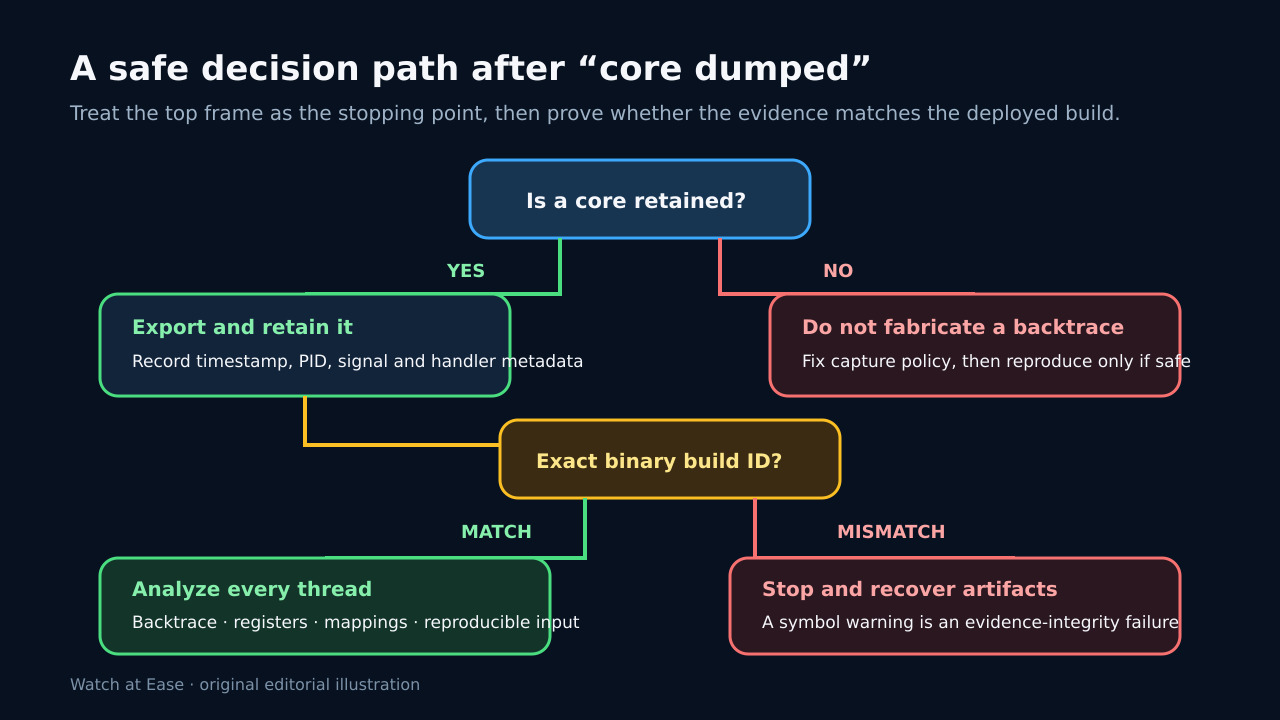
A useful postmortem requires one matched set: the retained core, the exact executable bytes that crashed, mapped libraries and the right symbols. The top frame is where execution stopped; it is not automatically where memory was first corrupted.
1. Freeze one crash before the system changes
Record UTC time, command or service, PID, signal, workload and the first surrounding logs. Save the exact “Segmentation fault” line and any service-manager status. This ties later artifacts to one event instead of mixing several restarts.
Do not reinstall, strip, upgrade or replace the executable yet. If the service must be restored, copy and hash the executable and relevant libraries first, and record the deployed package or container digest.
2. Resolve the actual core route
Read `ulimit -c` in the crashing context and `/proc/sys/kernel/core_pattern`. A value beginning with `|` names a handler, not a pathname. For a systemd route, use `coredumpctl list` and `coredumpctl info` to select the row by time, executable and PID.
Export the selected dump with `coredumpctl dump PID --output=core.PID` or preserve the literal file. Record handler metadata, original timestamp, signal and retention state. If no dump exists, document the exact limiting branch and fix capture before claiming a postmortem.
3. Bind the core to exact executable bytes
Hash the executable that crashed and record its ELF build ID with `readelf -n /path/to/program`. Save package metadata, container digest and the mapped-library set if available. “Same release name” is not enough when a rebuild can change addresses.
Start GDB with explicit inputs: `gdb -q /exact/program core.PID`. Treat warnings about mismatched executable files, missing shared libraries or unexpected symbols as evidence-integrity failures. Recover the matching bytes or stop; do not publish the resulting frames as fact.
4. Read every thread, not only frame zero
Capture `info files`, `info sharedlibrary`, `thread apply all bt full`, registers and a small disassembly around the stopping instruction. Preserve the raw transcript. Compare the faulting address with mappings and note whether symbols are complete, partial or absent.
A SIGSEGV can occur after an earlier out-of-bounds write, use-after-free or race. The top frame proves the stopping point. Build a hypothesis from thread state, input, ownership and reproducibility; if safe, use a debug build or sanitizer in an isolated reproduction rather than modifying production evidence.
5. Repair one hypothesis and define acceptance
Make one reviewable change tied to the evidence: restore the correct library, fix the invalid lifetime, add bounds checking or repair the capture configuration. Keep the original core, hashes and transcript immutable so the before/after comparison remains auditable.
Replay the same workload and environment. Acceptance requires the expected output, no new matching core, stable service health and a recorded deployed build ID. A restart that merely stops the visible message is not proof; neither is a backtrace produced from replacement binaries.